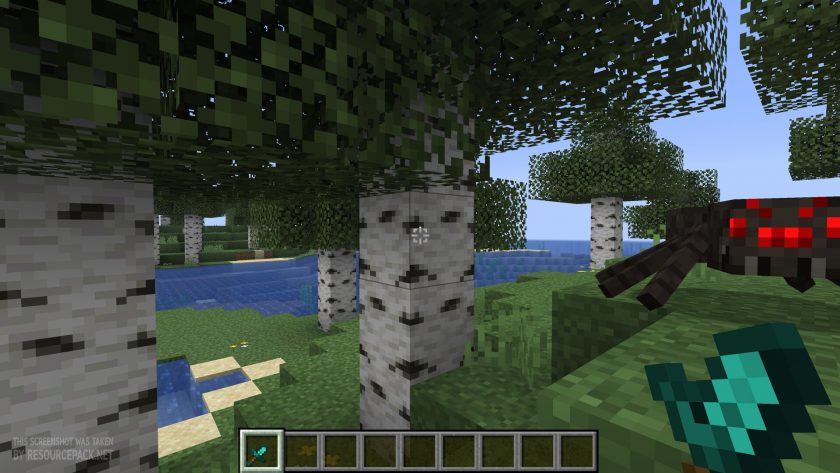
It’s no secret that Minecraft PvP players are always on the lookout for small tweaks that can make a big difference during battles. A split second of better visibility, an uncluttered screen, or simply clearer focus can mean the difference between winning and losing. That’s why resource packs designed specifically with PvP in mind have become so popular. One of the most effective examples in this category is the Tiny PVP Swords and Tools resource pack, a lightweight pack built to refine your combat experience without changing the game’s overall look and feel. The idea behind this pack is extremely straightforward, and sometimes that’s what makes it so appealing. Instead of attempting to retexture every block, mob, or particle effect, the creator, GamerPotion, kept things minimal. Only the models for swords, axes, pickaxes, and other handheld items are altered, and even then, the change is purely in scale. Every weapon and tool appears significantly smaller on your screen, but their textures remain identical to vanilla Minecraft. This means the game world still looks like the Minecraft you know, yet your field of vision suddenly feels much larger. Anyone who has fought a duel in a cramped PvP arena knows how frustrating it can be when a massive diamond sword blocks the corner of your view. With this pack installed, those oversized models shrink to a neat, compact size. You can keep your eye on opponents, track arrows flying past, or spot enemy movement in the distance without your own weapon hogging the screen. For competitive players, that extra clarity can genuinely improve reaction times. Pairing this pack with others designed for performance can create an even stronger setup. For example, many players like combining it with Low on Fire resource pack. When you aren’t distracted by flaming textures or busy interfaces, and your sword isn’t covering a quarter of your monitor, you’re left with pure focus on the fight itself. That’s where the Tiny PVP Swords and Tools resource pack shines – it doesn’t claim to add flashy features, but it gives you more room to see and react, which is exactly what matters in PvP. Now, not every player will love the way it feels.
Featured video:
One of the charms of Minecraft is the sense of scale and the almost dramatic look of carrying a massive enchanted blade. Shrinking those weapons down might seem odd if you’re playing survival or embarking on an adventure map. Some might even find it a little “cute” in a way, which doesn’t always match the tone they want. But context is everything. While it might not be the best choice for immersive roleplay or cinematic builds, when you step into an arena or a server dedicated to PvP combat, the smaller weapon models are more practical than stylish, and practicality is exactly what competitive players are after. A frequent concern players have when downloading any PvP-focused pack is whether it’s allowed on servers. The good news here is that you don’t need to worry. Unlike unfair packs that alter gameplay mechanics, such as X-Ray packs that reveal ores, this one doesn’t give you information you shouldn’t have. It doesn’t let you see through walls or manipulate damage. It simply changes how big your own items appear on your screen. That means the Tiny PVP Swords and Tools texture pack is widely accepted on multiplayer servers, with the only exceptions being servers that have extremely strict rules. It’s also worth pointing out that the pack is lightweight and won’t affect your system’s performance. Many resource packs overhaul every texture, causing frame rate drops or increasing load times. This one doesn’t touch blocks, entities, or particles, so your FPS stays the same. That makes it a solid choice not only for players with high-end gaming PCs but also for those on older machines who don’t want to trade performance for visual changes. In the end, this pack isn’t about flashy aesthetics or showing off. It’s a tool in the truest sense – something designed with a very specific purpose, and it delivers exactly what it promises. If you take Minecraft PvP seriously, whether you’re grinding duels, playing competitive mini-games, or just sparring with friends, it’s worth adding to your arsenal. It won’t magically turn you into an unbeatable player, but it will help keep your focus on the fight itself, and sometimes that small advantage is all you really need.
Tiny PVP Swords and Tools should be compatible with all of these Minecraft versions: 26.1 - 1.21.11 - 1.21.10 - 1.21.9 - 1.21.8 - 1.21.7 - 1.21.6 - 1.21.5 - 1.21.4 - 1.21.3 - 1.21.2 - 1.21.1 - 1.21 - 1.20.6 - 1.20.5 - 1.20.4 - 1.20.3 - 1.20.2 - 1.20.1 - 1.20 - 1.19.4 - 1.19.3 - 1.19.2 - 1.19.1 - 1.19 - 1.18.2 - 1.18.1 - 1.18 - 1.17.1 - 1.17 - 1.16.5 - 1.16.4 - 1.16.3 - 1.16.2 - 1.16.1 - 1.16
Tiny PVP Swords and Tools — Screenshots
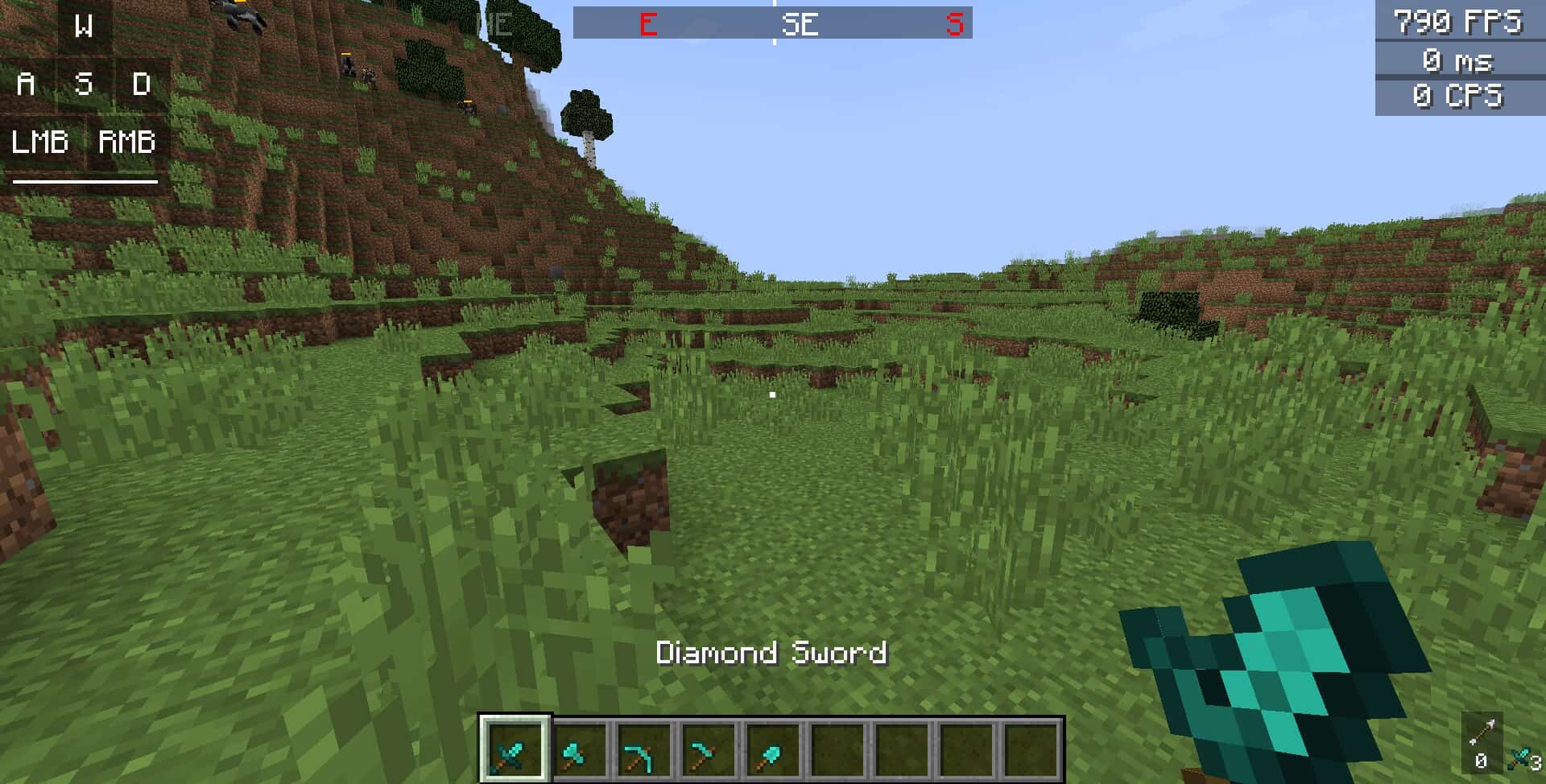
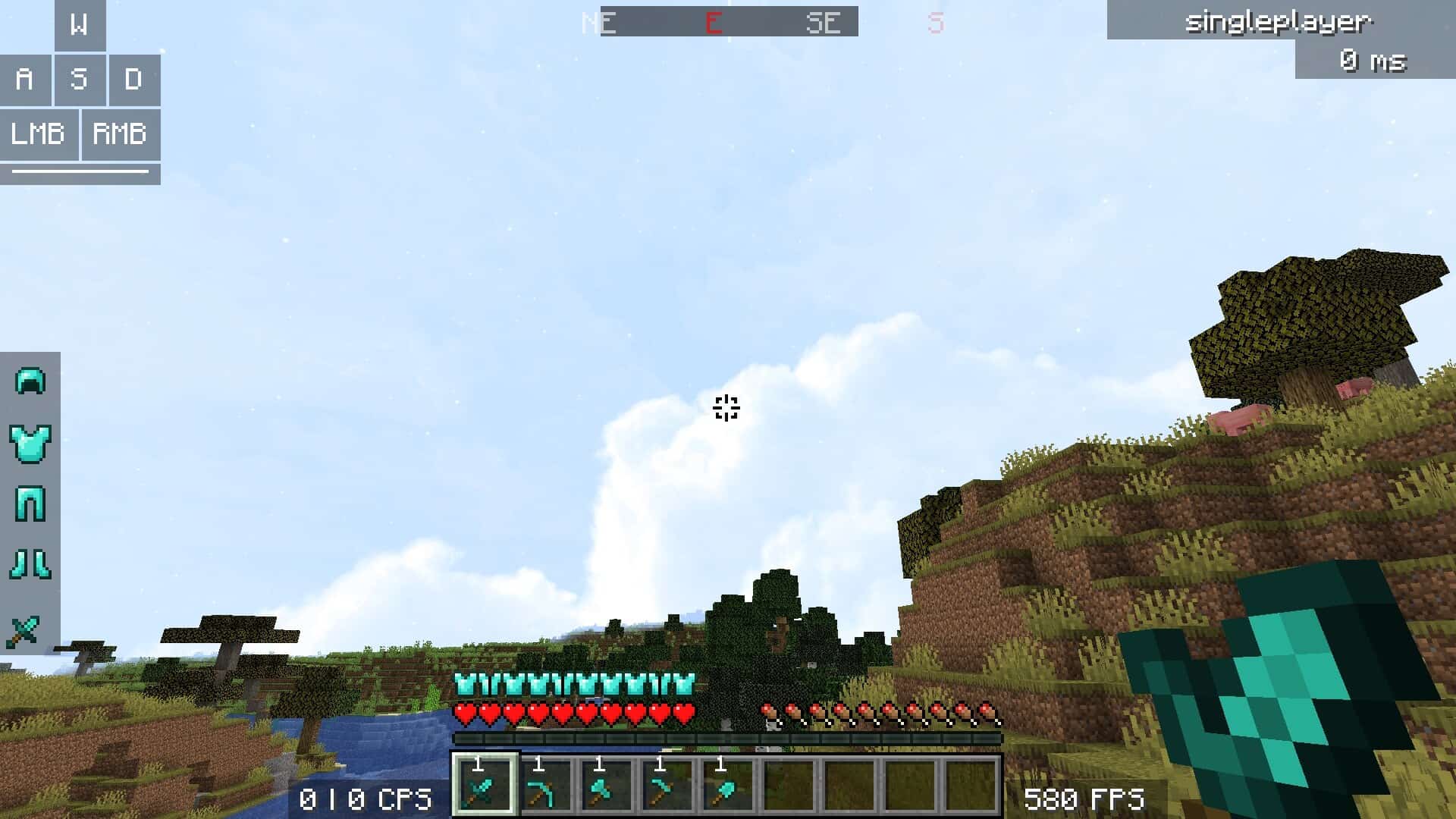
How to install Tiny PVP Swords and Tools Resource Pack:
- Most resource packs require Optifine, so be sure to download and install it. – general recommended step for all packs, Optifine is also needed for most shaders
- Download the Tiny PVP Swords and Tools texture pack for Minecraft from the download section below. – if there are many different versions, just choose the one you like, is compatible with your version/edition of Minecraft, the one you think your computer can handle in terms of performance.
- Launch the game client through the Minecraft launcher.
- On the main menu, click "Options".
- On the options menu, click "Resource Packs...".
- Click on "Open Resource Pack Folder". – folder titled "resourcepacks" will pop up
- Move the .zip file you downloaded in the first step to the newly opened "resourcepacks" folder.
- Click "Done".
- Click on "Resource Packs..." again.
- Your pack should have appeared in the left window, just hover over it and click on the arrow pointing to the right.
QUICK TIP: Sometimes, when activating a pack, the game may say that the pack is made for a newer or older version of Minecraft. This is just a warning, it does not affect your gameplay in anyway, and you can still activate and enjoy the pack by simply clicking the "Yes" button when prompted.
- Click "Done" again.
- The pack has now been successfully loaded and ready to be used in your world!
Tiny PVP Swords and Tools - Comparison Slider #1 diamond sword
Comparison slider #1 for those who want to compare vanilla Minecraft without any texture packs installed (on the left) with Minecraft using this particular texture pack (on the right).
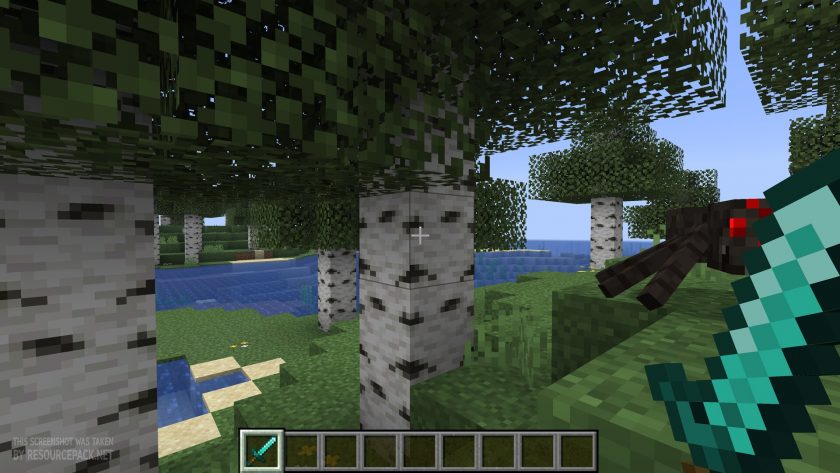 Vanilla
 Tiny PVP Swords and Tools
Tiny PVP Swords and Tools Texture Pack Download
- We do not modify or edit any resource packs. All resource packs, shaders and tools found on this website are linked directly to official sources rather than hosted on our own servers. We provide only the official download links from the original creators to ensure that your files are safe and secure.
- These official links are updated manually and may occasionally stop working when a new version is released. We work hard to keep everything current so that you have a smooth experience. Please let us know in the comments if you find a link that no longer works.
- Minecraft is a trademark of Mojang Studios and has no official connection to this website. Our goal is simply to share the best creations from the community with other players.
- Please consider leaving a comment or voting for your favorite packs. This feedback helps authors improve their projects over time. You can also support the creators directly by visiting the official links located below the download section.
Java Edition:
[16x] [26.1 – 1.21.6] Download Tiny PVP Swords and Tools Resource Pack
[16x] [1.21.5 – 1.20.2] Download Tiny PVP Swords and Tools Resource Pack
[16x] [1.20.1 – 1.16.x] Download Tiny PVP Swords and Tools Resource Pack
Curseforge: download starts automatically after a few seconds;
Mediafire: click the big blue button with the text "DOWNLOAD";
Google Drive: in the top right corner you will see a small download icon (down arrow), click it and the download should start;

100 votes
Look.. 100 users have already liked this pack. Give a diamond if you like it too!


ducky
so cute. the tools look so cute i want them right now irl
super_gary123
the best resourcepack