A defining feature of Minecraft is its visual aesthetic. The block style and simplistic graphics are now synonymous with the game and give it a retro gaming feel. The simple styling and play make the game easily accessible and popular across a broad demographic but, what do you do when it no longer satisfies you and eventually starts to irritate you? There is a solution, Sonic Ethers Unbelievable Shaders. Sonic Ether’s Unbelievable Shaders, or simply SEUS, completely transforms the games graphics and takes Minecraft to a whole new level. This shader pack brings the game to life by highlighting the natural properties of different game components. SEUS adds an element of reality to the graphics that really augments vanilla game play. Water appears to flow, large expanses of water appear homogenous and plants seem alive and move with the breeze. SEUS also enhances the night feel of the game with its play on shadows. The most transformative feature of the shader pack is lighting. The standard lighting used in vanilla game play is stark, offers minimal variation and adds little to the gaming experience. The default light color used is yellow light and this applies to most artificial light sources (fire, torch, glow stone) as well as natural light sources like the sun. The shader pack goes back to basics adding color and nuance to each light source.
Featured video:
The result is immediately obvious. Torchlight is easily distinguishable from sunlight, moonlight is very different to the lighting produced for lava. It is not just the colors that make the difference. Shadow definition and placement combine to increase the intensity and impact of the enhanced lighting. Attention to detail is evident. Even small blades of grass create their own shadows at angles corresponding to the position of the Sun. If the monotony of the vanilla game lighting has made the game feel lacking, SEUS is a quick fix that will add vibrancy and breath life back into the game. Another high impact feature of the shader pack is sky textures. Gone are the standard, block style clouds in their predictable formations. In their place SEUS introduces ethereal clouds that move in the sky and continually change. The shader pack transforms the sky replacing the floating blocks with soft, hazy clouds. The sky now feels real rather than a blue space filled with floating white flooring. Despite the obvious contrast between the original pixilated design of Minecraft and the very realistic design offered by the shader pack, both design elements actually work well together. By incorporating authentic lighting and weather into the game the shader pack adds to the game rather than detracting from it. It comes as no surprise that in order to run Sonic Ether’s Unbelievable shader mod pack you need a computer that can handle the enhanced graphics. Older computers with insufficient memory and processing speed might struggle to display the enhanced graphics and negatively impact your game play.
Sonic Ether's Unbelievable Shaders (SEUS) should be compatible with all of these Minecraft versions: 1.21.11 - 1.21.10 - 1.21.9 - 1.21.8 - 1.21.7 - 1.21.6 - 1.21.5 - 1.21.4 - 1.21.3 - 1.21.2 - 1.21.1 - 1.21 - 1.20.6 - 1.20.5 - 1.20.4 - 1.20.3 - 1.20.2 - 1.20.1 - 1.20 - 1.19.4 - 1.19.3 - 1.19.2 - 1.19.1 - 1.19 - 1.18.2 - 1.18.1 - 1.18 - 1.17.1 - 1.17 - 1.16.5 - 1.16.4 - 1.16.3 - 1.16.2 - 1.16.1 - 1.16 - 1.15.2 - 1.15.1 - 1.15 - 1.14.4 - 1.14.3 - 1.14.2 - 1.14 - 1.13.2 - 1.13.1 - 1.13 - 1.12.2 - 1.12 - 1.11.2 - 1.11 - 1.10.2 - 1.10 - 1.9.4 - 1.9 - 1.8.9 - 1.8.8 - 1.8.6 - 1.8.1 - 1.8 - 1.7.10 - 1.7.9 - 1.7.4 - 1.7 - 1.6.4 - 1.6.2
Sonic Ether's Unbelievable Shaders (SEUS) — Screenshots


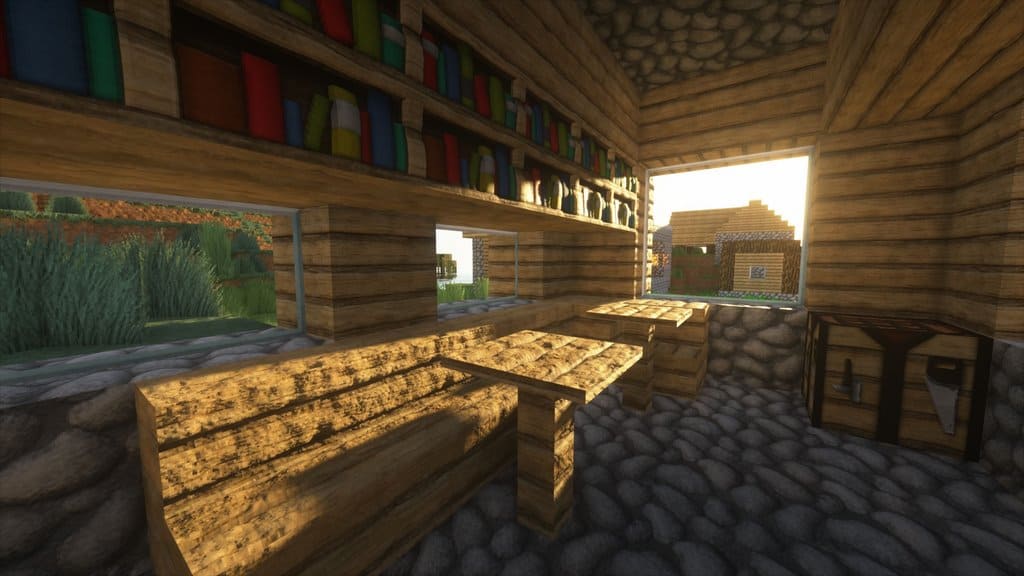
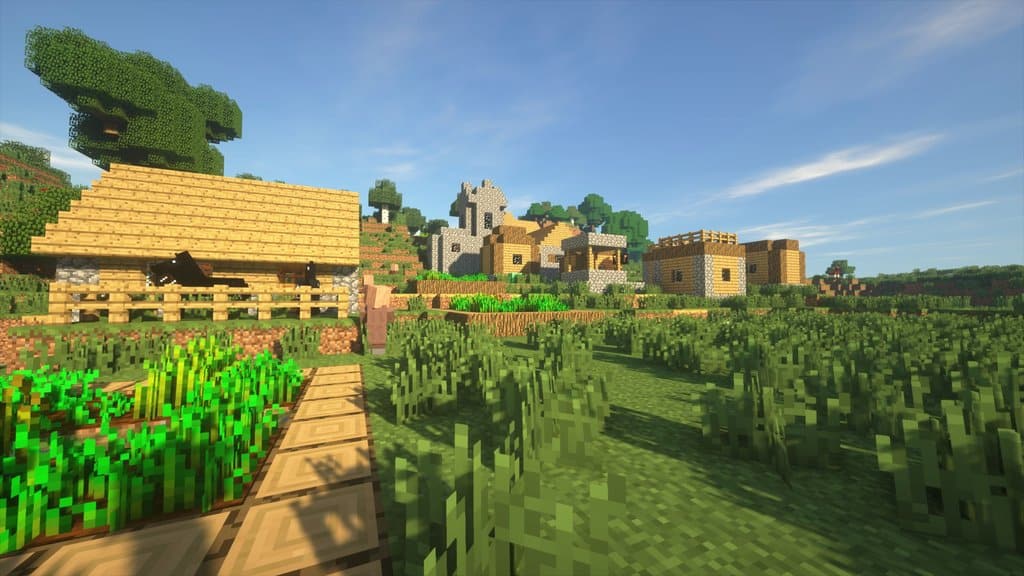
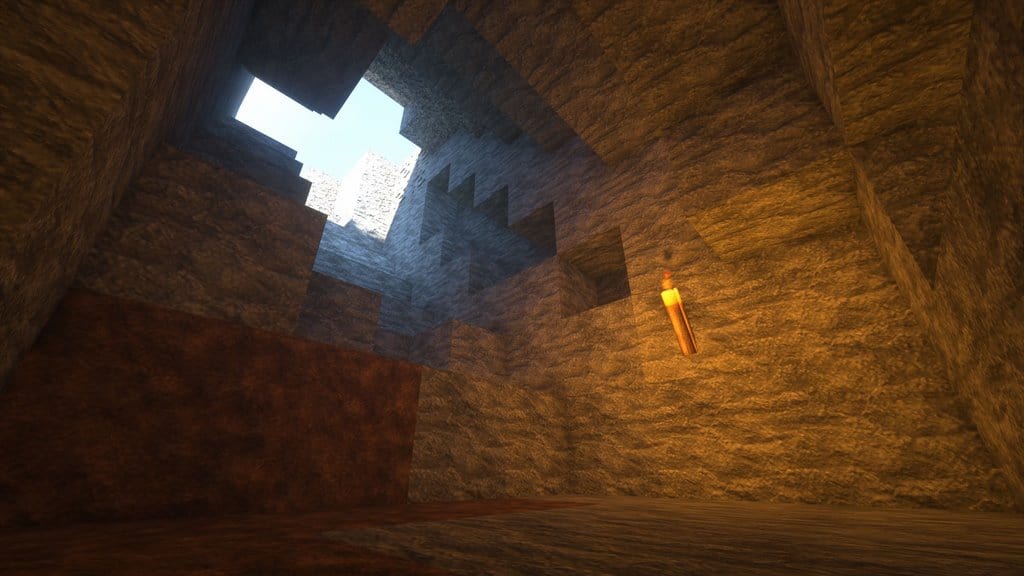
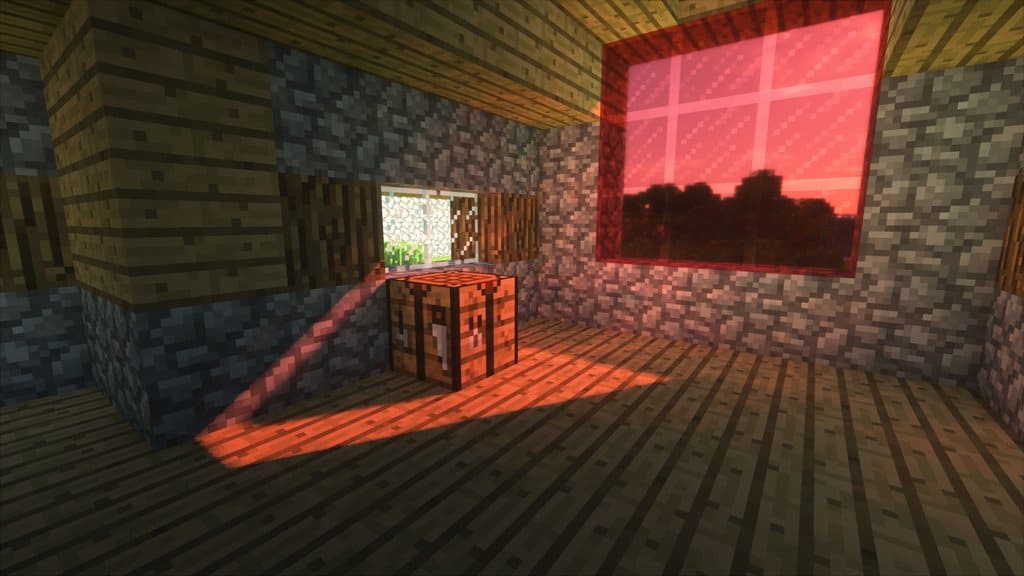
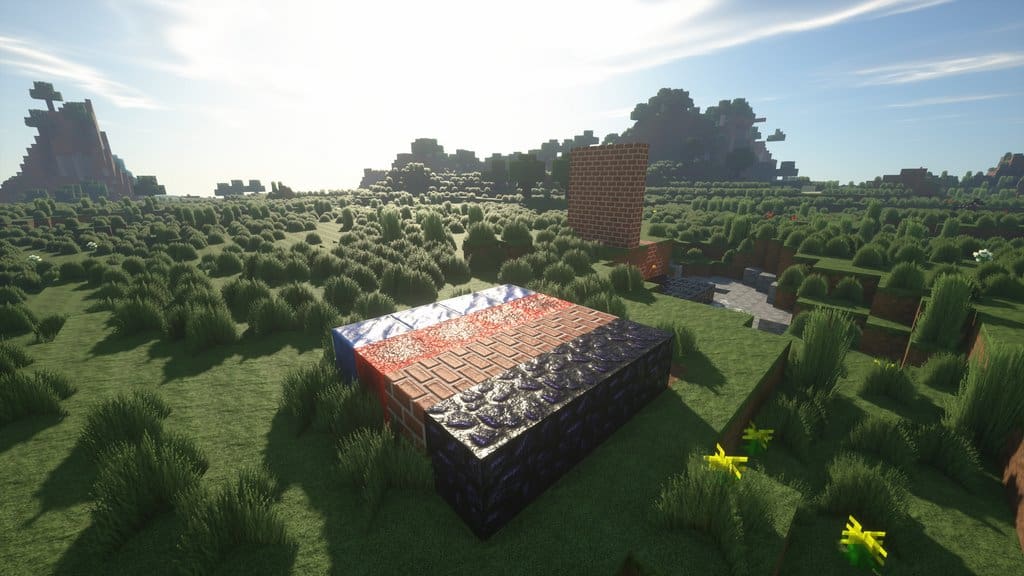
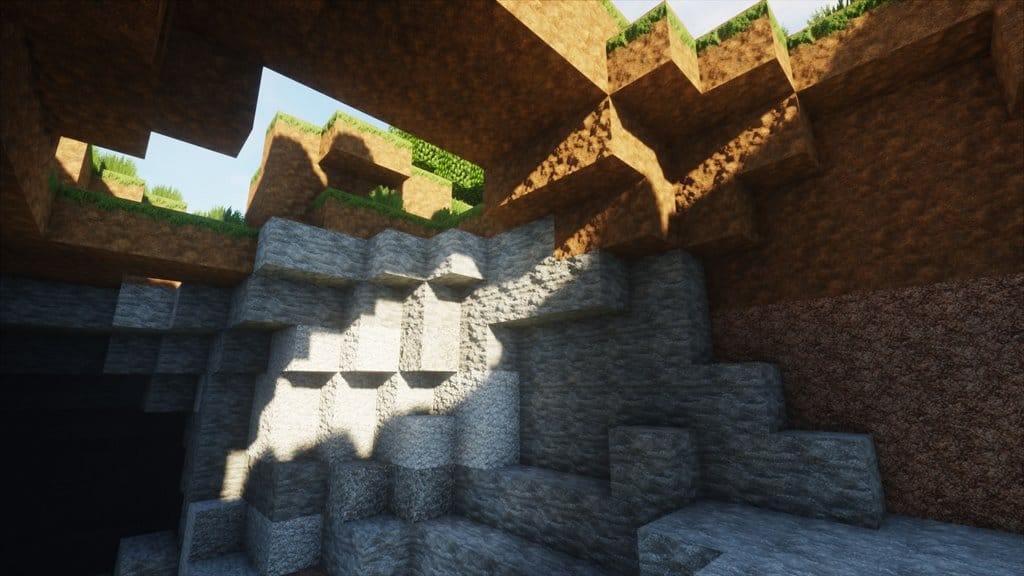

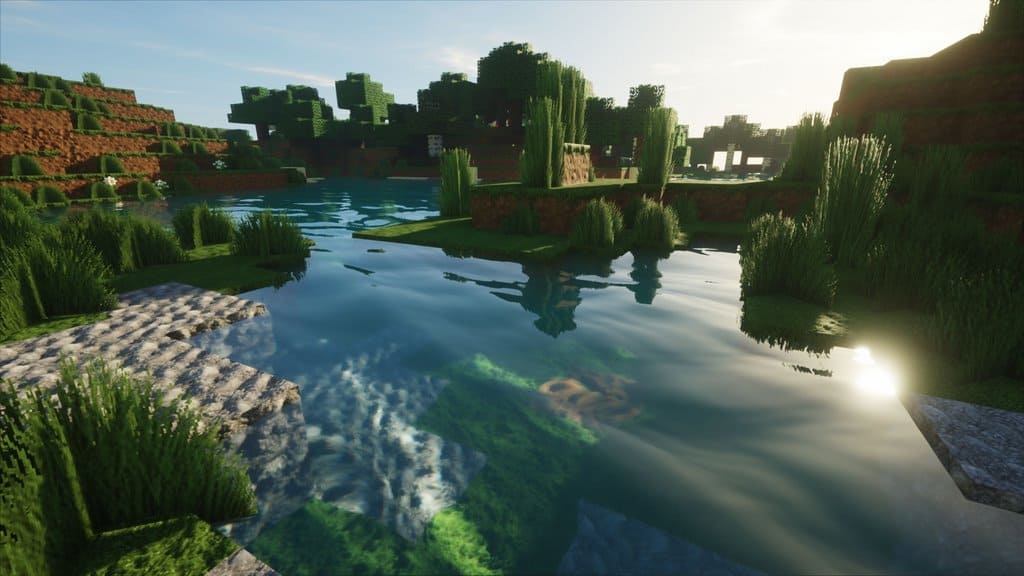
How to install SEUS Shaders:
- Download and install Minecraft.
- Open Minecraft launcher and setup your game profile for the Minecraft version you want to run. – in the top menu, select the “Installations” tab, click “New installation”, under the “Version” dropdown, select your preferred Minecraft version and click “Create”.
- Download and install Optifine or Iris. – we recommend Iris, it’s a bit more optimized;
- Open Minecraft launcher and select the newly created Optifine or Iris profile. – if in step 3 you chose to install optifine it will have an optifine profile, if iris it will have an iris profile;
- Download the SEUS shader pack from the download section below.
- Launch Minecraft.
- For Optifine: Go to
Options > Video Settings > Shadersand click “Shaders Folder” to open shaderpacks folder.
For Iris: Go toOptions > Video Settings > Shader packsand click “Open Shader Pack Folder” to open shaderpacks folder. - Put the SEUS shader pack (.zip file) downloaded in step 5 into the .minecraft\shaderpacks folder you opened in step 7.
- In the game, select SEUS Shaders from the list and click “Done”.
Sonic Ether's Unbelievable Shaders (SEUS) - Comparison Slider #1 day
Comparison slider #1 for those who want to compare vanilla Minecraft without any shaders installed (on the left) with Minecraft using this particular shader pack (on the right).
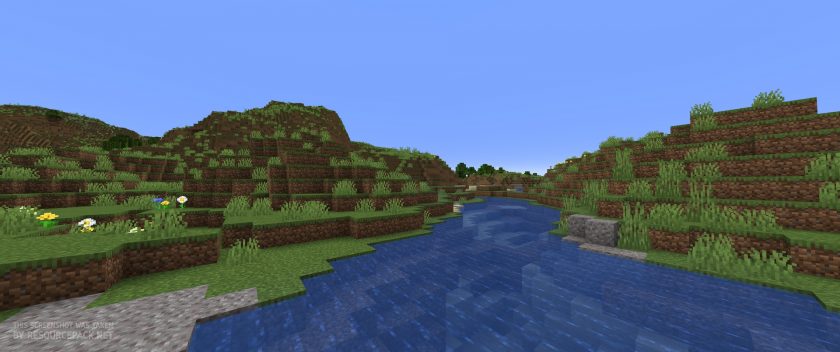 Vanilla
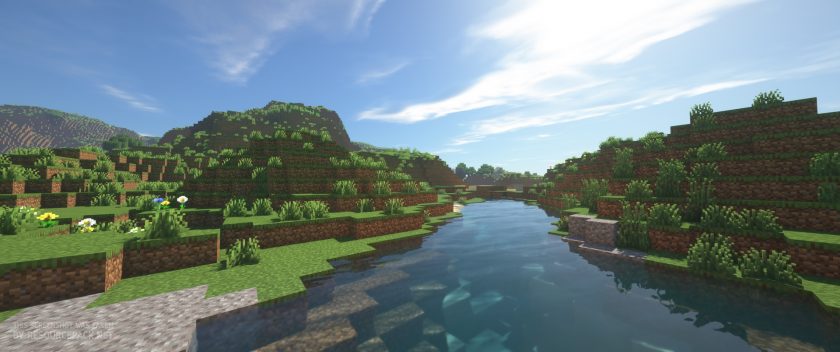 SEUS (Renewed)
Sonic Ether's Unbelievable Shaders (SEUS) - Comparison Slider #2 night
Comparison slider #2 for those who want to compare vanilla Minecraft without any shaders installed (on the left) with Minecraft using this particular shader pack (on the right).
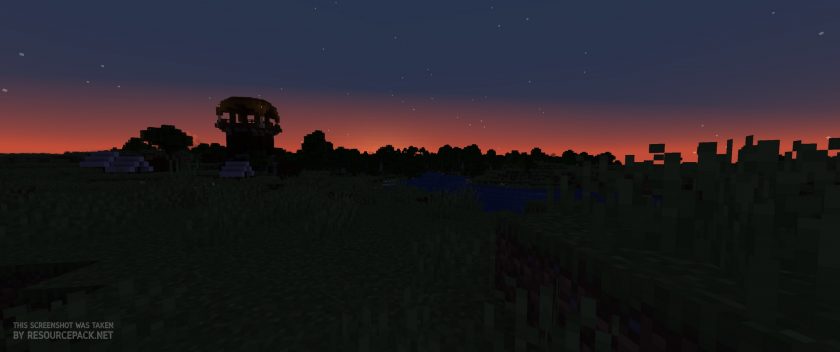 Vanilla
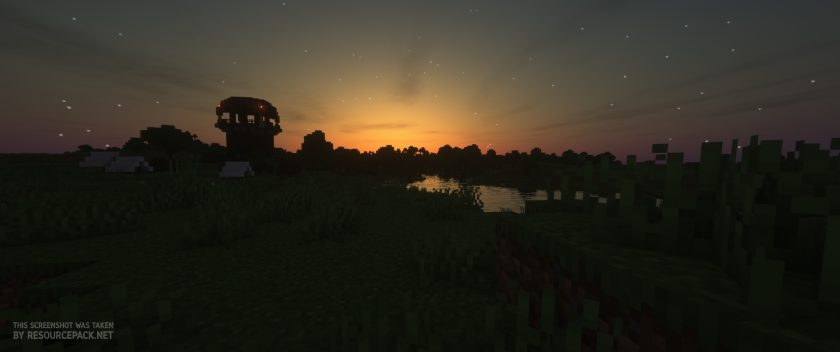 SEUS (Renewed)
Sonic Ether's Unbelievable Shaders (SEUS) Shader Pack Download
- We do not modify or edit any resource packs. All resource packs, shaders and tools found on this website are linked directly to official sources rather than hosted on our own servers. We provide only the official download links from the original creators to ensure that your files are safe and secure.
- These official links are updated manually and may occasionally stop working when a new version is released. We work hard to keep everything current so that you have a smooth experience. Please let us know in the comments if you find a link that no longer works.
- Minecraft is a trademark of Mojang Studios and has no official connection to this website. Our goal is simply to share the best creations from the community with other players.
- Please consider leaving a comment or voting for your favorite packs. This feedback helps authors improve their projects over time. You can also support the creators directly by visiting the official links located below the download section.
Java Edition:
[SEUS Renewed 1.0.1] Download Sonic Ether’s Unbelievable Shaders Pack – for Minecraft 1.21.x and below;
[SEUS v11] Download Sonic Ether’s Unbelievable Shaders Pack – for Minecraft 1.10.x and below;
[SEUS v10.2 Ultra] Download Sonic Ether’s Unbelievable Shaders Pack – for Minecraft 1.10.x and below;
Curseforge: download starts automatically after a few seconds;
Mediafire: click the big blue button with the text "DOWNLOAD";
Google Drive: in the top right corner you will see a small download icon (down arrow), click it and the download should start;

5,356 votes
Look.. 5356 users have already liked this shader pack. Give a diamond if you like it too!


Griffin
How do you use it?
Ethan
When I installed this on my device it exploded SUPER REALISTIC but cool! Recommend Installing
Cryo
I’ve noticed that rain effects show up under glass, which really ruins the immersion of skylights
Elias_LPs
It is cool, but when I modified it than show it me errors.
not gocygo
than your modifying it wrong 🤦♂️
BlOkHeD
I bet this works SUPER well, but some of the files didn’t load right or weren’t avaliable even tho I used the 1.18.x and under
SmileMan317
I have the same fails. its a Problem with OptiFine. you can replace OptiFine with Iris / Sodium. than it should work
Stargaz3
this is one of my favorite shaders and I’ve had zero technical issues, but night vision potions don’t work while im using this shader, is there a setting i can change or is this intended?
PearlJim
Is there a way to get rid of the slight blurriness I’m noticing? feels like there is a very slight fog throughout the entire world.
Mysterious_Pickle
How do you install i dont get it :(
Admin
Read the installiation guide on this page, right below the screenshots section.
mhhhhh sus
idk how to install it i dont see it
Katharina
awesome resource pack but my lava looks quite weird. It’s pink and black in squares.
Does anyone know how to fix it?
Tianos
very good
lexi power_YT
FANTASTIC
Danni
does not work for me at all… just gives me all these errors in game and I can’t see anything in game
Swarit
Just dont use optifine or switch to iris
w
epic shaders
B4D-W0LF
It says it’s free but It only goes to a patreon seems sus
dragonmanmoh
pawsome (awesome in cats lunguage)
T
What is the texture pack in the middle picture?
Princess Celine of Lanover
I believe it is meteor or modern arch they look very similar
Igor
R3D.CRAFT most likely. The texture of the cow and wood is exactly the same there.
Shaders
so butyful i love the shaders how did you make it?
Haziq
I’s so good
D
hay i put the file in the shader packs folder and got optifine but its not apering in the saders tab can you please help
tatas
go to options/video settings/shaders and click on the seus you can modify it by pressing the buttons on the right and the config button on the bottom right make sure you press done when you are finshes
bb
nothing loads people’s problems go unanswered 0/10
Admin
The answer will be given after a detailed explanation of the problem. How can we recommend something to people who just comment “doesn’t work”? And 90%+ of the problem occurs when optifine is not installed or optifine was installed for an older version than you downloaded the shader pack. And if this is a problem, we cannot help. You need to know which version of Minecraft you are playing on so that you can download the stable version of optifine for that particular version of Minecraft and then select a shader pack that works with that version of optifine & minecraft. Again, optifine and most shader packs are java-only, they don’t work or load in the bedrock version.
m
i have the 1.17 version and it doesn’t allow me to ad the pack, it says “failed to copy packs” someone please help me
Eitann
Whenever I add on a resource pack on to this shader, the world turns to a blush tint and become sort of fuzzy. I’m now seeing that whenever I use the 2 I get a GL error. Does anyone know what’s wrong or how to fix this?
E
do i need to unzip it?
Aaron
No… just drag the file into the shaderpacks folder and then you should see it in the shaders menu in minecraft
GhostGamer25
Its sooo cool but you cant play because of the lags
Azmyuth
i think its because this is meant for people with actually good computers and not potatos… im crying in the corner because im using a potato pc
kashunbb
my pc i old not potato from the 2000s so like 20-16 years old
Viper_Saeed
Hi please answer i download this shader and so much shader but when I use shader textures wont changed i just have shadows and water quality its all allowed shader gives me im using Windows 10 home edition it wasn’t happened in my old laptop but in my new pc it wont work I download everything I update my drivers and everything you think but textures like normal Minecraft please help me im using java 1.16.5
Admin
Please familiarize yourself with the difference between a shader pack and a texture/resource pack before downloading.