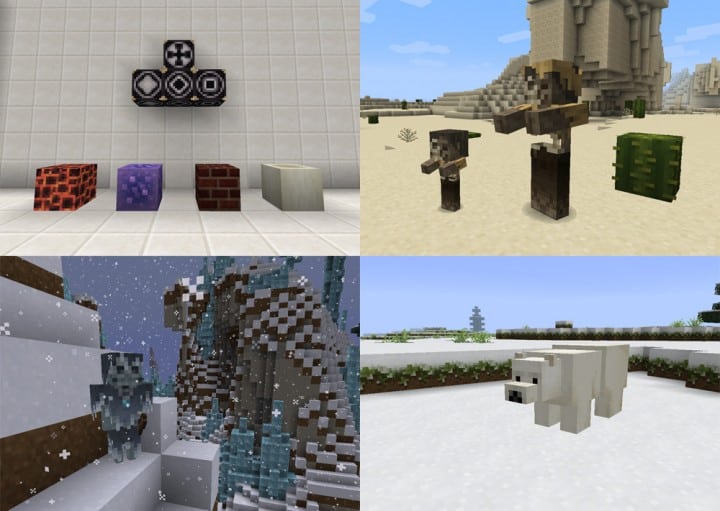
Mizuno’s 16 Craft resource pack enhances the world of Minecraft with impressive visuals. This texture pack will become a favorite of many players because of how well the textures in this pack look on screen. The fact that this resource pack is able to keep the graphics looking great without being over the top is a monumental accomplishment that few resource packs are able to achieve. Low-resolution resource packs often fail to make their textures visually pleasing. Because of these lack luster textures, most low-resolution resource packs are unable to take the Minecraft visual world to the next level. You can often find a lot of noise present in these texture designs. Noise found in these textures take away from the overall appeal and appearance of these low-resolution resource packs. The Mizuno’s 16 Craft succeeds where many other low-resolution packs fail.
Featured video:
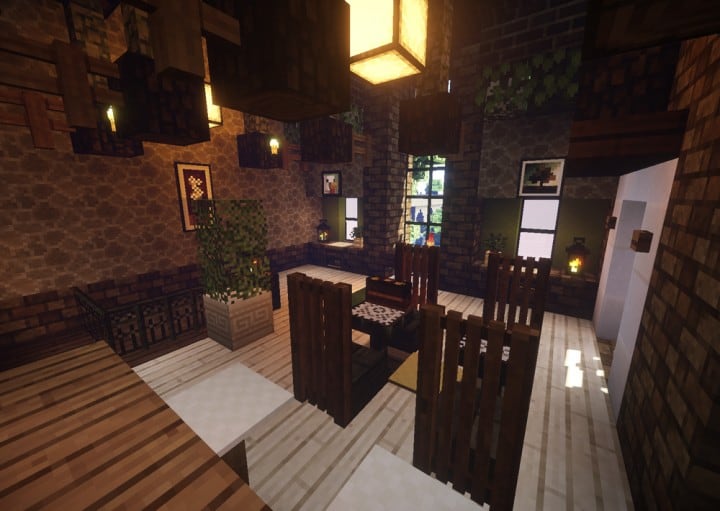
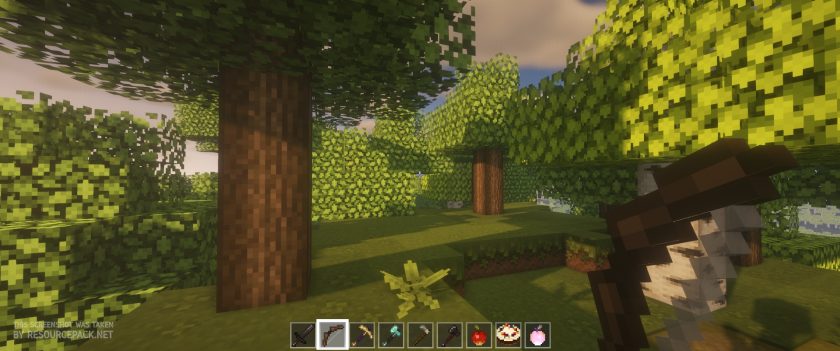
This particular pack provides beautiful graphics that are engaging by getting rid of many noise related problems that are prevalent in packs of this type. When you load Minecraft after installing the Mizuno 16 Craft resource pack you are greeted with amazing visuals. The simple design of the installed textures are streamlined and beautiful. The resource pack reveals a magnificent color pallet that features art influenced textures. With clean and noiseless textures this pack is able to reduce eye strain while providing an enjoyable gaming experience. This is one of the best features of the resource pack. Beyond changing Minecraft’s typical textures the Mizuno’s 16 Craft makes changes to the standard user interface. The Mizuno 16 Craft uses a 16×16 resolution like the name of the resource pack suggests. Because of this and the resource pack’s low screen resolution many players are able to enjoy this game with no difficulties. This resource pack allows people with low-end computers to enjoy this pack as much as someone with a high-end computer can.
Mizuno's 16 Craft should be compatible with all of these Minecraft versions: 26.1 - 1.21.11 - 1.21.10 - 1.21.9 - 1.21.8 - 1.21.7 - 1.21.6 - 1.21.5 - 1.21.4 - 1.21.3 - 1.21.2 - 1.21.1 - 1.21 - 1.20.6 - 1.20.5 - 1.20.4 - 1.20.3 - 1.20.2 - 1.20.1 - 1.20 - 1.19.4 - 1.19.3 - 1.19.2 - 1.19.1 - 1.19 - 1.18.2 - 1.18.1 - 1.18 - 1.17.1 - 1.17 - 1.16.5 - 1.16.4 - 1.16.3 - 1.16.2 - 1.16.1 - 1.16 - 1.15.2 - 1.15.1 - 1.15 - 1.14.4 - 1.14.3 - 1.14.2 - 1.14 - 1.13.2 - 1.13.1 - 1.13 - 1.12.2 - 1.12 - 1.11.2 - 1.11 - 1.10.2 - 1.10 - 1.9.4 - 1.9 - 1.8.9 - 1.8.8 - 1.8.1 - 1.8.6 - 1.8 - Bedrock Edition - PE
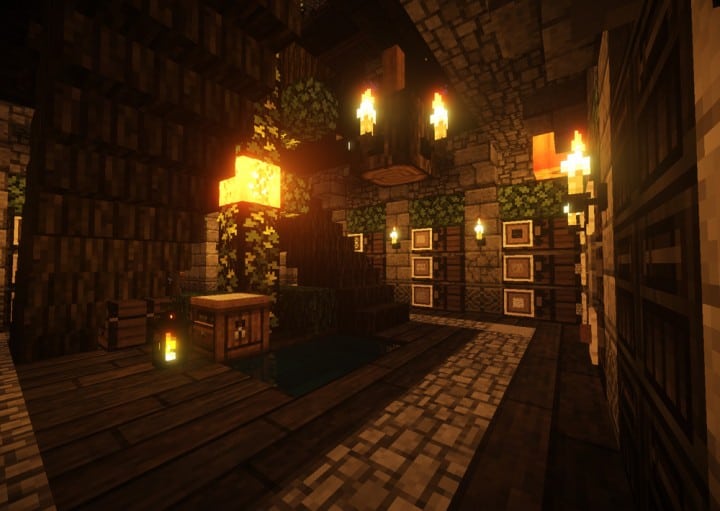
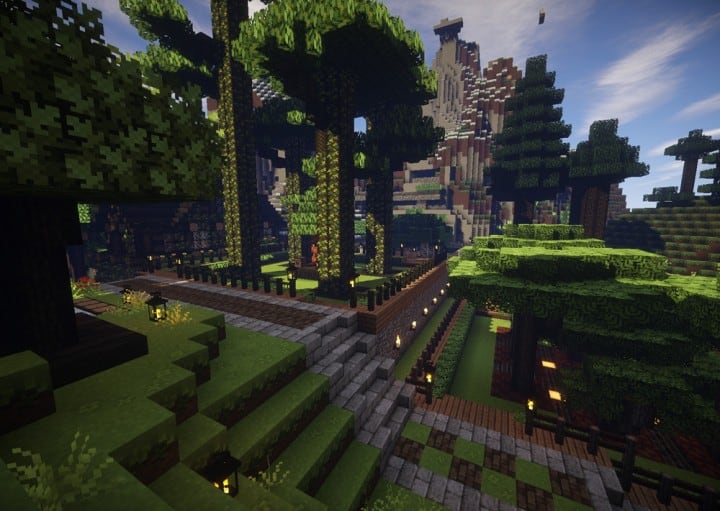
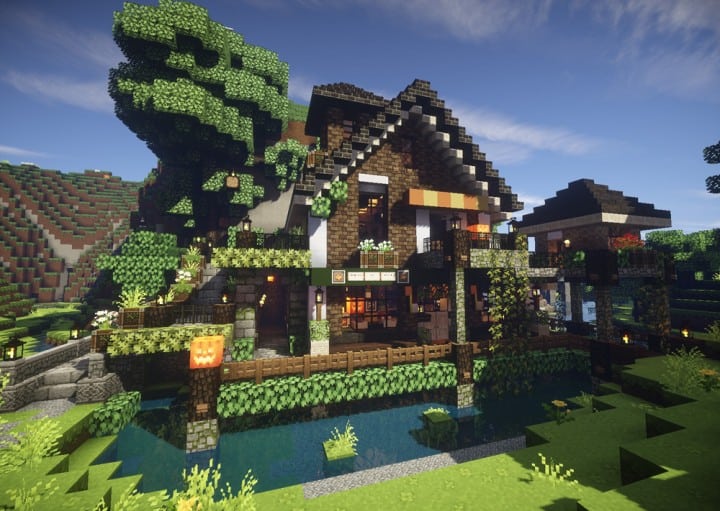
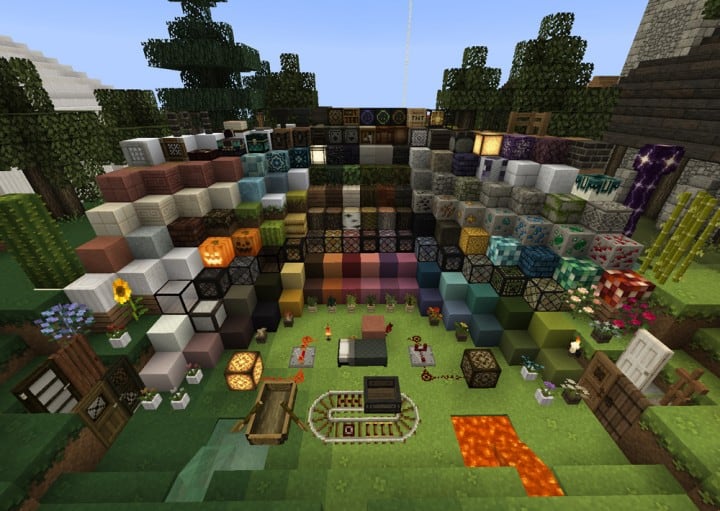
Mizuno's 16 Craft — Screenshots
How to install Mizuno's 16 Craft Resource Pack:
- Most resource packs require Optifine, so be sure to download and install it. – general recommended step for all packs, Optifine is also needed for most shaders
- Download the Mizuno's 16 Craft texture pack for Minecraft from the download section below. – if there are many different versions, just choose the one you like, is compatible with your version/edition of Minecraft, the one you think your computer can handle in terms of performance.
- Launch the game client through the Minecraft launcher.
- On the main menu, click "Options".
- On the options menu, click "Resource Packs...".
- Click on "Open Resource Pack Folder". – folder titled "resourcepacks" will pop up
- Move the .zip file you downloaded in the first step to the newly opened "resourcepacks" folder.
- Click "Done".
- Click on "Resource Packs..." again.
- Your pack should have appeared in the left window, just hover over it and click on the arrow pointing to the right.
QUICK TIP: Sometimes, when activating a pack, the game may say that the pack is made for a newer or older version of Minecraft. This is just a warning, it does not affect your gameplay in anyway, and you can still activate and enjoy the pack by simply clicking the "Yes" button when prompted.
- Click "Done" again.
- The pack has now been successfully loaded and ready to be used in your world!
How to install Mizuno’s CIT pack:
Before you can install the CIT Pack, there are a few requirements you need to meet:
- Minecraft Java Edition
- Optifine
- Mizuno’s 16 Craft Base pack
- Mizuno’s 16 Craft CIT pack
- Invisible Item Frame
Just click “Optifine” above if you haven’t installed it yet. The Mizuno 16 Craft Base pack (if you followed our guide above, it should already be installed), CIT pack and Invisible Item Frame can be found in the download section below.
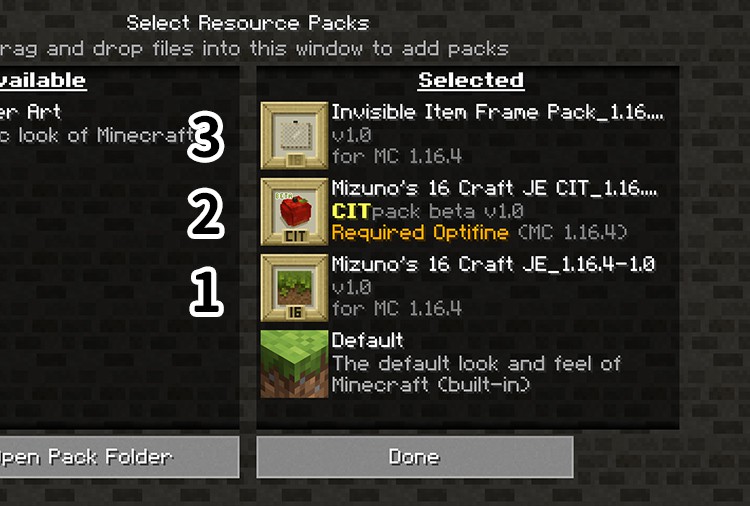
Now that you have successfully installed Optifine and installed the Mizuno’s 16 Craft Base Pack (just follow the instructions on “How to install Mizuno’s 16 Craft Resource Pack” above), you just need to do the same with the CIT Pack and the Invisible Item Frame and make sure they are installed in the correct order as shown in the image below:
How to use Mizuno’s CIT:
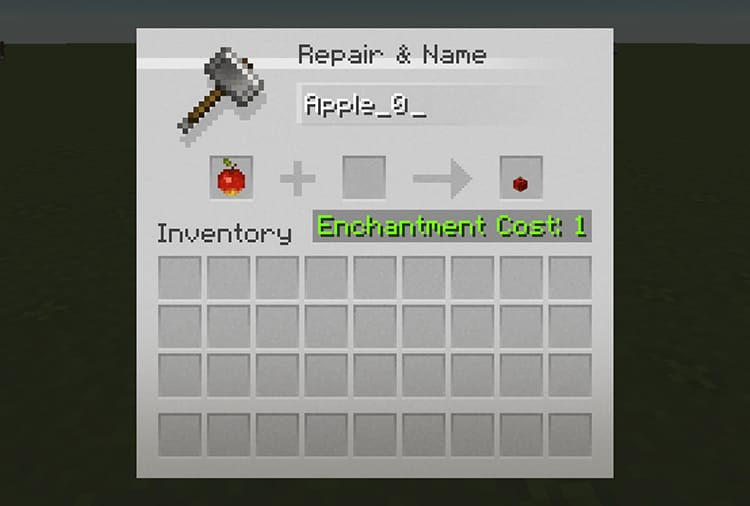
Once you have successfully installed everything we talked about above, you will now be able to use Mizuno’s CIT feature. All you need to do is simply go to the CIT catalog, find the CIT you want to “create” and simply name it on the anvil as shown in the image below:
Place the invisible item frame anywhere and place the newly named item in it. That’s it!
Mizuno's 16 Craft - Comparison Slider #1 Without shaders
Comparison slider #1 for those who want to compare vanilla Minecraft without any texture packs installed (on the left) with Minecraft using this particular texture pack (on the right).
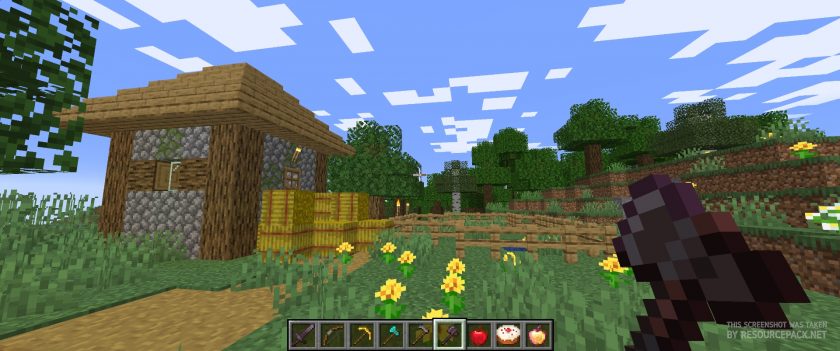 Vanilla
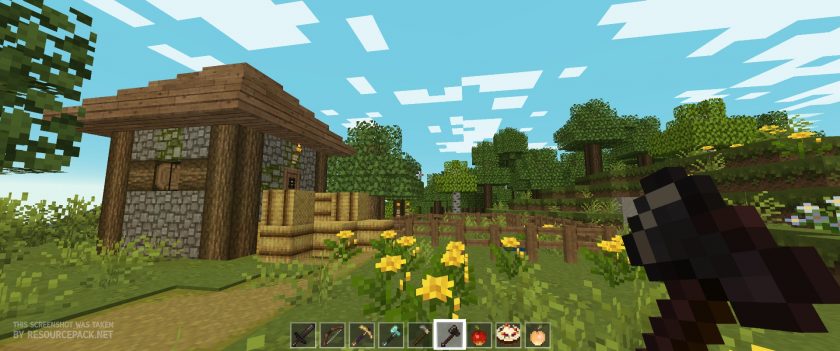 Mizuno's 16 Craft
Mizuno's 16 Craft - Comparison Slider #2 With BSL Shaders
Comparison slider #2 for those who want to compare vanilla Minecraft without any texture packs installed (on the left) with Minecraft using this particular texture pack (on the right).
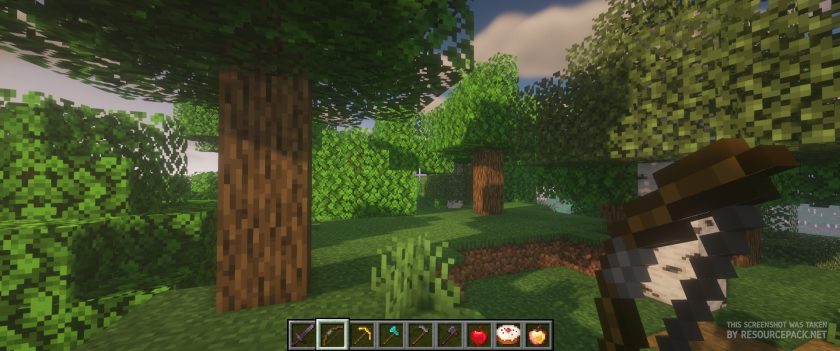 Vanilla (BSL Shaders)
 Mizuno's 16 Craft (BSL Shaders)
Mizuno's 16 Craft Texture Pack Download
- We do not modify or edit any resource packs. All resource packs, shaders and tools found on this website are linked directly to official sources rather than hosted on our own servers. We provide only the official download links from the original creators to ensure that your files are safe and secure.
- These official links are updated manually and may occasionally stop working when a new version is released. We work hard to keep everything current so that you have a smooth experience. Please let us know in the comments if you find a link that no longer works.
- Minecraft is a trademark of Mojang Studios and has no official connection to this website. Our goal is simply to share the best creations from the community with other players.
- Please consider leaving a comment or voting for your favorite packs. This feedback helps authors improve their projects over time. You can also support the creators directly by visiting the official links located below the download section.
Bedrock Edition:
Get Mizuno Craft for Bedrock Edition here – Mizuno Craft is available on the Marketplace for 830 Minecoins.
Java Edition:
[16x] [26.1 – 1.21.x] Download Modern Mizuno’s Resource Pack – unofficial addon, requires original pack from link below (1.20.6 – 1.20.2), place this add-on on top of original pack;
[16x] [1.20.6 – 1.20.2] Download Mizuno’s 16 Craft Resource Pack
[16x] [1.20.1 – 1.20] Download Mizuno’s 16 Craft Resource Pack
[16x] [1.19.x] Download Mizuno’s 16 Craft Resource Pack
[16x] [1.18.x] Download Mizuno’s 16 Craft Resource Pack
[16x] [1.17.x] Download Mizuno’s 16 Craft Resource Pack
[16x] [1.16.x] Download Mizuno’s 16 Craft Resource Pack
[16x] [1.15.x] Download Mizuno’s 16 Craft Resource Pack
[16x] [1.14.x] Download Mizuno’s 16 Craft Resource Pack
[16x] [1.13.x] Download Mizuno’s 16 Craft Resource Pack
[16x] [1.12.x – 1.11.x] Download Mizuno’s 16 Craft Resource Pack
[16x] [1.10.x] Download Mizuno’s 16 Craft Resource Pack
[16x] [1.9.x] Download Mizuno’s 16 Craft Resource Pack
[16x] [1.8.x] Download Mizuno’s 16 Craft Resource Pack
CIT pack (Java Edition):
[16x] [1.20.x] Download Mizuno’s 16 Craft CIT Resource Pack | Invisible Item Frame
[16x] [1.19.x] Download Mizuno’s 16 Craft CIT Resource Pack | Invisible Item Frame
[16x] [1.18.x] Download Mizuno’s 16 Craft CIT Resource Pack | Invisible Item Frame
[16x] [1.17.x] Download Mizuno’s 16 Craft CIT Resource Pack | Invisible Item Frame
[16x] [1.16.x] Download Mizuno’s 16 Craft CIT Resource Pack | Invisible Item Frame
Curseforge: download starts automatically after a few seconds;
Mediafire: click the big blue button with the text "DOWNLOAD";
Google Drive: in the top right corner you will see a small download icon (down arrow), click it and the download should start;

3,426 votes
Look.. 3426 users have already liked this pack. Give a diamond if you like it too!


Niko
Literally so excited to see this for 1.20. I’ve been using this resource pack since I got into MC a few years back and have been in love with it ever since, the game just doesn’t feel right without it. I’m excited to see how the new materials look in 1.20!! Keep up the great work, guys.
tungsten
wait til u see the leaves for the cherry blossom trees aint even pink LOL
MiyMiyKyu
it seems to be something with how it interacts with Optifine because when i turn mine off its regular
xdn
the links for 1.8.9 is broken, can you fix it?
tale
whens 1.20 coming out ?
kiana
when can we expect the 1.20 update?
toby
i love the look of this texture pack but i need to play 1.8 to get it to work whitch is fine because thats all i can play during school
long boy
1.19.3 nor 1.19.4 seems to be working. I also came cross an issue where the villager’s are the same animal. How do I fix this?
Admin
Do you have optifine installed?
long boy
Yes, but I tested the game without it and the same problems still occured?
SLEEPY
Is there a version of this pack that works with just 1.19? not 1.19.3
Admin
1.19.3 should work fine on 1.19.
ParrotNoname
I’ll promise you that I’ll download this pack if it’s free on the Bedrock edition!!!
Alycia Crépeau
YEAAAAAH I just want a cool shader on bedrock pls
Julie
I was wondering,when I turn the texture pack on there comes this little textbox up that tells me what every block I’am looking at are and it’s kinda annoying,how do I turn that off?
Honey
Txt rly beautiful however even if I have updated game the connecting glass or podzol are broken asf :/
Nadia
CIT pack isn’t working for me :( when I use the anvil the textures won’t load (purple and black block). Did I do something incorrectly?
Bjojo
Hello! i absolutely love this pack but i was wondering if you could release another version of it but just the retextured animal textures?
honeysuckle
Is it possible to make a version w/ just the animal villagers? <3
Wilan Bronkhorst
I HAVE APROBLEM WITH ARROW STACKS
Pumpkin
ME TOO
jason hernandez
do you guys have this texture pack for 1.19.2 trying to find it
pim
I did the same with the tutorial but I din’t get the “Open Resources Pack Folder” thing. What should I do?
Admin
It may be called differently, for example, in newer versions of Minecraft it is called “Open Pack Folder”, but whatever it is called, it should be clear what this button is for. After step 4, you can find 2 buttons at the bottom of the screen. One is “Open Pack Folder”, the other is “Done”. Again, this is for Java Edition, for bedrock it might be a bit different, I don’t currently have a device to check button placement in bedrock edition, but it shouldn’t be that different.
MCMC
Is anyone else having this problem? Everything about this texture pack is working fine EXCEPT for when i use the anvil to make the custom items (example: cookie_1) none of it works and it gives me a black and purple block everytime. HOW DO I FIX THIS?!
Byr
you need the mizunos CIT pack too, in addition to this one
sierra
im having this problem too and i have the cit pack installed with the correct versions. does anyone know the fix?
fairrykisses
The texture for the vines aren’t changing. I love the mizuno vines but mine are just the regular minecraft vines. Ive taken off all of my other texture packs to see if they are the problem but that didn’t seem to fix the issue. any help with this?
xLolochen
Can someone help me with the tinted windows? they are not transparent for some reason the transparent parts are completly black?
Lord_overseer
The texture for arrows are bit buggy, They are normal until the arrows are in a stack of 16 where then it turns into missing texture’s
Moro
Same here, it’s happening for my friends too.
Skye
How do I get this for my Nintendo switch lite?
umafkii
You can’t unfortunately. There is no possible way to mod a switch.
newji
does 1.19 update of the resource pack work with biomes o plenty?
karmex
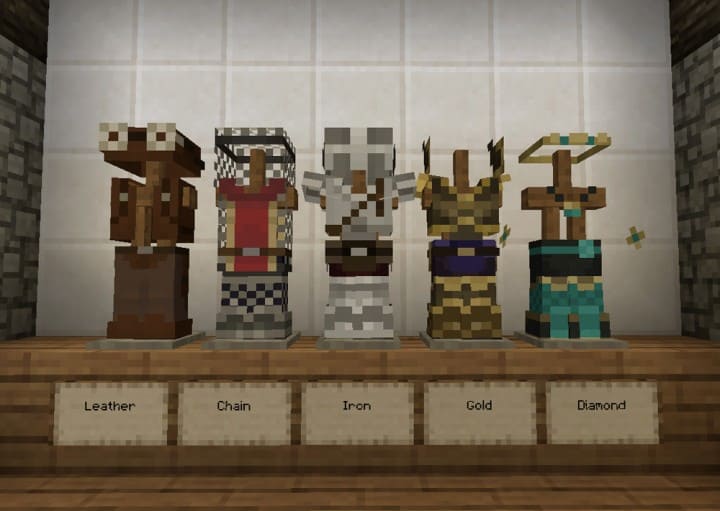
I’m in love with the colors. The wood is so pretty! All those extra things really excite one to build. Very nice pack. Also, I love how the leather armor looks.
Val
hi! i started to have one issue so whenever i’m in creative mode, the inventory layout looks distorted? i’m wondering if anyone is having the same issue?
Rachel
The blended textures like those between sand/gravel/path and grass, for example, are not showing. Do these require something additional? Thanks