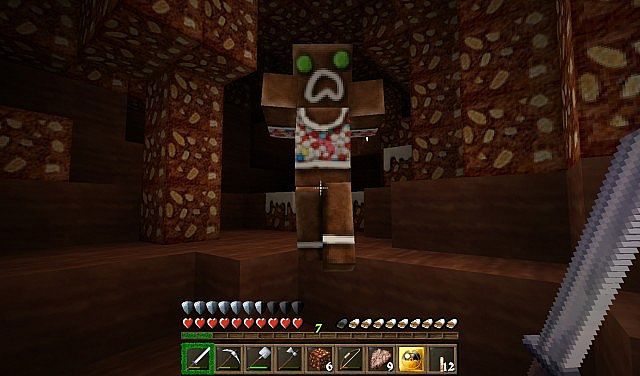
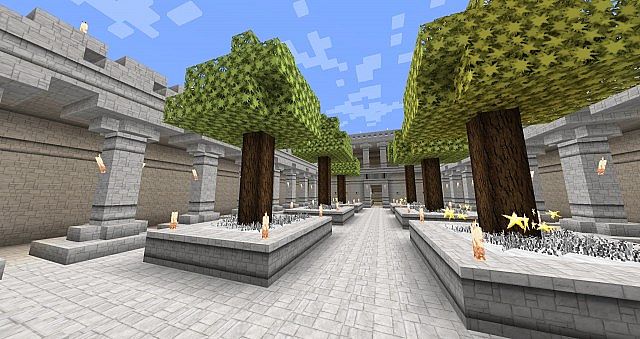
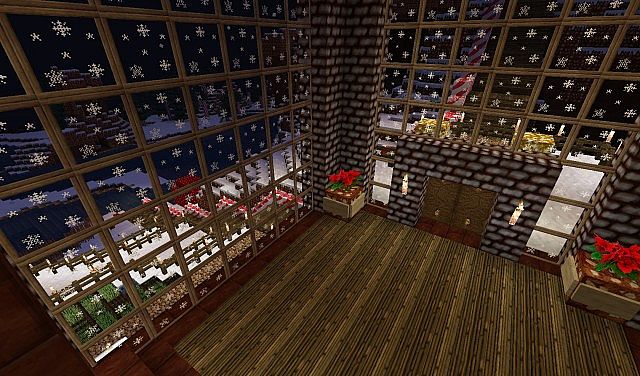
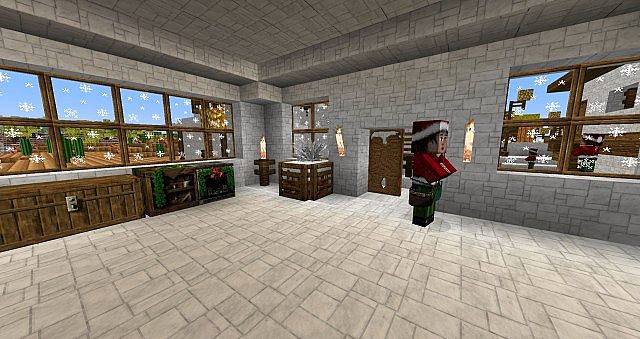
If you want a winter look in Minecraft but still want the game to feel like Minecraft, HerrSommer A Christmas Carol resource pack is a strong option. It aims for a classic holiday mood without turning your world into a gag. Many Christmas or New Year themed Minecraft packs lean too hard into bright jokes or bright colors. This one takes a more grounded approach, so it fits survival and long play sessions. The pack was made by DerSommer, a creator known for several themed packs. A lot of their work leans toward medieval style, with a focus on clean shapes and a handmade look. If you like this pack’s direction, it makes sense to look at their other releases too. You may not enjoy every theme, but the same care shows up across the set. HerrSommer A Christmas Carol texture pack has one major strength that sets it apart from many holiday packs. It does not stop at a few blocks and a handful of items. It pushes the theme across the game so the season shows up wherever you go. That wide coverage matters. A holiday theme feels real when it is present in the small details, not just in a single build or a few decorations you place by hand. Once you load the game, the pack starts building the mood right away. The menus carry a winter feel, which helps you shift into that seasonal mindset before you even enter a world. When you step into your world save, the blocks look like they belong in a Christmas setting. The style supports cozy villages, snowy streets, and warm interiors. You can build a cabin, a village square, or a full winter market and the textures help the scene hold together. You may also notice some mob changes that match the season. Those touches help the pack feel complete, since the world looks dressed for the holiday instead of only your builds. Texture coverage is the point where this pack does its best work. Many packs claim a full makeover but leave large parts of the game close to vanilla. Here, most blocks get new textures, and several items change as well. The holiday look stays consistent without making the world feel crowded.
Featured video:
The pack uses a 64x resolution. That is higher than the default Minecraft look, so blocks and items have more texture detail. You get sharper edges, richer textures, and more visual depth on common materials. The higher resolution can cost some performance compared to vanilla, but 64x often stays in a safe range. It also avoids the heavier demand of 128x and 256x packs, which can push older systems too hard. On a mid-range PC, 64x tends to feel like a clear upgrade without forcing you to cut your settings down. The biggest drawback is version support. The pack has been around for years and was built for older Minecraft releases. It targets the era around 1.7.x and 1.8.x, and it has not been updated since then. Because of that, players often treat it like a seasonal tradition. Each December, some players install an older Minecraft version for a short time just to use this pack. That sounds like a hassle, but it speaks to what the pack does well. It offers a full winter theme that stays serious and complete, and that can be hard to find in holiday content. You can try to use the pack on newer versions, but you should expect problems. Minecraft has changed a lot since the 1.8.x days. New blocks, new items, and new texture layouts mean older packs can leave gaps. When a texture is missing, you may see vanilla placeholders. If you want the cleanest experience, the best path is to use the Minecraft version the pack was made for. If you decide to run it the classic way, Minecraft 1.8.9 is a most popular choice. You get the pack as it was meant to look, and you avoid the missing texture issues that show up in newer versions. This route also brings a bit of nostalgia, since the older lighting and world feel match the pack’s style. The creator has described the goal as bringing the spirit of Christmas into your world, and that is the right way to approach it. This pack works best when you lean into what it offers. Use it for a seasonal save, or open a creative world and plan a winter town with friends. Build a small village with a big Xmas themed tree in the center, or go bigger with streets, shops, and a castle on a hill. Snowy biomes help a lot, since the landscape already supports the theme. If you want a winter makeover that still respects Minecraft’s identity, HerrSommer A Christmas Carol resource pack remains a solid pick, even with its age.
HerrSommer: A Christmas Carol should be compatible with all of these Minecraft versions: 1.8.9 - 1.8.8 - 1.8.1 - 1.8.6 - 1.8 - 1.7.10 - 1.7.9 - 1.7.4 - 1.7 - 1.6.4 - 1.6.2
HerrSommer: A Christmas Carol — Screenshots
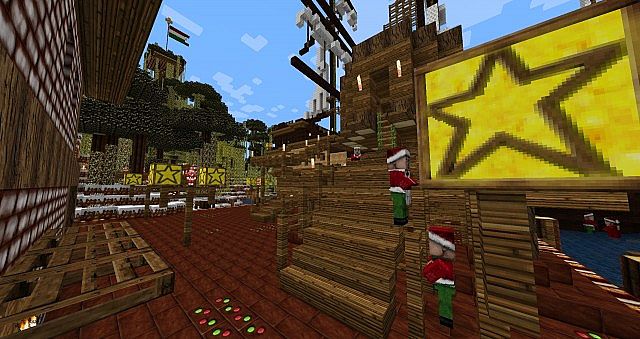
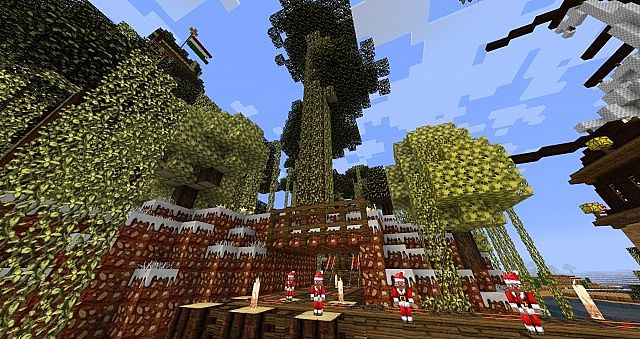
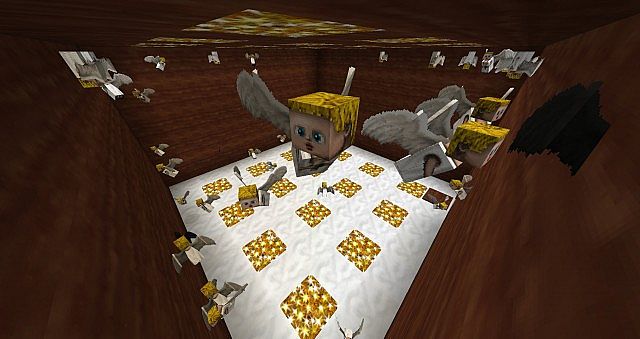
How to install HerrSommer: A Christmas Carol Resource Pack:
- Most resource packs require Optifine, so be sure to download and install it. – general recommended step for all packs, Optifine is also needed for most shaders
- Download the HerrSommer: A Christmas Carol texture pack for Minecraft from the download section below. – if there are many different versions, just choose the one you like, is compatible with your version/edition of Minecraft, the one you think your computer can handle in terms of performance.
- Launch the game client through the Minecraft launcher.
- On the main menu, click "Options".
- On the options menu, click "Resource Packs...".
- Click on "Open Resource Pack Folder". – folder titled "resourcepacks" will pop up
- Move the .zip file you downloaded in the first step to the newly opened "resourcepacks" folder.
- Click "Done".
- Click on "Resource Packs..." again.
- Your pack should have appeared in the left window, just hover over it and click on the arrow pointing to the right.
QUICK TIP: Sometimes, when activating a pack, the game may say that the pack is made for a newer or older version of Minecraft. This is just a warning, it does not affect your gameplay in anyway, and you can still activate and enjoy the pack by simply clicking the "Yes" button when prompted.
- Click "Done" again.
- The pack has now been successfully loaded and ready to be used in your world!
HerrSommer: A Christmas Carol Texture Pack Download
- We do not modify or edit any resource packs. All resource packs, shaders and tools found on this website are linked directly to official sources rather than hosted on our own servers. We provide only the official download links from the original creators to ensure that your files are safe and secure.
- These official links are updated manually and may occasionally stop working when a new version is released. We work hard to keep everything current so that you have a smooth experience. Please let us know in the comments if you find a link that no longer works.
- Minecraft is a trademark of Mojang Studios and has no official connection to this website. Our goal is simply to share the best creations from the community with other players.
- Please consider leaving a comment or voting for your favorite packs. This feedback helps authors improve their projects over time. You can also support the creators directly by visiting the official links located below the download section.
Java Edition:
[64x] [1.8.x – 1.7.x] Download HerrSommer A Christmas Carol Resource Pack
Curseforge: download starts automatically after a few seconds;
Mediafire: click the big blue button with the text "DOWNLOAD";
Google Drive: in the top right corner you will see a small download icon (down arrow), click it and the download should start;

11 votes
Look.. 11 users have already liked this pack. Give a diamond if you like it too!


payton
love it