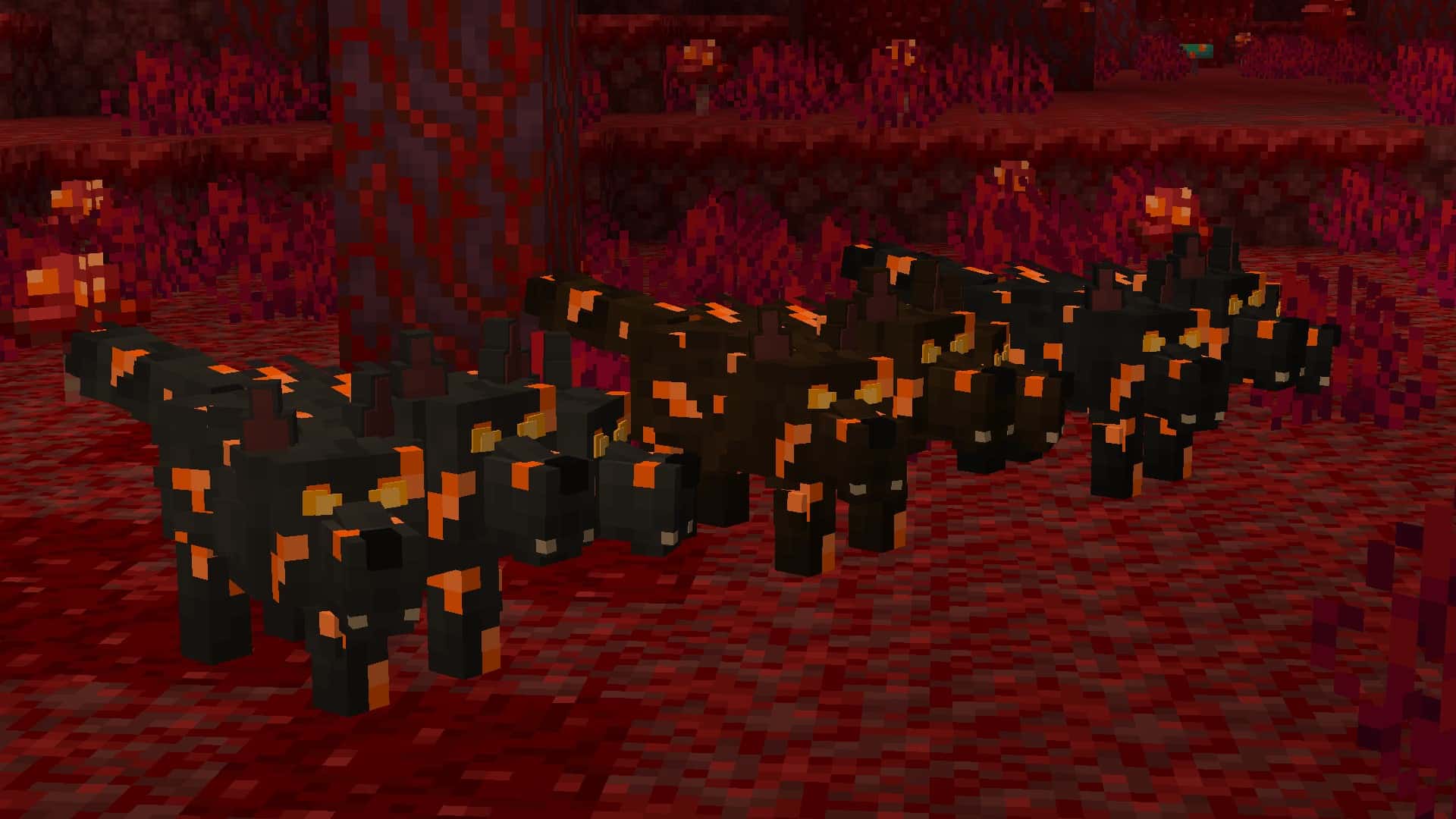
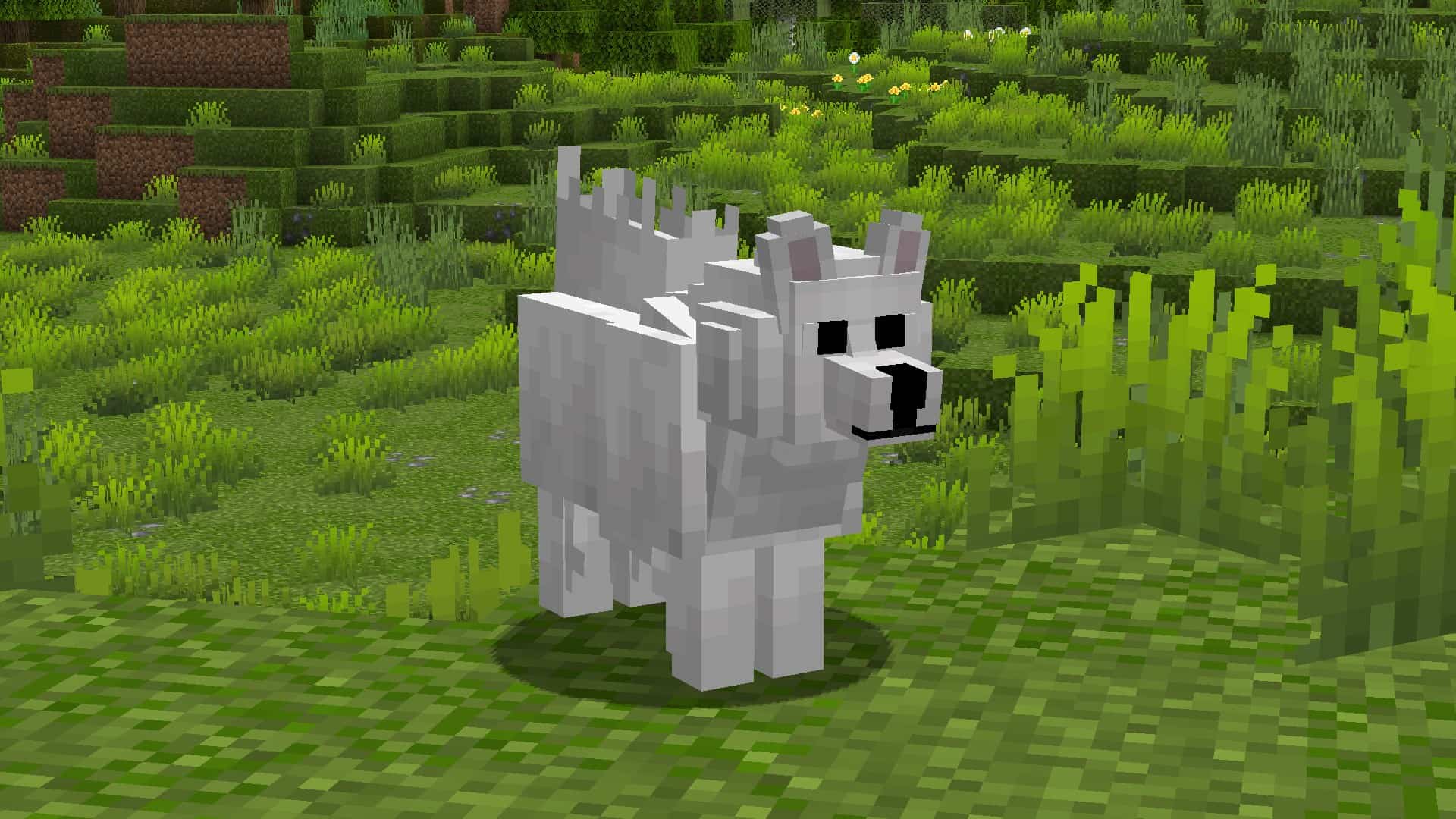
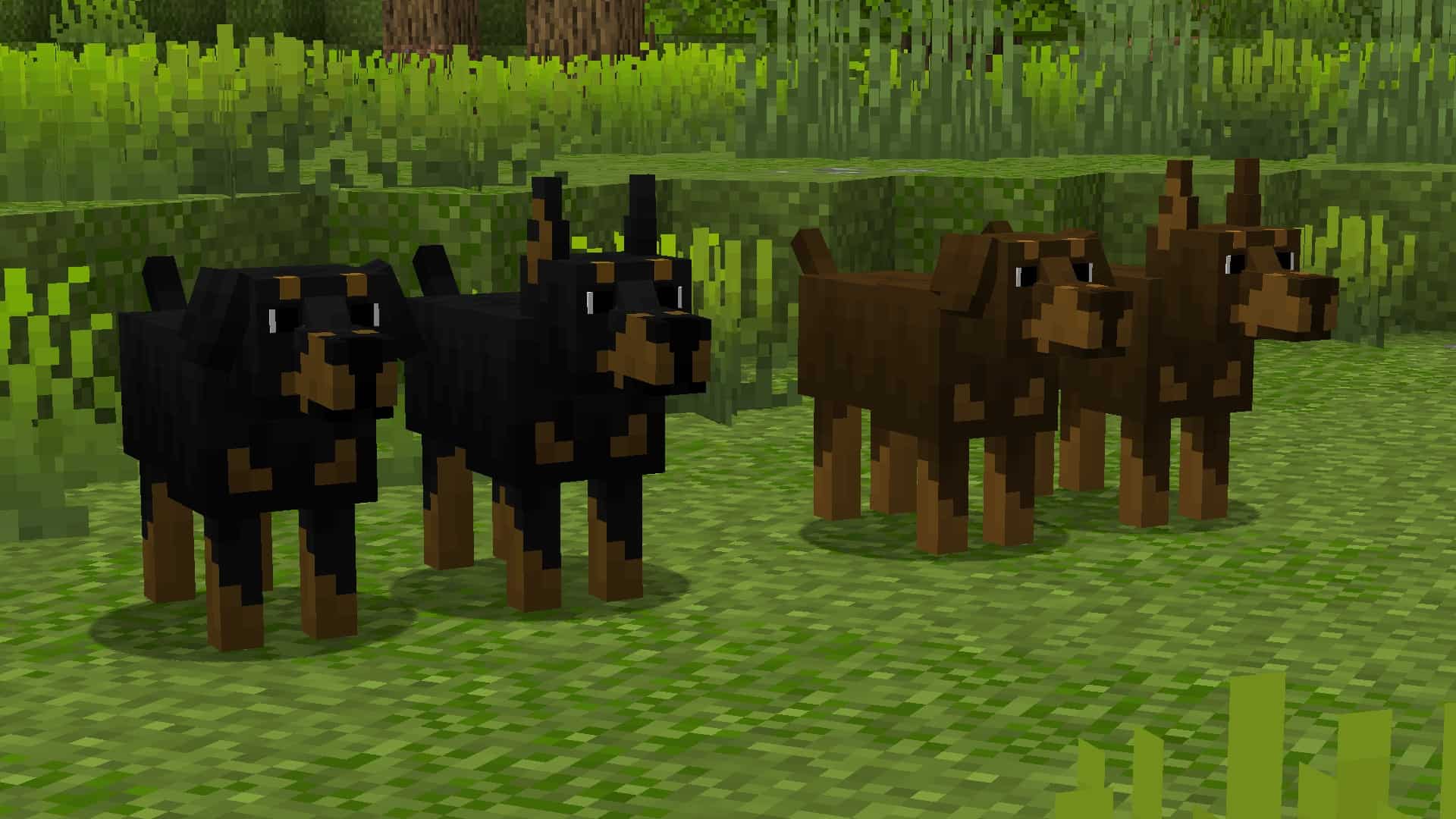
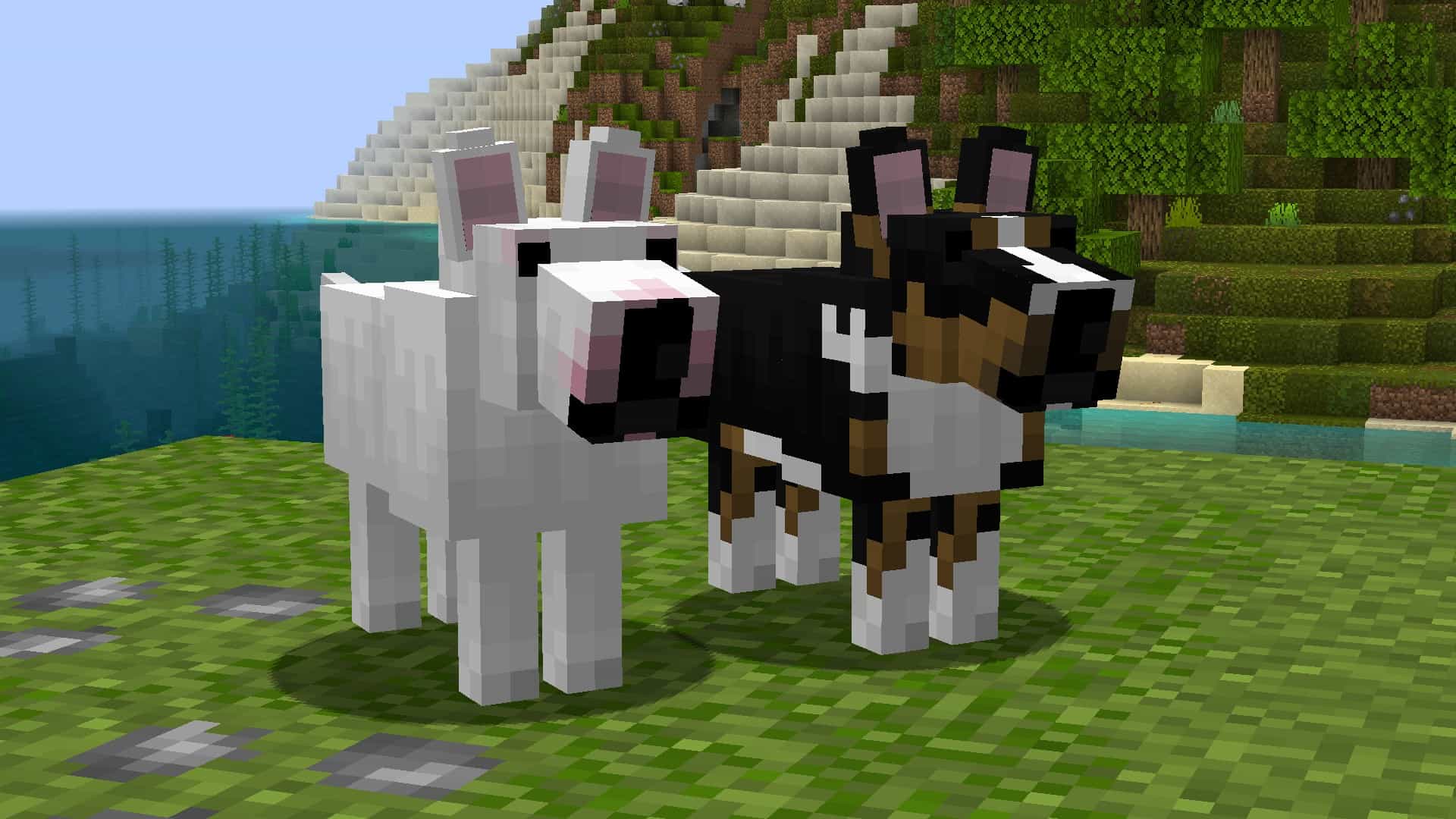
At the time of writing this, the Better Dogs resource pack has been out for less than a month. However, it has received an incredible amount of praise from the community in this short time and already has more than 18,000 downloads. As more players realize how unique and extraordinary this texture pack is, we fully expect this number to increase exponentially. While most resource packs that you find in the Minecraft world make changes to the already existing game blocks and items, the Better Dogs resource pack takes things to a whole other level. This pack changes the wolves’ textures in the game and adds many more dog breeds that come in many different colors. Keep in mind, this is a resource pack, not a mod. This means it is easily installed, the same way you would usually install any other Minecraft resource pack. This pack is going to let you get a specific type of dog while you are playing Minecraft.
Featured video:
And the steps are simple. First, you are going to tame a wolf. This newly tamed wolf will turn into a random dog. In some cases, it will remain a wolf when tamed. If you want a specific breed of dog, you can change the dogs breed, and name it using name tags. To do this, the name tag must include one of the words on the “supported name tags list,” which you can find lower down on this page. The Better Dog resource pack comes in 16×16 resolution, which means you aren’t going to have to worry about performance drops. While this resource pack is made to work on virtually any device, it does require optifine to work regardless of the hardware capabilities. You may get a message asking if you are sure that you wish to load the pack as it was created for a newer or older version of Minecraft, click yes and the pack will load correctly. To ensure that this resource pack works the way you expect it to, enable custom entity models and random entities in Minecraft’s settings.
Better Dogs should be compatible with all of these Minecraft versions: 1.21.7 - 1.21.6 - 1.21.5 - 1.21.4 - 1.21.3 - 1.21.2 - 1.21.1 - 1.21 - 1.20.6 - 1.20.5 - 1.20.4 - 1.20.3 - 1.20.2 - 1.20.1 - 1.20 - 1.19.4 - 1.19.3 - 1.19.2 - 1.19.1 - 1.19 - 1.18.2 - 1.18.1 - 1.18 - 1.17.1 - 1.17 - 1.16.5 - 1.16.4 - 1.16.3 - 1.16.2 - 1.16.1 - 1.16 - 1.15.2 - 1.15.1 - 1.15 - 1.14.4 - 1.14.3 - 1.14.2 - 1.14 - 1.13.2 - 1.13.1 - 1.13 - 1.12.2 - 1.12 - 1.11.2 - 1.11 - 1.10.2 - 1.10 - 1.9.4 - 1.9 - 1.8.9 - 1.8.8 - 1.8.1 - 1.8.6 - 1.8
Better Dogs — Screenshots
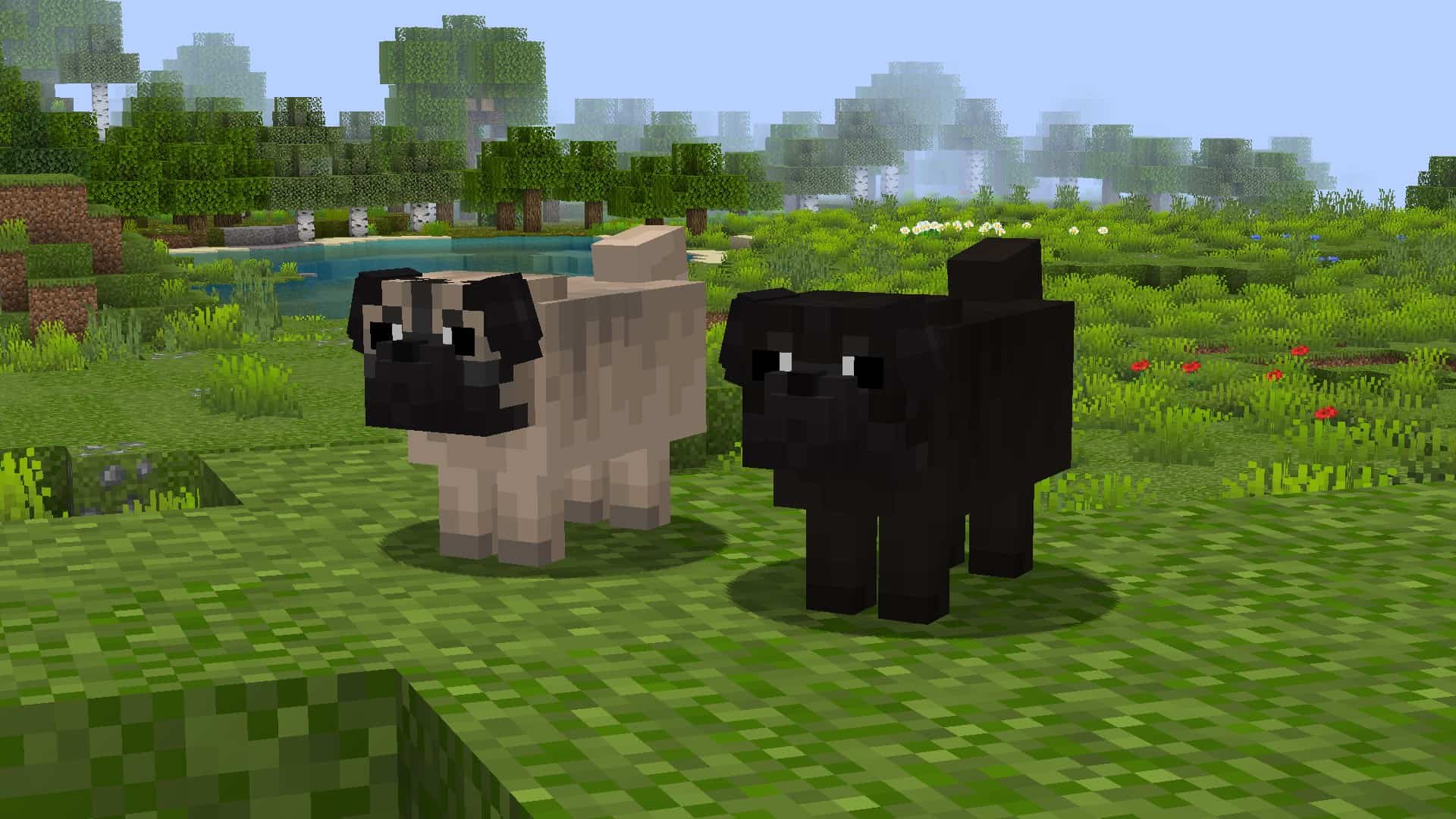
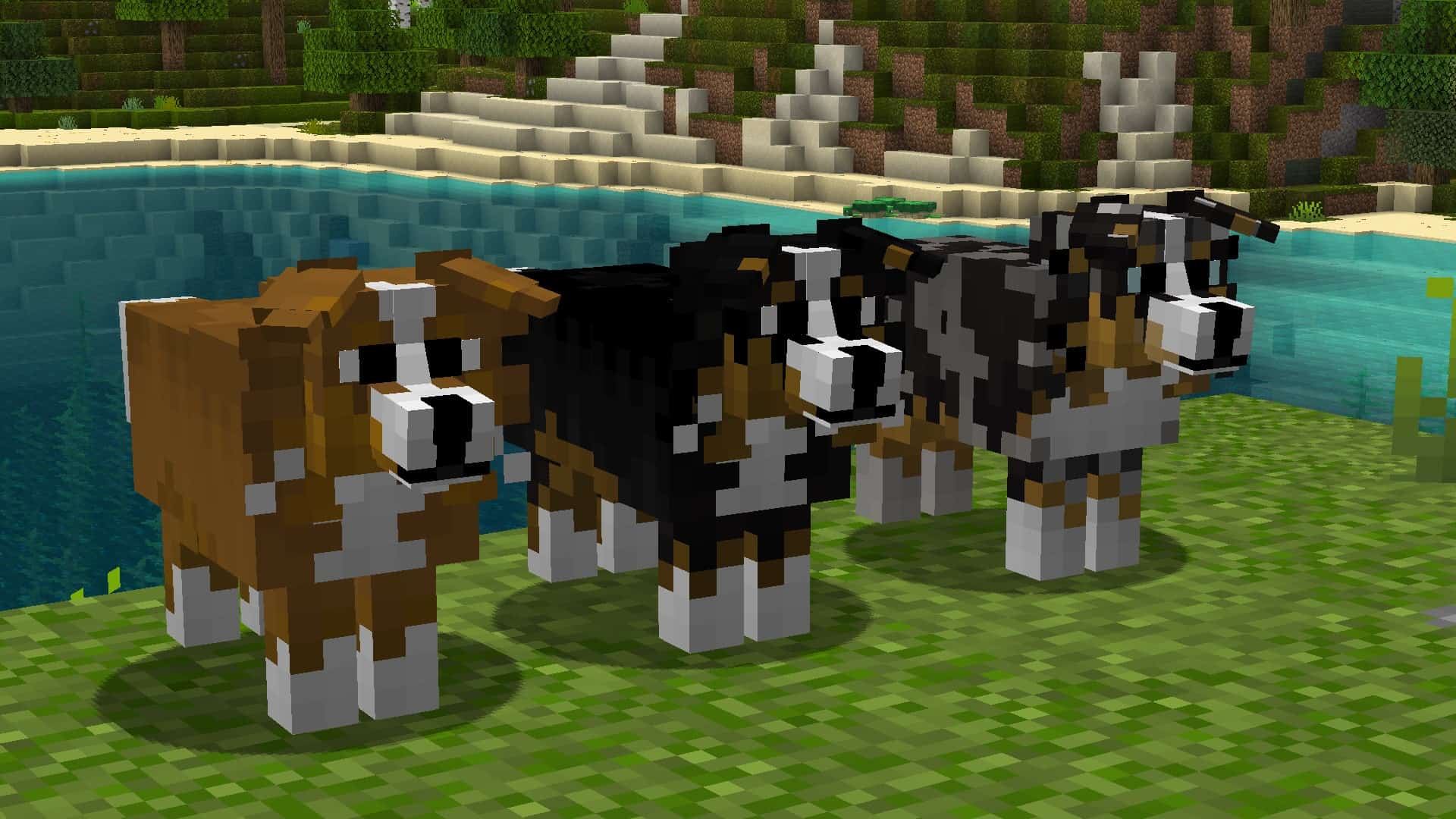
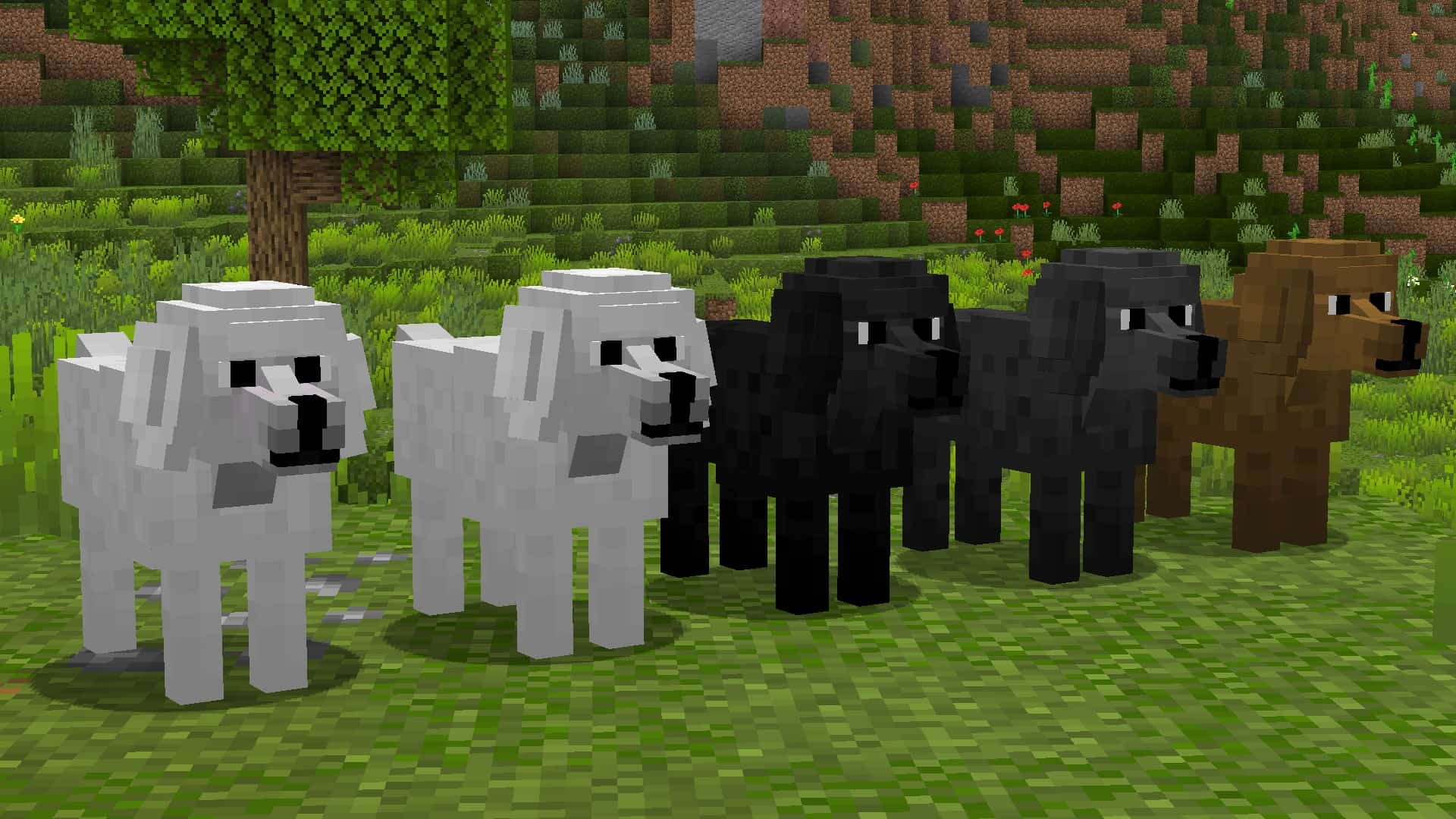
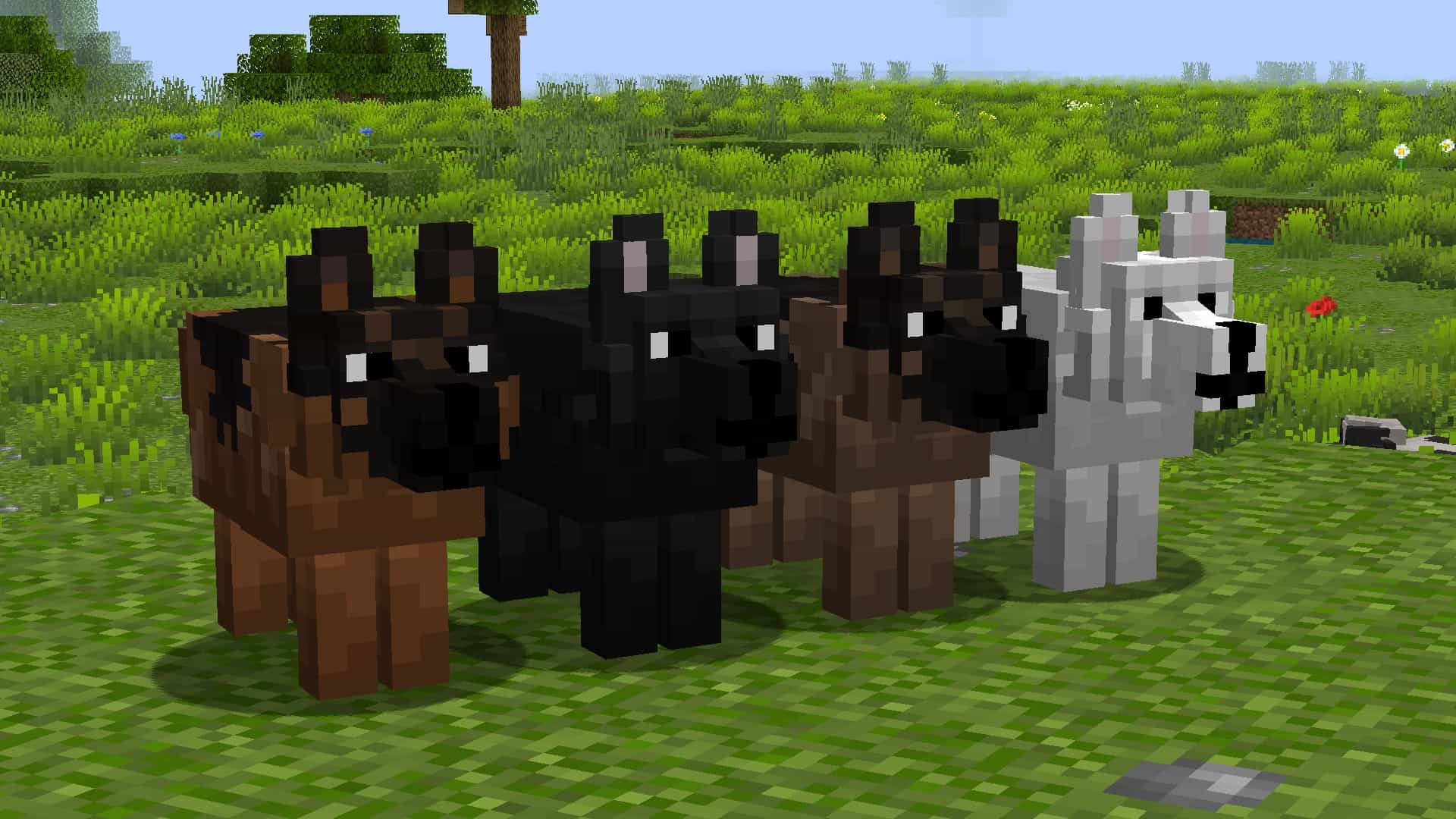
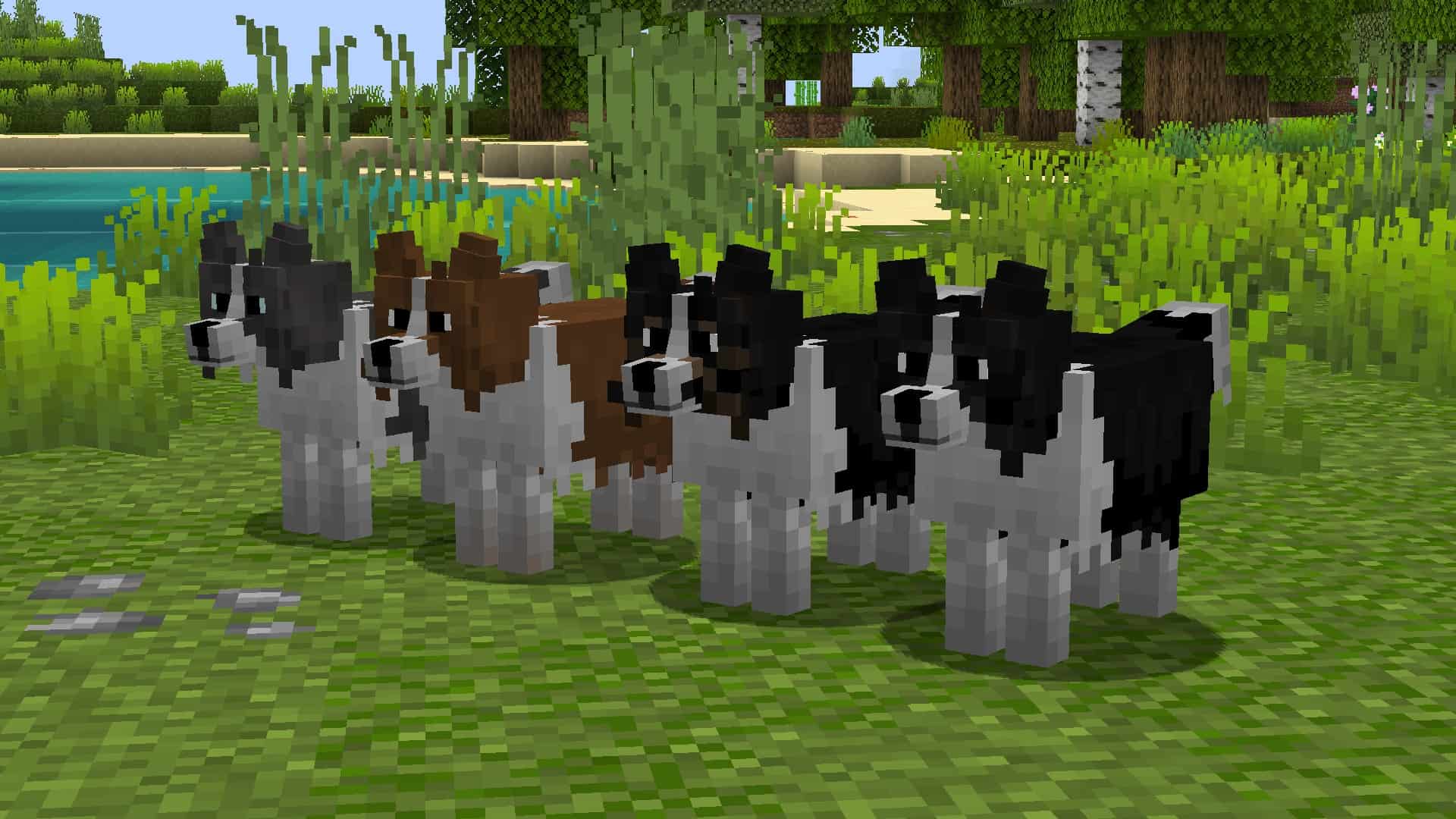
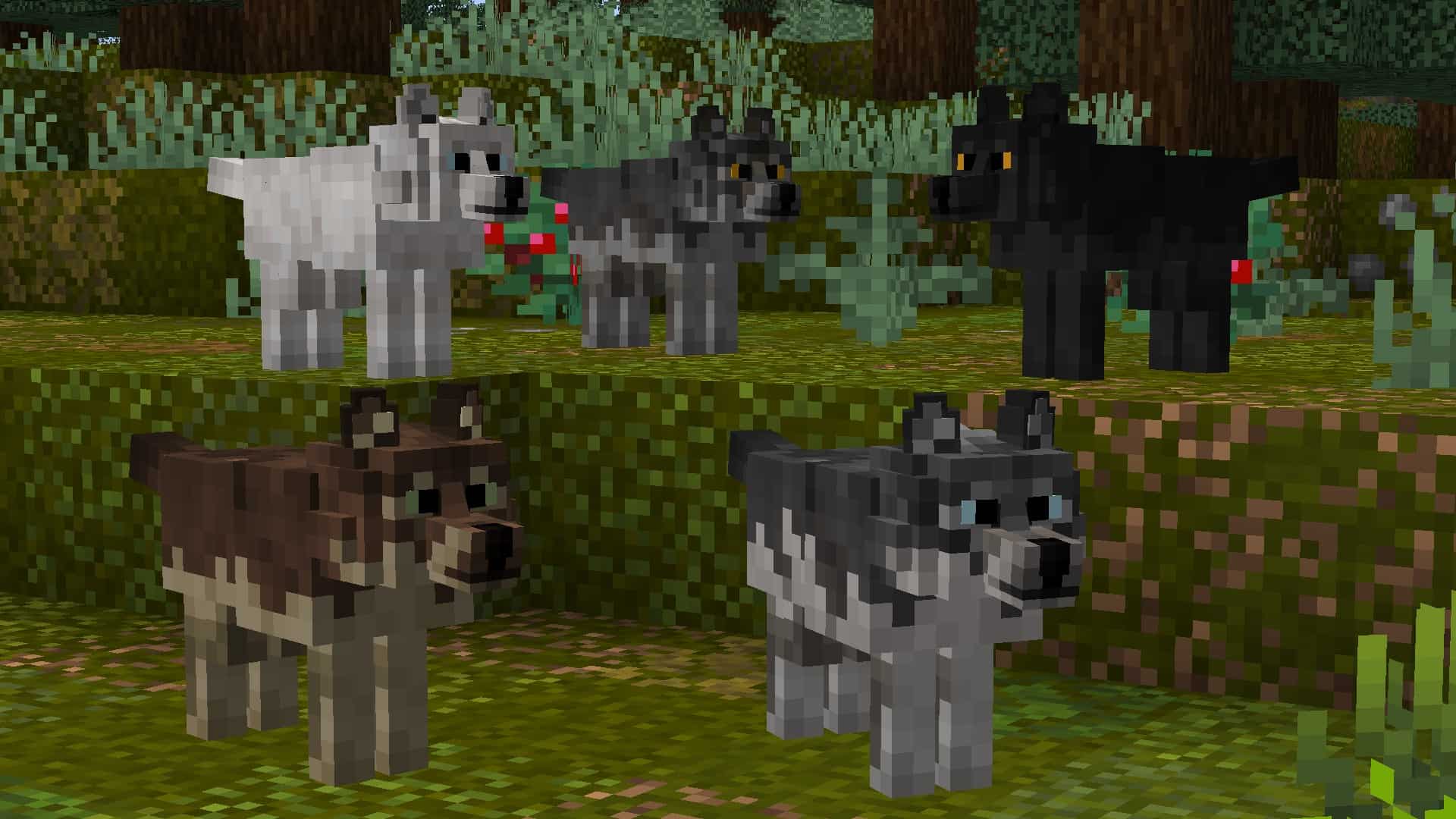
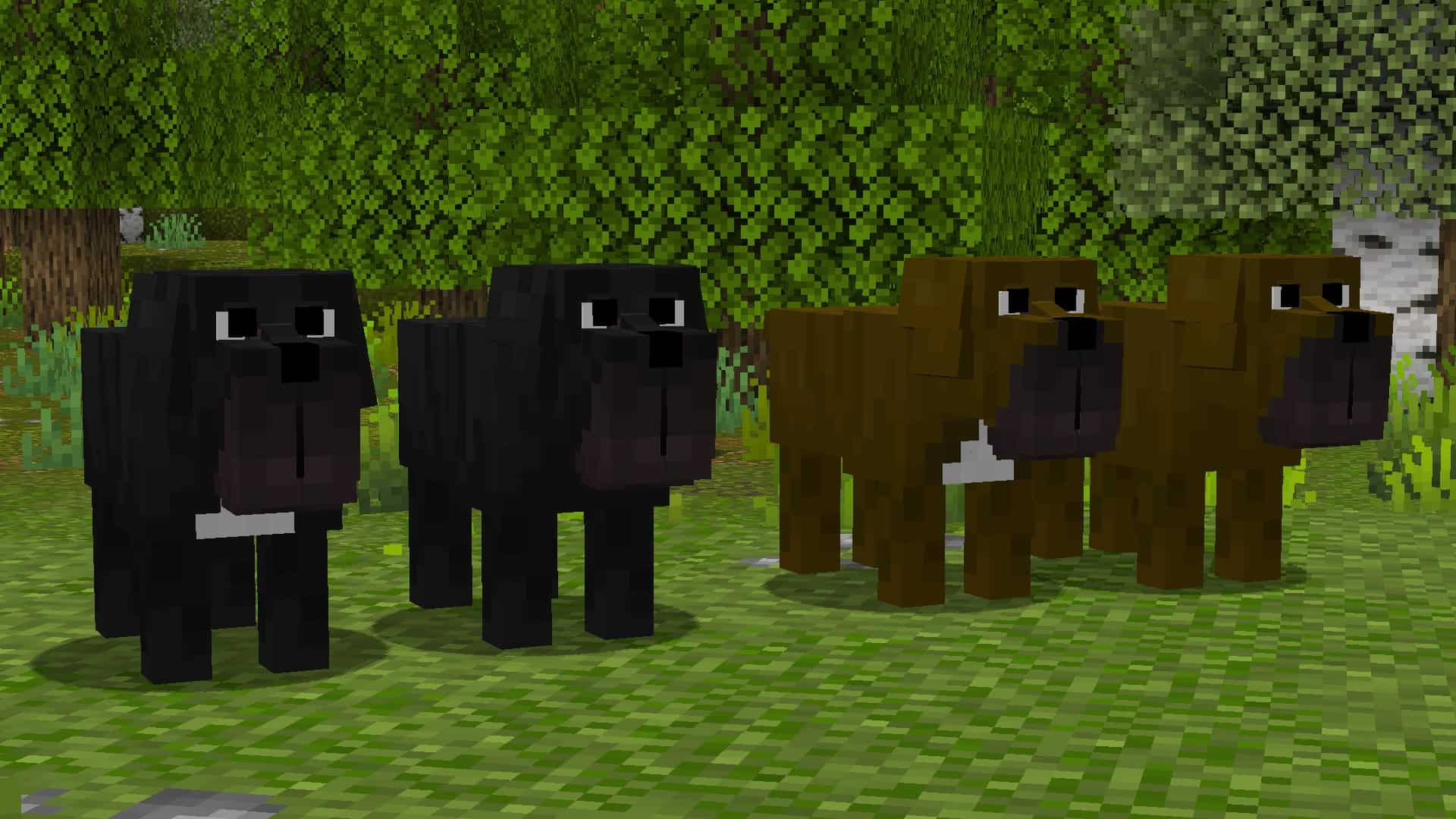

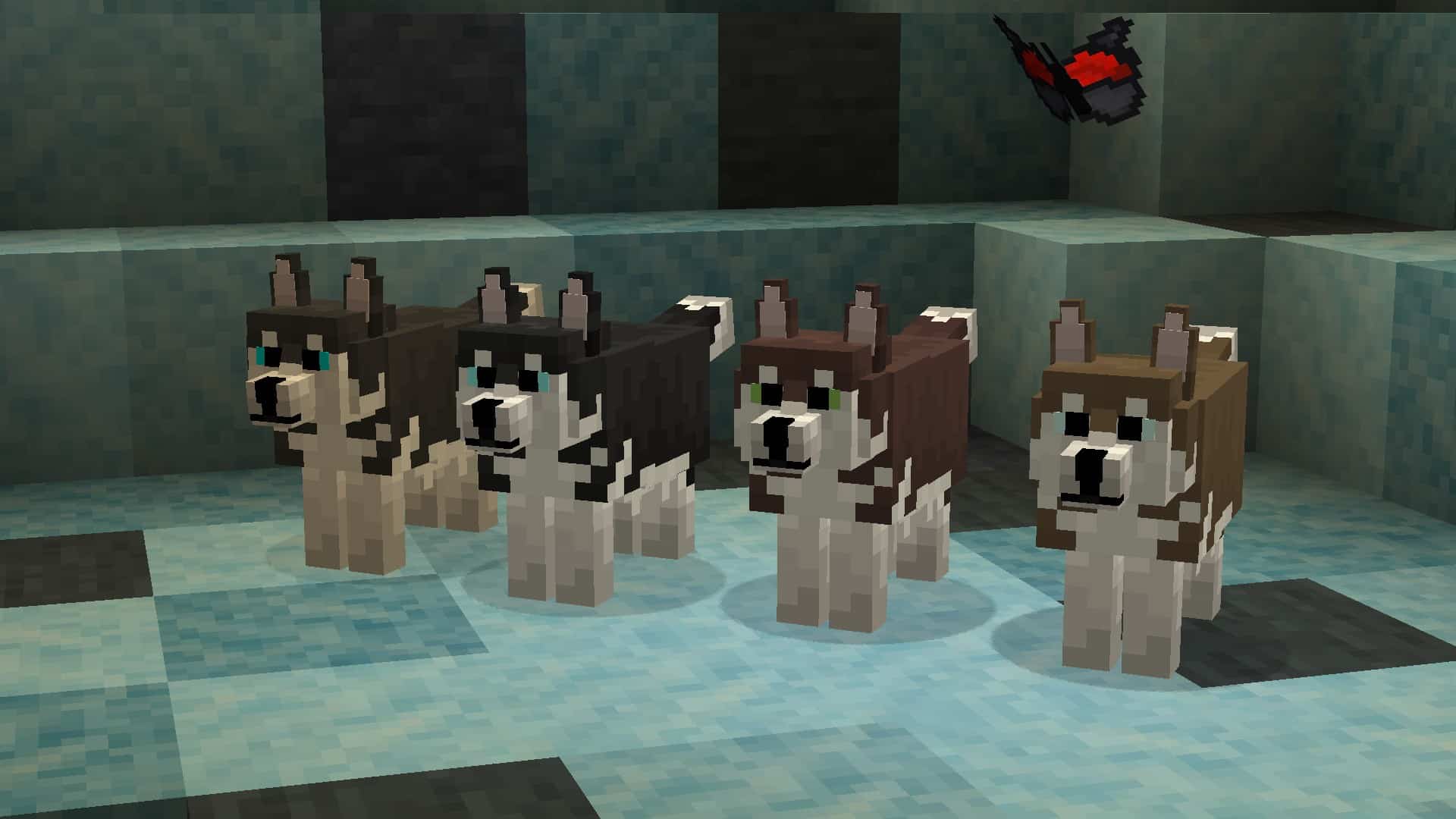
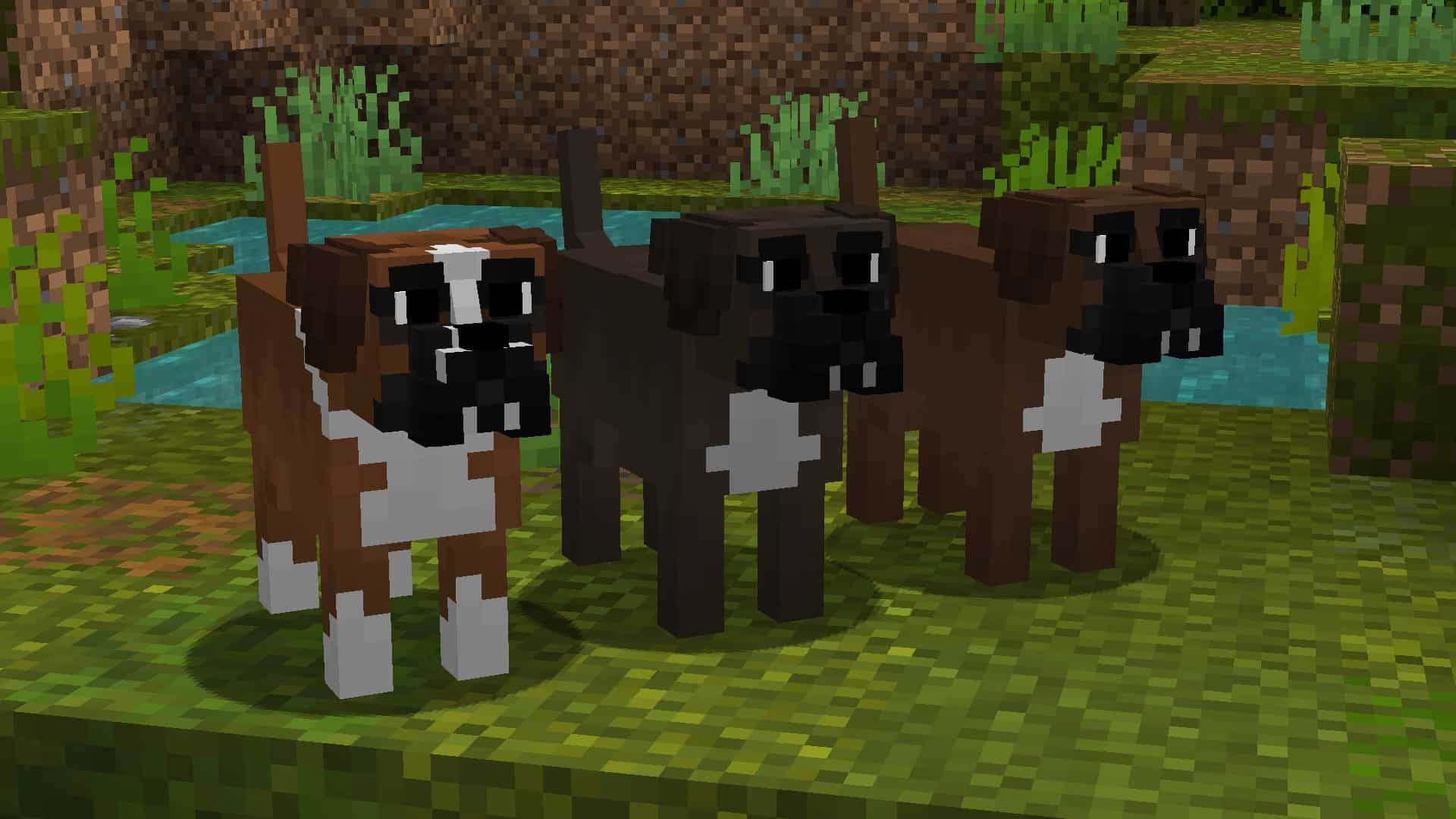

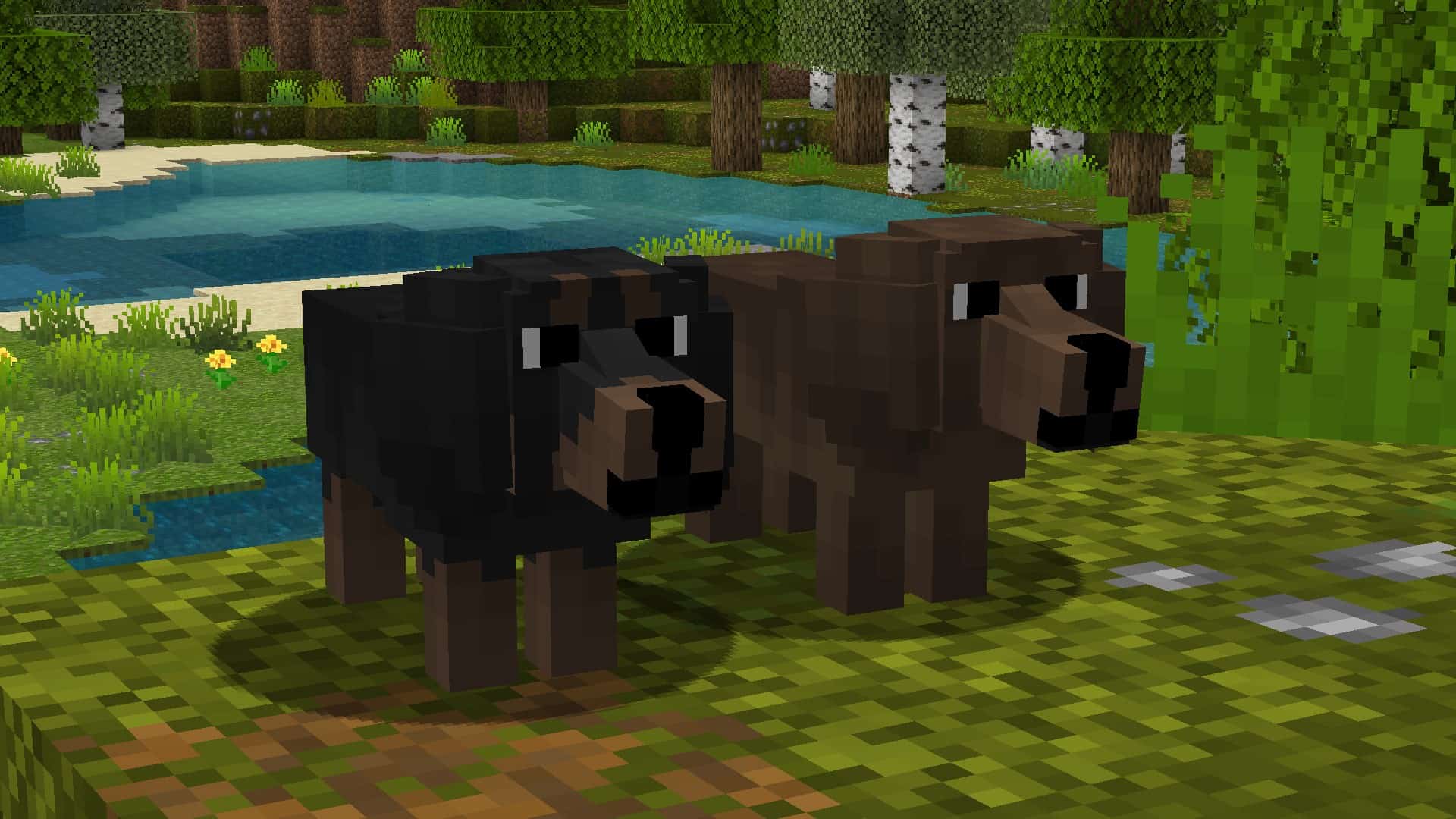
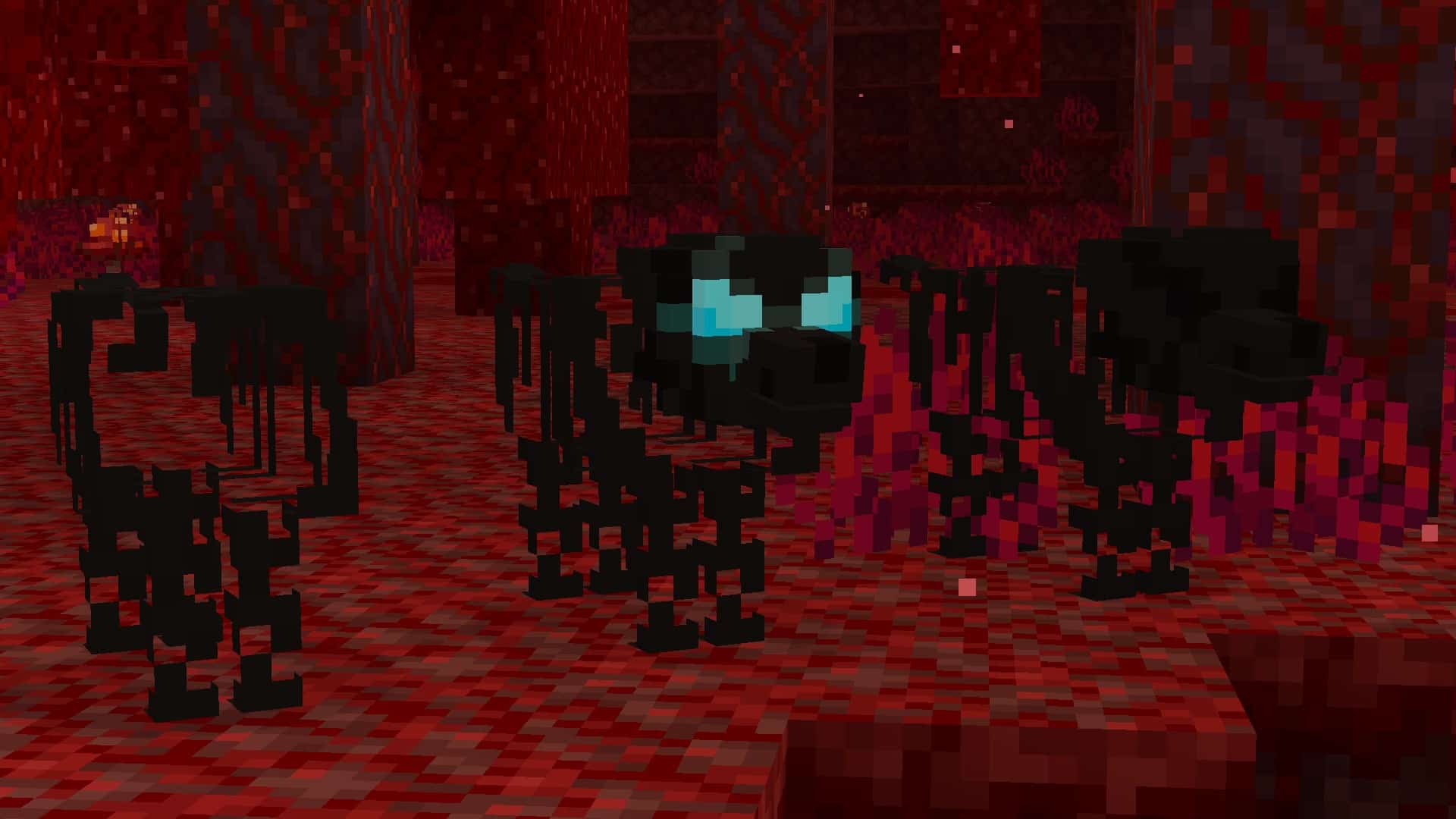
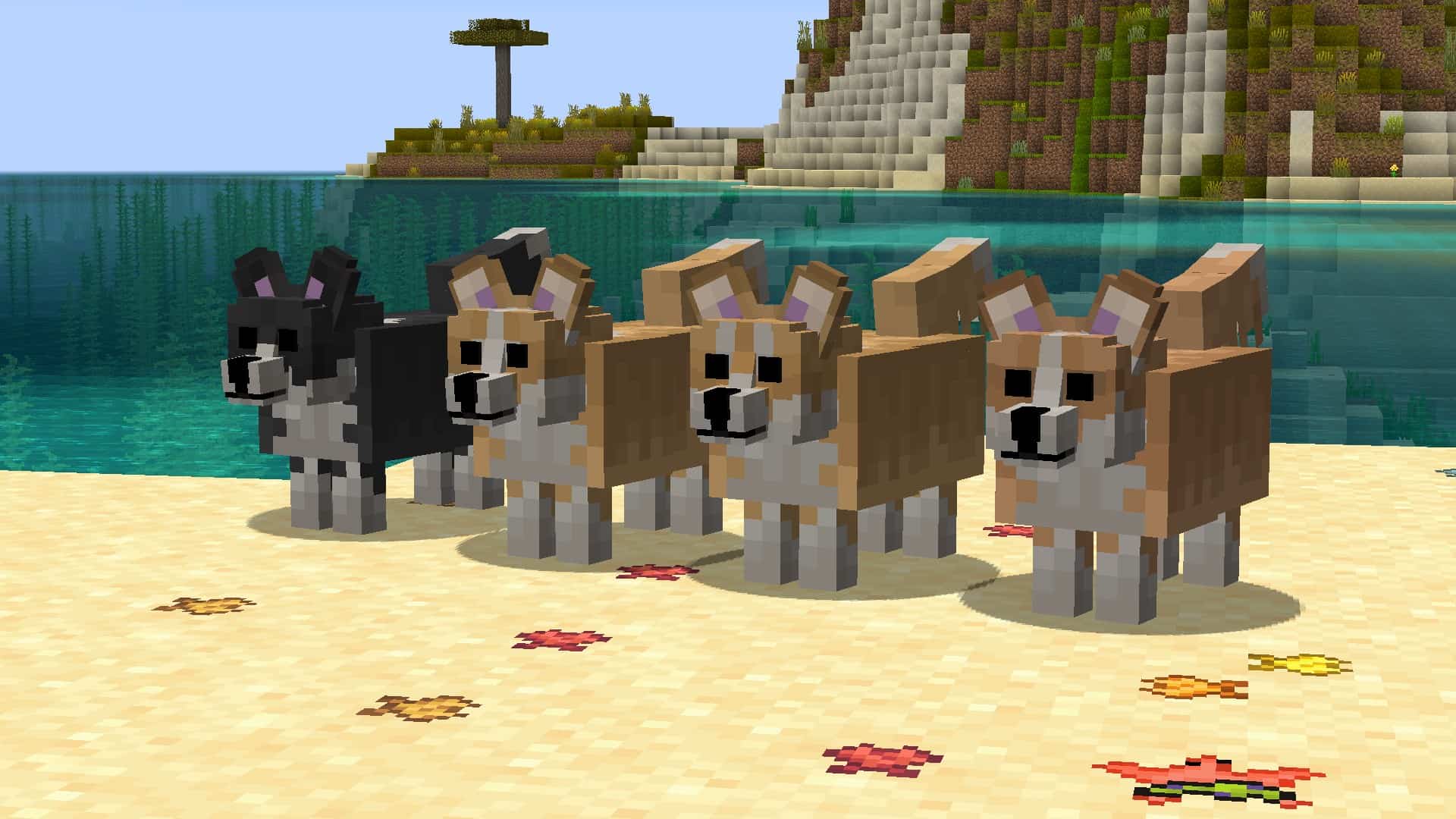
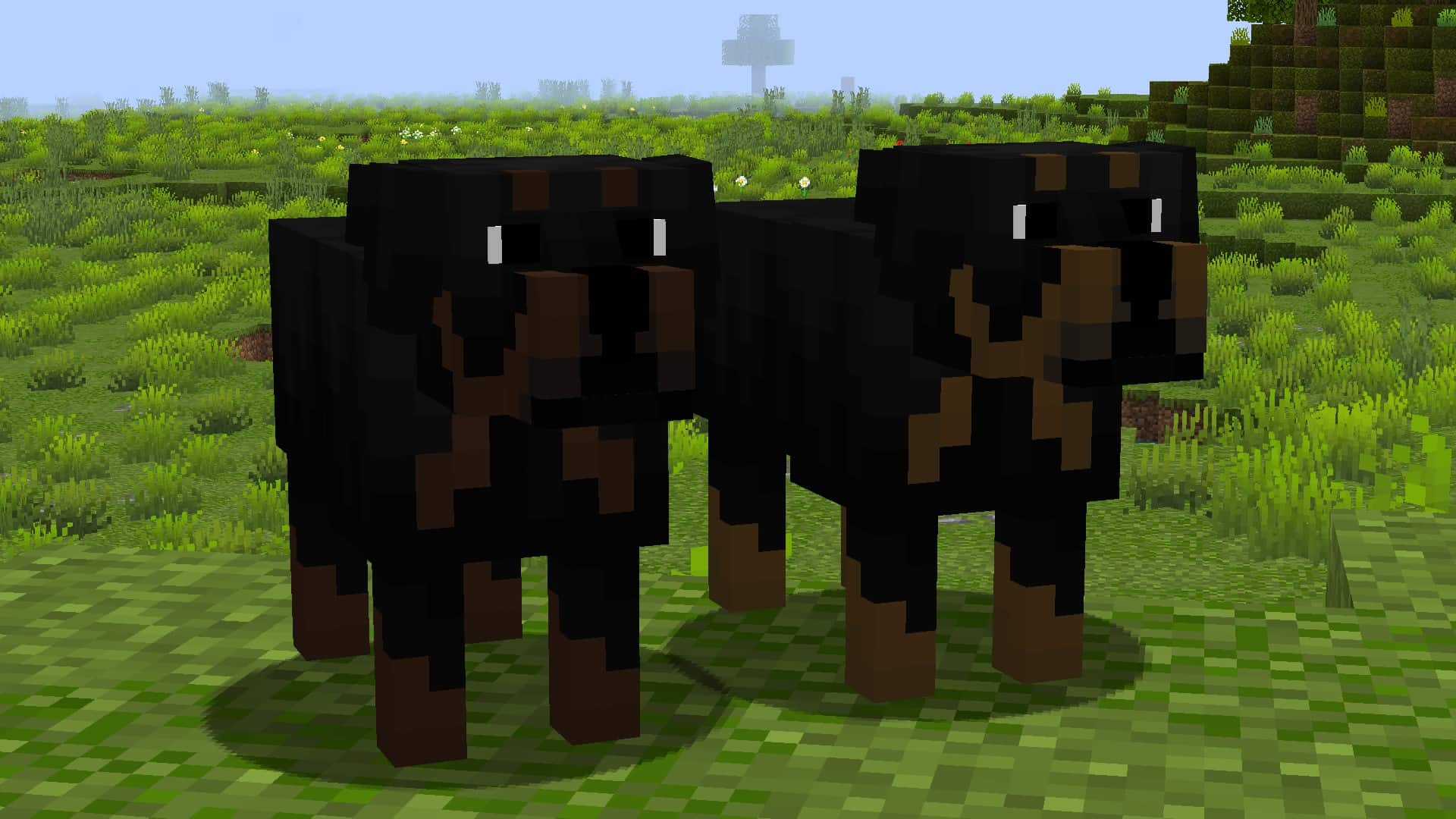
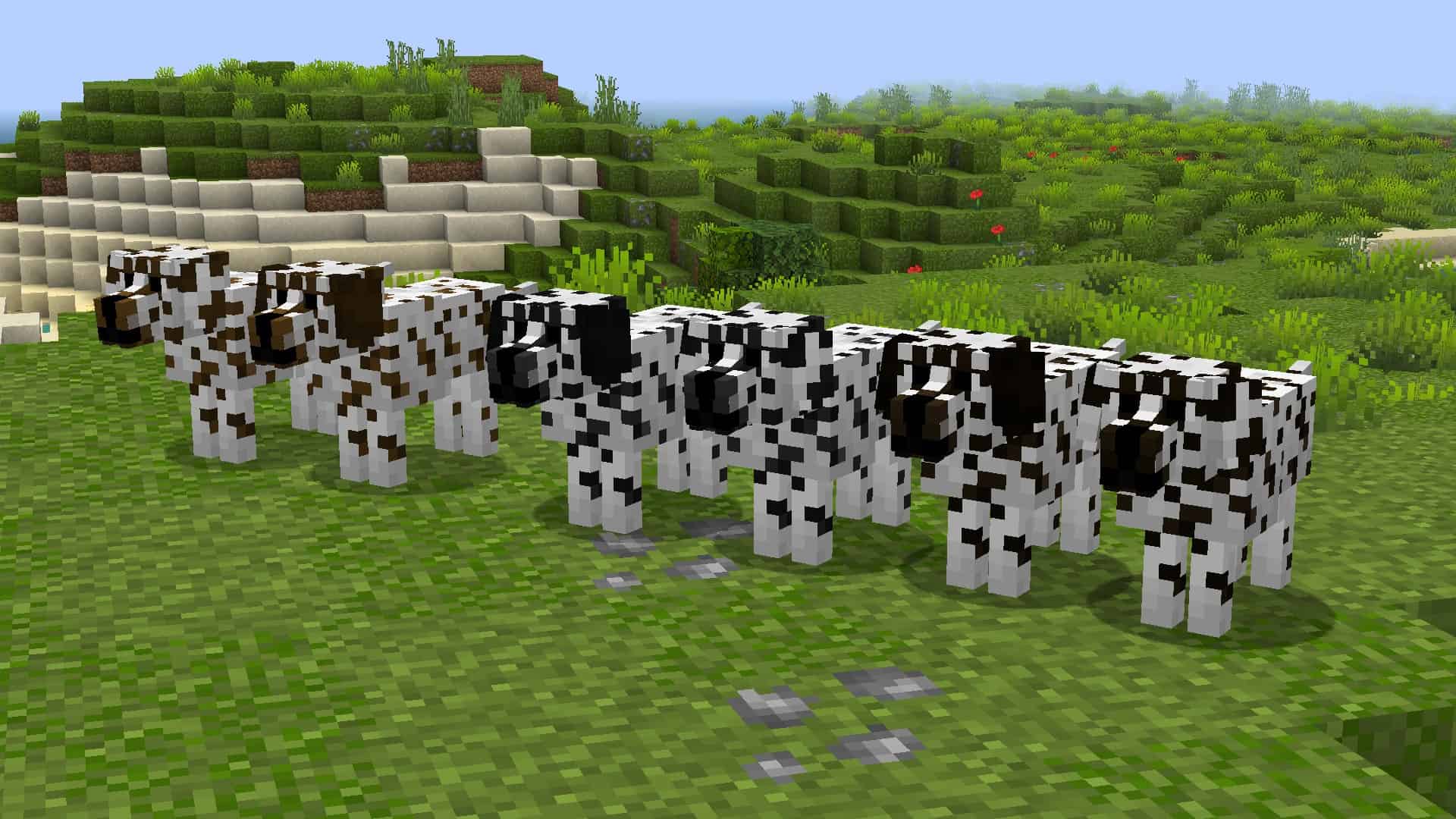
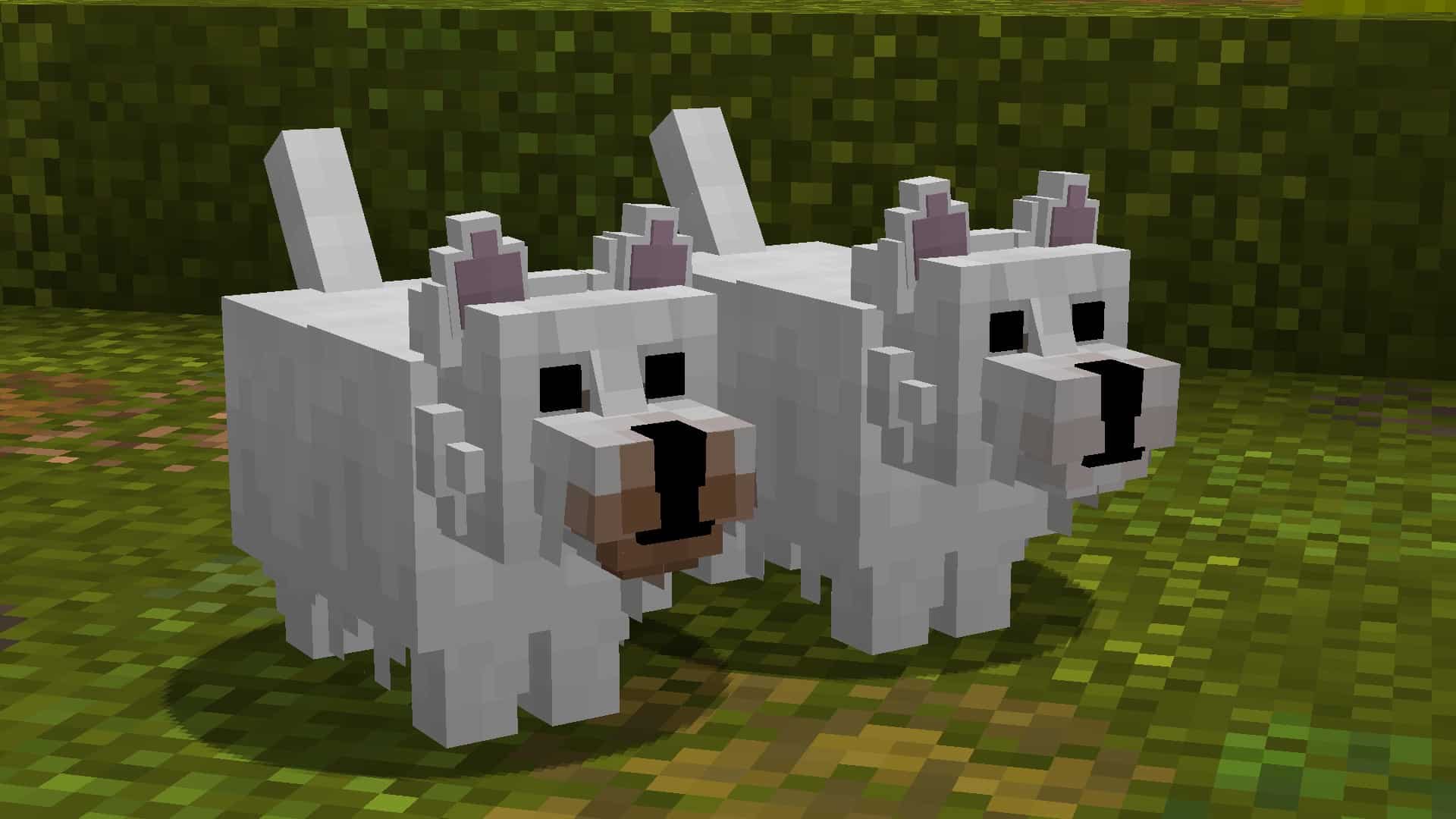
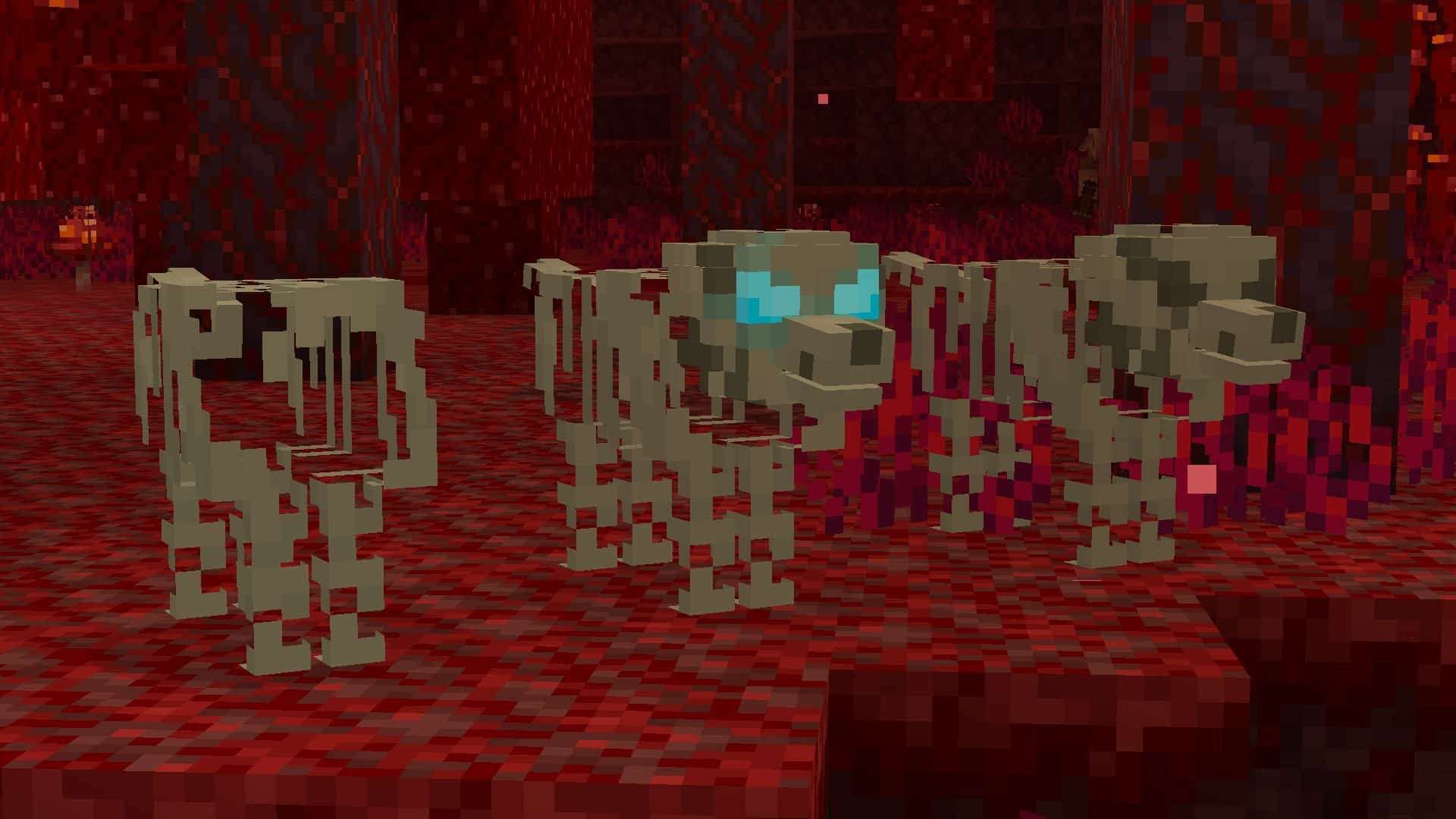
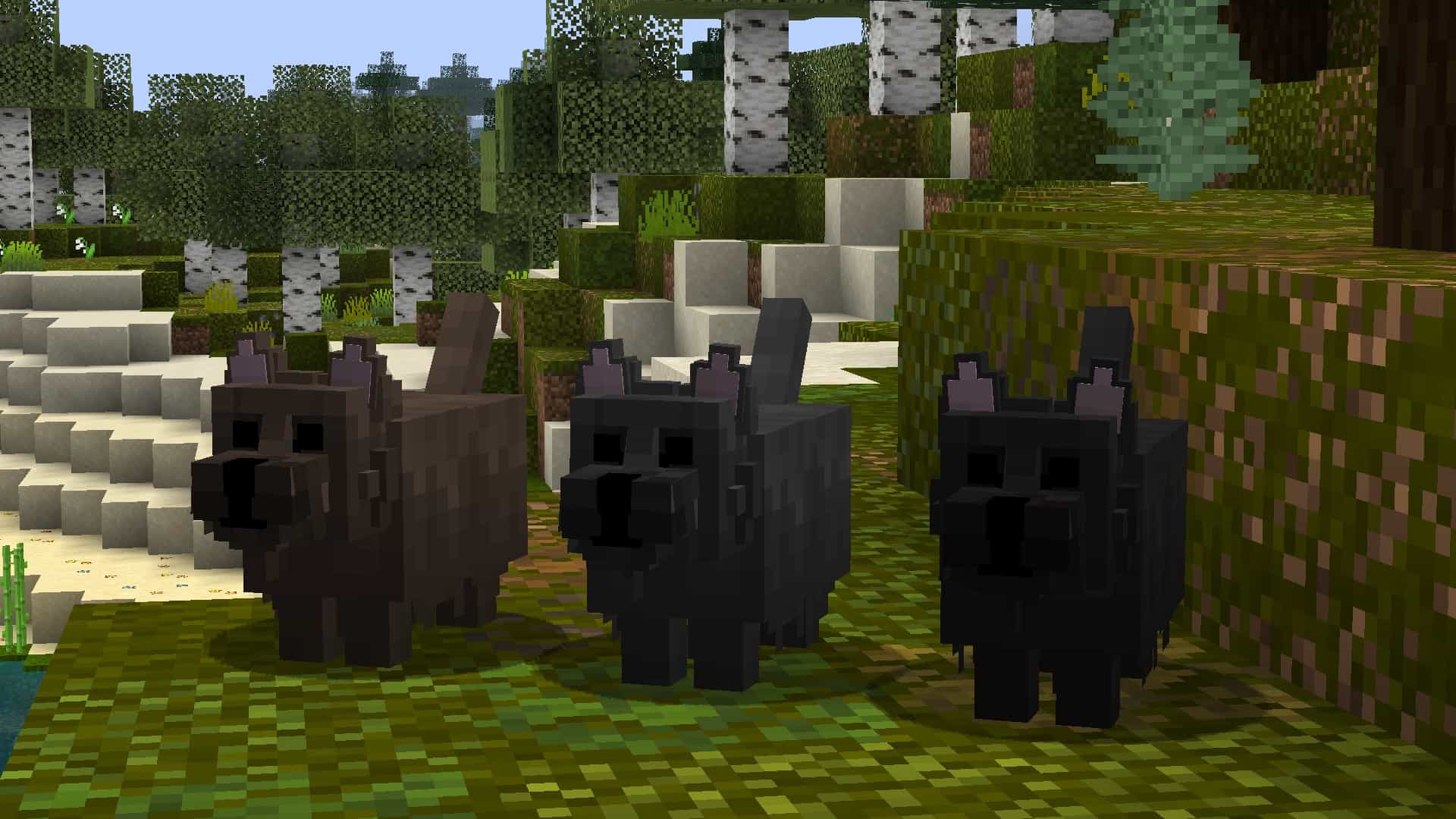
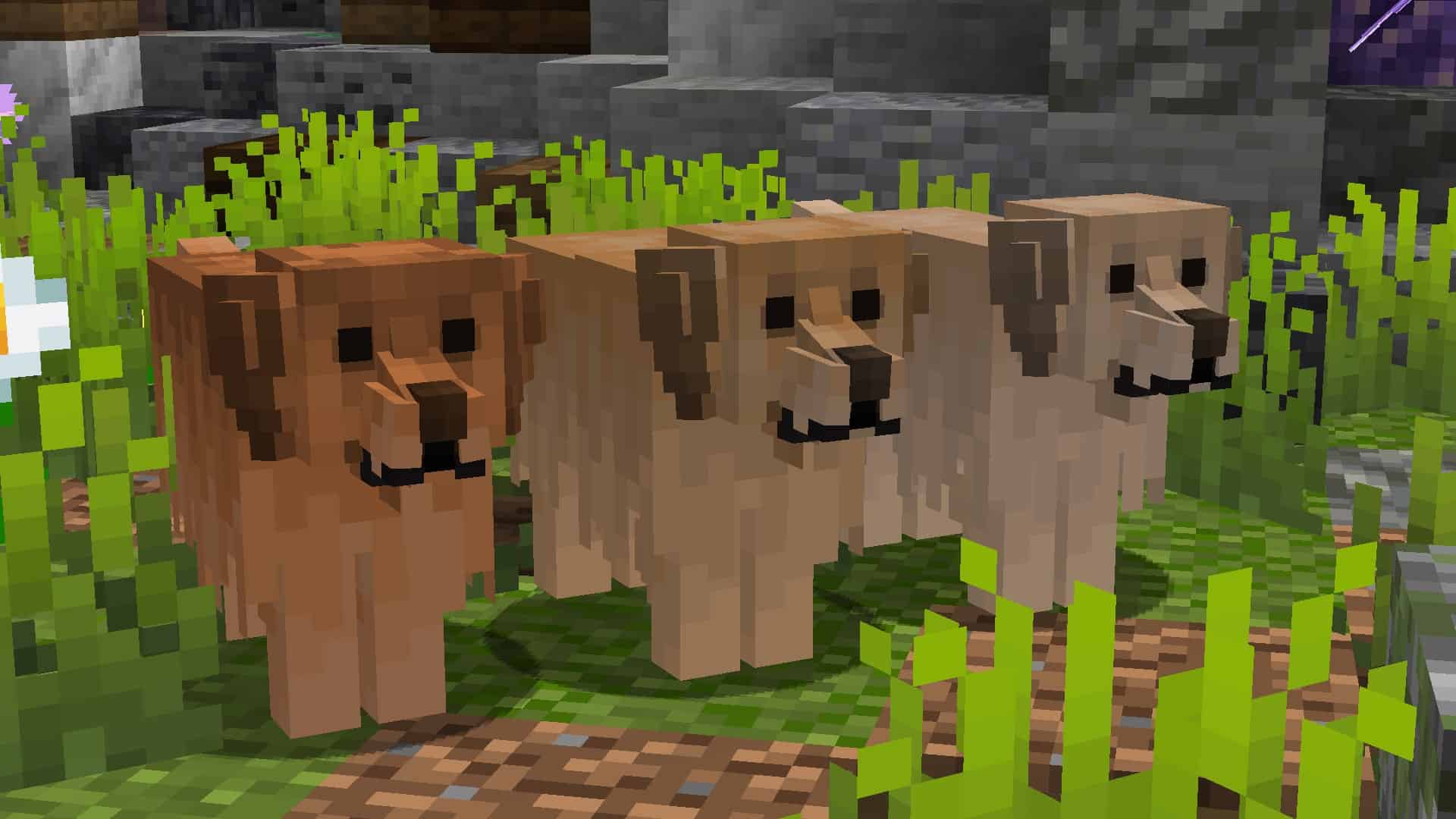

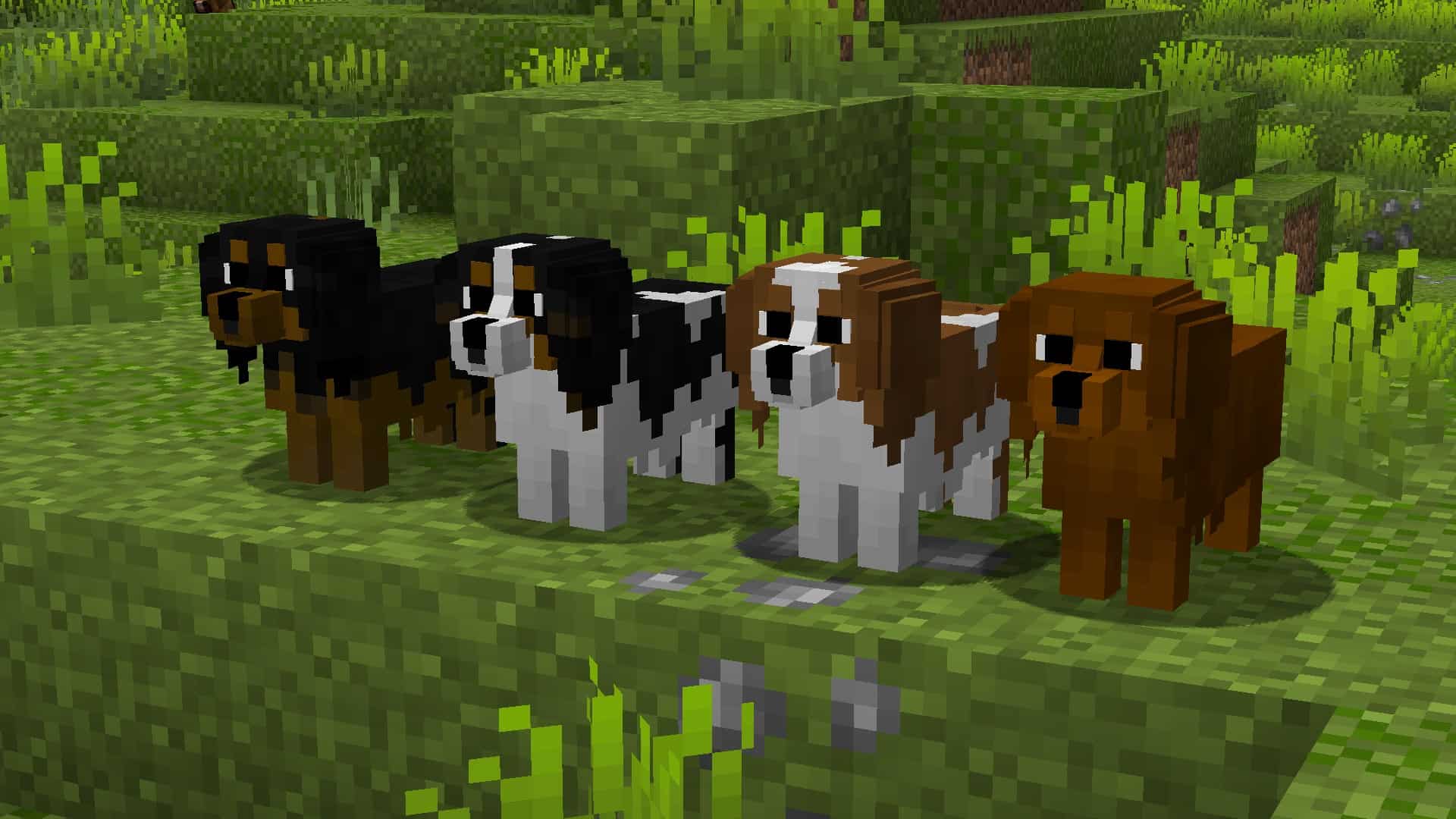
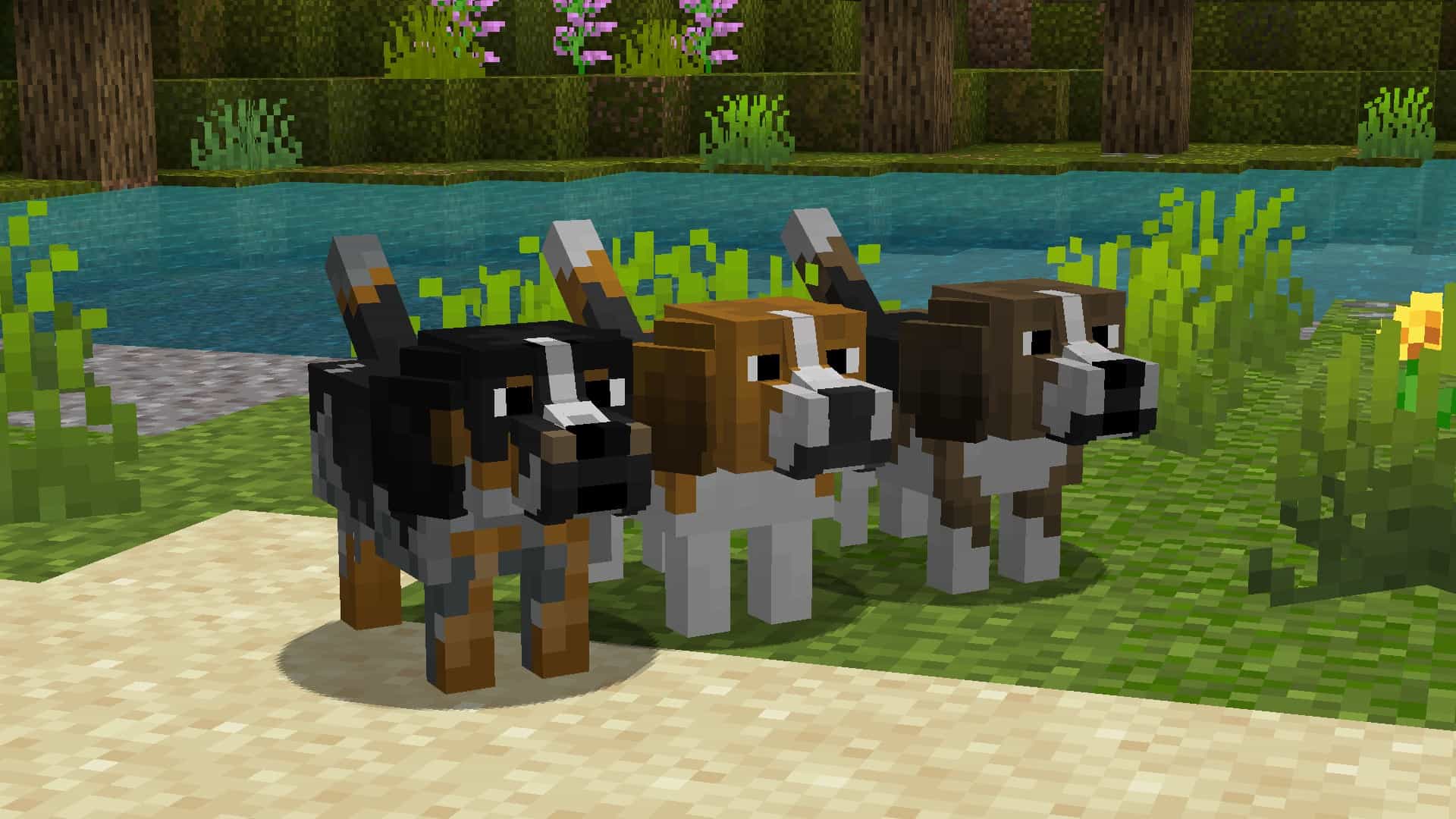
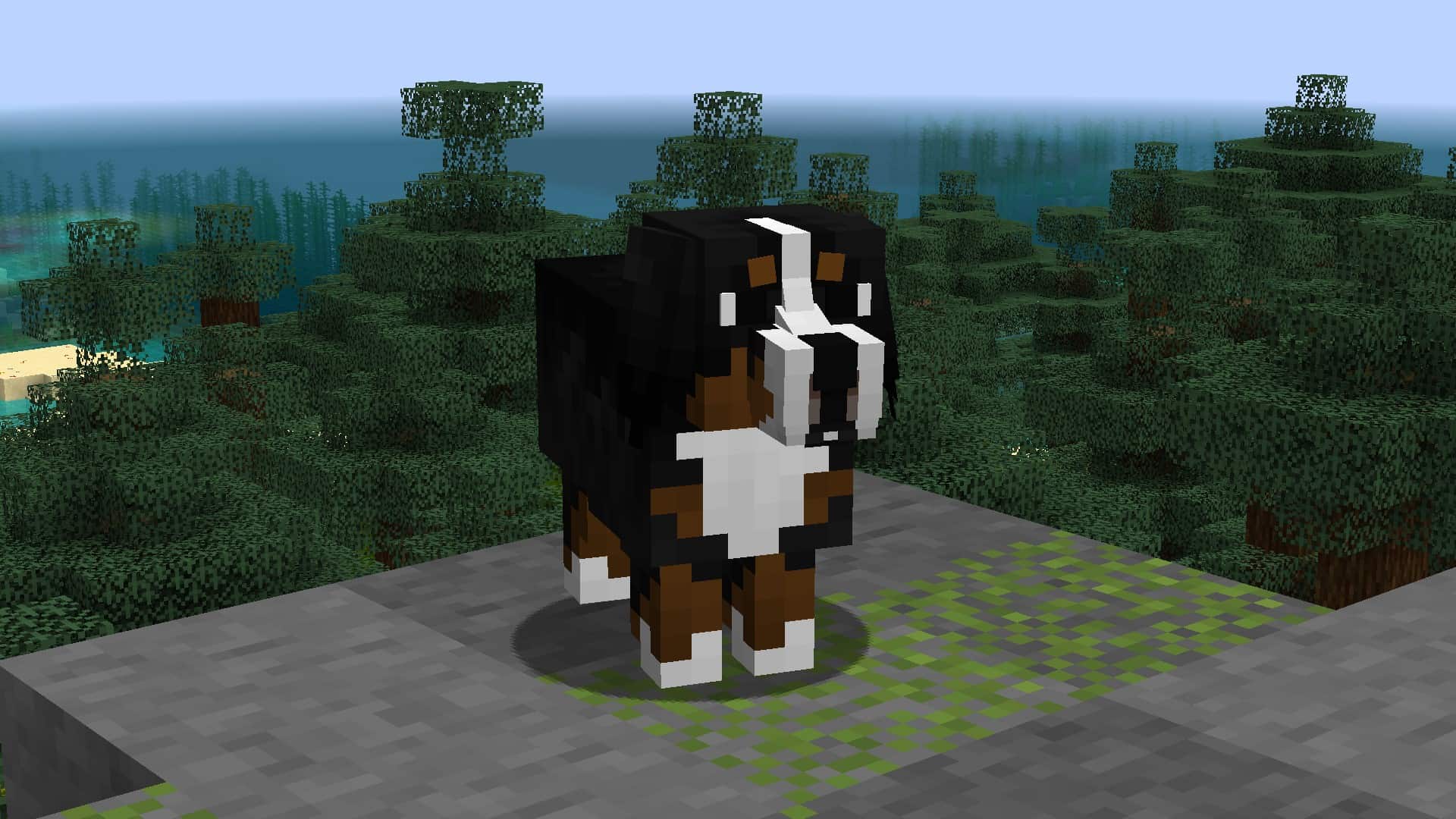
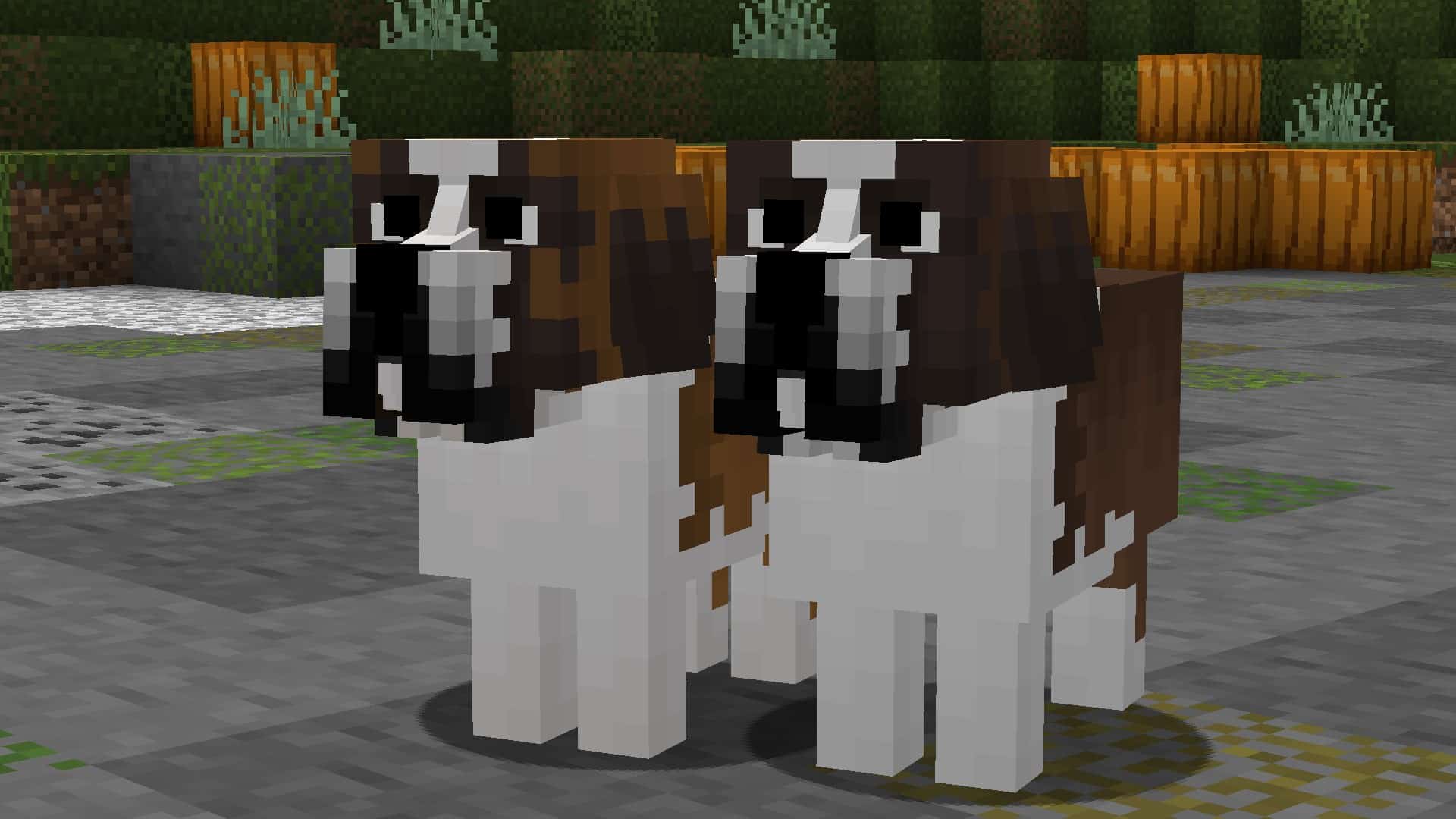
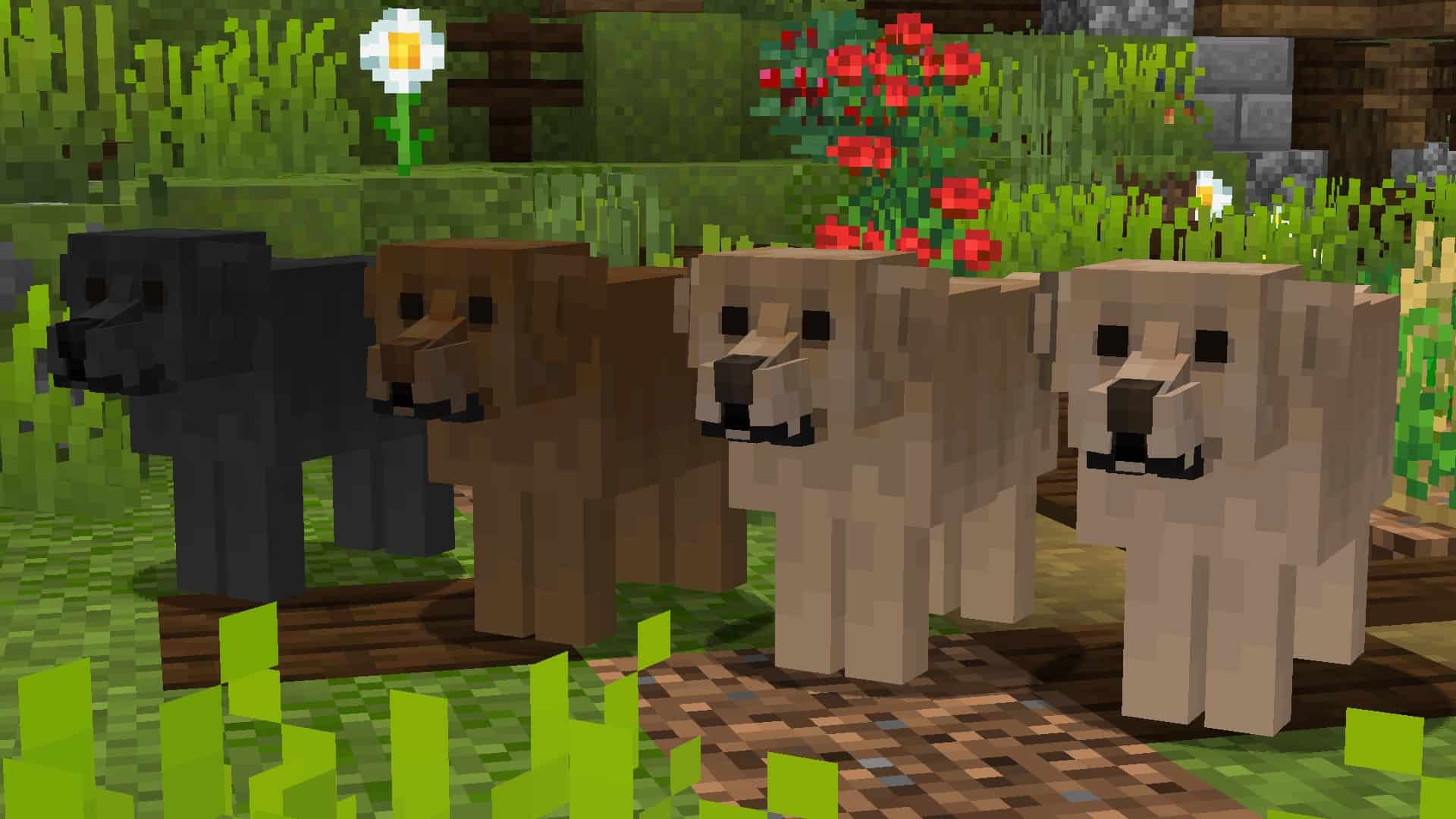

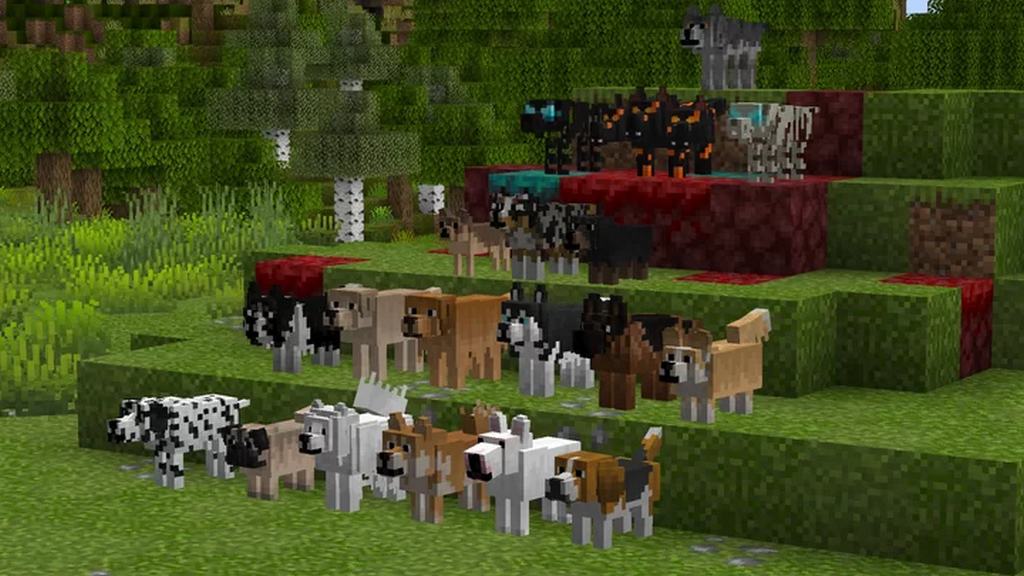
How to install Better Dogs Resource Pack:
- Most resource packs require Optifine, so be sure to download and install it. – general recommended step for all packs, Optifine is also needed for most shaders
- Download the Better Dogs texture pack for Minecraft from the download section below. – if there are many different versions, just choose the one you like, is compatible with your version/edition of Minecraft, the one you think your computer can handle in terms of performance.
- Launch the game client through the Minecraft launcher.
- On the main menu, click "Options".
- On the options menu, click "Resource Packs...".
- Click on "Open Resource Pack Folder". – folder titled "resourcepacks" will pop up
- Move the .zip file you downloaded in the first step to the newly opened "resourcepacks" folder.
- Click "Done".
- Click on "Resource Packs..." again.
- Your pack should have appeared in the left window, just hover over it and click on the arrow pointing to the right.
QUICK TIP: Sometimes, when activating a pack, the game may say that the pack is made for a newer or older version of Minecraft. This is just a warning, it does not affect your gameplay in anyway, and you can still activate and enjoy the pack by simply clicking the "Yes" button when prompted.
- Click "Done" again.
- The pack has now been successfully loaded and ready to be used in your world!
Supported name tags:

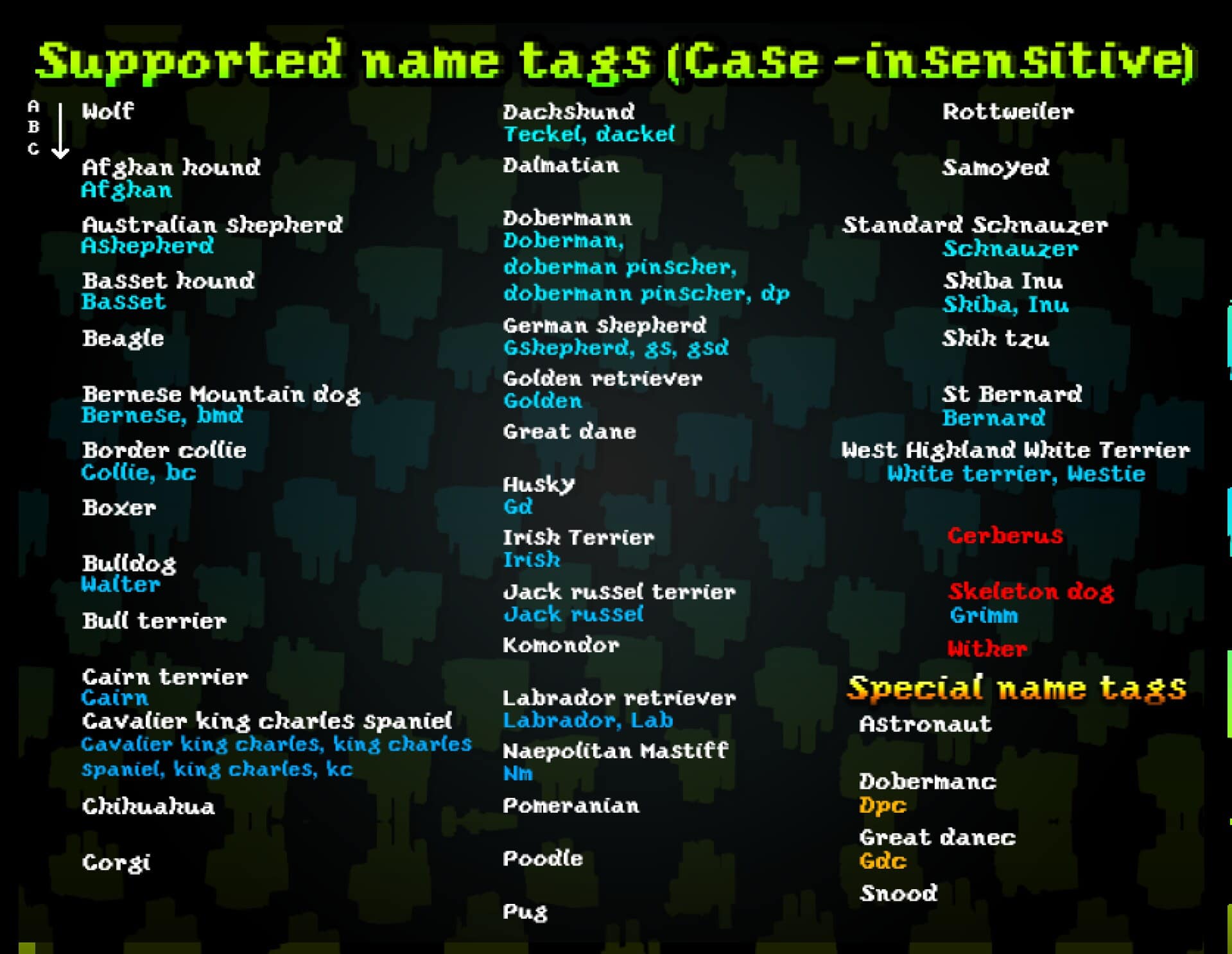
Better Dogs Texture Pack Download
- We do not modify or edit any resource packs. All resource packs, shaders and tools found on this website are linked directly to official sources rather than hosted on our own servers. We provide only the official download links from the original creators to ensure that your files are safe and secure.
- These official links are updated manually and may occasionally stop working when a new version is released. We work hard to keep everything current so that you have a smooth experience. Please let us know in the comments if you find a link that no longer works.
- Minecraft is a trademark of Mojang Studios and has no official connection to this website. Our goal is simply to share the best creations from the community with other players.
- Please consider leaving a comment or voting for your favorite packs. This feedback helps authors improve their projects over time. You can also support the creators directly by visiting the official links located below the download section.
Java Edition:
[16x] [1.21.x – 1.8.x] Download Better Dogs Resource Pack
Seperate versions (Java Edition):
Special versions (Java Edition):
Curseforge: download starts automatically after a few seconds;
Mediafire: click the big blue button with the text "DOWNLOAD";
Google Drive: in the top right corner you will see a small download icon (down arrow), click it and the download should start;

1,254 votes
Look.. 1254 users have already liked this pack. Give a diamond if you like it too!


Prianne
This is a beautiful addition to Minecraft dogs! However, the loss of FPS is huge :(
Hopefully there will be a fix?
Or a lite version?
DarkCrystal
i think your pc is just bad
Biltong
Bud, I have a ryzen 5 3600, a GTX 1650 OC, 16GB of DDR4 ram and it lags for me
charlie2909
i have a gtx 960 and it doesnt lag me
El0l0
Its a cute pack and cool
Jackal Cackle
Such a cute resource pack, but nearly unusable. I usually run 120ish FPS with shaders, and my framerate drops to 10-20 FPS whenever any of the dogs are visible on screen (if you look away, it’s just fine!). Wish this wasn’t such a turn off from the pack, but I’d like to savor my framerate over some cute puppies unfortunately :(
kitschy
Having the same issue with this resource pack causing a huge framerate drop
Really liked the looks of it from what little I saw, but it’s unusable due to the framerate dump
svi
I pressed the link for ‘1.17 and 1.18’ but the zip file is 1.15. Can anyone explain this?
Admin
This is the pack version, not the Minecraft client version.
dracovish
Is there ever going to be a release that actually works with 1.18? Or is there currently a way to make it work manually? I’m not super savvy on this, so I thought to ask.
Admin
It works just fine with 1.18
dracovish
It says that it’s incompatible, but I’ll test it and see.
sdk
did it work?
No
Optifine is installed, Required Entity Settings are both enabled.
I’d love to use this resource pack, but it’s not usable right now for two reasons:
1. There is a MASSIVE hit to framerate simply from having any number of these dogs around. My computer runs FTB packs like nothing, and this resource pack knocks my framerate down to 11 FPS. That’s insane and makes no sense for what this is doing, especially when Create runs smoothly while rotating and translating giant structures in space. There is definitely some unintended strain on the GPU being caused somewhere in this pack and it needs to be resolved if it’s going to be usable.
2. There is a visual bug with wolves (at least those spawned from eggs) seeming to be some kind of amalgam of all the possible breeds, resulting in a three headed model with offshoots everywhere that resembles nothing. When you’re taming all these dogs from the same wolf, this glitch becomes much more off-putting.
Yes
YES! Frames are usually 90-100 and just having one of them tanks me to like 50. If you find any solution let me know!!
ADN
Why I cant not find Quality?
DAVROLOKO
best texture of ever
xaris
they look like sticks
Hazu
The textures get bugged out if you have other dog textures downloaded and in use at the same time
Dracologist
I got a weird glitch dog with no eyes, 3 heads, an undefined body, and brown fur. Does anyone know what I did wrong to summon dogthulu?
BART
epickie
KiddEddie
the resource pack works with the wolf, but its just the wolf. I cant get any of the other dogs, even when i name them. They wont show
Xillian
Hey, if i use this Resourcepack my FPS drops from 120 to 20 … Please help…
deceasped4
i re downloaded the newest version of this texture pack and now all my dogs look like saint bernards on steroids with three heads please help
superjuicy
I have spawned several of the dog breed variety’s and each one has red carpet like lines that space out around the dog, making it look very awkward. I have intsalled optifine. please fix or help fix.
OliLubAli
epic textour pack
matias
I only see a few lines where the dog is supposed to be. If anybody knows a fix please tell me!
Mountify
you need optifine for the texture pack to work
CartiVolt7
Uhm i have a problem, everytime i pet a dog, the collar of the dog is very messy, it looks like the dog have thousands of carpets on his head
Holly
i have been trying to get this mod to work and is not.
that hit to get it to work is useless and looks like I’m not the only one having trouble
Admin
Just saying .. this is not a mod, it is a resource pack. Read the installation guide on this page and be sure to read the “Important” section on this page.
Holly Millard
yes have read the important section there is no quality settings in Minecraft(it mite be called something different know), can there be a revision on how to get this resource pack to function properly place.
we would love to have this pack working, it looks so cool.
Admin
We are sure that you have not installed optifine. If you did, make sure you are launching the Optifine client version and not vanilla.
Holly Millard
I finely got it work it was java, had to get java fix to fix’s it.
spaget
for me they just appear as gray sticks walking around
Charlotte
Same
Admin
To get all of these dog breeds to work, you must enable custom entity models and random entities in Options > Video Settings > Quality.
Katashi
what if its java edition?
Admin
Our tip was for the Java version.
Raven
I have some problems with another resource pack. I use Mizunocraft 16 and when i use this resource pack with mizunocraft resource pack the wolves appear to be bugged. There’s something i can do for disable mizunocraft wolves texture? Or can i do something for resolve the conflict?
Dazzle Ice
Hey Raven, not sure if you’ve fixed the problem or not, but I had the same issue and I had to unzip the other resource pack I was using and then remove the textures for the wolf. Then I loaded the unzipped folder to my resource packs in Minecraft and it worked fine. In my case, the textures were located in assets->minecraft->optifine->random->entity->wolf. If you have that, or something similar, just delete the files (or move them to a new folder). Hope this helps.
mecha
can you add a labrodoodle?
abbie
I can’t find quality in the video settings
Kodi
I have OPTIFINE, but when I tame the dogs (I’ve tried like 50 times) It doesn’t change the breed neither does naming them with the nametag
Admin
You need to enable custom entity models and random entities in the settings.
Shelly
I have the same problem, I have Optifine and Custom entity models and random entities enabled. They just stay as wolfs :(