BeerDogs resource pack is one of those older Minecraft texture packs that has mostly been forgotten, but back in its day it made a pretty strong impression. At a time when most players were limited by weaker hardware, the pack offered a 32x resolution, which was considered demanding for the era but still playable. Compared to today, where players easily run 128x or even 256x packs on mid-range PCs, 32x might sound simple. But when BeerDogs texture pack first appeared, that resolution felt like a real upgrade from the default 16x look. The pack aimed for a more realistic style with a medieval edge. Its textures leaned toward a darker, slightly grim tone, making it a good fit for players who preferred moody builds or atmospheric survival worlds. Instead of overwhelming detail, the creators focused on balance by keeping things sharp and smooth while still working within Minecraft’s blocky style. This choice made the pack easier on the eyes, giving builds a polished look without breaking immersion.
Featured video:
One of BeerDogs’ biggest strengths was the way it handled building materials. Bricks, stone, cobblestone, sandstone, and planks were all reworked into clean and smooth designs. The wood textures in particular stood out, giving planks a more natural look that worked well in large structures. Another detail that players appreciated was how blocks blended nicely together. No matter what combination you used, the transitions looked believable and consistent. The pack didn’t rely on mods either, which meant anyone could install it and get started right away. Yes, you do not need Optifine for this texture pack to work. In some cases, the creators even decided to keep elements of the default textures, just improving them instead of replacing them completely. For example, wool was left mostly the same but with higher pixel density for sharper detail, and stone received the same treatment because the default texture was already strong. This gave BeerDogs a sense of familiarity while still feeling fresh. To top it off, the pack even included custom jukebox music. The creator never revealed the full tracklist, leaving it for players to discover on their own, but the idea was to provide background music that stayed enjoyable instead of becoming annoying after repeated listens.
BeerDogs should be compatible with all of these Minecraft versions: 1.7.10 - 1.7.9 - 1.7.4 - 1.7 - 1.6.4 - 1.6.2
BeerDogs — Screenshots
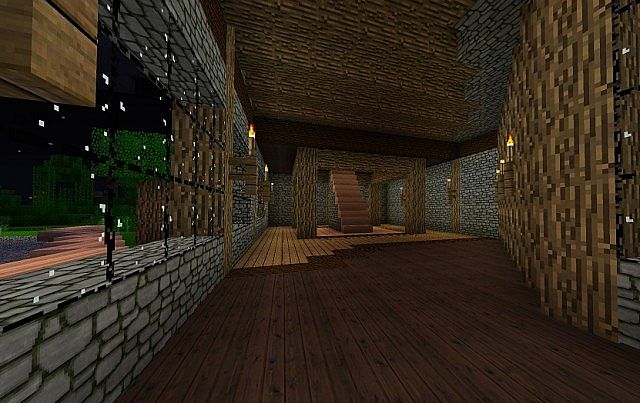

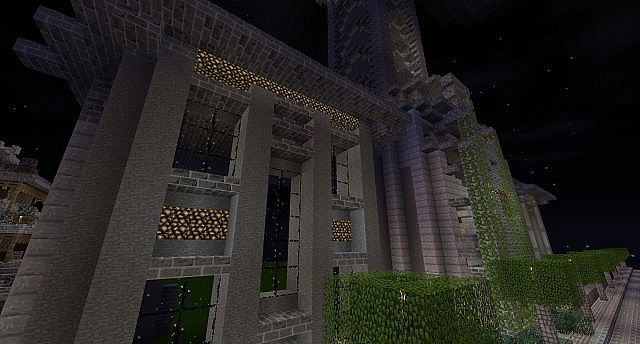

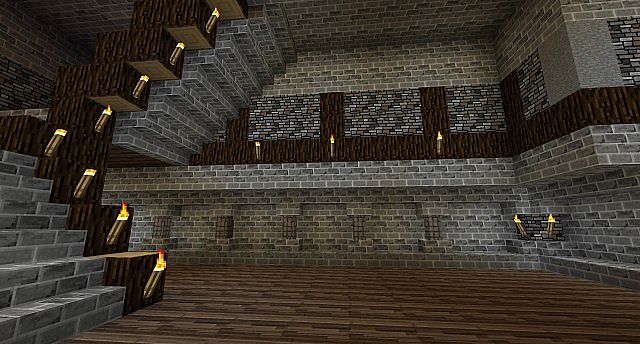
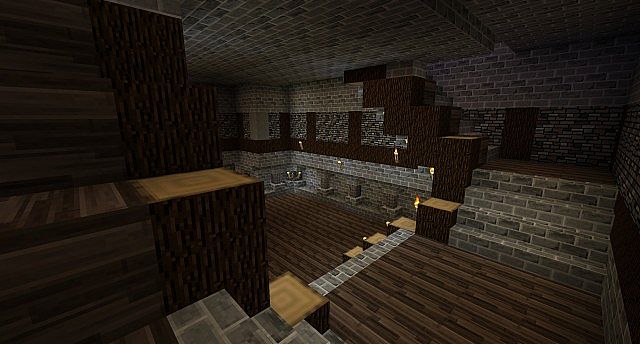
How to install BeerDogs Resource Pack:
- Most resource packs require Optifine, so be sure to download and install it. – general recommended step for all packs, Optifine is also needed for most shaders
- Download the BeerDogs texture pack for Minecraft from the download section below. – if there are many different versions, just choose the one you like, is compatible with your version/edition of Minecraft, the one you think your computer can handle in terms of performance.
- Launch the game client through the Minecraft launcher.
- On the main menu, click "Options".
- On the options menu, click "Resource Packs...".
- Click on "Open Resource Pack Folder". – folder titled "resourcepacks" will pop up
- Move the .zip file you downloaded in the first step to the newly opened "resourcepacks" folder.
- Click "Done".
- Click on "Resource Packs..." again.
- Your pack should have appeared in the left window, just hover over it and click on the arrow pointing to the right.
QUICK TIP: Sometimes, when activating a pack, the game may say that the pack is made for a newer or older version of Minecraft. This is just a warning, it does not affect your gameplay in anyway, and you can still activate and enjoy the pack by simply clicking the "Yes" button when prompted.
- Click "Done" again.
- The pack has now been successfully loaded and ready to be used in your world!
BeerDogs Texture Pack Download
- We do not modify or edit any resource packs. All resource packs, shaders and tools found on this website are linked directly to official sources rather than hosted on our own servers. We provide only the official download links from the original creators to ensure that your files are safe and secure.
- These official links are updated manually and may occasionally stop working when a new version is released. We work hard to keep everything current so that you have a smooth experience. Please let us know in the comments if you find a link that no longer works.
- Minecraft is a trademark of Mojang Studios and has no official connection to this website. Our goal is simply to share the best creations from the community with other players.
- Please consider leaving a comment or voting for your favorite packs. This feedback helps authors improve their projects over time. You can also support the creators directly by visiting the official links located below the download section.
Java Edition:
[32x] [1.7.x – 1.6.x] Download BeerDogs Resource Pack
Curseforge: download starts automatically after a few seconds;
Mediafire: click the big blue button with the text "DOWNLOAD";
Google Drive: in the top right corner you will see a small download icon (down arrow), click it and the download should start;

7 votes
Look.. 7 users have already liked this pack. Give a diamond if you like it too!


Leave a reply
0 comments
Links in comments are not allowed. Comments containing links will be removed.
Before commenting that the resource pack crashed your game, google your crash log. This is usually a graphic card driver issue.