Nowadays, many people enjoy spending their free time while playing games. One of the best games that people enjoy to play is the mining adventure that is found in Minecraft. Minecraft is one of the games that needs good playing skills. Among the participant, there are players who have good mining skills and the other doesn’t have the needed skills. However, to the people who have limited mining skills they don’t need to stress themselves anymore, this is due to the availability of Xray Ultimate resource pack. This pack has been well designed and also introduced in order to help every player who loves this game and need an extra assistance. Generally, this pack is uniquely designed in order to assist the player with the gameplay. This aspect makes Xray resource pack different from the other packs since it does not elevate the entire game visuals and thus it gives you the essential assistance you need.
Featured video:
This means, the entire pack highlights all the mineral blocks and ores for you while you are playing the game. Concerning this type of assistance offered by X-ray pack, the player will be able aware of where to go mining and thus help in saving time. However, in order to know how Xray pack works, one should be aware of different x-ray pack features that are simple to understand and to follow. Knowing every feature of this pack will effectively help every player to have the needed mining skills. Generally, the entire pack comprises of the x16 resolution that helps in eliminating any fps drops. In order to run the entire pack competently it definitely important to use Optifine; the Optifine generally helps the player to have an effective night vision effect and also the player the capability to turn off the smooth lighting whenever in need.
X-Ray Ultimate should be compatible with all of these Minecraft versions: 26.1.1 - 26.1 - 1.21.11 - 1.21.10 - 1.21.9 - 1.21.8 - 1.21.7 - 1.21.6 - 1.21.5 - 1.21.4 - 1.21.3 - 1.21.2 - 1.21.1 - 1.21 - 1.20.6 - 1.20.5 - 1.20.4 - 1.20.3 - 1.20.2 - 1.20.1 - 1.20 - 1.19.4 - 1.19.3 - 1.19.2 - 1.19.1 - 1.19 - 1.18.2 - 1.18.1 - 1.18 - 1.17.1 - 1.17 - 1.16.5 - 1.16.4 - 1.16.3 - 1.16.2 - 1.16.1 - 1.16 - 1.15.2 - 1.15.1 - 1.15 - 1.14.4 - 1.14.3 - 1.14.2 - 1.14 - 1.13.2 - 1.13.1 - 1.13 - 1.12.2 - 1.12 - 1.11.2 - 1.11 - 1.10.2 - 1.10 - 1.9.4 - 1.9 - 1.8.9 - 1.8.8 - 1.8.1 - 1.8.6 - 1.8 - Bedrock Edition - PE
X-Ray Ultimate — Video & Screenshots
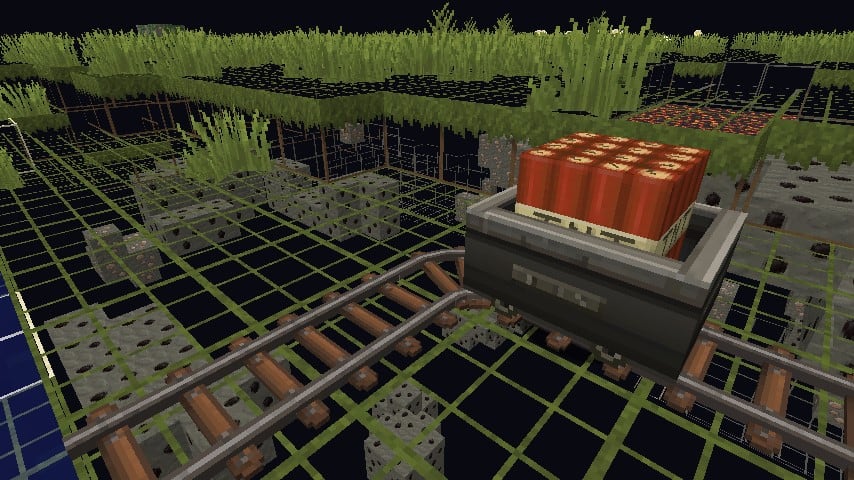
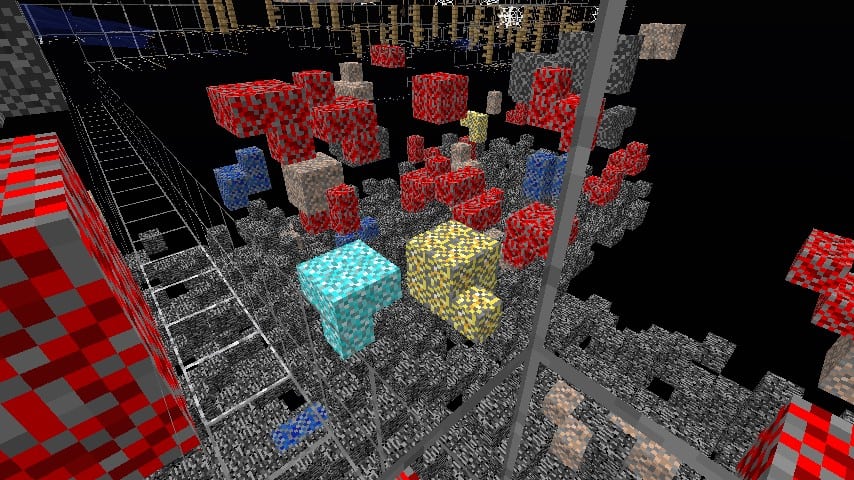
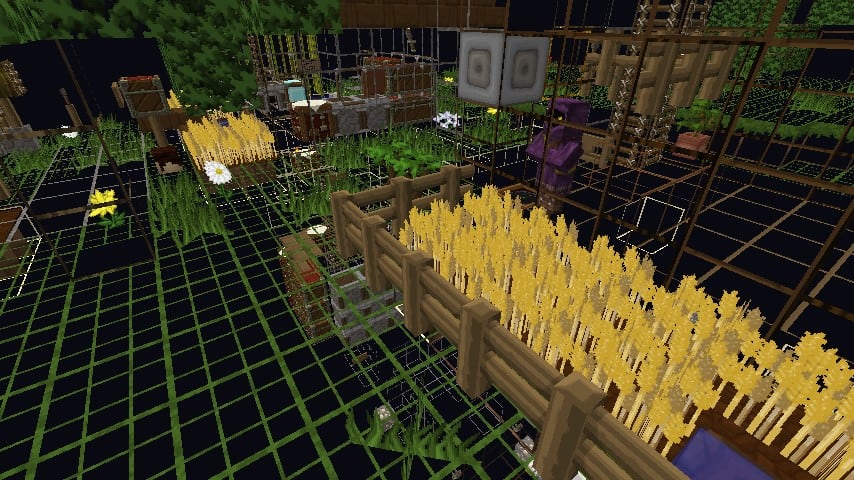
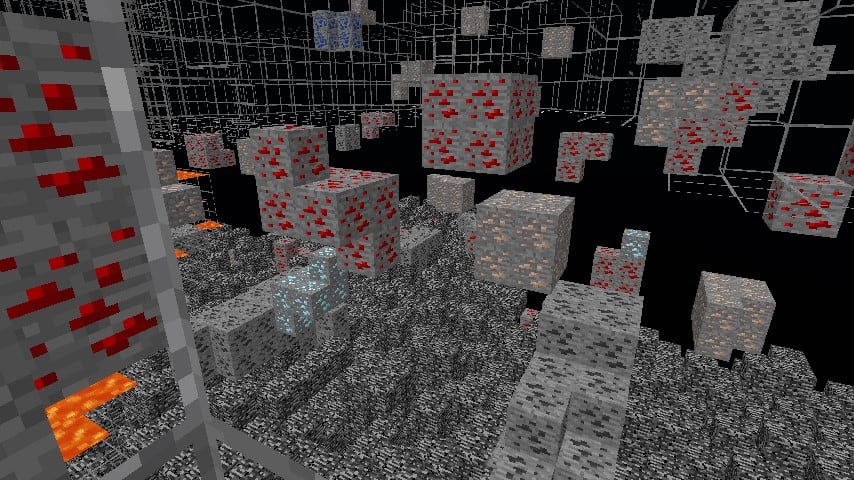
How to install X-Ray Ultimate Resource Pack:
- Most resource packs require Optifine, so be sure to download and install it. – general recommended step for all packs, Optifine is also needed for most shaders
- Download the X-Ray Ultimate texture pack for Minecraft from the download section below. – if there are many different versions, just choose the one you like, is compatible with your version/edition of Minecraft, the one you think your computer can handle in terms of performance.
- Launch the game client through the Minecraft launcher.
- On the main menu, click "Options".
- On the options menu, click "Resource Packs...".
- Click on "Open Resource Pack Folder". – folder titled "resourcepacks" will pop up
- Move the .zip file you downloaded in the first step to the newly opened "resourcepacks" folder.
- Click "Done".
- Click on "Resource Packs..." again.
- Your pack should have appeared in the left window, just hover over it and click on the arrow pointing to the right.
QUICK TIP: Sometimes, when activating a pack, the game may say that the pack is made for a newer or older version of Minecraft. This is just a warning, it does not affect your gameplay in anyway, and you can still activate and enjoy the pack by simply clicking the "Yes" button when prompted.
- Click "Done" again.
- The pack has now been successfully loaded and ready to be used in your world!
X-Ray Ultimate - Comparison Slider #1
Comparison slider #1 for those who want to compare vanilla Minecraft without any texture packs installed (on the left) with Minecraft using this particular texture pack (on the right).
 Vanilla
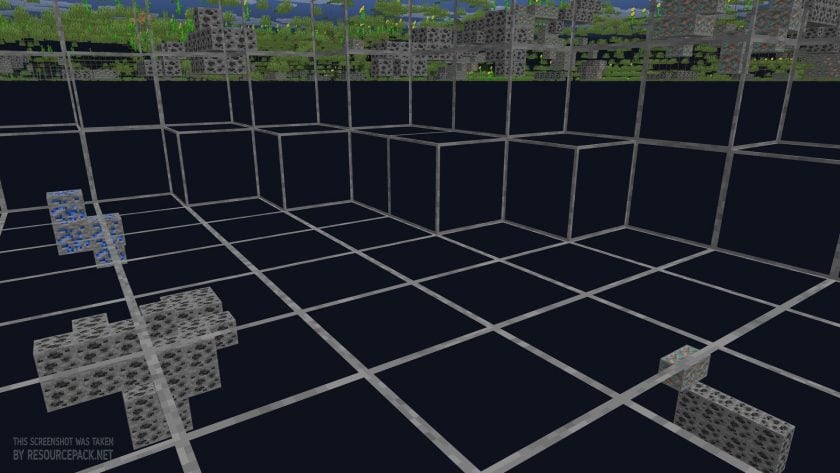 X-Ray Ultimate
X-Ray Ultimate Texture Pack Download
- We do not modify or edit any resource packs. All resource packs, shaders and tools found on this website are linked directly to official sources rather than hosted on our own servers. We provide only the official download links from the original creators to ensure that your files are safe and secure.
- These official links are updated manually and may occasionally stop working when a new version is released. We work hard to keep everything current so that you have a smooth experience. Please let us know in the comments if you find a link that no longer works.
- Minecraft is a trademark of Mojang Studios and has no official connection to this website. Our goal is simply to share the best creations from the community with other players.
- Please consider leaving a comment or voting for your favorite packs. This feedback helps authors improve their projects over time. You can also support the creators directly by visiting the official links located below the download section.
Bedrock Edition:
Get X-ray Mining for Bedrock Edition here – X-ray Mining is available on the Marketplace for 660 Minecoins.
Java Edition:
[16x] [26.1.x – 1.21.x] Download X-Ray Ultimate Resource Pack
[16x] [1.20.6 – 1.20.2] Download X-Ray Ultimate Resource Pack
[16x] [1.20.1 – 1.20] Download X-Ray Ultimate Resource Pack
[16x] [1.19.x] Download X-Ray Ultimate Resource Pack
[16x] [1.18.x] Download X-Ray Ultimate Resource Pack
[16x] [1.17.x] Download X-Ray Ultimate Resource Pack
[16x] [1.16.x] Download X-Ray Ultimate Resource Pack
[16x] [1.15.x – 1.13.x] Download X-Ray Ultimate Resource Pack
[16x] [1.12.x] Download X-Ray Ultimate Resource Pack
[16x] [1.11.x – 1.9.x] Download X-Ray Ultimate Resource Pack
[16x] [1.8.x] Download X-Ray Ultimate Resource Pack
Curseforge: download starts automatically after a few seconds;
Mediafire: click the big blue button with the text "DOWNLOAD";
Google Drive: in the top right corner you will see a small download icon (down arrow), click it and the download should start;

50,912 votes
Look.. 50912 users have already liked this pack. Give a diamond if you like it too!


…d
why every block on this looks like an ore? How i can change it
woolo
it is a jammer on servers
beeturtle19
how do i change the ore cus it only shows coal alot
E
its anti xray on servers
Charged
Does it make skulk transparant too?
Dcff
Can you please make it work for 1.19
dtckar
you can download it by downoading the 1.19.x verison resource pack
FReeededd
Can this work for netherite?
bob
Yes
thiskiduglybro
I put it on but for some reason it show that every block is an ore. If im in the overworld it will so like ancient debris thats actually stone.
MC_IS_COOL
thats because of your servers anticheat, to bypass you need full hacks
urmodre
will i get ban using this on hypixel? asking for a friend :)))
thyrod
you could get banned if you caught getting too much diamonds at once. very possible to get banned.
Grassy Wig
You will gat banned on hypixle… BUTTTTT if you get caught;>
e
Yes
Robbie Laverty
how do i turn the xray on though
wincent
you turn on the texturer pack
dtckar
when in the game press Esc key then go to options… then resource packs.. then go open pack folder then put you zip. folder in the minecraft resource packs folder (which pops up) then you will close these 2 tabs and go to minecraft put it to the right side and click done and there u go. but dont use it on servers if there is anticheat it is pointless.
that guy 87
make on 1.19 pls
CouchPotato
Does this work with 1.19?
aji
mine currently doesnt for 1.19 but I imagine its because my optifine hasnt updated yet
Sid
All blocks are dark any fix?
balls
i recomend getting a fullbright texturepack or optifine
anonymous
Can you use it in realms?
K1
yes
Infinityx12
I installed it. It works, but all the ores are like bit dull/shaded/blkish/ Do you know a fix to it or do I need optifine or smth. Im using fabric and sodium.
Energy
i know how to fix it use optifine and download a texture pack called visible ores for the ores to glow you need optifine tho
Nooby
when i try download the 1.15 version it changes to 1.16
Admin
It works just fine on 1.15
raven
i cant put it onto my minecraft (it is java and i followed all the steps)
Mahir
can we use it for servers
Brady
Help! I don’t know how to put it on a server I don’t own and don’t know how to access it through my phone find the resource packs when I’m on!
Admin
You cannot use this pack on the bedrock Minecraft edition. This is the Java-only pack.
michael
can you use it in education edition?
rappel
bruh who play minecraft education edition
saliem
bruh mine is education not bedrock or java
Meowsert
bro wants to get rich in school
rayen
thats a nice mod fr
saliem
where the heck do i install it?
joshua
same
saliem
yeah so cooool
le baka
absolute masterpiece. thank you!
PresentAura9129
Nice mod
justanotherrandomminecraftplayer
does this work with netherite
dan
please help i use full bright but is still darks
hehe
the resource pack is glitchy i am able to see the ores from grass_block but unable to see the ores through stone and similar
Alex
Zip doesn’t work
Admin
What do you mean? You don’t need to open the ZIP archive. Read carefully “How to install…” on this page.
Alex
The error list says it’s unable to find the packets manifest, I’m not sure what that means
Admin
Make sure you’ve finished downloading the pack before placing it in your assets folder.