Nowadays, many people enjoy spending their free time while playing games. One of the best games that people enjoy to play is the mining adventure that is found in Minecraft. Minecraft is one of the games that needs good playing skills. Among the participant, there are players who have good mining skills and the other doesn’t have the needed skills. However, to the people who have limited mining skills they don’t need to stress themselves anymore, this is due to the availability of Xray Ultimate resource pack. This pack has been well designed and also introduced in order to help every player who loves this game and need an extra assistance. Generally, this pack is uniquely designed in order to assist the player with the gameplay. This aspect makes Xray resource pack different from the other packs since it does not elevate the entire game visuals and thus it gives you the essential assistance you need.
Featured video:
This means, the entire pack highlights all the mineral blocks and ores for you while you are playing the game. Concerning this type of assistance offered by X-ray pack, the player will be able aware of where to go mining and thus help in saving time. However, in order to know how Xray pack works, one should be aware of different x-ray pack features that are simple to understand and to follow. Knowing every feature of this pack will effectively help every player to have the needed mining skills. Generally, the entire pack comprises of the x16 resolution that helps in eliminating any fps drops. In order to run the entire pack competently it definitely important to use Optifine; the Optifine generally helps the player to have an effective night vision effect and also the player the capability to turn off the smooth lighting whenever in need.
X-Ray Ultimate should be compatible with all of these Minecraft versions: 26.1.1 - 26.1 - 1.21.11 - 1.21.10 - 1.21.9 - 1.21.8 - 1.21.7 - 1.21.6 - 1.21.5 - 1.21.4 - 1.21.3 - 1.21.2 - 1.21.1 - 1.21 - 1.20.6 - 1.20.5 - 1.20.4 - 1.20.3 - 1.20.2 - 1.20.1 - 1.20 - 1.19.4 - 1.19.3 - 1.19.2 - 1.19.1 - 1.19 - 1.18.2 - 1.18.1 - 1.18 - 1.17.1 - 1.17 - 1.16.5 - 1.16.4 - 1.16.3 - 1.16.2 - 1.16.1 - 1.16 - 1.15.2 - 1.15.1 - 1.15 - 1.14.4 - 1.14.3 - 1.14.2 - 1.14 - 1.13.2 - 1.13.1 - 1.13 - 1.12.2 - 1.12 - 1.11.2 - 1.11 - 1.10.2 - 1.10 - 1.9.4 - 1.9 - 1.8.9 - 1.8.8 - 1.8.1 - 1.8.6 - 1.8 - Bedrock Edition - PE
X-Ray Ultimate — Video & Screenshots
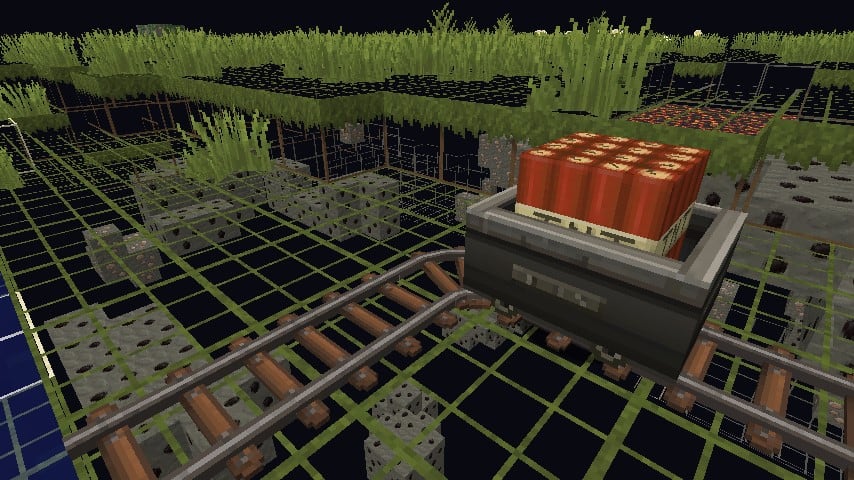
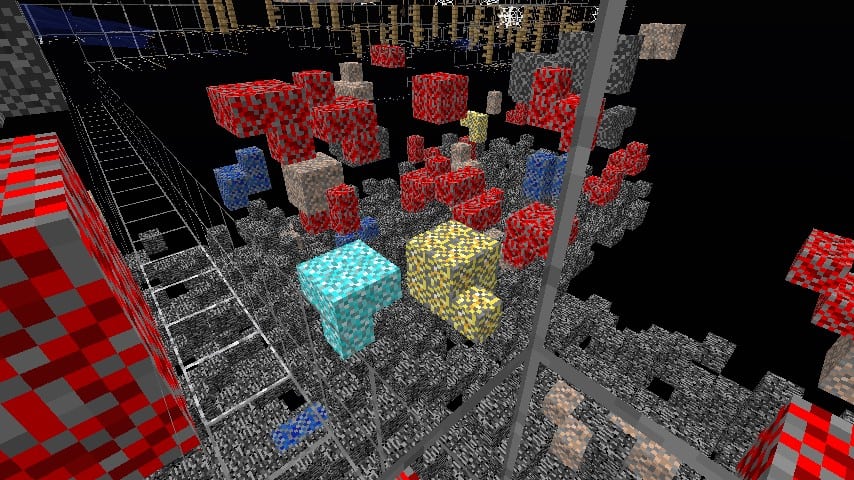
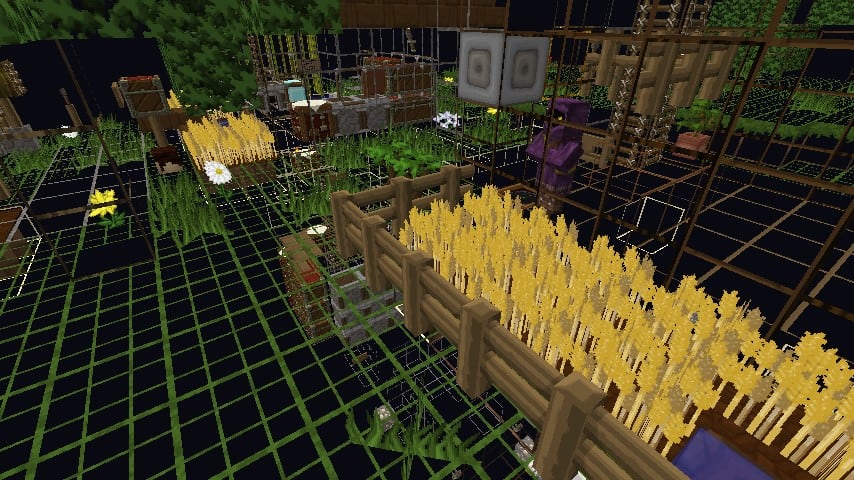
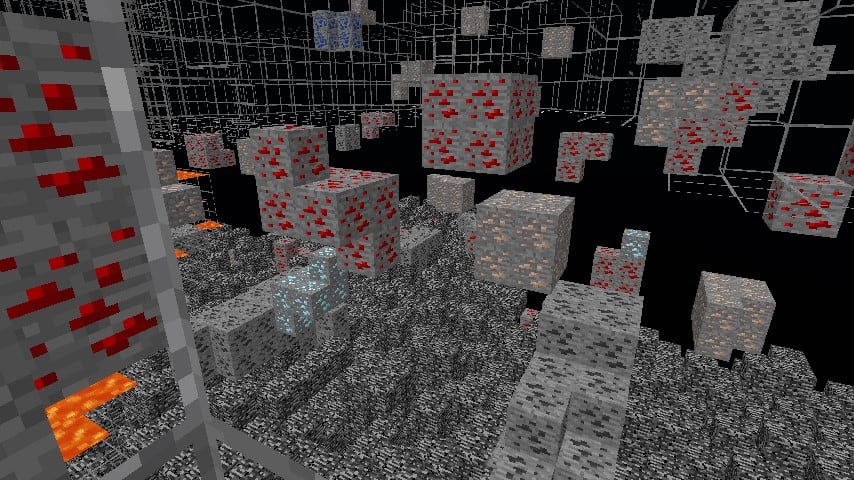
How to install X-Ray Ultimate Resource Pack:
- Most resource packs require Optifine, so be sure to download and install it. – general recommended step for all packs, Optifine is also needed for most shaders
- Download the X-Ray Ultimate texture pack for Minecraft from the download section below. – if there are many different versions, just choose the one you like, is compatible with your version/edition of Minecraft, the one you think your computer can handle in terms of performance.
- Launch the game client through the Minecraft launcher.
- On the main menu, click "Options".
- On the options menu, click "Resource Packs...".
- Click on "Open Resource Pack Folder". – folder titled "resourcepacks" will pop up
- Move the .zip file you downloaded in the first step to the newly opened "resourcepacks" folder.
- Click "Done".
- Click on "Resource Packs..." again.
- Your pack should have appeared in the left window, just hover over it and click on the arrow pointing to the right.
QUICK TIP: Sometimes, when activating a pack, the game may say that the pack is made for a newer or older version of Minecraft. This is just a warning, it does not affect your gameplay in anyway, and you can still activate and enjoy the pack by simply clicking the "Yes" button when prompted.
- Click "Done" again.
- The pack has now been successfully loaded and ready to be used in your world!
X-Ray Ultimate - Comparison Slider #1
Comparison slider #1 for those who want to compare vanilla Minecraft without any texture packs installed (on the left) with Minecraft using this particular texture pack (on the right).
 Vanilla
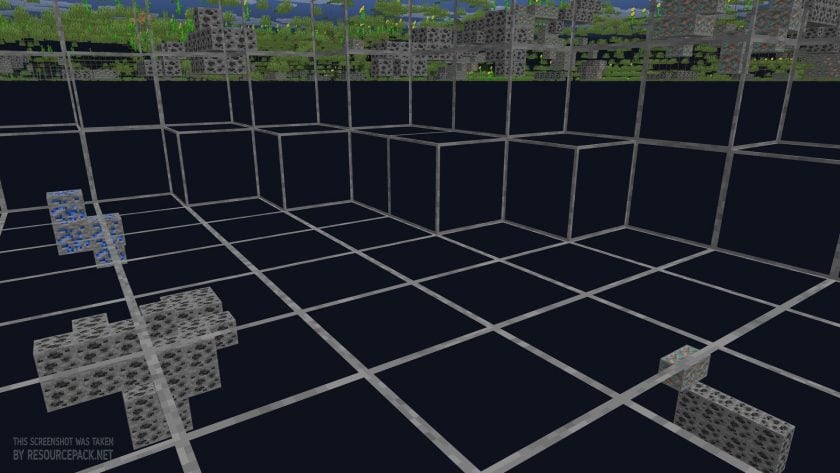 X-Ray Ultimate
X-Ray Ultimate Texture Pack Download
- We do not modify or edit any resource packs. All resource packs, shaders and tools found on this website are linked directly to official sources rather than hosted on our own servers. We provide only the official download links from the original creators to ensure that your files are safe and secure.
- These official links are updated manually and may occasionally stop working when a new version is released. We work hard to keep everything current so that you have a smooth experience. Please let us know in the comments if you find a link that no longer works.
- Minecraft is a trademark of Mojang Studios and has no official connection to this website. Our goal is simply to share the best creations from the community with other players.
- Please consider leaving a comment or voting for your favorite packs. This feedback helps authors improve their projects over time. You can also support the creators directly by visiting the official links located below the download section.
Bedrock Edition:
Get X-ray Mining for Bedrock Edition here – X-ray Mining is available on the Marketplace for 660 Minecoins.
Java Edition:
[16x] [26.1.x – 1.21.x] Download X-Ray Ultimate Resource Pack
[16x] [1.20.6 – 1.20.2] Download X-Ray Ultimate Resource Pack
[16x] [1.20.1 – 1.20] Download X-Ray Ultimate Resource Pack
[16x] [1.19.x] Download X-Ray Ultimate Resource Pack
[16x] [1.18.x] Download X-Ray Ultimate Resource Pack
[16x] [1.17.x] Download X-Ray Ultimate Resource Pack
[16x] [1.16.x] Download X-Ray Ultimate Resource Pack
[16x] [1.15.x – 1.13.x] Download X-Ray Ultimate Resource Pack
[16x] [1.12.x] Download X-Ray Ultimate Resource Pack
[16x] [1.11.x – 1.9.x] Download X-Ray Ultimate Resource Pack
[16x] [1.8.x] Download X-Ray Ultimate Resource Pack
Curseforge: download starts automatically after a few seconds;
Mediafire: click the big blue button with the text "DOWNLOAD";
Google Drive: in the top right corner you will see a small download icon (down arrow), click it and the download should start;

50,919 votes
Look.. 50919 users have already liked this pack. Give a diamond if you like it too!


Niti Cakiqi
I can barely see diamonds
Gamelord
U need night vision ig
DerpsDaBookworm
Works better with fullbright on (if you use lunar this is easy; RShift > Edit Mods Menu > Settings > Performance > Fullbright (toggleable)
Kk
How do I turn it off? It wont let me somehow.
Admin
This is a resource pack, not a mod, which means you can’t turn it on / off on the fly.
You need to deactivate the pack itself just like any other resource pack.
SuperM1887
I think it is very good
Simon
I think it is very useful
Mads
When I add the texture pack everything is dark and i cant tell which ore is which. Its not visable at all.
Edge
Turn off smooth lighting
chris
my smooth lighting is off but i still have this problem
Ed
why do the ores move
breme
lol, it actully works
bxmosT
random mine shows everywhere
Sebastian2402
I can only see through leaves?
Wurscht0
do you have badlion?
Goose
This newer version really works well, the older versions were laggy, but this is amazing!!
Fortnite Ninja
Does it work with ancient debris?
yeetman69
yes
Okthx
I have no problem with the pack, but I have a question, is there any way I can modify some of the blocks’ textures so that I can see those as well? Like, for example, I want to farm a lot of Blackstone and Magma blocks in the Nether, and it’d be very helpful to be able to see them with the pack, instead of blindly mining eveything in sight.
no
To be honest this is a resource pack and not a mod so i don’t think that is possible
Sams
if you know what you’re doing,then yes! good luck though.
Herself
Yeah, you can, but you have to go into the directory structure to do it. I have an older version and I removed the texture for oak wood and get a bright purple and black striped block (probably an error condition) to tell me where the wood blocks are. Don’t recall how I did it.
yes
i cant see though stone, but i can see through leaves? how do iset it up?
joe mama
You have to use optifine
yeetman69
if you use badlion it disables the pack, if you don’t use optifine use that
Lucas
Is there a way to disable/enable it with a key on your keyboard?
Caleb
No, cause its a resourcepack. You have to go to your resourcepacks and turn it on/off from there.
Stijn
does it still show spawners?
FID
NO
jaeus
thank you for x-ray
Igor Smuk
NICEEE
Ngrer Nhou
is it possible to turn the ore block into transparent too? so I can find mineshaft/dungeon using this pack
Dartress
Hi Is there any key to toggle it on and off?
Caleb
No, this is a resourcepack so you have to go to your resource packs to turn it on or off.
wiajdwadnaowad
Does this works without optifine? and does it ban or kick me from servers? help me pls.
jlsfjklfjfjlfdjflfjks
It requires optifine
This may not work on some clients like BLC to prevent you from cheating
But servers can’t detect what resource pack you’re using, so you won’t get kicked or banned, unless a staff is watching you mining straight to diamonds.
Caleb
I have been able to use it without optifine, it just doesnt work as well, because parts of the world are just black instead of showing anything. I would suggest getting optifine to use it, but if you cant get optifine it will still be better than nothing.
SkullKidDanzen
I’d like to point out to people having ore blocks appear dark even after turning smooth lighting off, if you also have shaders or 3rd party shader pack on, disable it
DEVAN
thanks
mason
can i toggle it?
help
says its not compatible with my version of minecraft (1.16.3) help
Xander Marx
Just try to get 1.16.4 or get the lower version of this pack. Hope it helped
wdwd
I Need help i tried it but it did not work how do i do this