Nowadays, many people enjoy spending their free time while playing games. One of the best games that people enjoy to play is the mining adventure that is found in Minecraft. Minecraft is one of the games that needs good playing skills. Among the participant, there are players who have good mining skills and the other doesn’t have the needed skills. However, to the people who have limited mining skills they don’t need to stress themselves anymore, this is due to the availability of Xray Ultimate resource pack. This pack has been well designed and also introduced in order to help every player who loves this game and need an extra assistance. Generally, this pack is uniquely designed in order to assist the player with the gameplay. This aspect makes Xray resource pack different from the other packs since it does not elevate the entire game visuals and thus it gives you the essential assistance you need.
Featured video:
This means, the entire pack highlights all the mineral blocks and ores for you while you are playing the game. Concerning this type of assistance offered by X-ray pack, the player will be able aware of where to go mining and thus help in saving time. However, in order to know how Xray pack works, one should be aware of different x-ray pack features that are simple to understand and to follow. Knowing every feature of this pack will effectively help every player to have the needed mining skills. Generally, the entire pack comprises of the x16 resolution that helps in eliminating any fps drops. In order to run the entire pack competently it definitely important to use Optifine; the Optifine generally helps the player to have an effective night vision effect and also the player the capability to turn off the smooth lighting whenever in need.
X-Ray Ultimate should be compatible with all of these Minecraft versions: 26.1.1 - 26.1 - 1.21.11 - 1.21.10 - 1.21.9 - 1.21.8 - 1.21.7 - 1.21.6 - 1.21.5 - 1.21.4 - 1.21.3 - 1.21.2 - 1.21.1 - 1.21 - 1.20.6 - 1.20.5 - 1.20.4 - 1.20.3 - 1.20.2 - 1.20.1 - 1.20 - 1.19.4 - 1.19.3 - 1.19.2 - 1.19.1 - 1.19 - 1.18.2 - 1.18.1 - 1.18 - 1.17.1 - 1.17 - 1.16.5 - 1.16.4 - 1.16.3 - 1.16.2 - 1.16.1 - 1.16 - 1.15.2 - 1.15.1 - 1.15 - 1.14.4 - 1.14.3 - 1.14.2 - 1.14 - 1.13.2 - 1.13.1 - 1.13 - 1.12.2 - 1.12 - 1.11.2 - 1.11 - 1.10.2 - 1.10 - 1.9.4 - 1.9 - 1.8.9 - 1.8.8 - 1.8.1 - 1.8.6 - 1.8 - Bedrock Edition - PE
X-Ray Ultimate — Video & Screenshots
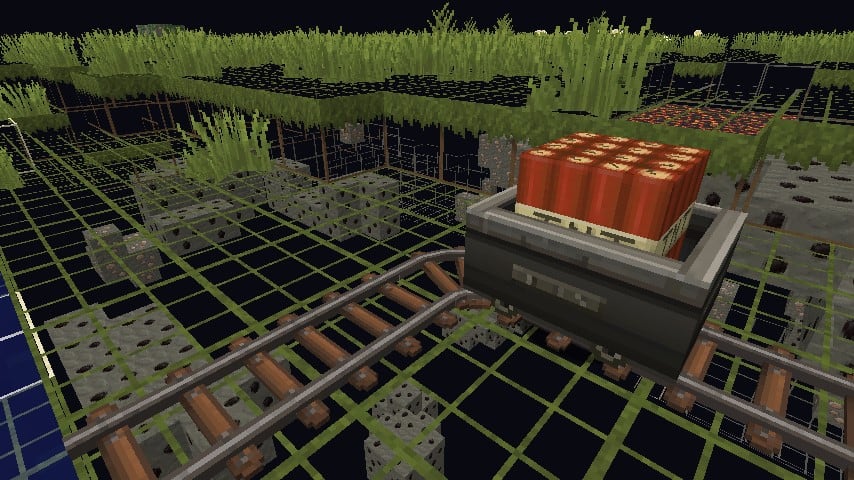
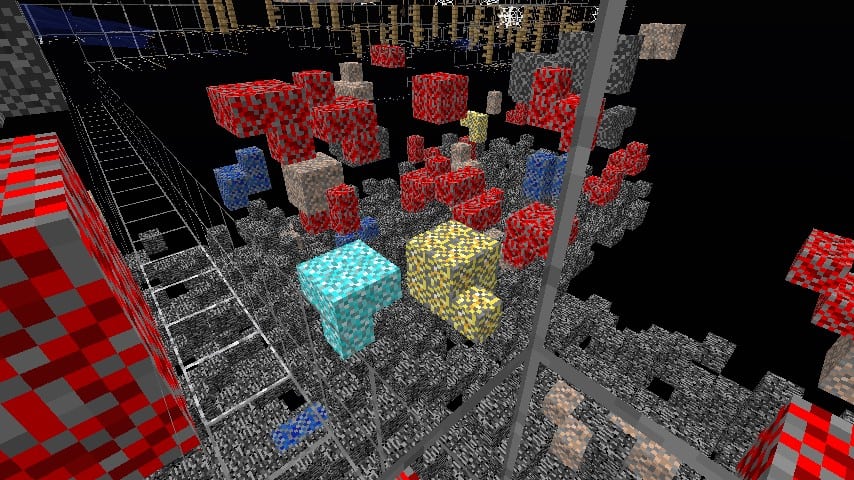
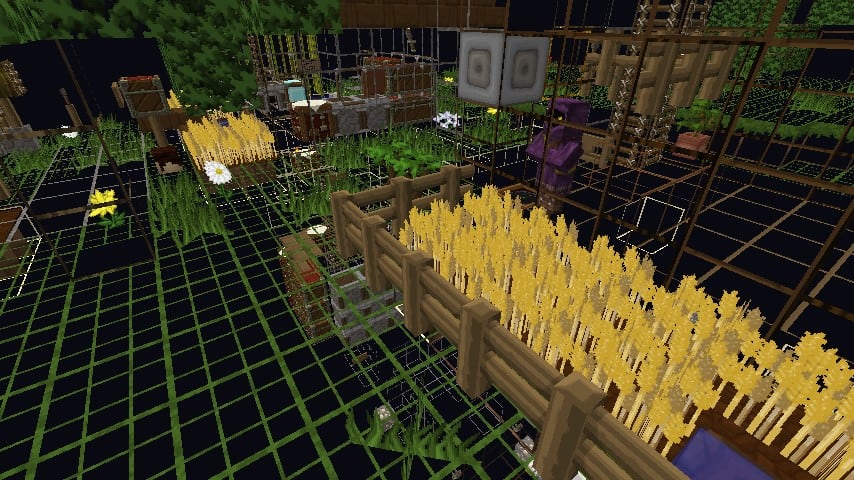
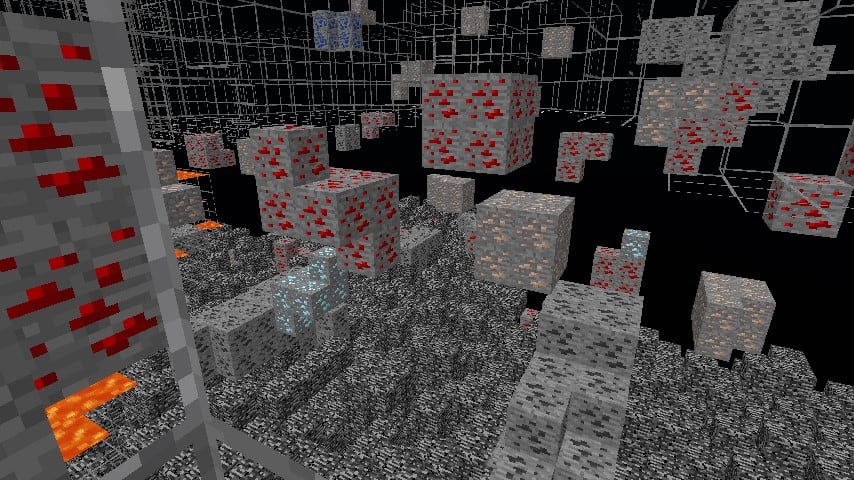
How to install X-Ray Ultimate Resource Pack:
- Most resource packs require Optifine, so be sure to download and install it. – general recommended step for all packs, Optifine is also needed for most shaders
- Download the X-Ray Ultimate texture pack for Minecraft from the download section below. – if there are many different versions, just choose the one you like, is compatible with your version/edition of Minecraft, the one you think your computer can handle in terms of performance.
- Launch the game client through the Minecraft launcher.
- On the main menu, click "Options".
- On the options menu, click "Resource Packs...".
- Click on "Open Resource Pack Folder". – folder titled "resourcepacks" will pop up
- Move the .zip file you downloaded in the first step to the newly opened "resourcepacks" folder.
- Click "Done".
- Click on "Resource Packs..." again.
- Your pack should have appeared in the left window, just hover over it and click on the arrow pointing to the right.
QUICK TIP: Sometimes, when activating a pack, the game may say that the pack is made for a newer or older version of Minecraft. This is just a warning, it does not affect your gameplay in anyway, and you can still activate and enjoy the pack by simply clicking the "Yes" button when prompted.
- Click "Done" again.
- The pack has now been successfully loaded and ready to be used in your world!
X-Ray Ultimate - Comparison Slider #1
Comparison slider #1 for those who want to compare vanilla Minecraft without any texture packs installed (on the left) with Minecraft using this particular texture pack (on the right).
 Vanilla
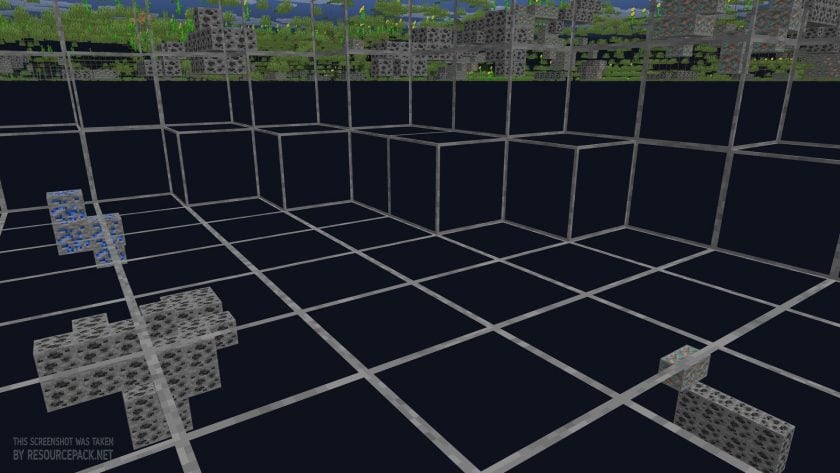 X-Ray Ultimate
X-Ray Ultimate Texture Pack Download
- We do not modify or edit any resource packs. All resource packs, shaders and tools found on this website are linked directly to official sources rather than hosted on our own servers. We provide only the official download links from the original creators to ensure that your files are safe and secure.
- These official links are updated manually and may occasionally stop working when a new version is released. We work hard to keep everything current so that you have a smooth experience. Please let us know in the comments if you find a link that no longer works.
- Minecraft is a trademark of Mojang Studios and has no official connection to this website. Our goal is simply to share the best creations from the community with other players.
- Please consider leaving a comment or voting for your favorite packs. This feedback helps authors improve their projects over time. You can also support the creators directly by visiting the official links located below the download section.
Bedrock Edition:
Get X-ray Mining for Bedrock Edition here – X-ray Mining is available on the Marketplace for 660 Minecoins.
Java Edition:
[16x] [26.1.x – 1.21.x] Download X-Ray Ultimate Resource Pack
[16x] [1.20.6 – 1.20.2] Download X-Ray Ultimate Resource Pack
[16x] [1.20.1 – 1.20] Download X-Ray Ultimate Resource Pack
[16x] [1.19.x] Download X-Ray Ultimate Resource Pack
[16x] [1.18.x] Download X-Ray Ultimate Resource Pack
[16x] [1.17.x] Download X-Ray Ultimate Resource Pack
[16x] [1.16.x] Download X-Ray Ultimate Resource Pack
[16x] [1.15.x – 1.13.x] Download X-Ray Ultimate Resource Pack
[16x] [1.12.x] Download X-Ray Ultimate Resource Pack
[16x] [1.11.x – 1.9.x] Download X-Ray Ultimate Resource Pack
[16x] [1.8.x] Download X-Ray Ultimate Resource Pack
Curseforge: download starts automatically after a few seconds;
Mediafire: click the big blue button with the text "DOWNLOAD";
Google Drive: in the top right corner you will see a small download icon (down arrow), click it and the download should start;

50,920 votes
Look.. 50920 users have already liked this pack. Give a diamond if you like it too!


E
do i have to have optifine?
DodoKiller25
YES ya do
ratatat
i dont think so ive used it in vanilla before
Caleb
I have also used it in vanilla, it doesnt work as well cause it has big black area that wont show ores, but it does work. I would suggest optifine though for maximum efficiency
noobmasterxd6969
Hi there! I am a someone that installed and downloaded this texture pack. Apparently, I need OptiFine and Smooth Lighting turned off, I’ve done that. But I have run into an accident where, I can’t see the ores. Can any of you youngings help me?
Penguitoni
i recommend using night vision potions
EPICjeb
this is nice…
wdwd
yo
whats yourr discord i know you have one
Lucs
Why can I only see exposed ores?
SwapSwap Papyrus
is good
help me
which key to press to turn on the texture pack
PewDiePia
dude this is a texture pack so there is not any key to turn on and off this thing lol
Diraq
does this make emerald ores transparent as well? i cant seem to find any.
Alex
Emerald ore only spawns naturally under Extreme Hills biomes. If you’re not in one, there won’t be any emerald.
PieCreeper
The resource pack will not show up in my resource pack list on Minecraft.
x
you need to put the minecraft pack thig (with the extension) in your resourcepack folders ;p;
oooooof
i have optifine and i have smooth lighting off but the ores are still black! help!!
daw
watch how to bright your minecraft in youtube for 100 gamma
PompaPrieKompa 360
help me i dont see anything when i use this pack its just dark i have my gamma up to 100 and i have fullbright mod but its still dark
Ricosb
I liked it, it helped me a lot but there are some black and purple blocks that get in the way so I want someone’s help
thanks.
lool
its just blocks that dont have textures in this pack so use another pack which overlays this one
random dude
Does this show ancient debris?
Asking
Can this be on ios (i am playing on ipad) or is this only on pcs?
Nils
is there a way to use this on a server which has anti x ray-plugin installed? Cause I only see ores everywhere
Kentobt
i dragged the .zip file into minecraft resourcepack file and still doesnt work , help
Just a man
Noice
Kooolkiddo
any way to add blocks to the xray list?
Ingrainedcar
I am wondering if this doesn’t work for ancient debris or if it just that rare
zoe
Ancient Debris is very rare and you need to be at a Y level of 15 to find it.
using an outdated version of the texture pack means that it will not render unless looking directly at it
TunaSalad
why are blocks dark?
zoe
because it is the way that the minecraft lighting system works, simply set smooth lighting off and you’re good to go
Embry Rose
is there a version for windows 10 edition
Marie Häll
Did get it to work, but now how do I turn it OFF lol XD ingame while game still running like when Minecraft came out sorf of you could toggle it different modes 1. transparent blocks totally not ores, and not trees etc, 2, turn it on 3 turn it off. have tested all buttons on my keyboard and find no settings in optiions either or where keybindings are. : hmm
LOL
Can you this for PE?
azeroth
nice
Russel Icasas
night vision not working 1.14.4?
huytin2007
I see the ores, but when i get near it it dissapears. What do i do? help?
zoe
it may simply be the chunks unloading