Mizuno’s 16 Craft resource pack enhances the world of Minecraft with impressive visuals. This texture pack will become a favorite of many players because of how well the textures in this pack look on screen. The fact that this resource pack is able to keep the graphics looking great without being over the top is a monumental accomplishment that few resource packs are able to achieve. Low-resolution resource packs often fail to make their textures visually pleasing. Because of these lack luster textures, most low-resolution resource packs are unable to take the Minecraft visual world to the next level. You can often find a lot of noise present in these texture designs. Noise found in these textures take away from the overall appeal and appearance of these low-resolution resource packs. The Mizuno’s 16 Craft succeeds where many other low-resolution packs fail.
Featured video:
This particular pack provides beautiful graphics that are engaging by getting rid of many noise related problems that are prevalent in packs of this type. When you load Minecraft after installing the Mizuno 16 Craft resource pack you are greeted with amazing visuals. The simple design of the installed textures are streamlined and beautiful. The resource pack reveals a magnificent color pallet that features art influenced textures. With clean and noiseless textures this pack is able to reduce eye strain while providing an enjoyable gaming experience. This is one of the best features of the resource pack. Beyond changing Minecraft’s typical textures the Mizuno’s 16 Craft makes changes to the standard user interface. The Mizuno 16 Craft uses a 16×16 resolution like the name of the resource pack suggests. Because of this and the resource pack’s low screen resolution many players are able to enjoy this game with no difficulties. This resource pack allows people with low-end computers to enjoy this pack as much as someone with a high-end computer can.
Mizuno's 16 Craft should be compatible with all of these Minecraft versions: 26.1 - 1.21.11 - 1.21.10 - 1.21.9 - 1.21.8 - 1.21.7 - 1.21.6 - 1.21.5 - 1.21.4 - 1.21.3 - 1.21.2 - 1.21.1 - 1.21 - 1.20.6 - 1.20.5 - 1.20.4 - 1.20.3 - 1.20.2 - 1.20.1 - 1.20 - 1.19.4 - 1.19.3 - 1.19.2 - 1.19.1 - 1.19 - 1.18.2 - 1.18.1 - 1.18 - 1.17.1 - 1.17 - 1.16.5 - 1.16.4 - 1.16.3 - 1.16.2 - 1.16.1 - 1.16 - 1.15.2 - 1.15.1 - 1.15 - 1.14.4 - 1.14.3 - 1.14.2 - 1.14 - 1.13.2 - 1.13.1 - 1.13 - 1.12.2 - 1.12 - 1.11.2 - 1.11 - 1.10.2 - 1.10 - 1.9.4 - 1.9 - 1.8.9 - 1.8.8 - 1.8.1 - 1.8.6 - 1.8 - Bedrock Edition - PE
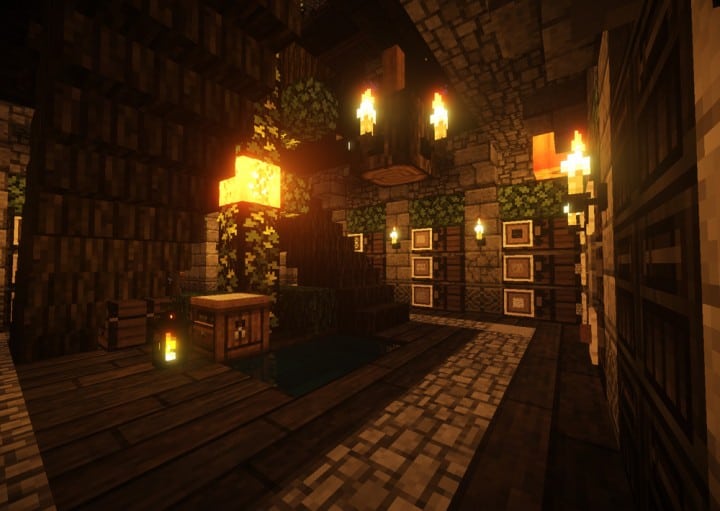
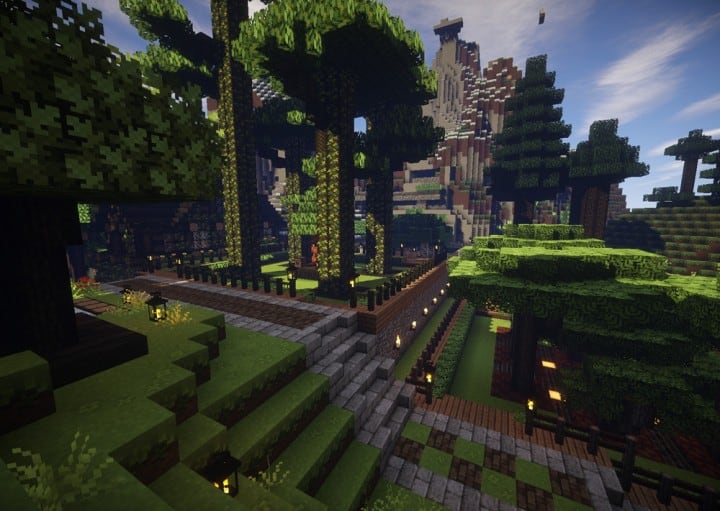
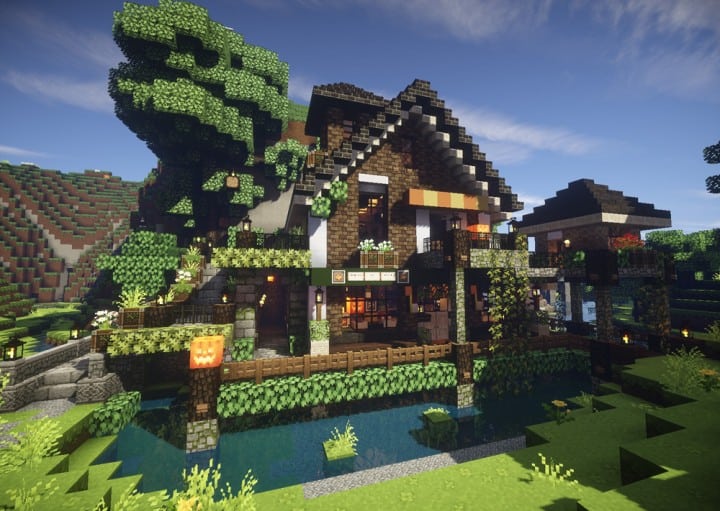
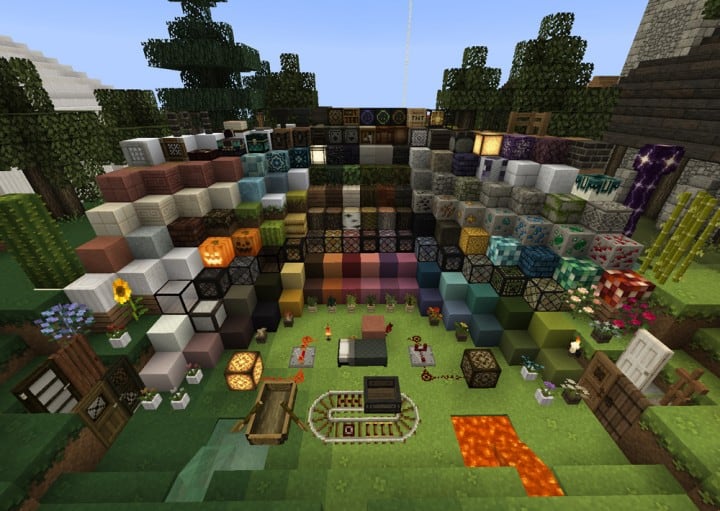
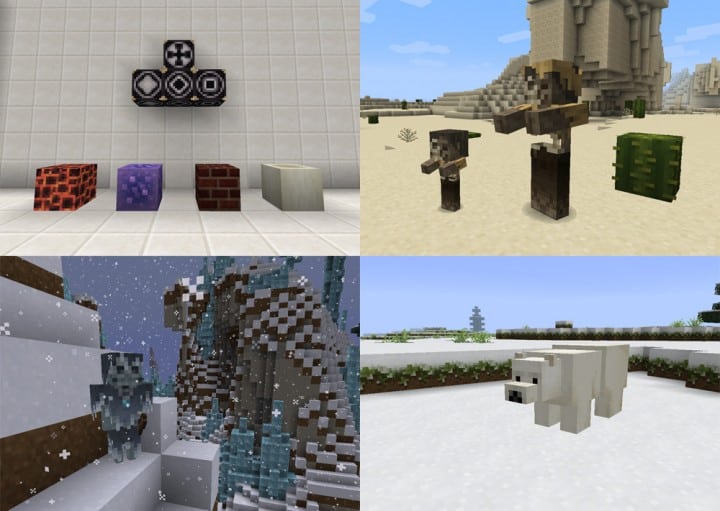
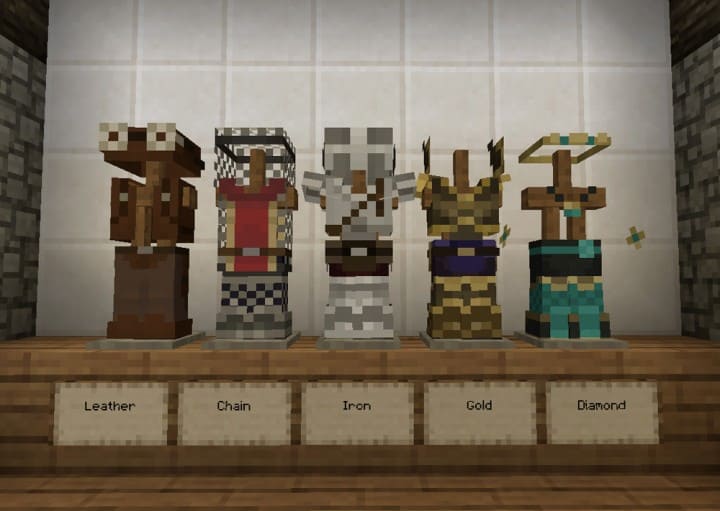
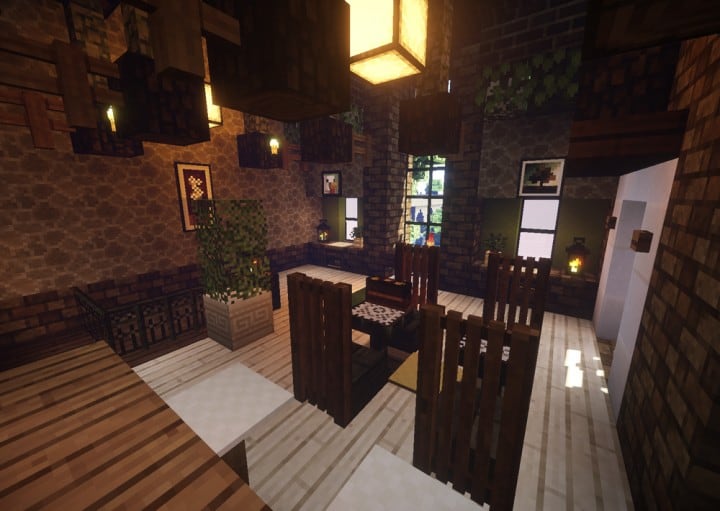
Mizuno's 16 Craft — Screenshots
How to install Mizuno's 16 Craft Resource Pack:
- Most resource packs require Optifine, so be sure to download and install it. – general recommended step for all packs, Optifine is also needed for most shaders
- Download the Mizuno's 16 Craft texture pack for Minecraft from the download section below. – if there are many different versions, just choose the one you like, is compatible with your version/edition of Minecraft, the one you think your computer can handle in terms of performance.
- Launch the game client through the Minecraft launcher.
- On the main menu, click "Options".
- On the options menu, click "Resource Packs...".
- Click on "Open Resource Pack Folder". – folder titled "resourcepacks" will pop up
- Move the .zip file you downloaded in the first step to the newly opened "resourcepacks" folder.
- Click "Done".
- Click on "Resource Packs..." again.
- Your pack should have appeared in the left window, just hover over it and click on the arrow pointing to the right.
QUICK TIP: Sometimes, when activating a pack, the game may say that the pack is made for a newer or older version of Minecraft. This is just a warning, it does not affect your gameplay in anyway, and you can still activate and enjoy the pack by simply clicking the "Yes" button when prompted.
- Click "Done" again.
- The pack has now been successfully loaded and ready to be used in your world!
How to install Mizuno’s CIT pack:
Before you can install the CIT Pack, there are a few requirements you need to meet:
- Minecraft Java Edition
- Optifine
- Mizuno’s 16 Craft Base pack
- Mizuno’s 16 Craft CIT pack
- Invisible Item Frame
Just click “Optifine” above if you haven’t installed it yet. The Mizuno 16 Craft Base pack (if you followed our guide above, it should already be installed), CIT pack and Invisible Item Frame can be found in the download section below.
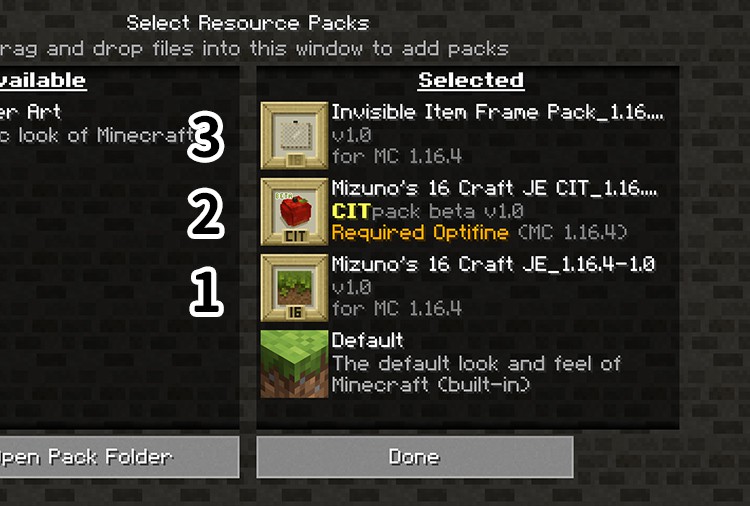
Now that you have successfully installed Optifine and installed the Mizuno’s 16 Craft Base Pack (just follow the instructions on “How to install Mizuno’s 16 Craft Resource Pack” above), you just need to do the same with the CIT Pack and the Invisible Item Frame and make sure they are installed in the correct order as shown in the image below:
How to use Mizuno’s CIT:
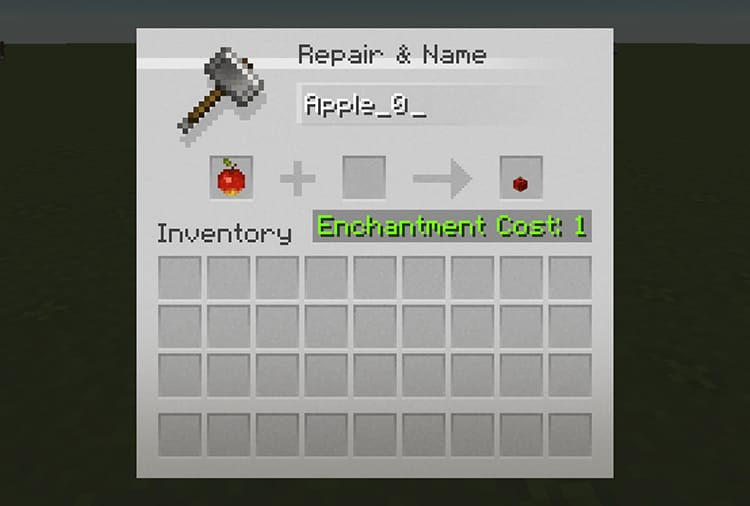
Once you have successfully installed everything we talked about above, you will now be able to use Mizuno’s CIT feature. All you need to do is simply go to the CIT catalog, find the CIT you want to “create” and simply name it on the anvil as shown in the image below:
Place the invisible item frame anywhere and place the newly named item in it. That’s it!
Mizuno's 16 Craft - Comparison Slider #1 Without shaders
Comparison slider #1 for those who want to compare vanilla Minecraft without any texture packs installed (on the left) with Minecraft using this particular texture pack (on the right).
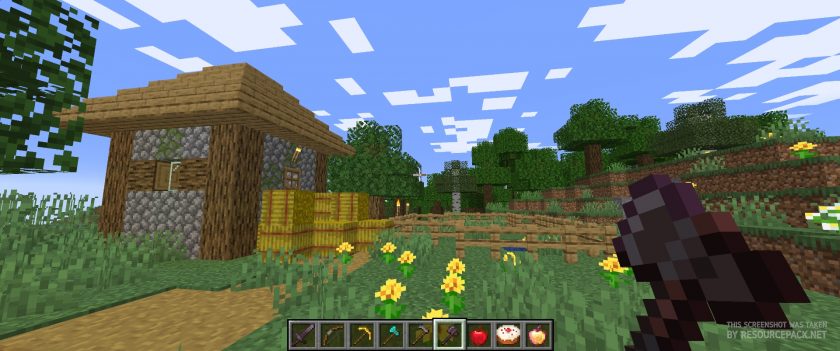 Vanilla
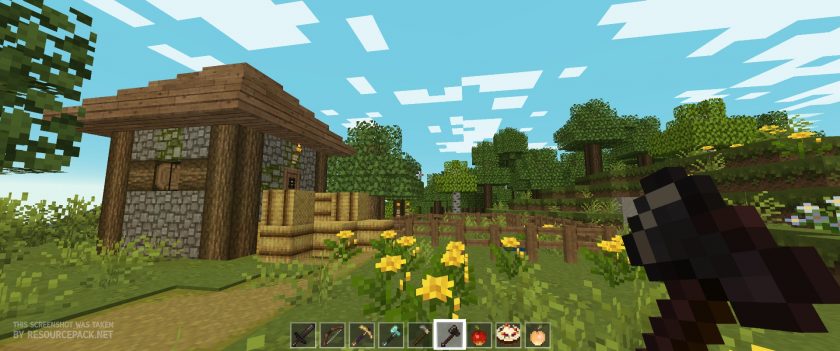 Mizuno's 16 Craft
Mizuno's 16 Craft - Comparison Slider #2 With BSL Shaders
Comparison slider #2 for those who want to compare vanilla Minecraft without any texture packs installed (on the left) with Minecraft using this particular texture pack (on the right).
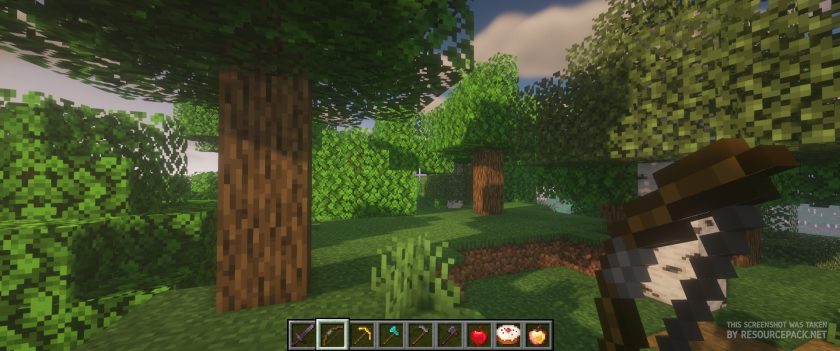 Vanilla (BSL Shaders)
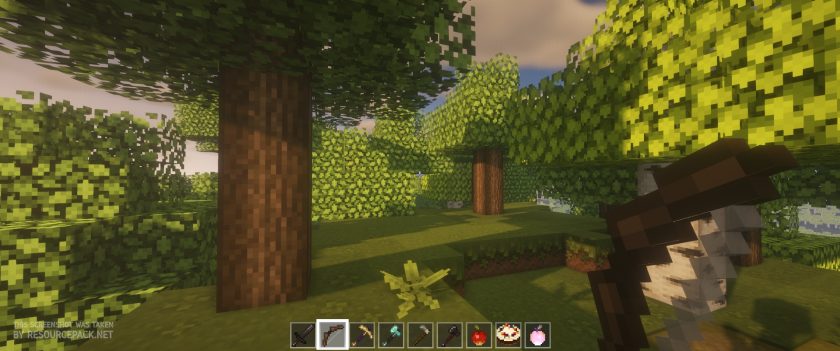 Mizuno's 16 Craft (BSL Shaders)
Mizuno's 16 Craft Texture Pack Download
- We do not modify or edit any resource packs. All resource packs, shaders and tools found on this website are linked directly to official sources rather than hosted on our own servers. We provide only the official download links from the original creators to ensure that your files are safe and secure.
- These official links are updated manually and may occasionally stop working when a new version is released. We work hard to keep everything current so that you have a smooth experience. Please let us know in the comments if you find a link that no longer works.
- Minecraft is a trademark of Mojang Studios and has no official connection to this website. Our goal is simply to share the best creations from the community with other players.
- Please consider leaving a comment or voting for your favorite packs. This feedback helps authors improve their projects over time. You can also support the creators directly by visiting the official links located below the download section.
Bedrock Edition:
Get Mizuno Craft for Bedrock Edition here – Mizuno Craft is available on the Marketplace for 830 Minecoins.
Java Edition:
[16x] [26.1 – 1.21.x] Download Modern Mizuno’s Resource Pack – unofficial addon, requires original pack from link below (1.20.6 – 1.20.2), place this add-on on top of original pack;
[16x] [1.20.6 – 1.20.2] Download Mizuno’s 16 Craft Resource Pack
[16x] [1.20.1 – 1.20] Download Mizuno’s 16 Craft Resource Pack
[16x] [1.19.x] Download Mizuno’s 16 Craft Resource Pack
[16x] [1.18.x] Download Mizuno’s 16 Craft Resource Pack
[16x] [1.17.x] Download Mizuno’s 16 Craft Resource Pack
[16x] [1.16.x] Download Mizuno’s 16 Craft Resource Pack
[16x] [1.15.x] Download Mizuno’s 16 Craft Resource Pack
[16x] [1.14.x] Download Mizuno’s 16 Craft Resource Pack
[16x] [1.13.x] Download Mizuno’s 16 Craft Resource Pack
[16x] [1.12.x – 1.11.x] Download Mizuno’s 16 Craft Resource Pack
[16x] [1.10.x] Download Mizuno’s 16 Craft Resource Pack
[16x] [1.9.x] Download Mizuno’s 16 Craft Resource Pack
[16x] [1.8.x] Download Mizuno’s 16 Craft Resource Pack
CIT pack (Java Edition):
[16x] [1.20.x] Download Mizuno’s 16 Craft CIT Resource Pack | Invisible Item Frame
[16x] [1.19.x] Download Mizuno’s 16 Craft CIT Resource Pack | Invisible Item Frame
[16x] [1.18.x] Download Mizuno’s 16 Craft CIT Resource Pack | Invisible Item Frame
[16x] [1.17.x] Download Mizuno’s 16 Craft CIT Resource Pack | Invisible Item Frame
[16x] [1.16.x] Download Mizuno’s 16 Craft CIT Resource Pack | Invisible Item Frame
Curseforge: download starts automatically after a few seconds;
Mediafire: click the big blue button with the text "DOWNLOAD";
Google Drive: in the top right corner you will see a small download icon (down arrow), click it and the download should start;

3,426 votes
Look.. 3426 users have already liked this pack. Give a diamond if you like it too!


Rachel
Hi, the unique models for blocks like torches (how they become candles when placed on the wall) are not working? I tried using optifine and apparently that doesn’t fix it.I remember them showing up before. Am I missing something? Thanks
Micaela A Unverrich
I noticed they work in 1.16 but not in 1.19.
lisa
in recent versions the gravel & sand have changed and don’t spread onto other blocks anymore, also the woods aren’t as textured…hopefully it’ll be fixed
larisa
birch would is smooth with mizuno’s 16 craft, but on my bf’s screen it’s more textured. anyway to fix this?
faith
i do not see the options button on the main menus. i don’t have it, what else can i do?
qwerty.grey0
hey!~ Does resource pack have something like a catalog with all stuff? Where can i found it?
Admin
Yes there is. You can find a link to the CIT catalog in the yellow box in the download section of this page.
jellyfish
Hey! I think this resource pack is really pretty but i got one small problem, i liked to have clear colored glass so i put in another resource pack for the glass and it works just fine for the normal glass but for some reason it only either partially works or does not work at all on the colored glass, i need some help please if you could give me a solution that would be great!
Julie
This doesn’t seem to work when I ply on my realm any suggestions? I play pe on a tablet. It will work in a private new world.
Mikayla
The admin said that the texture pack doesn’t work on realms or servers, just regular “new worlds”
jelly
Hi developer, ive found out that i couldnt place a bed. it is flattened out. may i know the solution?
kariziela
okay sure
Sarah
Which minecraft is this able for?
Heytoz
I bought the texture in Minecraft Bedrock Edition, I didn’t like it and I can’t ask for a refund :(
Chubby
Hello! I just wanted to point out that, sadly, this texture is breaking Better Dogs. It would be greatly appreciated if someone could let Mizuno know and maybe ask them for a fix.
Admin
Make sure the Better Dogs resource pack is on top of mizuno.
stupidhoney
it is still broken, even if better dogs is on top of mizuno
a
Is there any other way to download these resource packs? The file site is not loading at all
Admin
Mediafire links work great on our side. We only provide official links.
Nic
hi I’m new here I don’t know how to download stuff here I tried the thing that helps you to download stuff here I didn’t really. understand the concept of the video so I might need some guidance..
Admin
The download links are in the download section, which is right above the comments section.
THUNDRA
Greetings! For some reason I can’t open downloading links. So maybe anyone has mirror links for 1.18.x and 1.19.x vesrions?
Admin
What is the problem? Mediafire links seem to work fine on our side.
Edgekaeru
its incompatible w/ better dogs for some reason
Admin
Try placing the “better dogs” pack on top of the mizuno. Not sure if they are compatible but just give it a try. Might work)
Edgekaeru
I’m assuming they aren’t compatible bc that doesn’t work
lace
having the same problem, turns my dog into a three headed monster :(
claire
I’m having troubles with the CIT pack. I’m playing on 1.18, and when i put the named item on the frame, the 3d model doesn’t appear. Can someone help me?
Mila
some items have very specific names so you really have to be careful about naming things correctly, meaning any capital letters and things have to be in. I know I’ve had issues before with some items but sadly i couldnt find a way to fix some and had to just avoid using them such as the thrones.
Firth
I love this resource pack! It’s my all time favourite. I started using it in a world with Optifine and shaders. It’s beautiful! I recently started another game with mods in a Forge profile, and while most of the textures still load, I’ve lost the variations on animals and villagers! I’m only seeing one type of chicken, cow, sheep, dog, villager, etc. This wouldn’t break my heart so much if I didn’t already know how cute the other villagers were. I’m stuck with the little hamster people haha. Does anyone have any ideas to help? Everything works fine, even the other mods I installed. I have the most recent download of both this resource pack and minecraft. I can still see the different villagers and animals if I switch back to my Optifine profile. This resource pack is at the top of any others in my selected resource packs folder. I’ve uninstalled a few mods to see if any one in particular was causing the issue and got nowhere. I’m stumped! Any help is greatly appreciated.
Thank you, hope anyone reading is having a great day :)
Gene
i love this so much! the flowers on some of the lily pads, the connection from the plant to the pumpkin in your pumpkin farm, and the animal villagers are so so so cute! the lilacs too, definitely one of my favorite features
Sky
Such an amazing pack! I’m also using some of Ghoulcraft’s CIT’s with this and they work great together. However I’m having issues with a lot of the glass items, such as glass blocks, panes, and some 3D bottle models. I cant see through them! Its not all glass items but its a shame that I cant use half the glass panes because where it should be clear, its pure black. I have optifine, I’ve tried both of the most recent optifine downloads and both give me the same issue. I also have the invisible item frames. Just wondering if anyone else has had the same issue regarding glass?
Alex
Gravel and some other blocks often glitch out the blocks near it to become a flashing light blue colour. I have optifine installed and have checked to see if its because of other packs but its not. I love the pack and this is the only issue I have sadly it kinda breaks it though.
Mortifler
Hi! I’ve been having the same issue and have identified it has nothing to do with optifine or the shaders I use. Did you ever figure out a solution to this?
meep
did you ever figure this out? im having the same problem? ;-;
Celia
Hi ! Love the resource pack and I often use it for the CIT pack as well. Currently the CIT pack does not work for me – my item frames /do /become invisible but when I place the named item in them, it just shows the little icon in the frame, not the 3D model. I am using 1.18.1 Optifine as well as 1.18.1 CIT pack.
Flor
Hi, I’m having the same problem. Did you find the solution?
jess
no connected glass even with connected texture on?
Admin
Optifine installed?
fidge
I have the same issue and I have optifine installed
zoe
go to menu – options – video settings – quality – connected textures turn on to fast or fancy
that will make windows connect
lily
wow it does not work for minecraft education edition
Jess
Unfortunately, this resource pack is only available for Java Edition players. It will not work for people playing on Bedrock Edition, Education Edition, Xbox etc. Sorry
:DDDDD Nora
How do u launch with minecraft me no understand
Admin
Read the “How to install” guide on this page?
ag
why the dogs look like plankton from spongebob :(. They got one eye n the other one is on their nose.