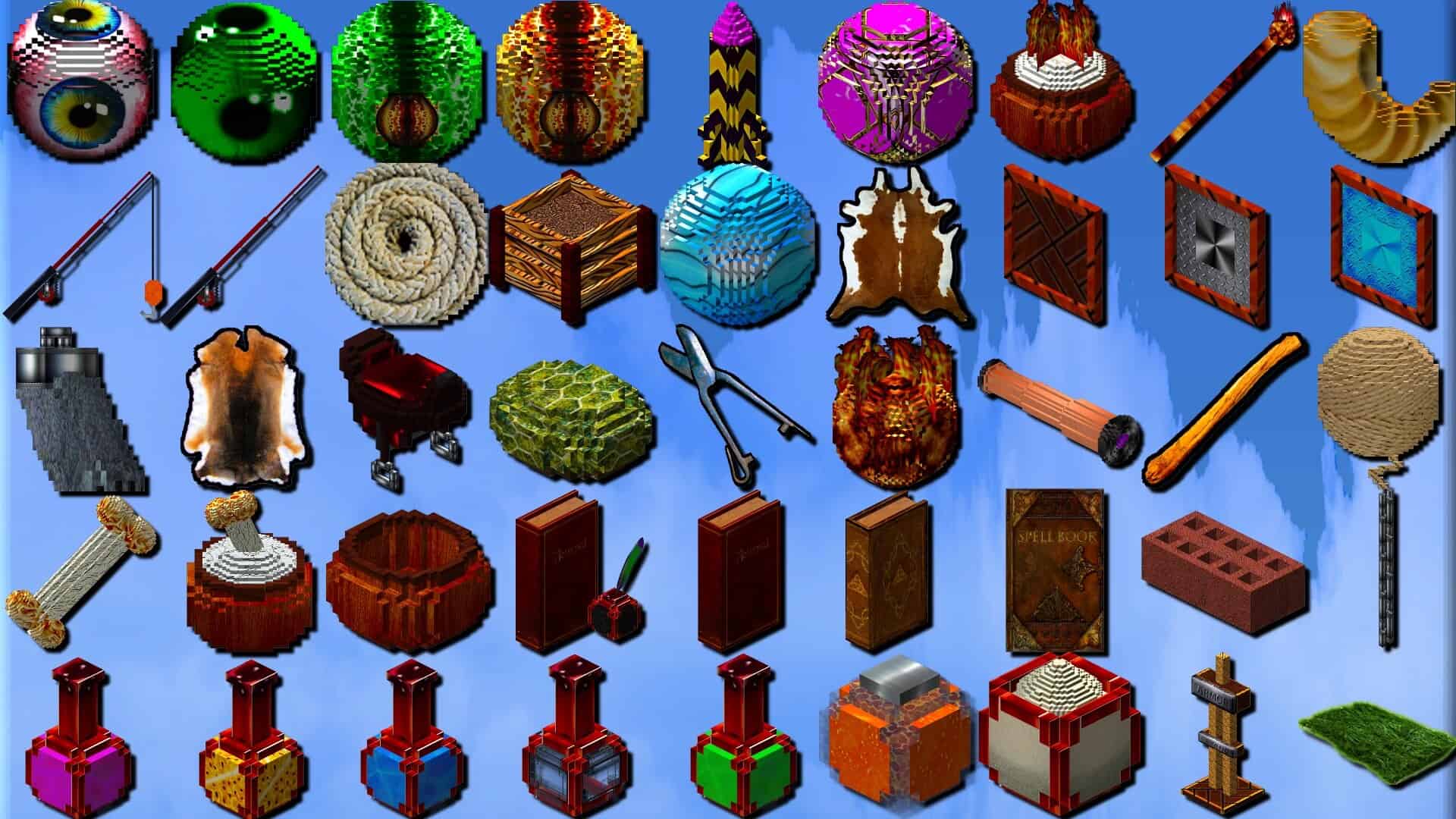
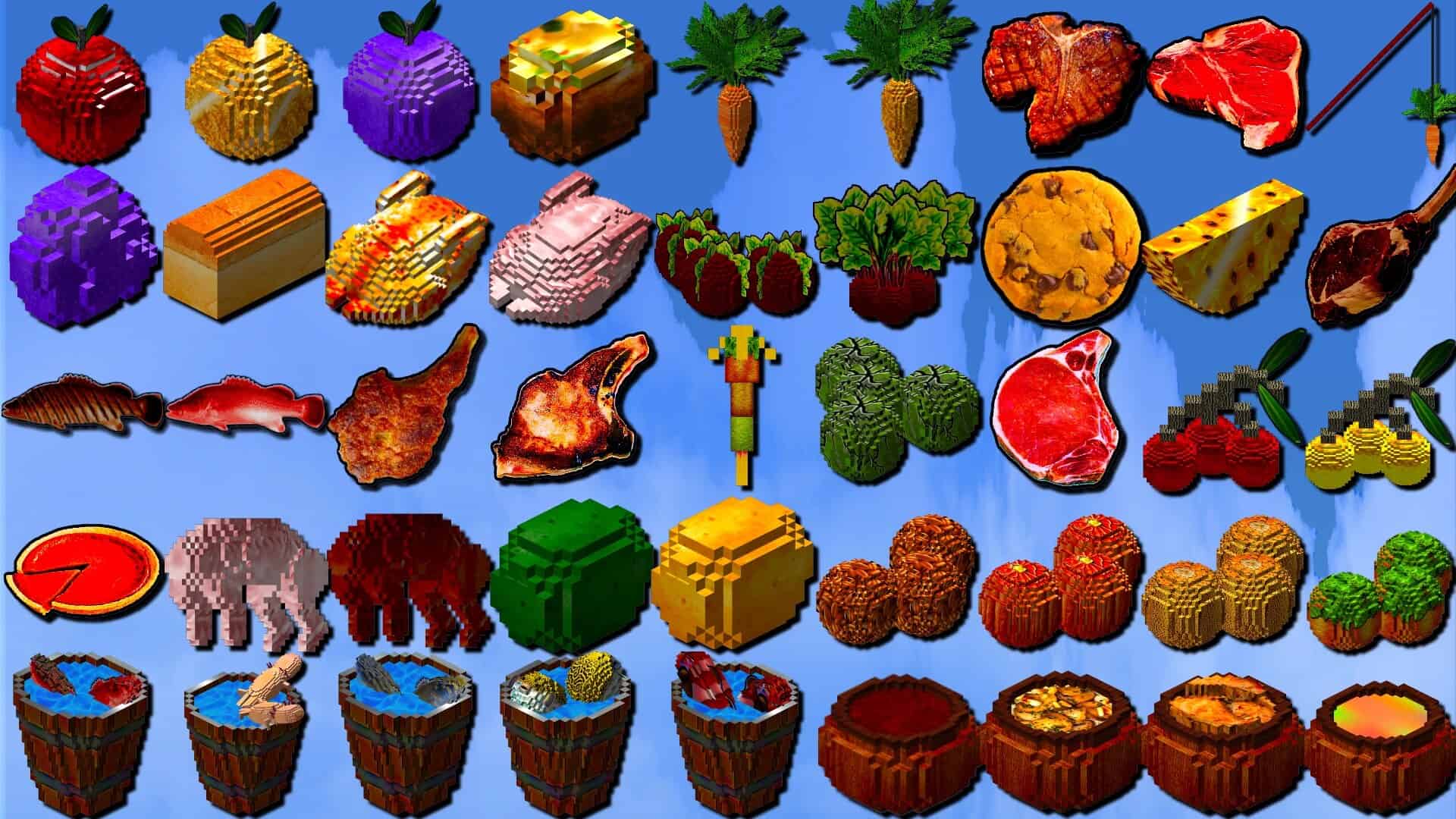
Intermacgod Realistic 3D resource pack is one of the most detailed packs you can download right now, and there are clear reasons for that. It is a newer release from an author who has made many packs over the years under the Intermacgod name. For a while, those older projects stopped getting updates. Recently, the creator came back with a fresh pack that focuses on one big goal. It makes Minecraft’s flat blocks look more physical by adding 3D depth and small raised details, so surfaces do not feel painted on. Once you install it, your world can feel like a different game even though the mechanics stay the same. The pack changes the look of blocks in a way you notice right away. Edges stand out more, gaps feel deeper, and many blocks gain extra parts that appear to sit on top of the base texture. In builds, that can make simple shapes look more real, especially when you use stairs, slabs, fences, and trims. The pack also uses a high resolution. It comes in 256x, which gives the artist space for fine detail and cleaner patterns. The tradeoff is performance. High resolution textures use more memory, and 3D elements can add extra load while you move through the world. If you play on lower end hardware, you might see slower loading, stutter, or a drop in frame rate. On a stronger system, it can run well, but you should still test it in the places that matter most, like your main base. A lot of realistic Minecraft resource packs run into the same problem. They focus on a small set of blocks and ignore the rest of the game. You get polished stone and wood, but then items, tools, and other parts still look close to vanilla. That mismatch can break the mood. You walk through a world that aims for realism, then open your inventory and see flat, simple icons that do not fit the new style. The author of this pack claims a full set of textures for blocks, items, and tools, so the world and inventory match.
Featured video:
If you want a pack to feel complete, that matters more than one perfect block. Some realistic packs rely on real world photos pasted into the game. That can look sharp in screenshots, but it can also create odd scale, repeated marks, and seams that stand out. A skilled artist uses real world reference as a guide, then designs textures that still fit Minecraft’s shapes. Intermacgod Realistic 3D texture pack leans toward that approach. The textures aim to look believable, but the style stays consistent across the game. The 3D details also follow the same visual rules across many blocks, which helps the pack feel unified instead of random. Shaders often pair well with realistic packs, but they also increase system load. The nice thing here is that the pack can still look strong without shaders because the depth comes from 3D detail, not only from fancy lighting. If you do use shaders, start with a lighter preset, then check performance in forests, caves, and villages. Performance will depend on your setup. The author suggests you need decent hardware, and that sounds fair for a 256x pack with 3D elements. Many players will want around 16 GB of RAM for smooth play, and more if they also run mods, high view distance, or heavy shader settings. Tests on a PC with 32 GB of RAM and an RTX 20 series graphics card ran smoothly in regular use. Results on a Mac will vary a lot by model and graphics support, so you may need to try it and see. The pack is free, so the safest plan is to install it, load a copy of your world, and check your frame rate where you spend most of your time. One more practical note is the file size. The pack is over 1 GB, so it can take a while to download, especially on slow internet. If you keep many resource packs, it will also take up space fast. Still, that size makes sense if the pack covers the full game with high resolution textures and extra 3D work. If you want a realistic look that does not leave tools and items behind, this pack is worth a fair test.
Intermacgod Realistic 3D should be compatible with all of these Minecraft versions: 1.21.11 - 1.21.10 - 1.21.9 - 1.21.8 - 1.21.7 - 1.21.6 - 1.21.5 - 1.21.4 - 1.21.3 - 1.21.2 - 1.21.1 - 1.21
Intermacgod Realistic 3D — Screenshots
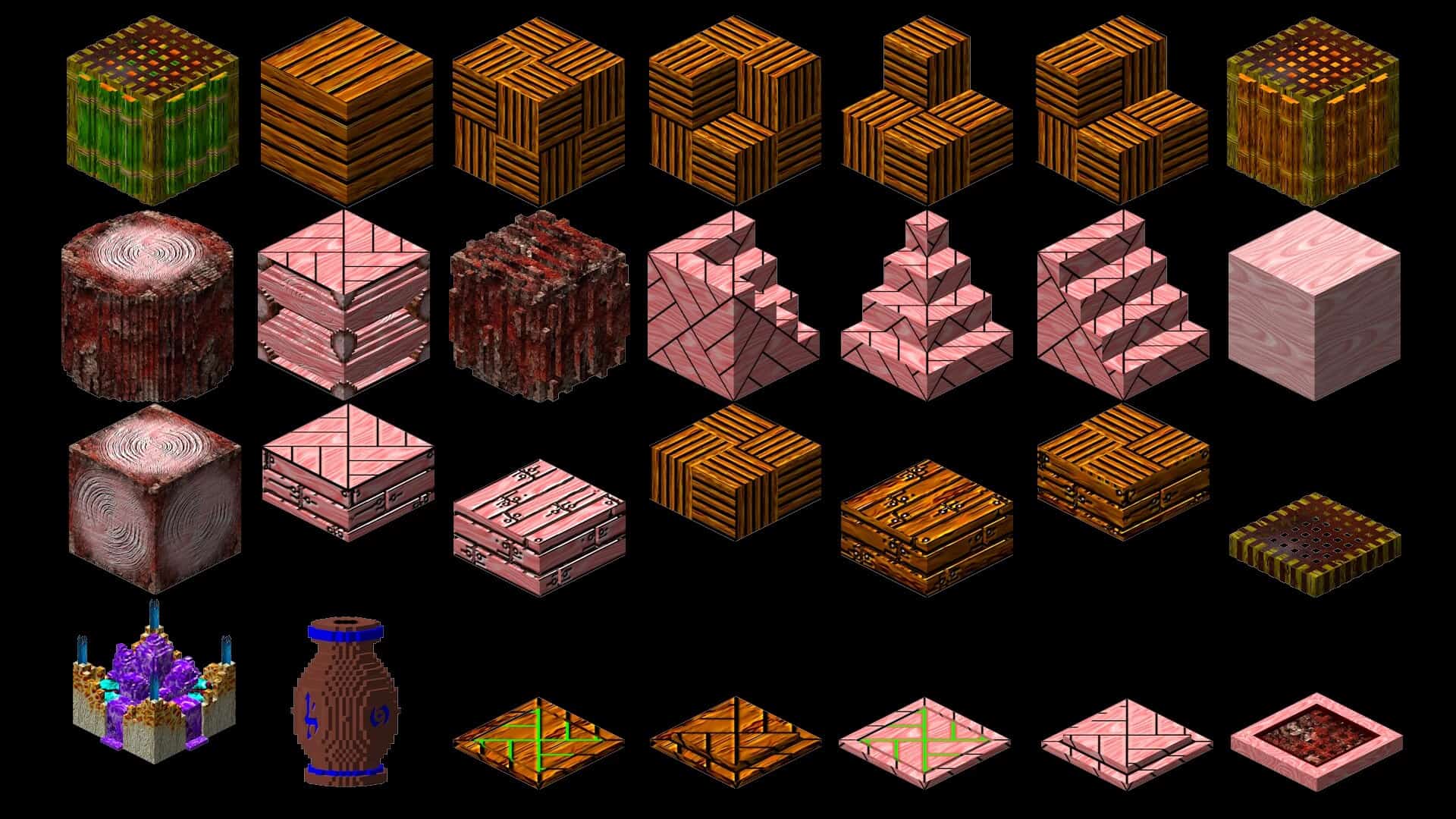
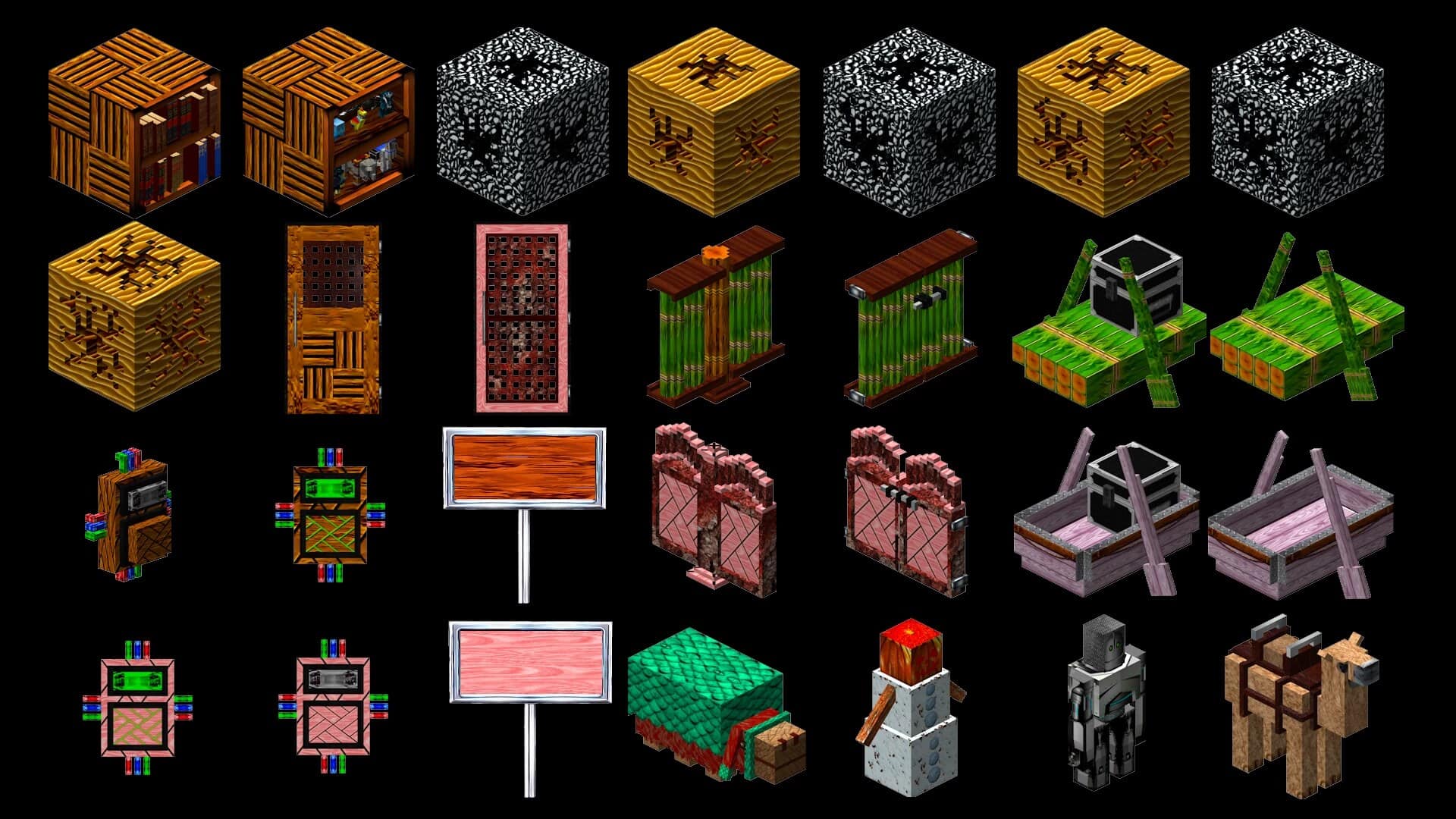
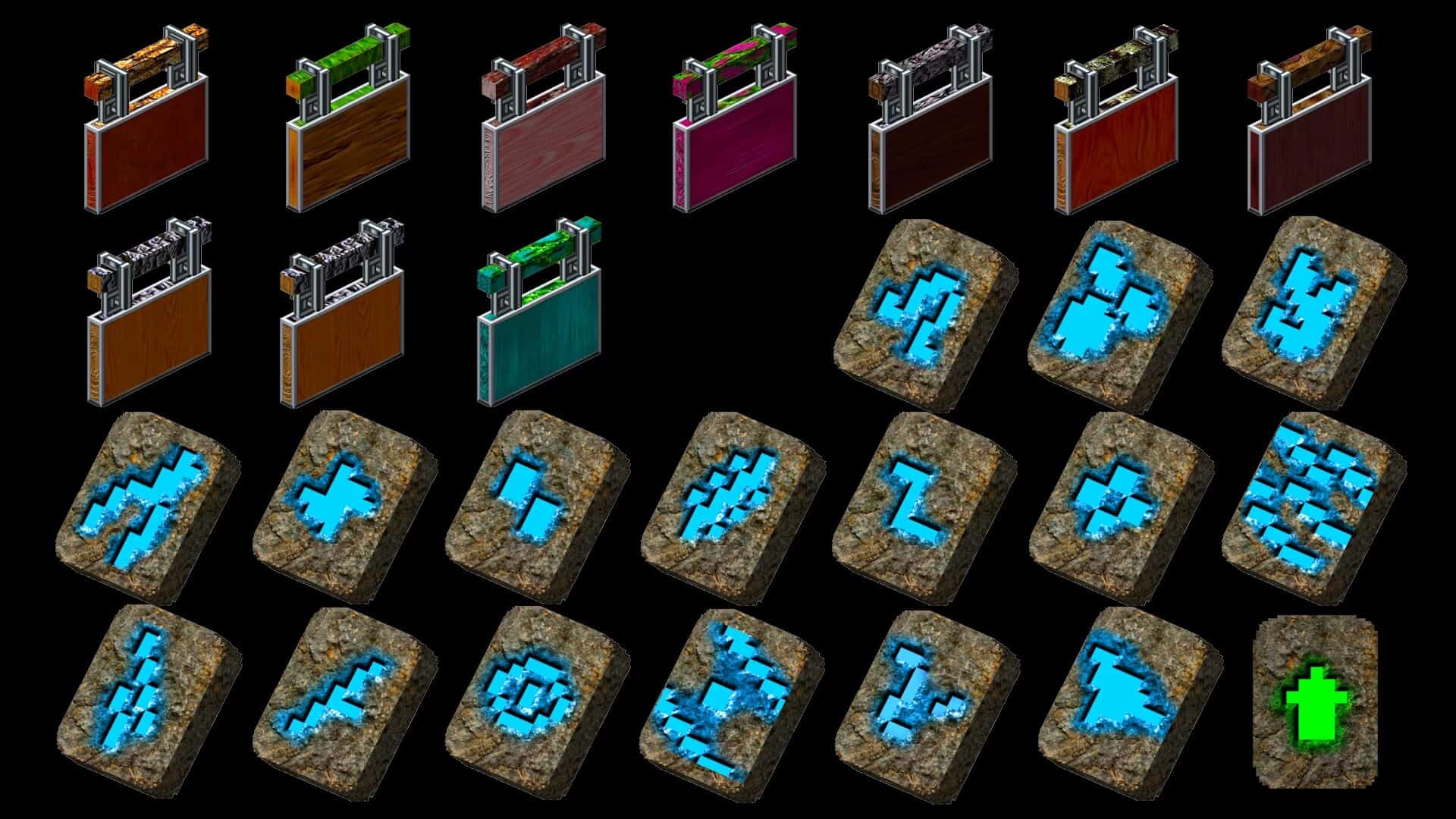
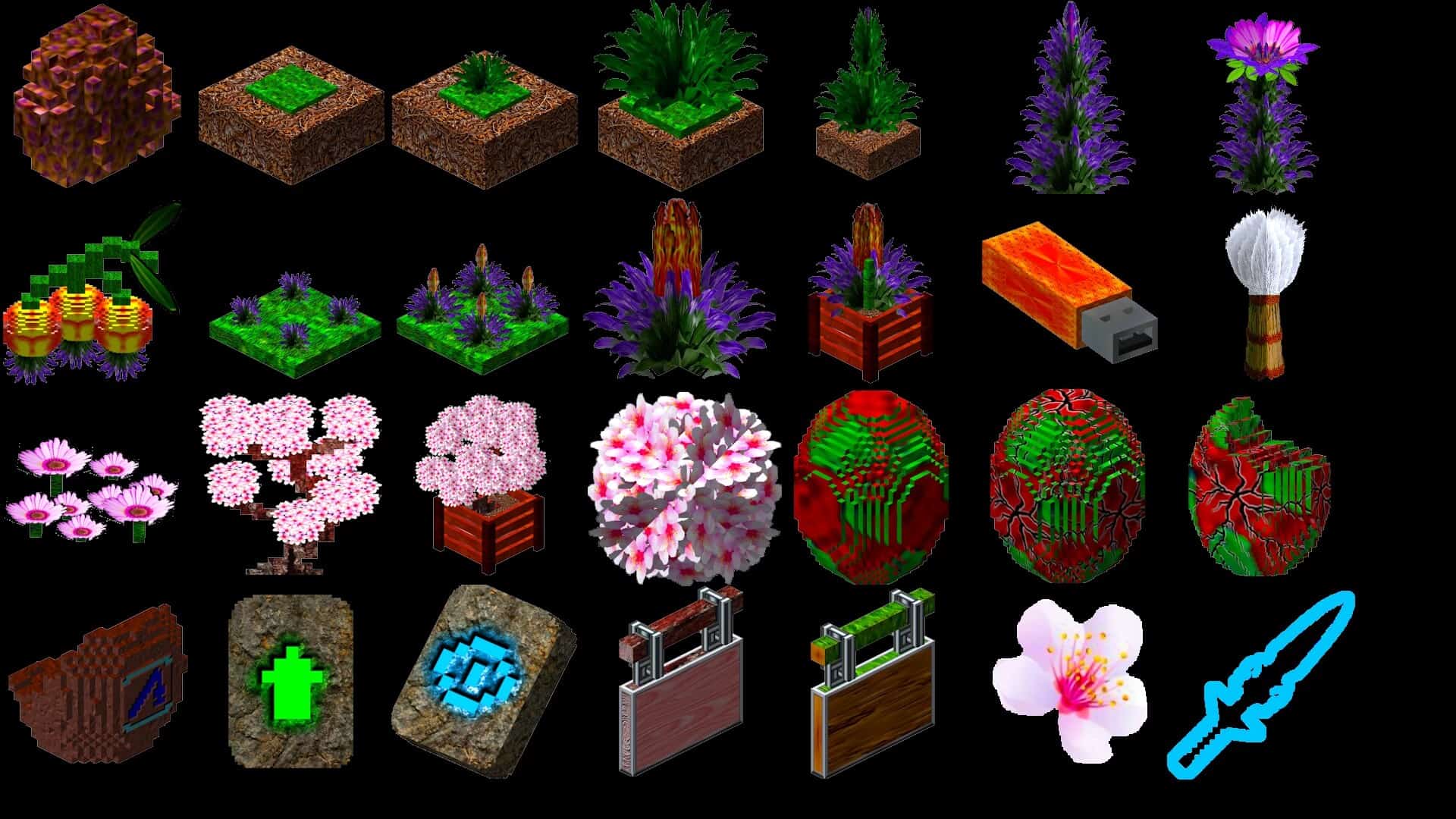
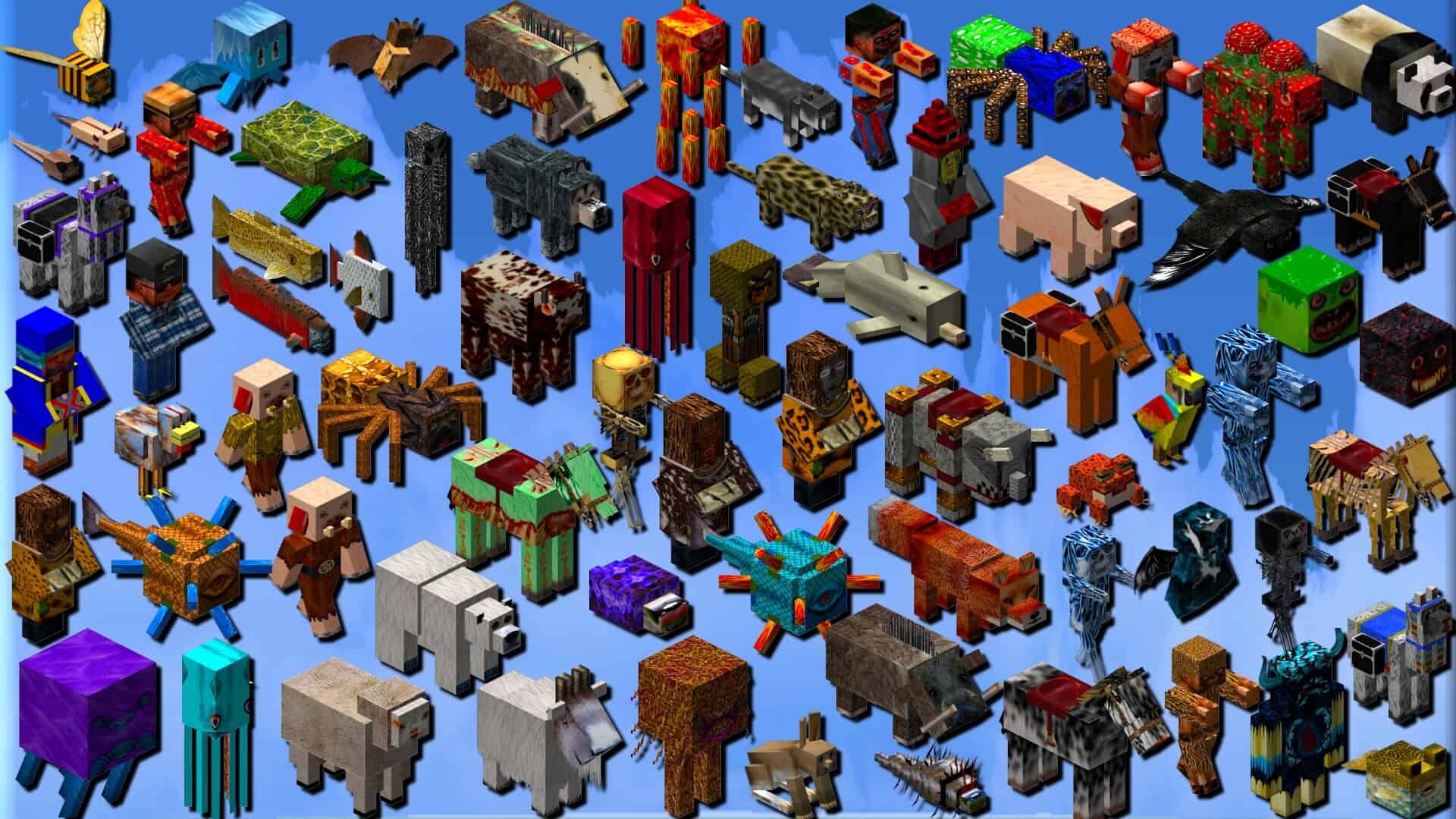
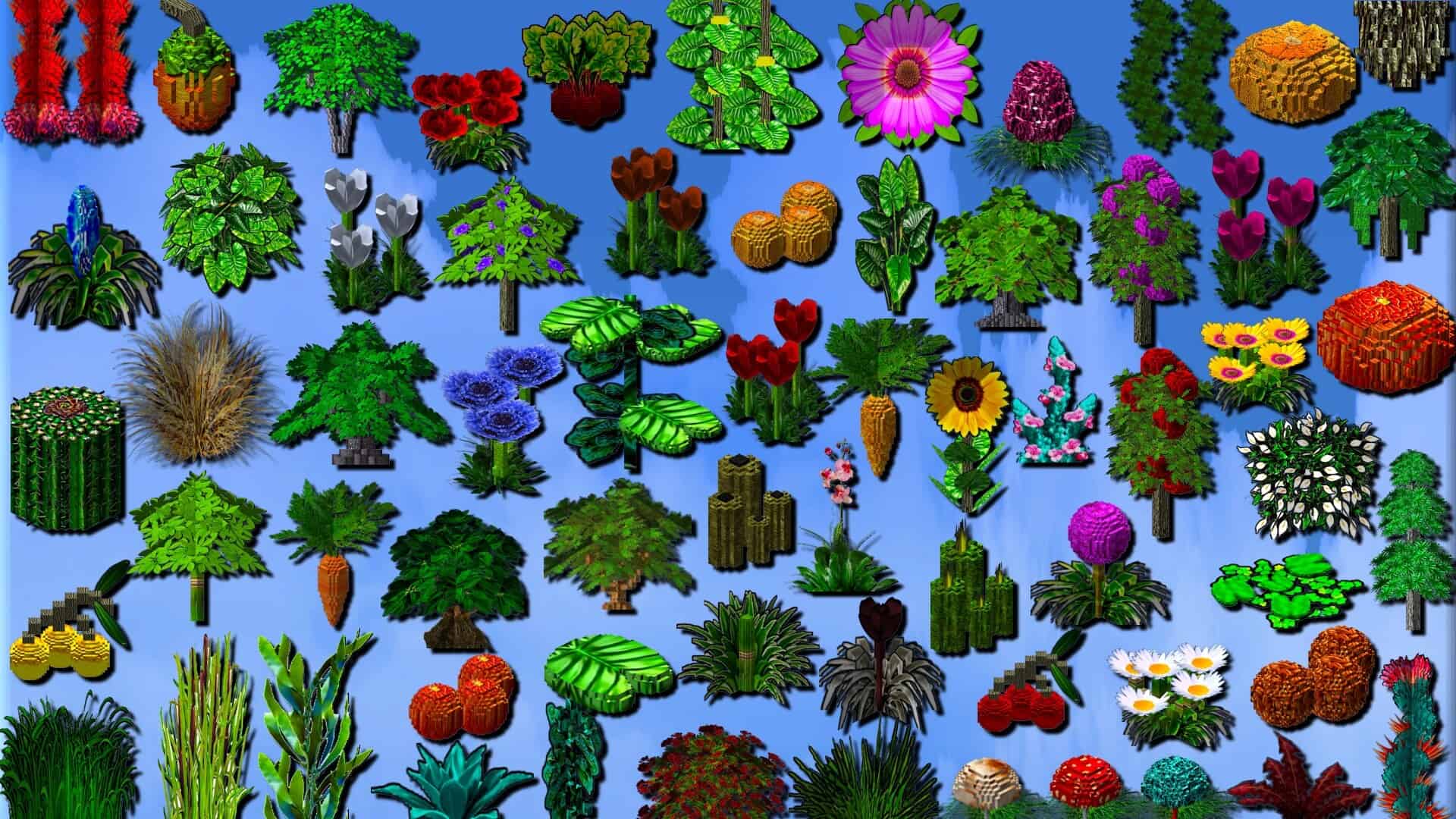
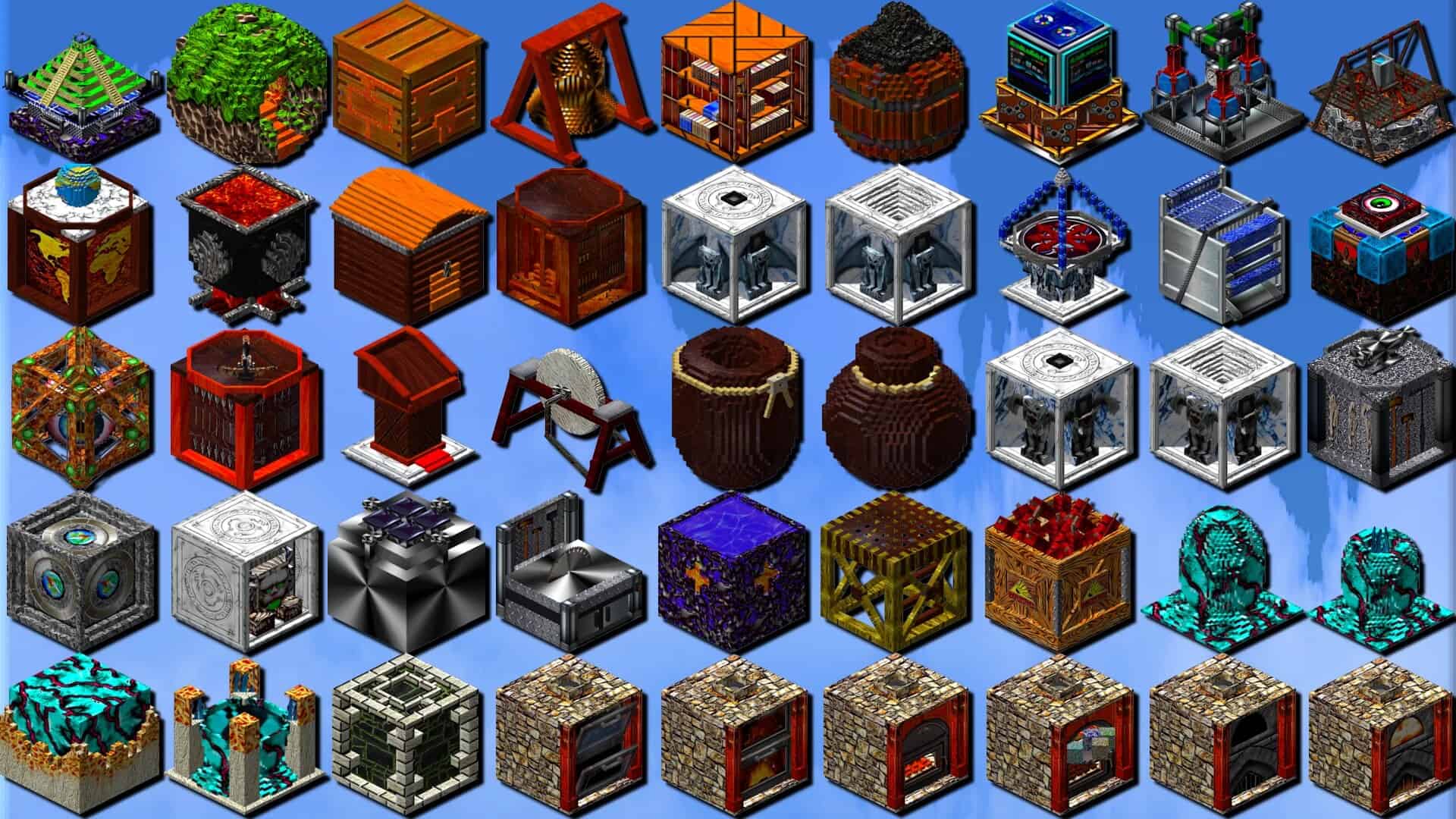
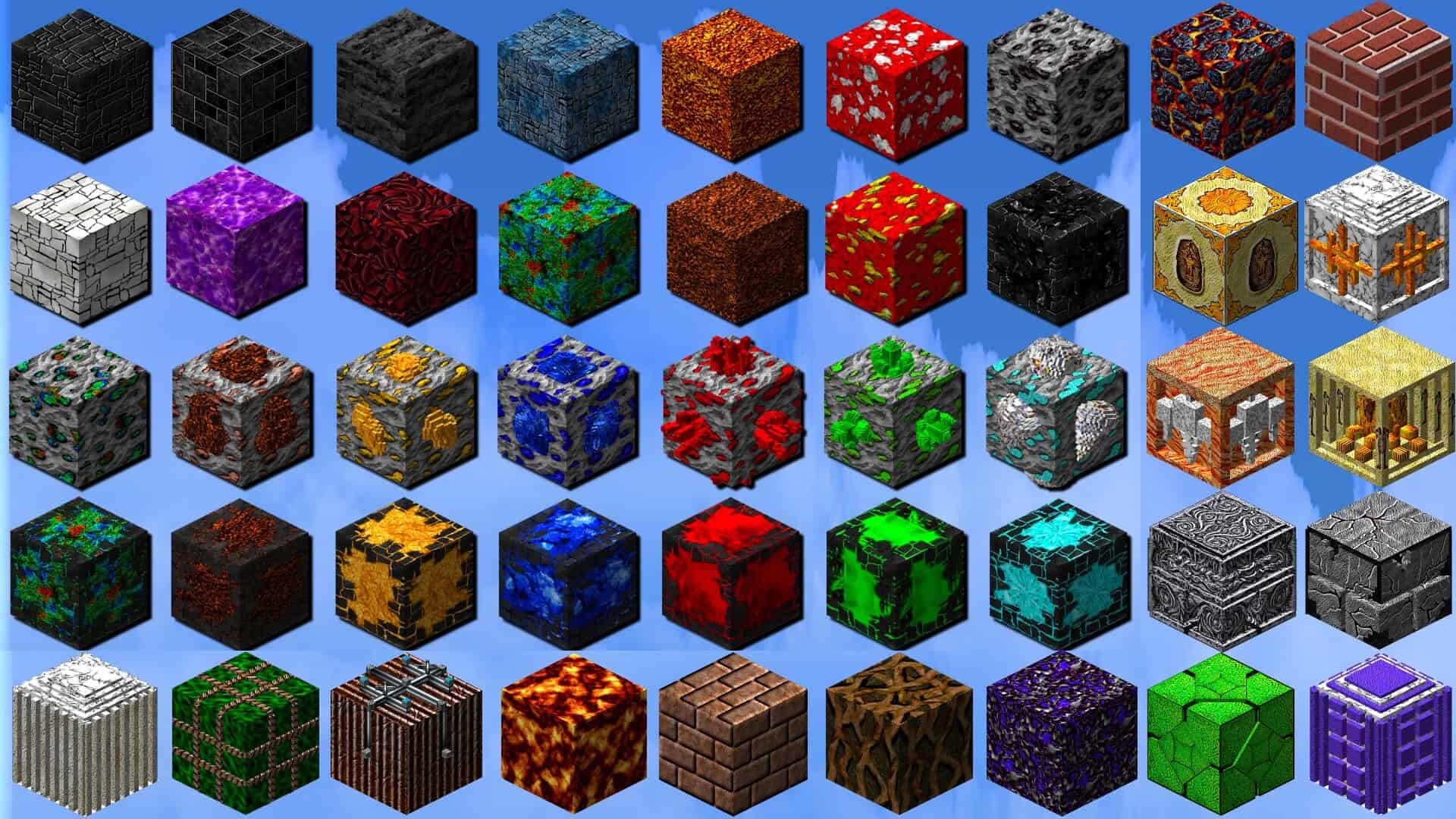
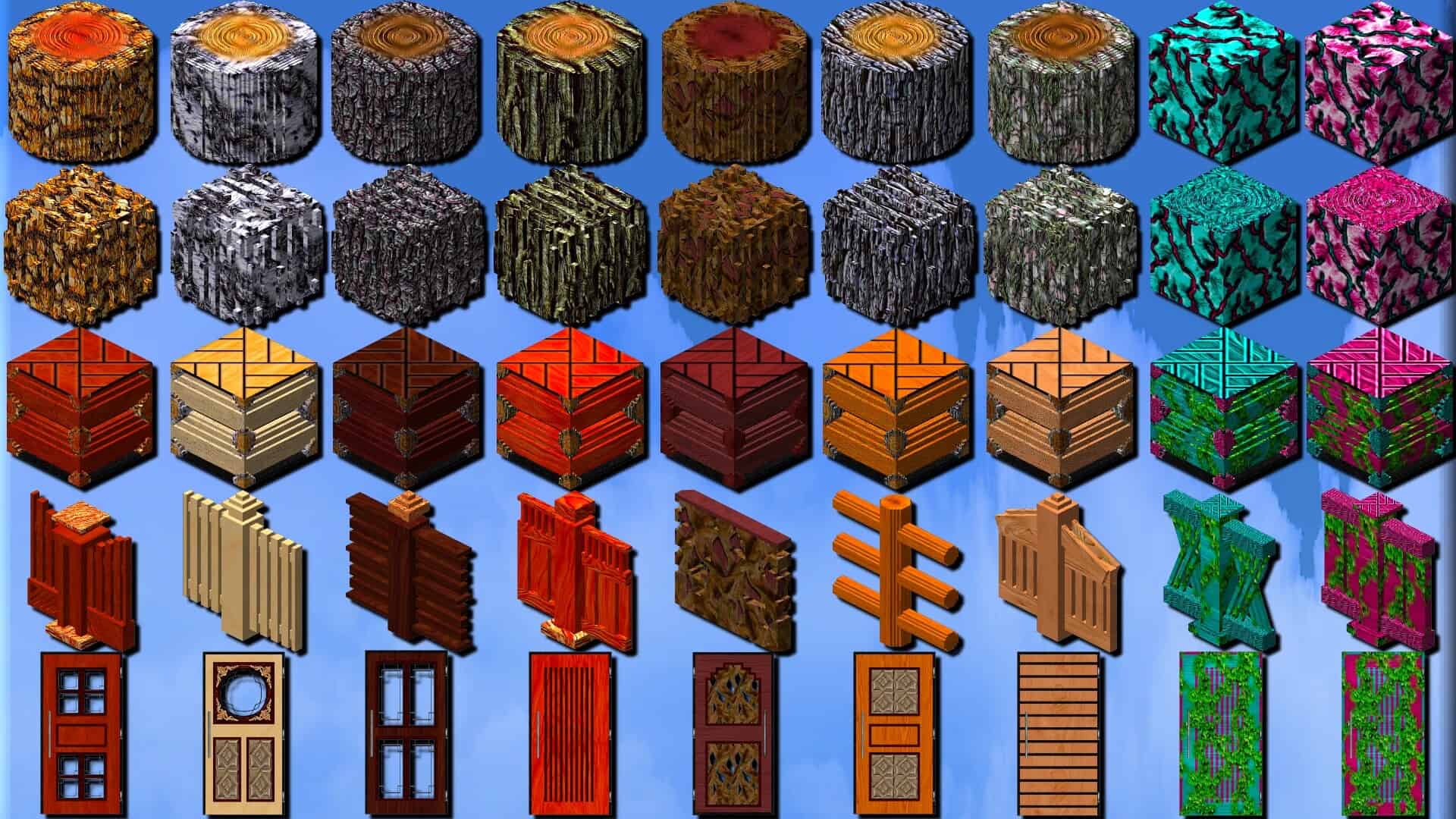
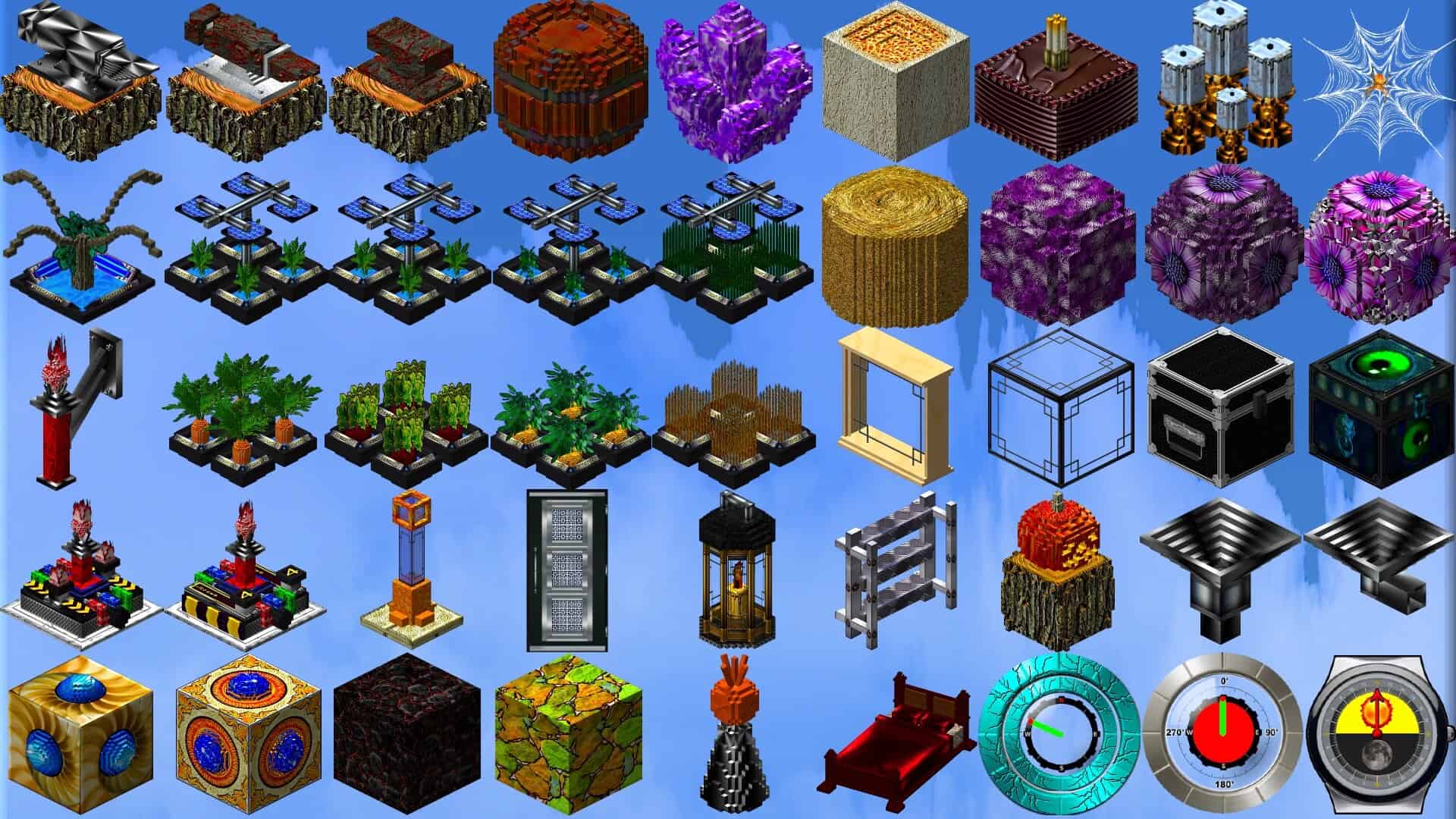
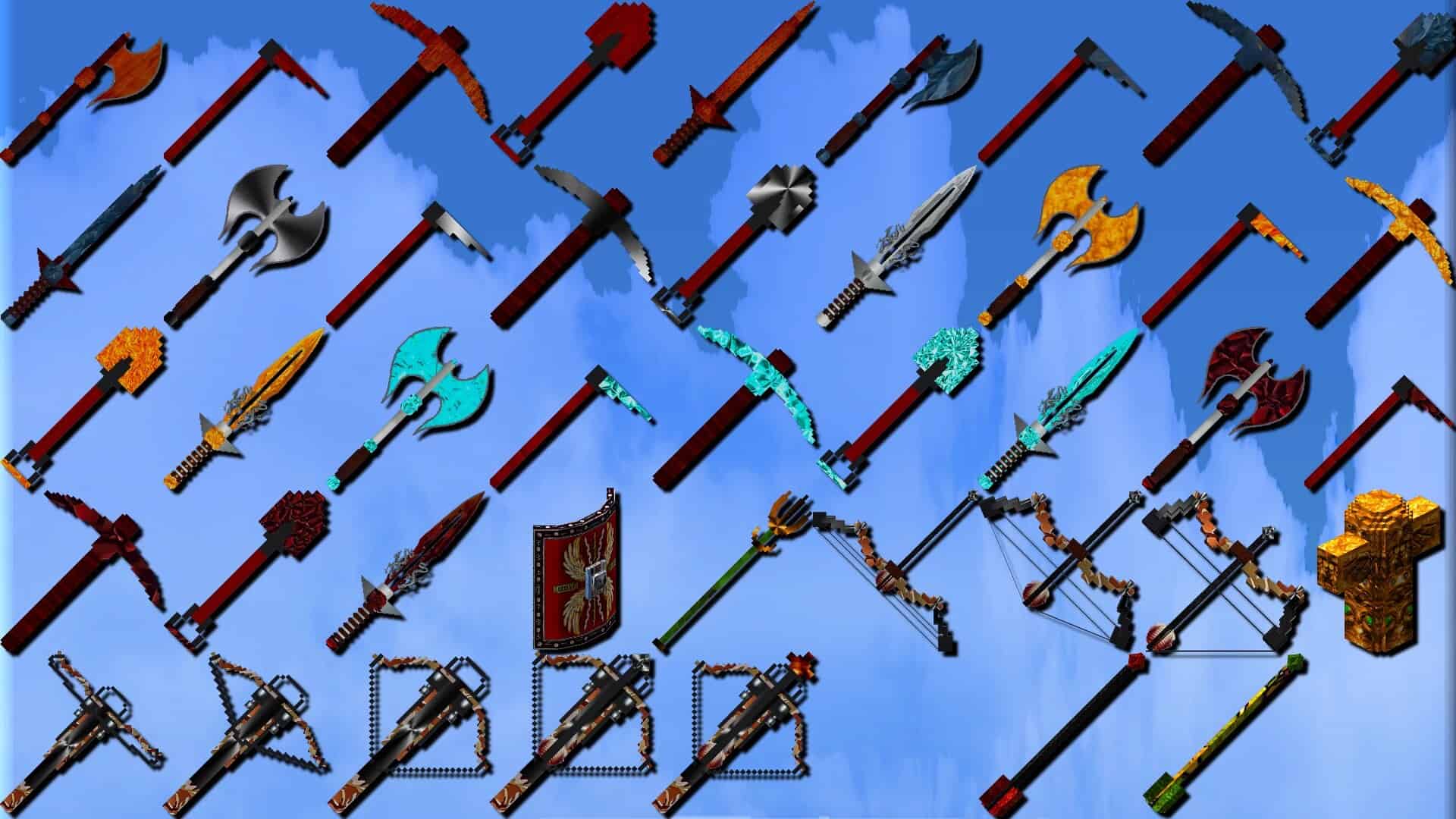
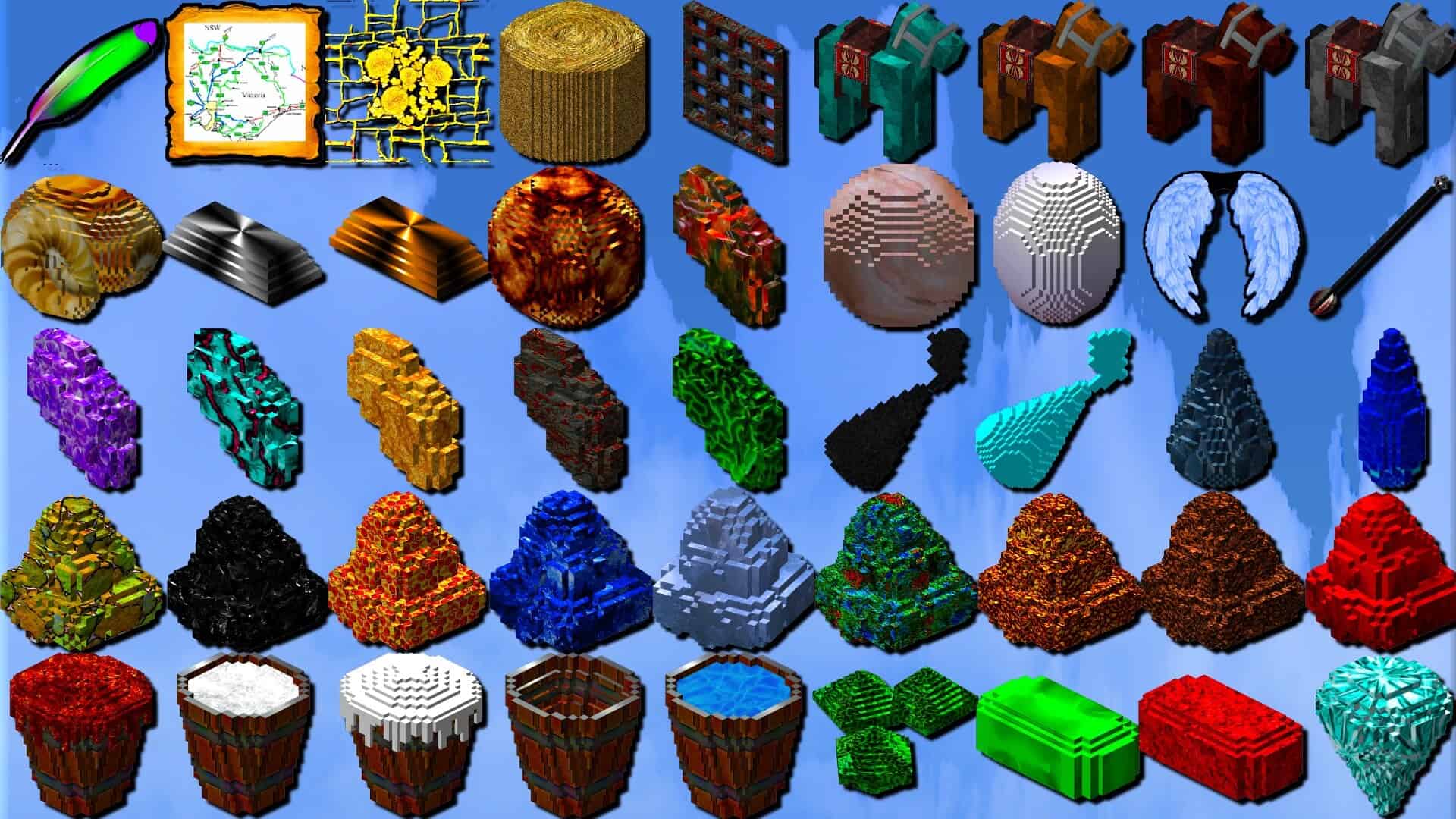
How to install Intermacgod Realistic 3D Resource Pack:
- Most resource packs require Optifine, so be sure to download and install it. – general recommended step for all packs, Optifine is also needed for most shaders
- Download the Intermacgod Realistic 3D texture pack for Minecraft from the download section below. – if there are many different versions, just choose the one you like, is compatible with your version/edition of Minecraft, the one you think your computer can handle in terms of performance.
- Launch the game client through the Minecraft launcher.
- On the main menu, click "Options".
- On the options menu, click "Resource Packs...".
- Click on "Open Resource Pack Folder". – folder titled "resourcepacks" will pop up
- Move the .zip file you downloaded in the first step to the newly opened "resourcepacks" folder.
- Click "Done".
- Click on "Resource Packs..." again.
- Your pack should have appeared in the left window, just hover over it and click on the arrow pointing to the right.
QUICK TIP: Sometimes, when activating a pack, the game may say that the pack is made for a newer or older version of Minecraft. This is just a warning, it does not affect your gameplay in anyway, and you can still activate and enjoy the pack by simply clicking the "Yes" button when prompted.
- Click "Done" again.
- The pack has now been successfully loaded and ready to be used in your world!
Important information:
- Works with OptiFine, Oculus and Iris.
- A pretty powerful, up-to-date PC is recommended.
- 16 GB of system RAM is required.
- Archive size is 1 GB or more.
- Certain blocks and models include animations.
Intermacgod Realistic 3D - Comparison Slider #1 with Complementary Shaders
Comparison slider #1 for those who want to compare vanilla Minecraft without any texture packs installed (on the left) with Minecraft using this particular texture pack (on the right).
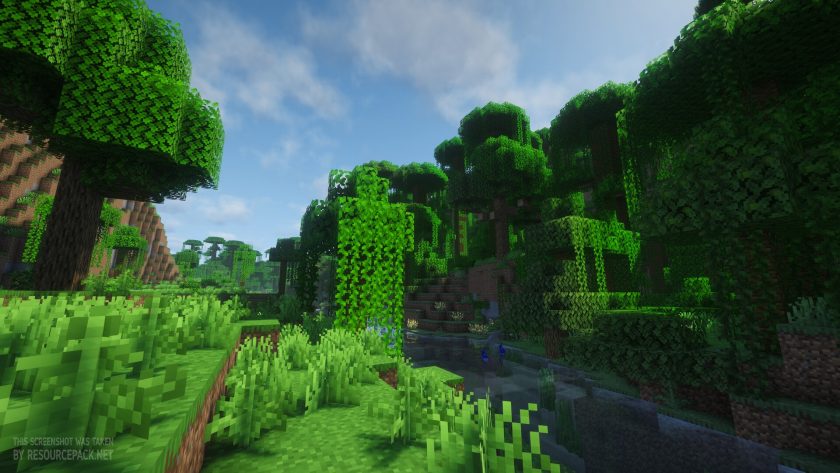 Vanilla (with Complementary Shaders - Unbound Shaders)
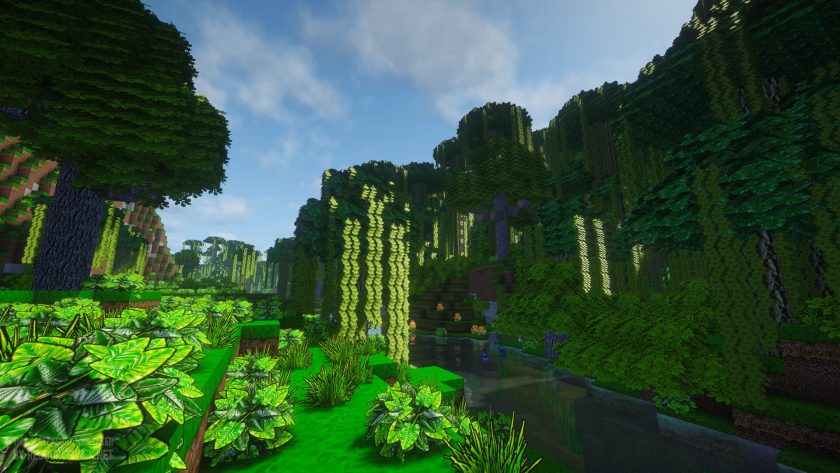 Intermacgod Realistic 3D (with Complementary Shaders - Unbound Shaders)
Intermacgod Realistic 3D - Comparison Slider #2 without Shaders
Comparison slider #2 for those who want to compare vanilla Minecraft without any texture packs installed (on the left) with Minecraft using this particular texture pack (on the right).
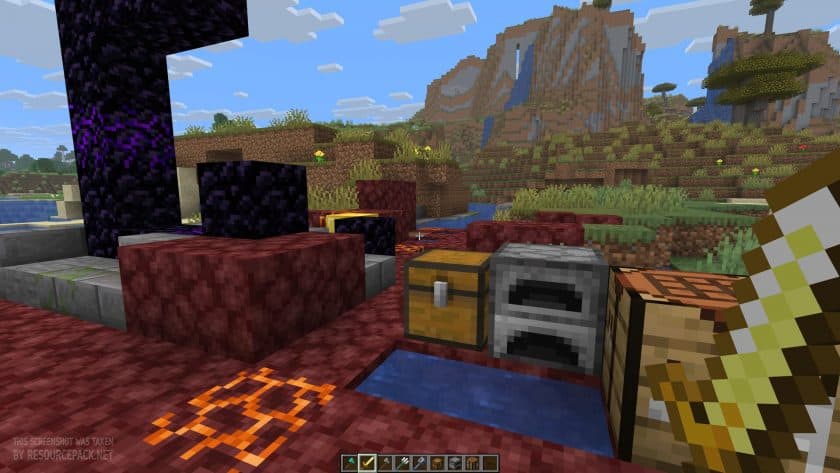 Vanilla
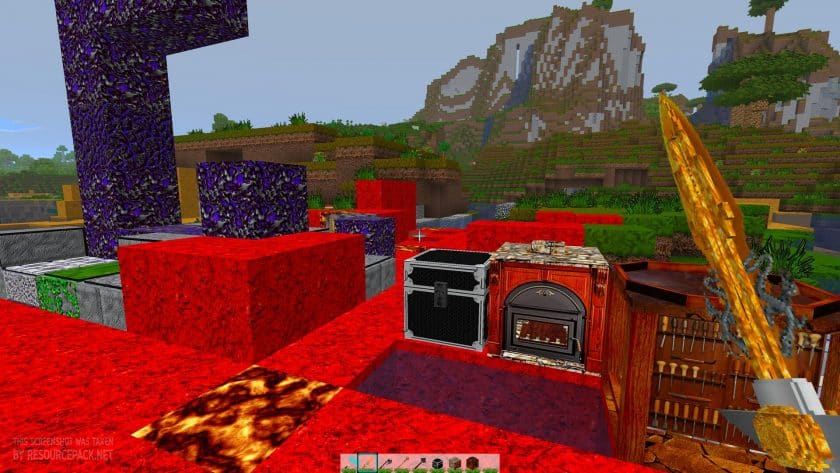 Intermacgod Realistic 3D
Intermacgod Realistic 3D - Comparison Slider #3 with Complementary Shaders
Comparison slider #3 for those who want to compare vanilla Minecraft without any texture packs installed (on the left) with Minecraft using this particular texture pack (on the right).
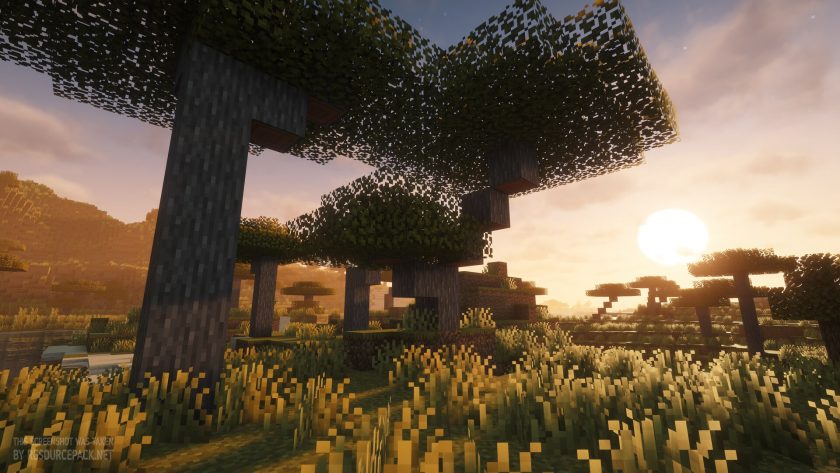 Vanilla (with Complementary Shaders - Unbound Shaders)
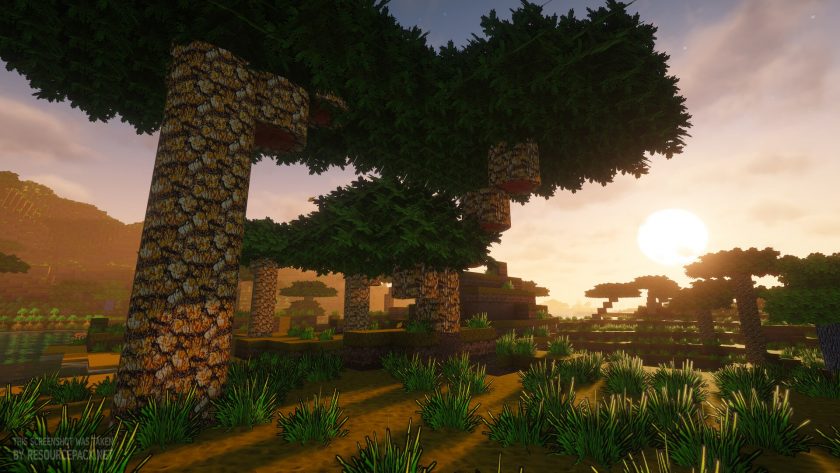 Intermacgod Realistic 3D (with Complementary Shaders - Unbound Shaders)
Intermacgod Realistic 3D Texture Pack Download
- We do not modify or edit any resource packs. All resource packs, shaders and tools found on this website are linked directly to official sources rather than hosted on our own servers. We provide only the official download links from the original creators to ensure that your files are safe and secure.
- These official links are updated manually and may occasionally stop working when a new version is released. We work hard to keep everything current so that you have a smooth experience. Please let us know in the comments if you find a link that no longer works.
- Minecraft is a trademark of Mojang Studios and has no official connection to this website. Our goal is simply to share the best creations from the community with other players.
- Please consider leaving a comment or voting for your favorite packs. This feedback helps authors improve their projects over time. You can also support the creators directly by visiting the official links located below the download section.
Java Edition:
[256x] [1.21.x] Download Intermacgod Realistic 3D Resource Pack
Curseforge: download starts automatically after a few seconds;
Mediafire: click the big blue button with the text "DOWNLOAD";
Google Drive: in the top right corner you will see a small download icon (down arrow), click it and the download should start;

10 votes
Look.. 10 users have already liked this pack. Give a diamond if you like it too!


Leave a reply
0 comments
Links in comments are not allowed. Comments containing links will be removed.
Before commenting that the resource pack crashed your game, google your crash log. This is usually a graphic card driver issue.