Nowadays, many people enjoy spending their free time while playing games. One of the best games that people enjoy to play is the mining adventure that is found in Minecraft. Minecraft is one of the games that needs good playing skills. Among the participant, there are players who have good mining skills and the other doesn’t have the needed skills. However, to the people who have limited mining skills they don’t need to stress themselves anymore, this is due to the availability of Xray Ultimate resource pack. This pack has been well designed and also introduced in order to help every player who loves this game and need an extra assistance. Generally, this pack is uniquely designed in order to assist the player with the gameplay. This aspect makes Xray resource pack different from the other packs since it does not elevate the entire game visuals and thus it gives you the essential assistance you need.
Featured video:
This means, the entire pack highlights all the mineral blocks and ores for you while you are playing the game. Concerning this type of assistance offered by X-ray pack, the player will be able aware of where to go mining and thus help in saving time. However, in order to know how Xray pack works, one should be aware of different x-ray pack features that are simple to understand and to follow. Knowing every feature of this pack will effectively help every player to have the needed mining skills. Generally, the entire pack comprises of the x16 resolution that helps in eliminating any fps drops. In order to run the entire pack competently it definitely important to use Optifine; the Optifine generally helps the player to have an effective night vision effect and also the player the capability to turn off the smooth lighting whenever in need.
X-Ray Ultimate should be compatible with all of these Minecraft versions: 26.1.1 - 26.1 - 1.21.11 - 1.21.10 - 1.21.9 - 1.21.8 - 1.21.7 - 1.21.6 - 1.21.5 - 1.21.4 - 1.21.3 - 1.21.2 - 1.21.1 - 1.21 - 1.20.6 - 1.20.5 - 1.20.4 - 1.20.3 - 1.20.2 - 1.20.1 - 1.20 - 1.19.4 - 1.19.3 - 1.19.2 - 1.19.1 - 1.19 - 1.18.2 - 1.18.1 - 1.18 - 1.17.1 - 1.17 - 1.16.5 - 1.16.4 - 1.16.3 - 1.16.2 - 1.16.1 - 1.16 - 1.15.2 - 1.15.1 - 1.15 - 1.14.4 - 1.14.3 - 1.14.2 - 1.14 - 1.13.2 - 1.13.1 - 1.13 - 1.12.2 - 1.12 - 1.11.2 - 1.11 - 1.10.2 - 1.10 - 1.9.4 - 1.9 - 1.8.9 - 1.8.8 - 1.8.1 - 1.8.6 - 1.8 - Bedrock Edition - PE
X-Ray Ultimate — Video & Screenshots
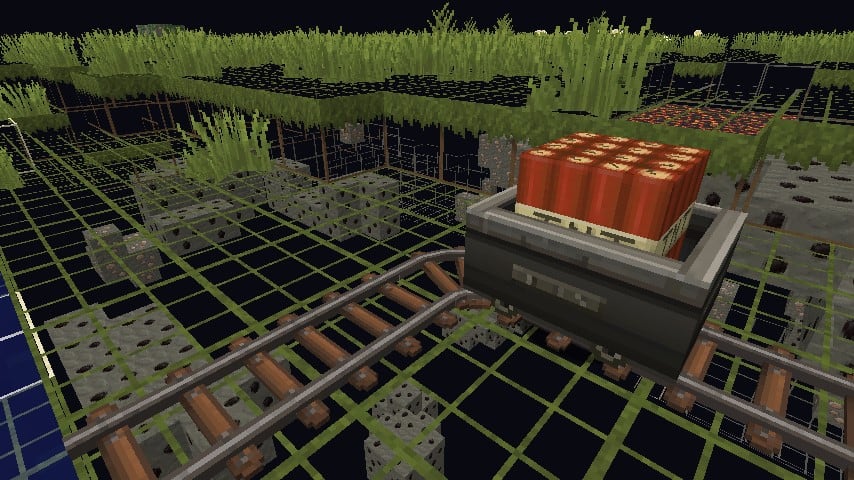
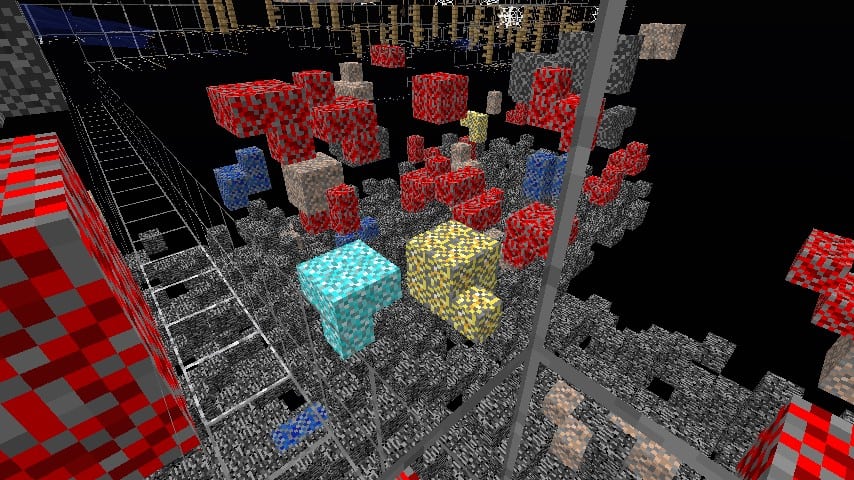
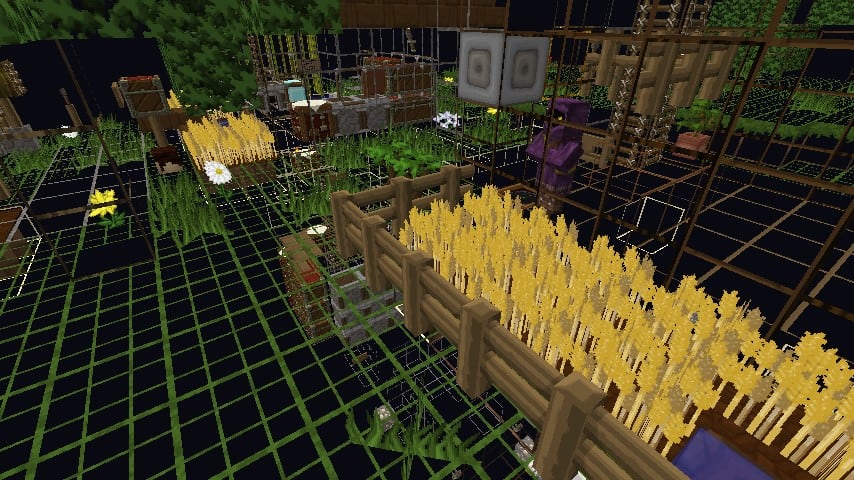
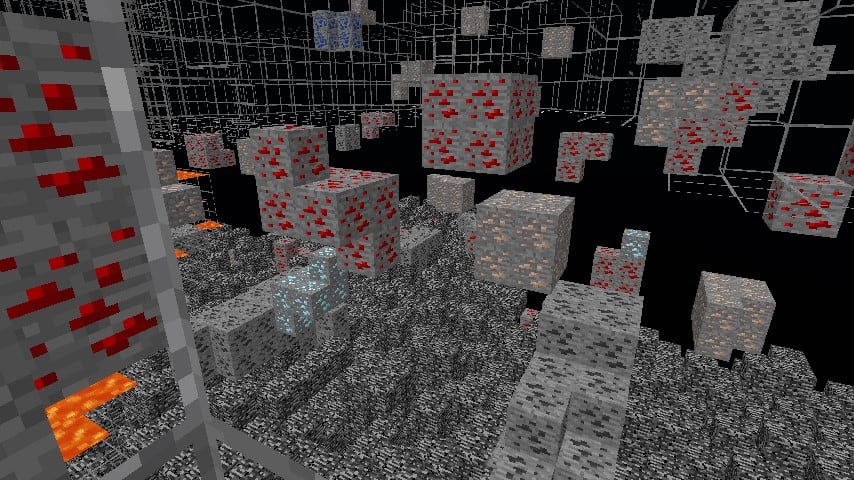
How to install X-Ray Ultimate Resource Pack:
- Most resource packs require Optifine, so be sure to download and install it. – general recommended step for all packs, Optifine is also needed for most shaders
- Download the X-Ray Ultimate texture pack for Minecraft from the download section below. – if there are many different versions, just choose the one you like, is compatible with your version/edition of Minecraft, the one you think your computer can handle in terms of performance.
- Launch the game client through the Minecraft launcher.
- On the main menu, click "Options".
- On the options menu, click "Resource Packs...".
- Click on "Open Resource Pack Folder". – folder titled "resourcepacks" will pop up
- Move the .zip file you downloaded in the first step to the newly opened "resourcepacks" folder.
- Click "Done".
- Click on "Resource Packs..." again.
- Your pack should have appeared in the left window, just hover over it and click on the arrow pointing to the right.
QUICK TIP: Sometimes, when activating a pack, the game may say that the pack is made for a newer or older version of Minecraft. This is just a warning, it does not affect your gameplay in anyway, and you can still activate and enjoy the pack by simply clicking the "Yes" button when prompted.
- Click "Done" again.
- The pack has now been successfully loaded and ready to be used in your world!
X-Ray Ultimate - Comparison Slider #1
Comparison slider #1 for those who want to compare vanilla Minecraft without any texture packs installed (on the left) with Minecraft using this particular texture pack (on the right).
 Vanilla
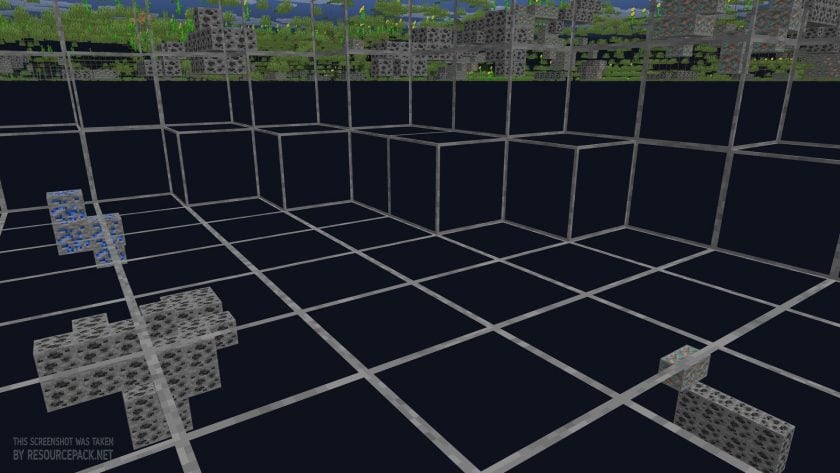 X-Ray Ultimate
X-Ray Ultimate Texture Pack Download
- We do not modify or edit any resource packs. All resource packs, shaders and tools found on this website are linked directly to official sources rather than hosted on our own servers. We provide only the official download links from the original creators to ensure that your files are safe and secure.
- These official links are updated manually and may occasionally stop working when a new version is released. We work hard to keep everything current so that you have a smooth experience. Please let us know in the comments if you find a link that no longer works.
- Minecraft is a trademark of Mojang Studios and has no official connection to this website. Our goal is simply to share the best creations from the community with other players.
- Please consider leaving a comment or voting for your favorite packs. This feedback helps authors improve their projects over time. You can also support the creators directly by visiting the official links located below the download section.
Bedrock Edition:
Get X-ray Mining for Bedrock Edition here – X-ray Mining is available on the Marketplace for 660 Minecoins.
Java Edition:
[16x] [26.1.x – 1.21.x] Download X-Ray Ultimate Resource Pack
[16x] [1.20.6 – 1.20.2] Download X-Ray Ultimate Resource Pack
[16x] [1.20.1 – 1.20] Download X-Ray Ultimate Resource Pack
[16x] [1.19.x] Download X-Ray Ultimate Resource Pack
[16x] [1.18.x] Download X-Ray Ultimate Resource Pack
[16x] [1.17.x] Download X-Ray Ultimate Resource Pack
[16x] [1.16.x] Download X-Ray Ultimate Resource Pack
[16x] [1.15.x – 1.13.x] Download X-Ray Ultimate Resource Pack
[16x] [1.12.x] Download X-Ray Ultimate Resource Pack
[16x] [1.11.x – 1.9.x] Download X-Ray Ultimate Resource Pack
[16x] [1.8.x] Download X-Ray Ultimate Resource Pack
Curseforge: download starts automatically after a few seconds;
Mediafire: click the big blue button with the text "DOWNLOAD";
Google Drive: in the top right corner you will see a small download icon (down arrow), click it and the download should start;

50,906 votes
Look.. 50906 users have already liked this pack. Give a diamond if you like it too!


nobody
The 1.19 one is downloading a 1.20 file
Admin
This is a newer version and works fine on 1.19.x.
|Scucci
It’s already been mentioned, but are you adding suspicious sand/gravel to the next release? Would be pretty awesome if you did. Either way, thank you for making this. :)
Jason222
Can i use the server without my friends having to on bedrock?
Velocity
you can,make sure that require resource pack is off
ThatMinecrafter
they should make it so that we can see ancient debris in the nether
lyric kale
they should make it so you can turn it off/on mid game
Admin
This is a resource pack, you can’t just change all the textures with one click of a button in a few seconds. Even if someone created a mod to change the resource pack at the click of a button, it wouldn’t be instant, it would take the same amount of time as it does now through the settings.
Crazy
Diamonds disappear before I get to them… help? On version 1.20.1 btw
random
I also got the same issue, i see diamonds then if i mine towards them the chunks dont render anymore
gosnel
same idk how to fix it
BlueScribe
you cant fix this means anti-cheat is on for server
Conner
its good for helping not for cheating
Tomas0105
Do NOT use this if you are playing in multiplayer. The server admins will ban you if you are caught using it on their server.
Quinn
Unlss you have permission or the rules explicitly state x-ray is allowed, which isnt common as it’s seen as cheating but I’m in a public server that allows x-ray
starling
yea the sever im on lets you xray
Hi
it does not work for me idk why and I’ve tried multiple times even following the tutorial. Can someone tell me how they did it?
Kagamii
good
SenW
with the 1.20 update, can we use it to find trail ruins or does the x-ray also filter out suspicious gravel/sand?
C꧁CᕼAOS꧂Ↄ
Where can I get free xray texture pack for bedrock version 1.20.1? because here is only one linked that costs money
LifebyWire
The DL Link for 1.19 is Loading the 1.20. Can you pls Fix that
Admin
It will work fine on 1.19.x, it’s a newer updated version.
Logan
Does it work in the nether with ancient debris?
Logan
For those of you wondering: i tried it, and it does. cheers
Anonymous
thanks mate
Monke
How do you install it?
Admin
Check out the “How to install” section on this page.
sentientlibrary
Look at download links, and click on the version that you have.
help please
i cant see the ores
1
why cant i edit the texture with MS paint
help
i cant see the ores
Joker
does the x ray has anti x ray bypass?
Cyygnet
it should
Diamond
When i click on the bedrock link it redirects me to the miecraft marketplace
Admin
Yes, what’s the problem?
Ginger
How do I get the ores to not be so dark? I cannot tell what they are. I have turned smooth lighting off.
bella
shaders, you gotta turn em off.
sentientlibrary
Night vision resource packs like fullbright help with this.
vaneska jsem
cool
EEEEEEEE
this is cool :)
Kerem
Pls xray
123
Its not working. It shows random ores everywhere and when i mine to get it its just stone
E
you’re playing on a server with anti xray, maybe don’t cheat next time?
Scali33
ha ha ha greatest reply ever
lmao
thats anti xray