Visual Enchantments is one of the most popular minecraft resource packs. You probably already know that one of the best features in a game titled minecraft is the ability to enchant most items, including swords, bows and armor. The problem with enchantments in this game is that you cannot visually see what kind of enchantment is being applied to that particular item. The only way to know it, is to read item’s info. This is not always comfortable. Most of us wants to have a better solution for this.
Featured video:
This is possible and it is not a problem anymore after Visual Enchantments resource pack release. Download and install this pack and you will notice that all your enchanted items are now displaying enchantments not just in description as text but they also look as a visually different items. For example: enchantments with extra protection will look like additional sheets of iron on armor, enchantment with breath will look like a helmet from an old swim suit. In general, this is one of the most useful minecraft additions of all time which we highly recommend for any player.
Visual Enchantments should be compatible with all of these Minecraft versions: 1.21.11 - 1.21.10 - 1.21.9 - 1.21.8 - 1.21.7 - 1.21.6 - 1.21.5 - 1.21.4 - 1.21.3 - 1.21.2 - 1.21.1 - 1.21 - 1.20.6 - 1.20.5 - 1.20.4 - 1.20.3 - 1.20.2 - 1.20.1 - 1.20 - 1.19.4 - 1.19.3 - 1.19.2 - 1.19.1 - 1.19 - 1.18.2 - 1.18.1 - 1.18 - 1.17.1 - 1.17 - 1.16.5 - 1.16.4 - 1.16.3 - 1.16.2 - 1.16.1 - 1.16 - 1.15.2 - 1.15.1 - 1.15 - 1.14.4 - 1.14.3 - 1.14.2 - 1.14 - 1.13.2 - 1.13.1 - 1.13 - 1.12.2 - 1.12 - 1.11.2 - 1.11 - 1.10.2 - 1.10 - 1.9.4 - 1.9 - 1.8.9 - 1.8.8 - 1.8.1 - 1.8.6 - 1.8
Visual Enchantments — Screenshots
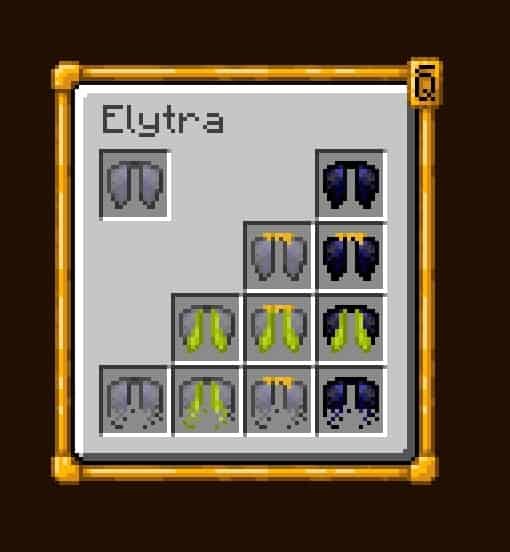
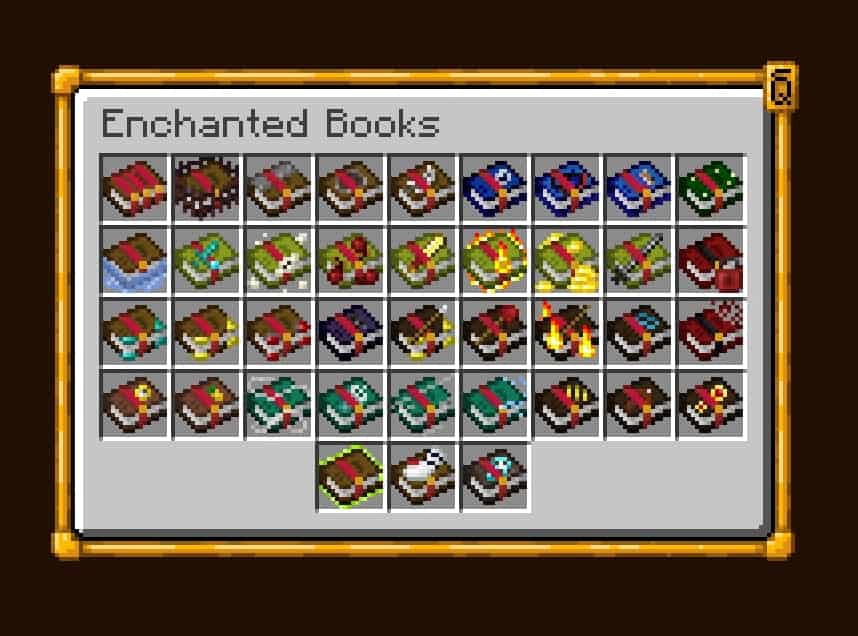
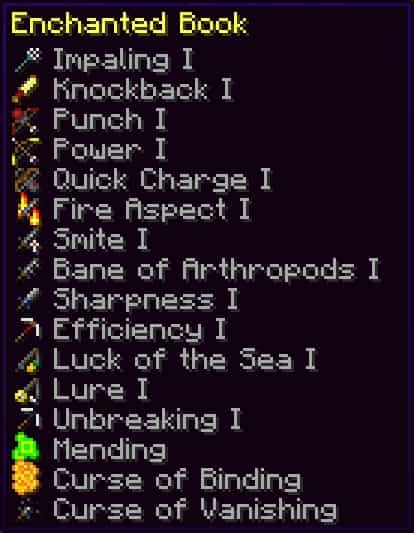
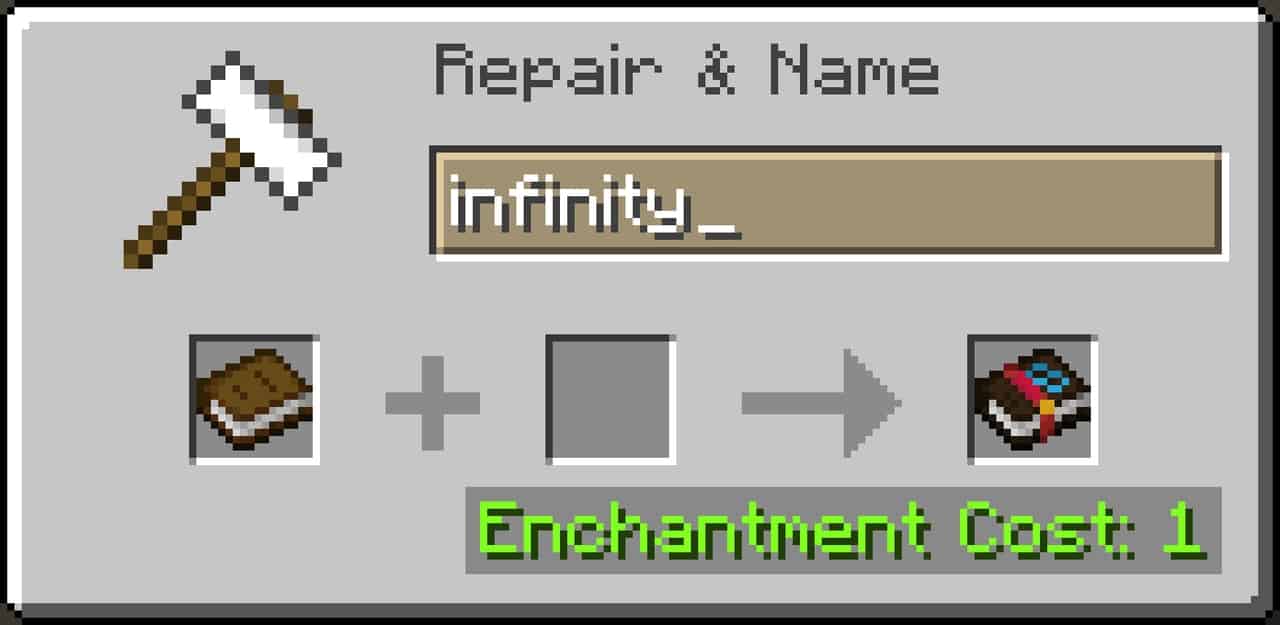
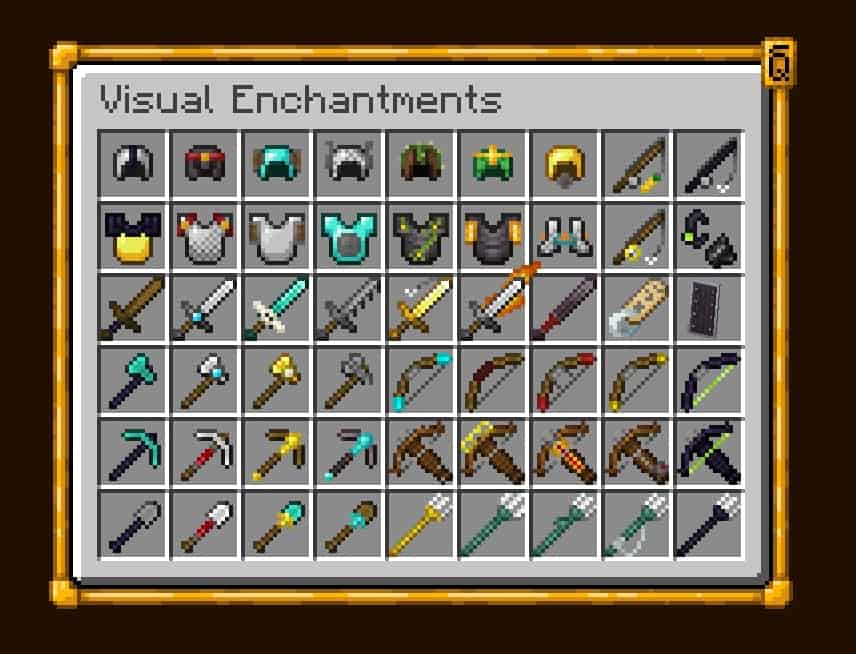
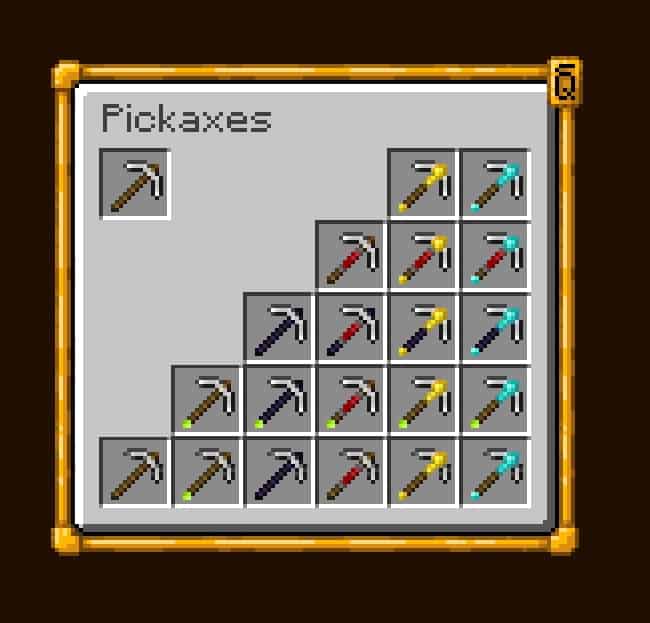
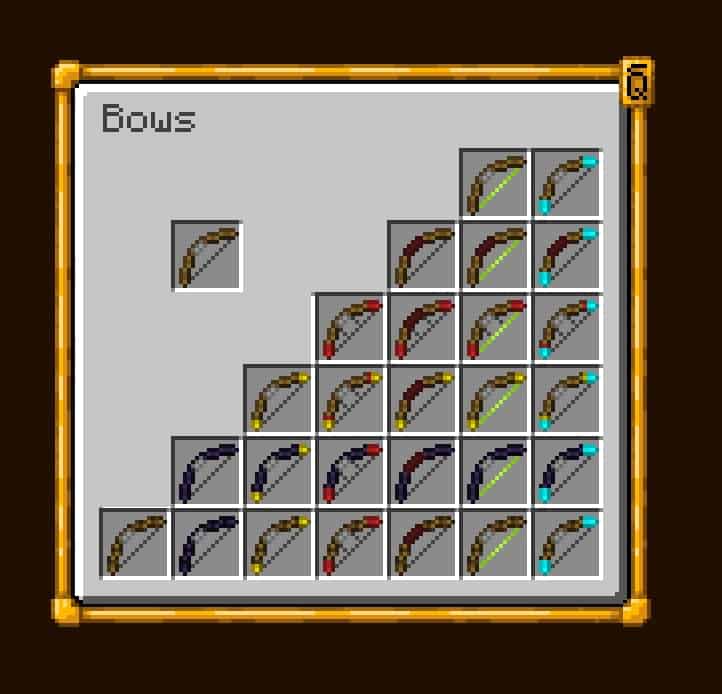
How to install Visual Enchantments Resource Pack:
- Most resource packs require Optifine, so be sure to download and install it. – general recommended step for all packs, Optifine is also needed for most shaders
- Download the Visual Enchantments texture pack for Minecraft from the download section below. – if there are many different versions, just choose the one you like, is compatible with your version/edition of Minecraft, the one you think your computer can handle in terms of performance.
- Launch the game client through the Minecraft launcher.
- On the main menu, click "Options".
- On the options menu, click "Resource Packs...".
- Click on "Open Resource Pack Folder". – folder titled "resourcepacks" will pop up
- Move the .zip file you downloaded in the first step to the newly opened "resourcepacks" folder.
- Click "Done".
- Click on "Resource Packs..." again.
- Your pack should have appeared in the left window, just hover over it and click on the arrow pointing to the right.
QUICK TIP: Sometimes, when activating a pack, the game may say that the pack is made for a newer or older version of Minecraft. This is just a warning, it does not affect your gameplay in anyway, and you can still activate and enjoy the pack by simply clicking the "Yes" button when prompted.
- Click "Done" again.
- The pack has now been successfully loaded and ready to be used in your world!
Recommended settings:
- OptiFine is required.
- Make sure you have Optifine’s Custom Items enabled.
General enchantments:
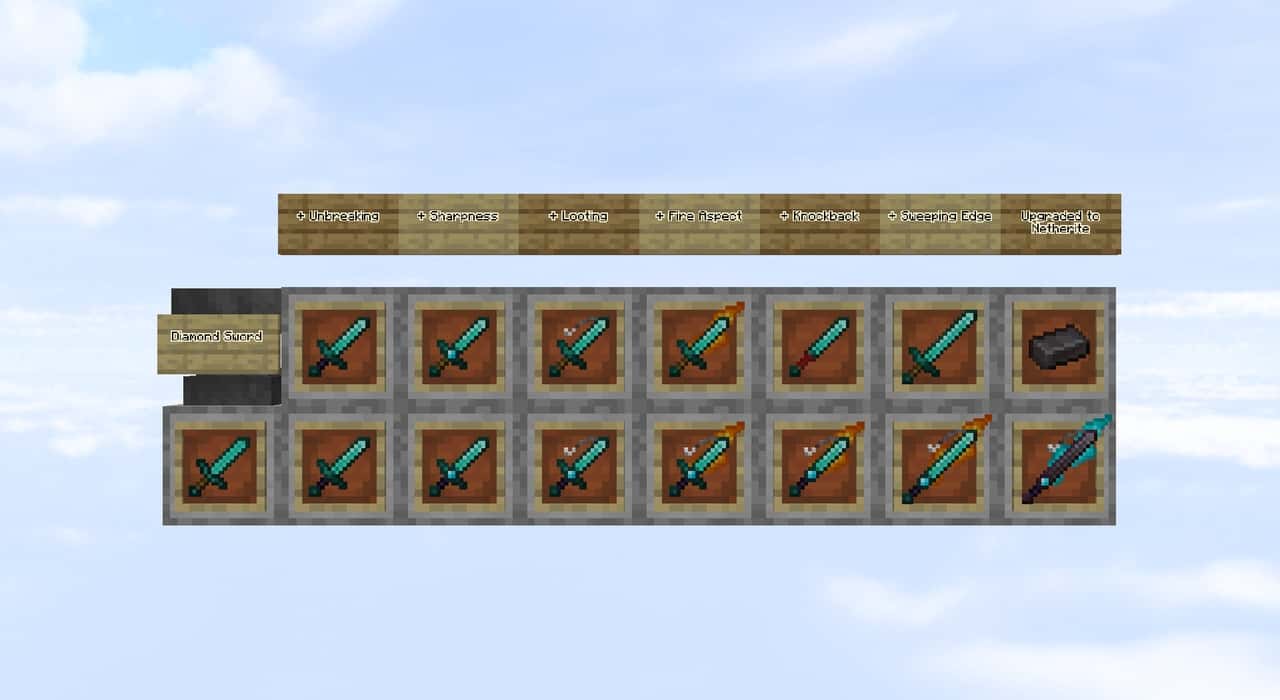
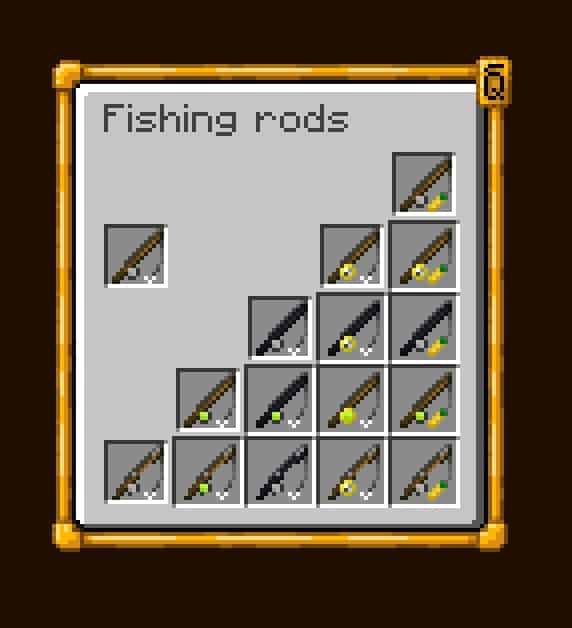
- Unbreaking: Wood parts to obsidian
- Vanishing curse: Crooked item
- Mending: Green xp orb/motiv
Swords:
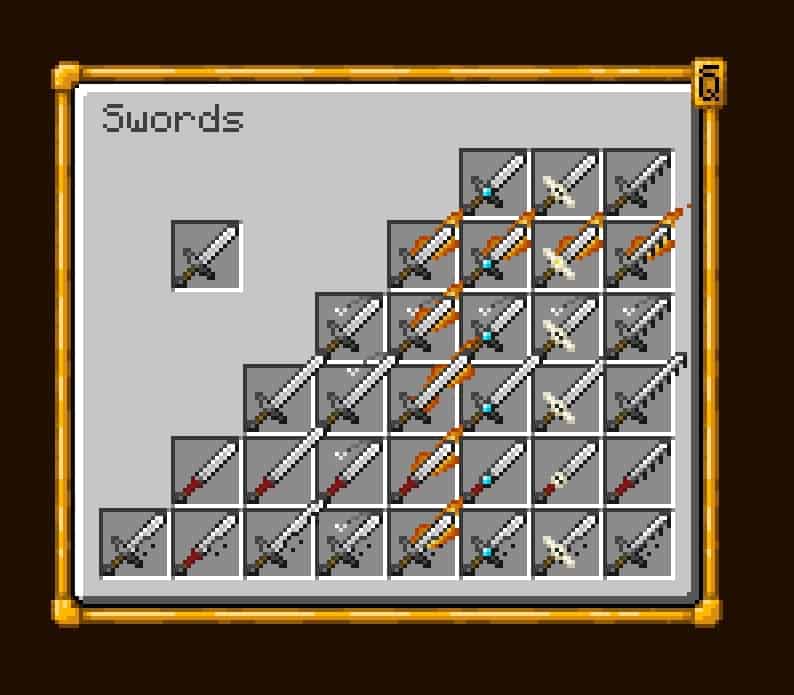
- Knockback: Baseball bat / no guard
- Looting: Four-leaved clover
- Sweeping: Longer blade
- Fire aspect: Flaming blade
Swords & Axes:
- Sharpness: Wider and sharper blade on swords, double filo on axes
- Smite: Cross-shaped blade on swords, elongated filo on axes
- Bane of arthropods: Dented blade
Axes, Pickaxes, Hoes and Shovels:
- Efficiency: Redstone grip
- Fortune: Golden tool head
- Silk touch: Diamond tool head
Bows:
- Power: Golden themed
- Punch: Red glove arrow
- Flame: Fiery arrow
- Infinity: Diamond themed / soul arrow
Tridents:
- Impaling: Wider trident
- Loyalty: String
- Riptide: Dolphin fin
- Channeling: Golden trident
General Armor:
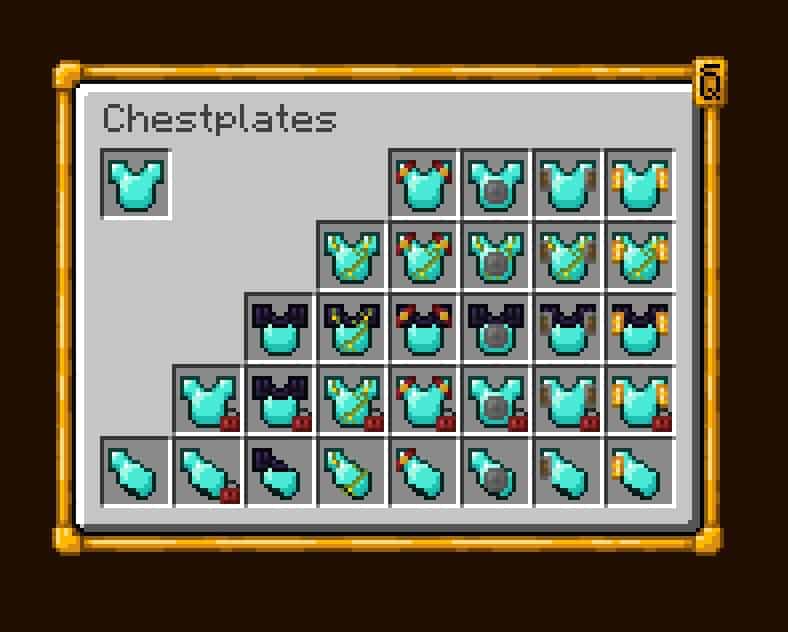
- Binding curse: Red padlocks
- Protection: Enchanted book bands
- Blast protection: Metallic shields
- Projectile protection: Wooden shields
- Fire protection: Golden shields
- Thorns: Vines on top of the armor
Helmet:
- Respiration: Mouth piece
- Aqua affinity: Guardian fins
Boots:
- Depth strider: Guardian fins
- Frost walker: Frosted boots
- Feather falling: Feathered boots
- Soul speed: Swirling Souls
Leggings:
- Swift Sneak: Socks
Visual Enchantments Texture Pack Download
- We do not modify or edit any resource packs. All resource packs, shaders and tools found on this website are linked directly to official sources rather than hosted on our own servers. We provide only the official download links from the original creators to ensure that your files are safe and secure.
- These official links are updated manually and may occasionally stop working when a new version is released. We work hard to keep everything current so that you have a smooth experience. Please let us know in the comments if you find a link that no longer works.
- Minecraft is a trademark of Mojang Studios and has no official connection to this website. Our goal is simply to share the best creations from the community with other players.
- Please consider leaving a comment or voting for your favorite packs. This feedback helps authors improve their projects over time. You can also support the creators directly by visiting the official links located below the download section.
Java Edition:
[16x] [1.21.x] Download Visual Enchantments Resource Pack
[16x] [1.20.x] Download Visual Enchantments Resource Pack
[16x] [1.19.x] Download Visual Enchantments Resource Pack
[16x] [1.18.x] Download Visual Enchantments Resource Pack
[16x] [1.17.x] Download Visual Enchantments Resource Pack
[16x] [1.16.x] Download Visual Enchantments Resource Pack
[16x] [1.15.x] Download Visual Enchantments Resource Pack
[16x] [1.14.x] Download Visual Enchantments Resource Pack
[16x] [1.13.x] Download Visual Enchantments Resource Pack
[16x] [1.12.x – 1.8.x] Download Visual Enchantments Resource Pack
Curseforge: download starts automatically after a few seconds;
Mediafire: click the big blue button with the text "DOWNLOAD";
Google Drive: in the top right corner you will see a small download icon (down arrow), click it and the download should start;

1,690 votes
Look.. 1690 users have already liked this pack. Give a diamond if you like it too!


sam
The trident textures show accurately in the inventory but not when held in hand on 1.19 for windows 10
The devil
how do i even download it on windows 10
Admin
If you are not using the Java version of Minecraft, you will not be able to install it. Visual Enchantments only works on Java Edition with optifine installed.
yash
what about a bedrock pack
henry
doesn’t work on Mac book
crafting329
iron sword sharpness 3 isnt showing
crafter2993
Can i have the armor to not be in 3d view?
katie leupold
i tryed to do it but i dont have real minecraft i tryed on minecraft education adition idk how to install it there if anyone knows how pls tell me
Szybcior_yt1
this texture pack is great it works very well on 1.18 really recommend to install this txt is now my favorite txt
nibousg
I click on 1.14.2 but it always downloads version 1.13.1
Admin
Dude, that’s not a minecraft version, that’s a pack version.
Fishkibs
Is there a version without the armour changing?
Gireaw
Im a bit late, but you can just download the enchanted tools texture pack, enchanted weapons texture pack, and then xalis enchanted books texture pack. Just search it up on google and click on the curseforge links.
ForbiddenLeche
How can i get rid of the shield textures? its disturbing my banner
hooman
how do i enable custom items for 1.8.9?
some person on the internet
is there a 1.8 version for this? all i see is 1.12
Admin
It’s 1.12x – 1.8.x, which means it should work on versions 1.8 and above, all the way up to 1.12.
some person on the internet
it doesn’t work for 1.8 for some reason, when i try to put it on, it says it’s for a newer version of minecraft and doesn’t work. and yes, i have optifine for this version
Admin
Just ignore the message and click yes. This is just a notification message.
hunter is the best
is this a mod bc i thought it was a texture pack it works but it does nothing i put the texture pack on but nothing
Admin
This is a resource pack, but you must have optifine installed for it to work.
jerey
still confused, what enchant and item is on the first display picture that has a fireaspect and katana sword ?
Nhatanh0475
Is it me or this mods doesn’t recognize my game already has Optifine?
I play the v1.16.5 version with Optifine. Other mods that require Optifine workfine, but not this one.
It show red back ground with red letter said [Optifine Required]. When hover over it also said (Made for a newer version of Minecraft). What does it mean by newer? Isn’t I download the v1.16 version? v1.16.5 isn’t new enough?
This is the first mods ever that incomatible with my game.
And seem like Sander Van den Heuvel also have the same problem as me.
Boom
Just turn on custom items.
121
can i use it
Rintaro
The best.
MarkSmol08
can you make so shields can have banner patterns when are enchanted
Dane Johnston
In the next update for this pack will there be a transition for the trident? Because the effects appear as the 2D texture but not as the 3D model
eduardsozo
gooood
Sander van den Heuvel
how do i get it to work i have optifine but it says optifine required
Boom
You need to turn on custom items
Noob
Can you please make one for bedrock edition
Admin
As far as we know, this is not possible as the functionality of this pack is based on the Optifine tool, which is only java.
Tobias
for me it doesn’t work at all can somebody help me
Admin
Read the How to Install guide on this page and make sure you have Optifine installed.
bryan
trident doesn’t work
Jack
Can you add the enchantment names to the pictures of enchanted items? It’d be really helpful finding the right design for a sword.
Jack
What enchants do you have to use to make the katana in the first picture? I’ve tried every one I can think of, no dice.
Mens
I think is was knockback, and fire aspect
opmuz
alright so i have downloaded the 1.12 – 1.8 pack but i cannot get it to work with 1.8.9 for some apparent reason
Admin
Do you have optifine installed for this particular Minecraft version?