While Minecraft is an ever-expansive and fun game to play in its original variant, a lot more can be added to it by installing mods and resource packs. One of the most effective and useful tools (mods) you can install – whether you want to keep the original flavor or add some uniqueness to your game – is the Optifine mod. Optifine is not a resource pack in itself. It does not change any textures in the game. It is, instead, a tool that allows you to adjust Minecraft to increase performance or visuals to your liking. For instance, it provides new settings in the menus that allow you to more freely adjust rendering distance and other factors that might affect how well your computer can run the game. It also allows you to use various resource packs with custom features. If you use HD resource packs and have seen major frame rate drops, see serious lag spikes in your system, or otherwise just need an FPS boost, Optifine HD will provide exactly what you are looking for.
Featured video:
Optifine can be used in both single player games and multiplayer servers. Be warned, though, Optifine HD only works in multiplayer games if the server’s host also has Optifine HD installed on the server. If this is not the case, Optifine will be disabled and you will not be able to use it. Another warning that comes with this is that some of the steps you can take to increase your frame rate will also make Minecraft less visually appealing to look at. You can disable clouds, the sky, stars, fog, and a number of other functions that make the game more visually appealing. All in all, Optifine HD is probably the best way to take more complete control of your Minecraft experience. You can adjust how textured and detailed everything is, from bare bones to top of the line graphics, based on what your personal computer can handle.
OptiFine should be compatible with all of these Minecraft versions: 1.21.11 - 1.21.10 - 1.21.9 - 1.21.8 - 1.21.7 - 1.21.6 - 1.21.5 - 1.21.4 - 1.21.3 - 1.21.2 - 1.21.1 - 1.21 - 1.20.6 - 1.20.5 - 1.20.4 - 1.20.3 - 1.20.2 - 1.20.1 - 1.20 - 1.19.4 - 1.19.3 - 1.19.2 - 1.19.1 - 1.19 - 1.18.2 - 1.18.1 - 1.18 - 1.17.1 - 1.17 - 1.16.4 - 1.16.3 - 1.16.2 - 1.16.1 - 1.16 - 1.15.2 - 1.15.1 - 1.15 - 1.14.4 - 1.14.3 - 1.14.2 - 1.14 - 1.13.2 - 1.13.1 - 1.13 - 1.12.2 - 1.12 - 1.11.2 - 1.11 - 1.10.2 - 1.10 - 1.9.4 - 1.9 - 1.8.9 - 1.8.8 - 1.8.1 - 1.8.6 - 1.8
How to install Optifine:
Guide last updated: 2022-07-22
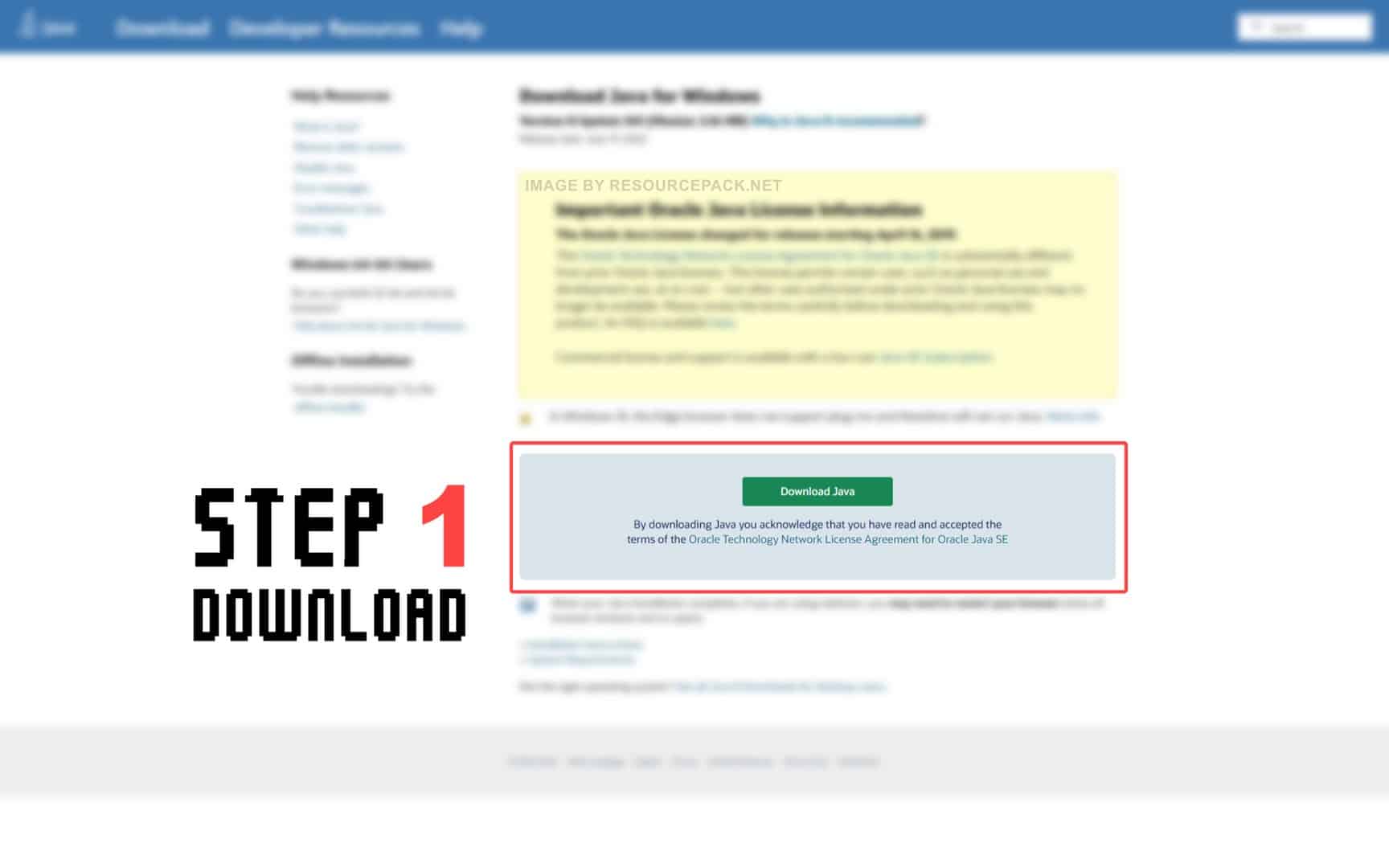
Before we proceed with installing Optifine, you also need to have Java installed on your device in order to be able to run the Optifine installer. Java is available for Windows, Linux, Mac OS X, and Solaris. Get Java here.
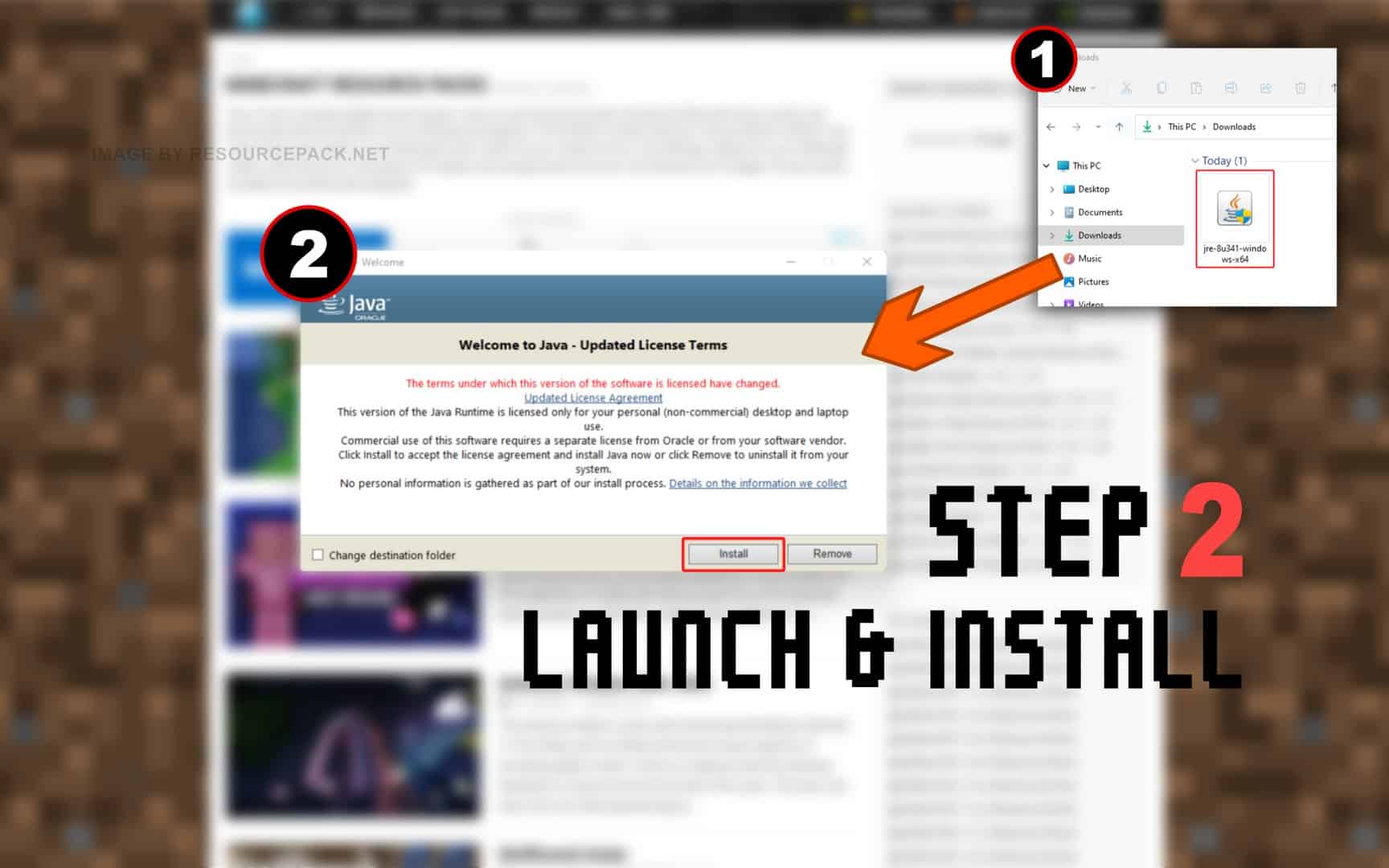
Quick Java Installation Guide:
Click the image to open it full size in a new tab.
- Download Java from the official website here.
- Run the file you just downloaded and click Install.
NOTE: Optifine will only work with the Java Edition of Minecraft. Optifine does not currently work with Bedrock or any other edition.
And now.. OptiFine:
Please follow each step carefully if you have never installed OptiFine before.
- In the download section (located directly below this guide), you will find a link to the official Optifine website. Click on this link and you should be redirected to the developer’s official website.
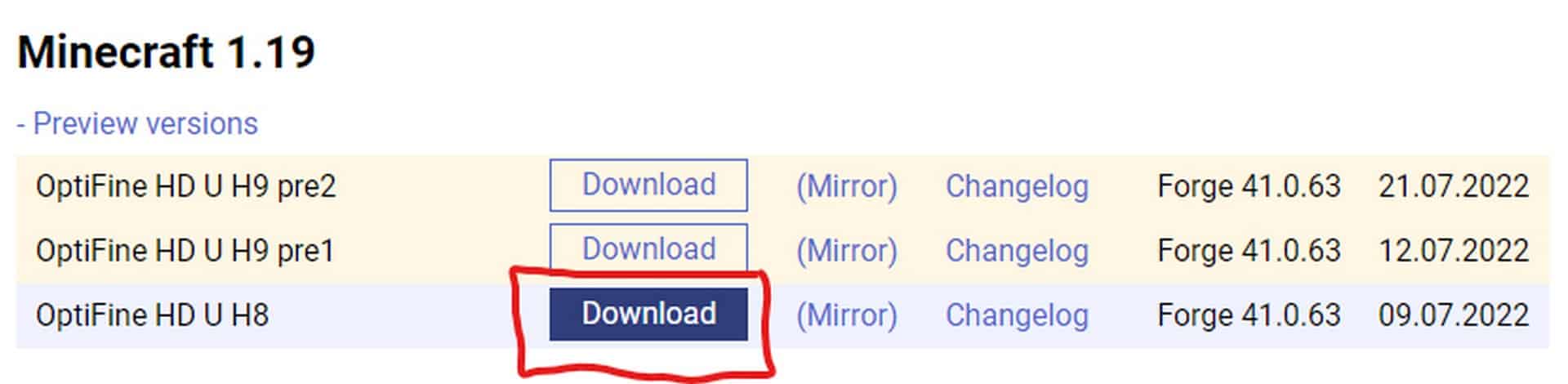
- On the optifine website, you will see many different labels. First make sure you find the correct “Minecraft Version Label”. If you’re playing Minecraft 1.18.2, look for the appropriate label, then simply select one of the versions of Optifine under that label (we strongly recommend that you always choose the OptiFine HD Ultra editions. They usually have the most features) and click Download (or Mirror).
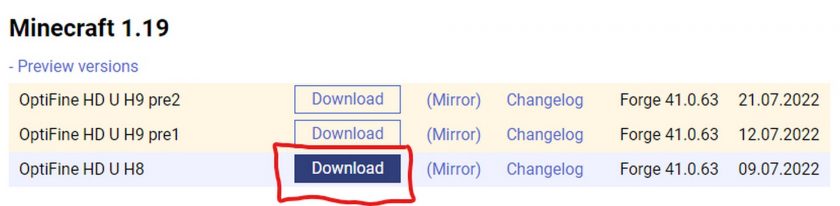
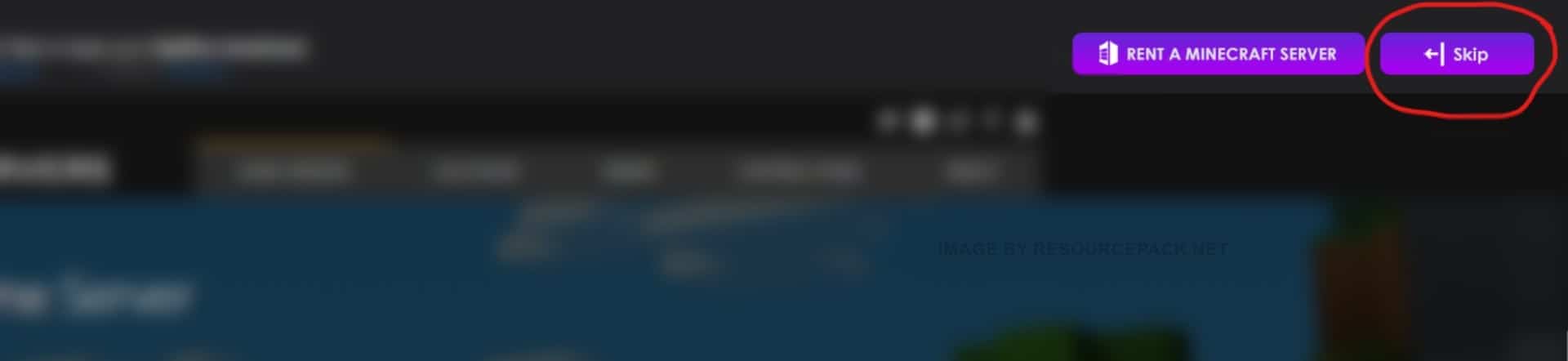
- If you clicked the “Download” button (step 2), then most likely you will first be redirected to an sponsor page with a short timer of 5 seconds. Just wait and click “Skip”. If you clicked the “Mirror” button (step 2), you will be redirected directly to the download page.
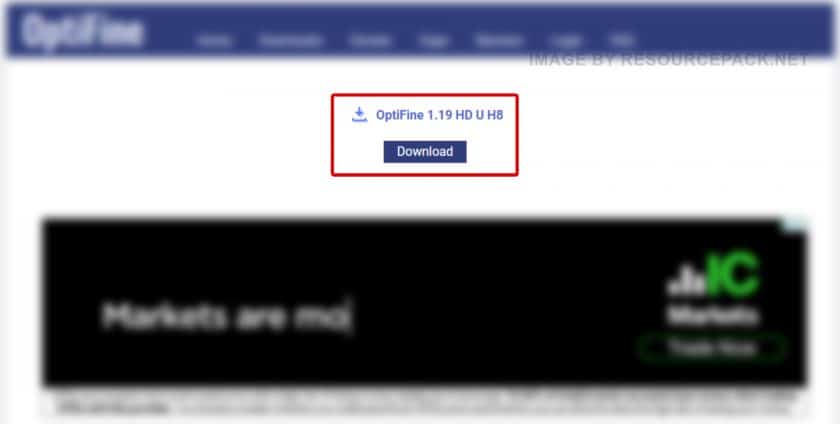
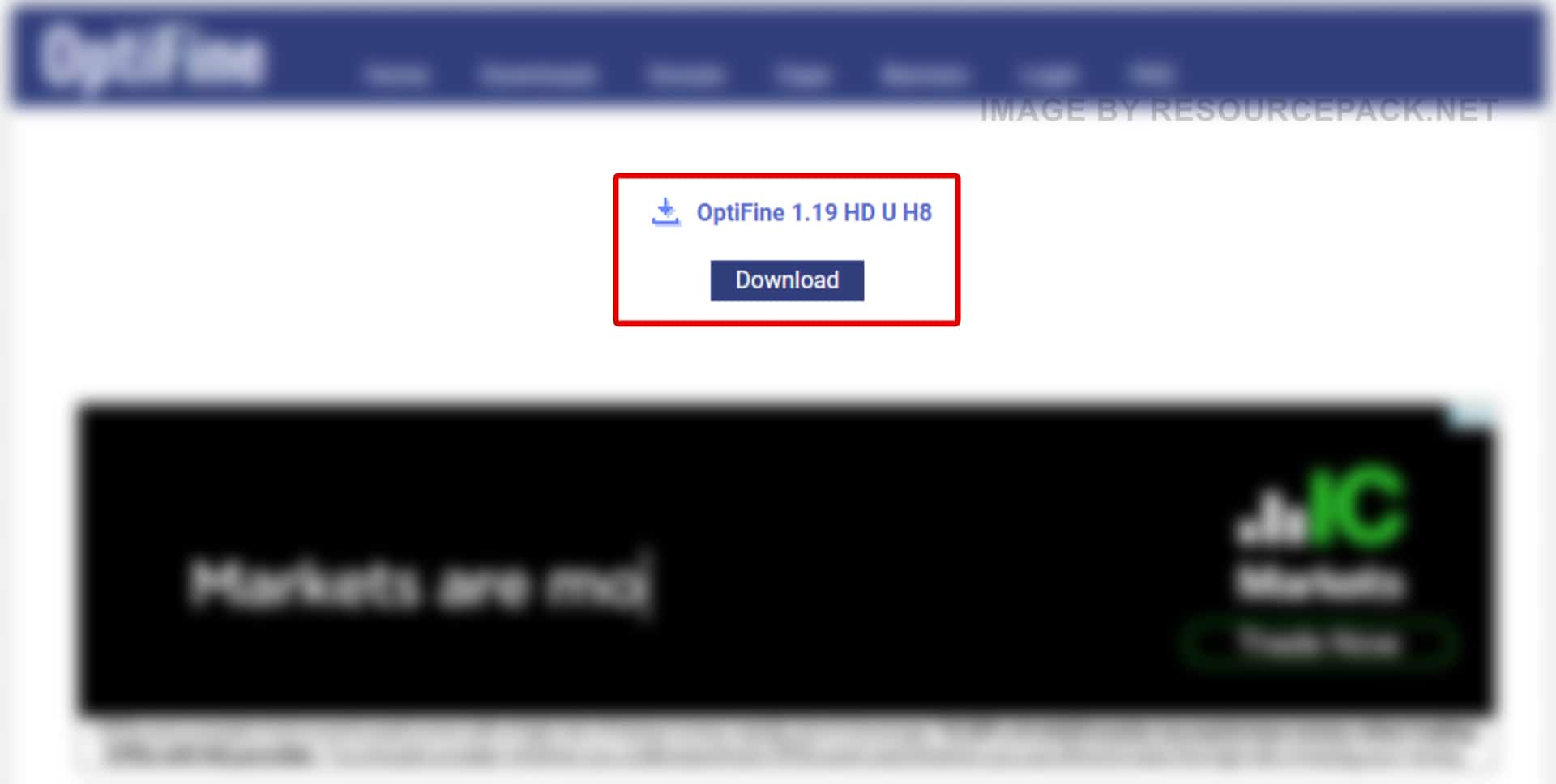
- Now, once you are on the download page, click “Download” again.
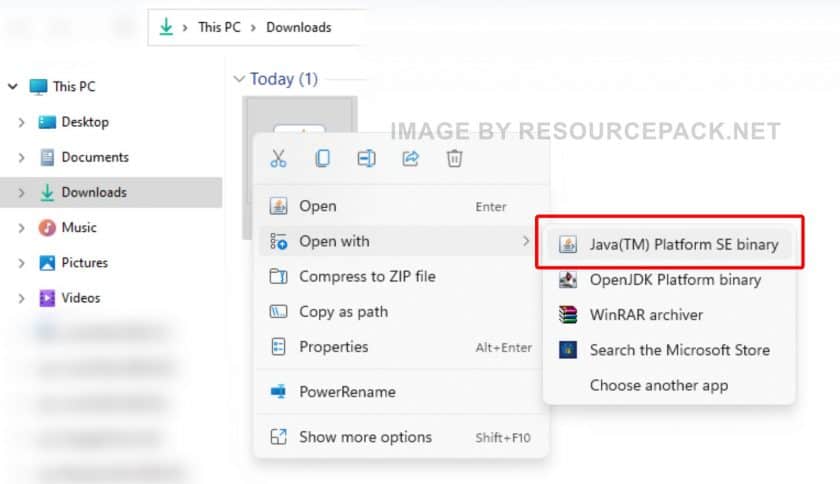
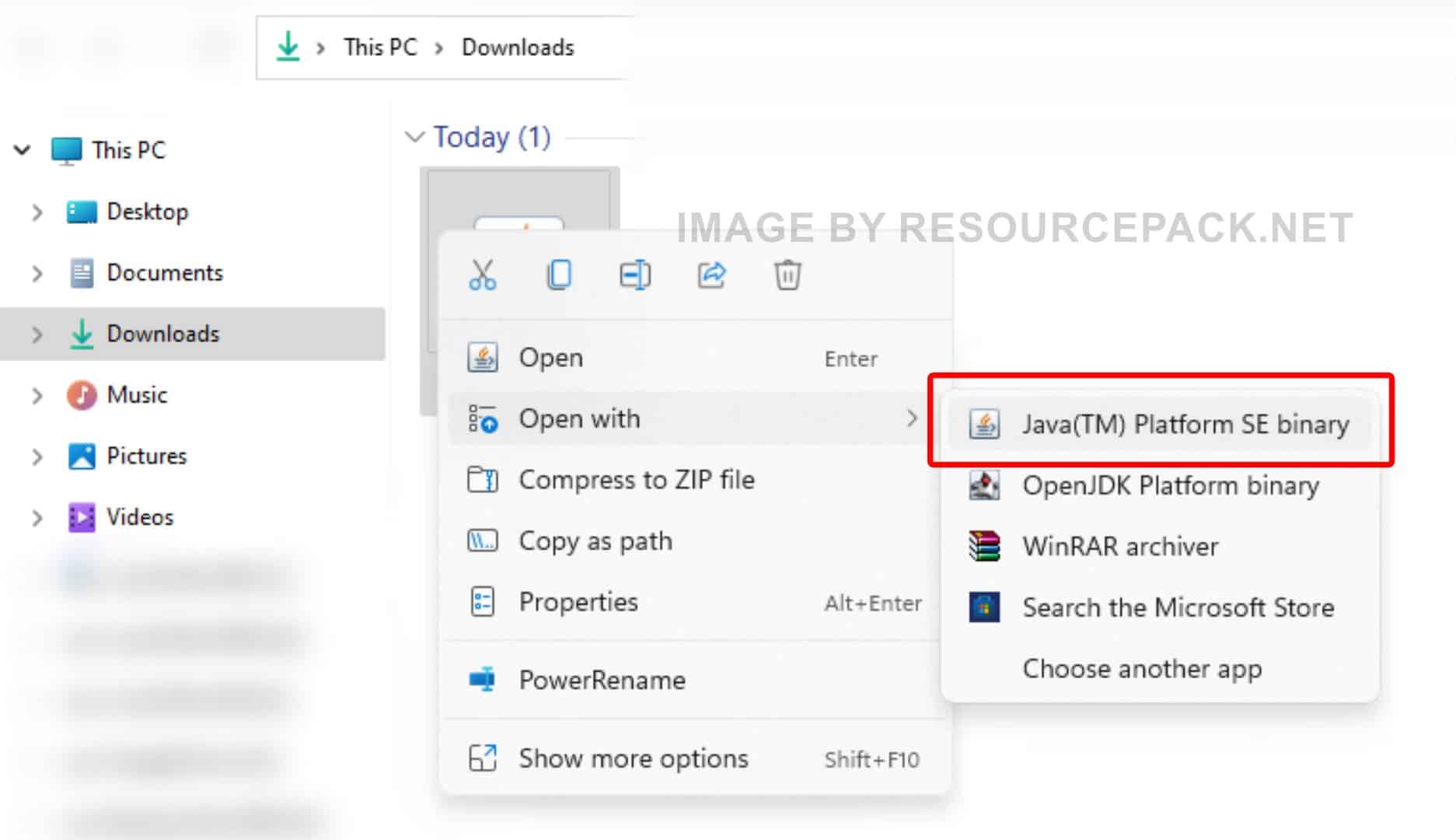
- Right-click on the newly downloaded Optifine installer file (should be in .jar format), select “Open With”, and then click “Java (TM) Platform SE binary”.
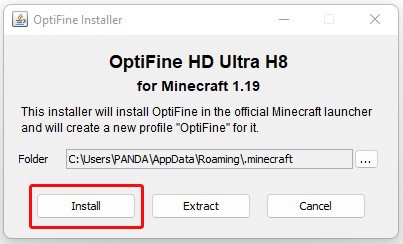
- A small installer window will appear, just click “Install”. After a while, the message “OptiFine is successfully installed.” will pop-up.
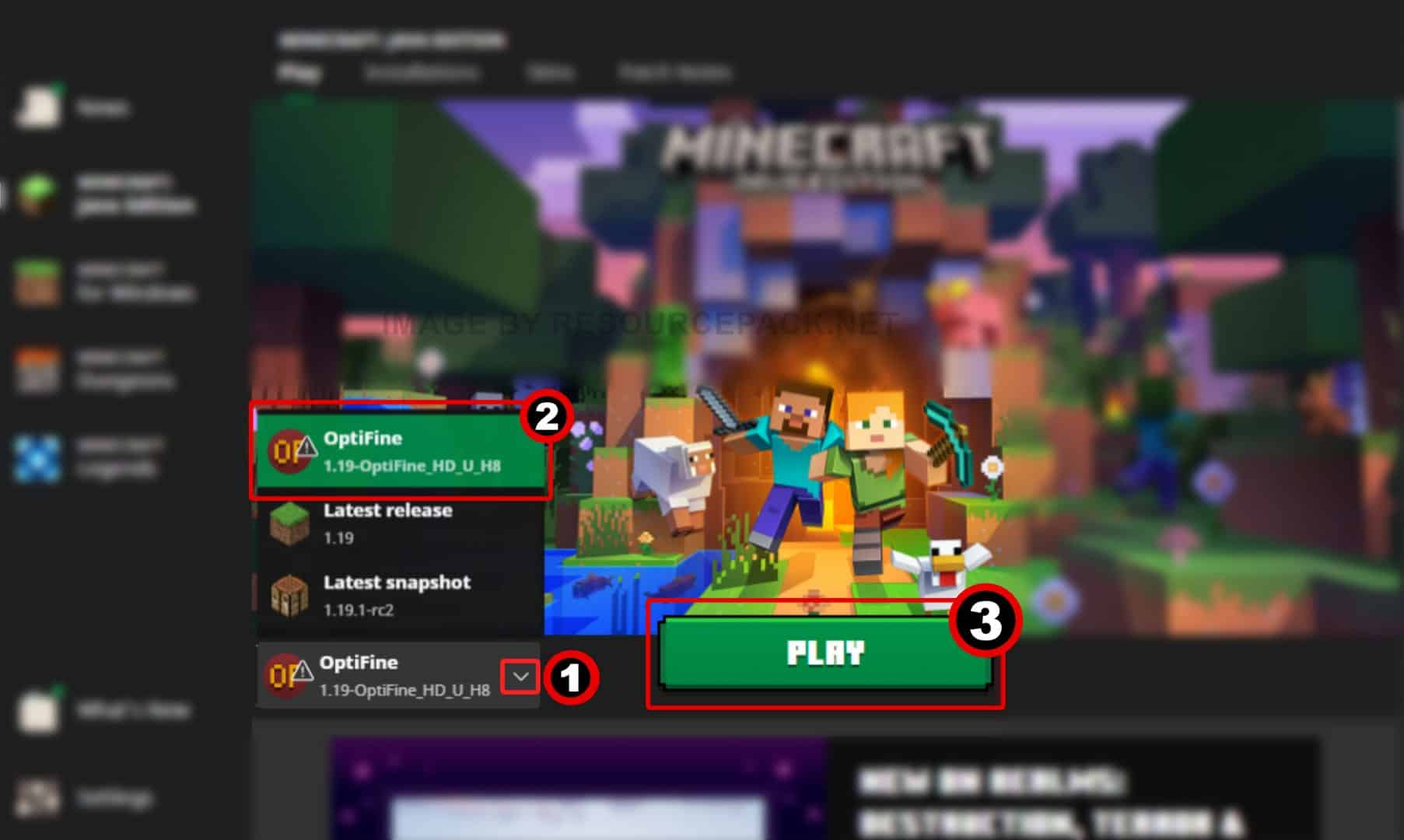
- Run the Minecraft launcher and click on the small arrow to the left of the green “PLAY” button. You will notice that there is a new version titled 1.19-OptiFine_HD_U_H8 (it may be different in your case depending on which version of Minecraft you are using and which version of optifine you have installed). Select this Minecraft Optifine version and click “PLAY”.
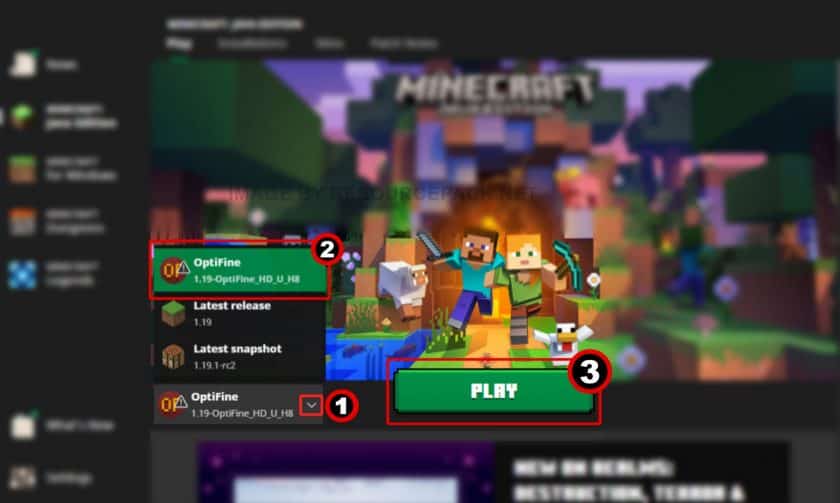
- Done. Now you have a version of Minecraft with Optifine. We hope the guide was useful to you, we tried to describe everything in as much detail as possible with screenshots so that you can understand it better. If you still have problems with the installation, leave your question below in the comments – either the administration or site visitors will definitely help you. But there should be no problems if you carefully read everything and do as it is written in the guide.
OptiFine Download
- We do not modify or edit any resource packs. All resource packs, shaders and tools found on this website are linked directly to official sources rather than hosted on our own servers. We provide only the official download links from the original creators to ensure that your files are safe and secure.
- These official links are updated manually and may occasionally stop working when a new version is released. We work hard to keep everything current so that you have a smooth experience. Please let us know in the comments if you find a link that no longer works.
- Minecraft is a trademark of Mojang Studios and has no official connection to this website. Our goal is simply to share the best creations from the community with other players.
- Please consider leaving a comment or voting for your favorite packs. This feedback helps authors improve their projects over time. You can also support the creators directly by visiting the official links located below the download section.
Java Edition:
Download OptiFine from Official Website
Curseforge: download starts automatically after a few seconds;
Mediafire: click the big blue button with the text "DOWNLOAD";
Google Drive: in the top right corner you will see a small download icon (down arrow), click it and the download should start;

16,972 votes
Look.. 16972 users have already liked this. Give a diamond if you like it too!


Admin I need advice
Im stuck on step 5 I have Java installed but when I select Java(TM) platform SE binary it opens a window for half a second and immediately closes without opening/installing anything. Any advice?
Elfman
I have windows 10, with xbox app installed, have installed java edition of minecraft this way (also have bedrock), am able to play both (not at same time of course) but when I go to open the optifine.jar with Java platform se, it says ” Cannot fine Minecraft 1.19.x (2 in my current case this evening), minecraft launcher for java edition is in folder c:\XBOX\MINECRAFT, but there is no 1.19.x folder with any game files. any help is appreciated.
sven
my java won’t open help
Hydra
I cant get it to stop downloading as a .jar
Jess
If you have a mac its supposed to download as a jar! Open it, and it should appear in Java and then prompt you to add to minecraft.
nachowastaken
When I click install, it only tells me Minecraft 1.9.2. is not found.
Madz
when you go onto the java download website I click one the 1.19.3 preview and it worked for me after downloading it
Jax
I cant get past step 5 when I go to open with it only gives me notepad option
TSTLyric
It’s downloading as a .jar file, what am I doing wrong?
Jess
If you have a Mac its supposed to download as .jar. I thought the same thing at first. As long as you have Java it should work when you go to open it
Bob
I am on 1.19.51, is Optifine going to be updated or can i download earlier relases of Minecraft i.e. 1.19.2
phozi
Will this ever be included to the bedrock community?
Admin
At the moment this is technically impossible, but some alternatives may appear in the future.
Erica
When will Optifine be updated for v1.19.3?
Bean
I have the same problem! It needs 19.3 update to run. 19.3 previews don’t work, it says the texture pack is too old
Ryuzaki
I don’t know why it’s like this even though I’ve downloaded optifine but it’s like this. It always says Optifine Required but I’m already using optifine
Lauren
Hey I’m using Mincraft v1.19.3, and the latest Optifine varsions is for v1.19.2. Can I get away with installing Optifine for version 1.19 and should that work? Or do I have to rollback my Minecraft version? (It doesn’t give me the option for v1.19.2 in the launcher, so I’ll just google how to go back to an older version!)
Seanna
Hey, I’m stuck on step 6 because when i press the install button it just says, “Cannot find Minecraft 1.19.2” i don’t understand what I’m doing wrong.
Admin
First, install minecraft 1.19.2 as usual (via the launcher).
DangFlabbit420
the launcher won’t let me go back to that version, when will optifine be updated?
Admin
The original Minecraft launcher allows you to have multiple versions of Minecraft and switch between them at any time.
frida
it says java installation not completed why????
Cyberknight
when im at the download i dont see an installer file to open, how do i get the installer?
Legacy
Hey, so i am stuck between step 5 and 6 because when i try to open it with Java, for literally 0.5 sec shows up a window wich instantly closes itself. Can anybody help?
bob
the little window does not open for me when i try to open optifine with java
i123465498
i can open the optifine thing
thebac0n
when I right click on “open with” on the optifine file the option to open it with Java SE Binary isn’t there and I asks me to find an app in the microsoft store
Admin
Read the “How to install optifine” guide on this page, especially the yellow box.
Rane
that didnt help at all still have the same issue
FussionPK
It says there are errors in the following switches—- unable to install java
Kapree
same here
l
how do u even install
Admin
We have pretty detailed installation instructions on this page. Just follow each step carefully and you shouldn’t have any problems.
jaxon
why you have to download Java
lutri
Can some help me do it in win 10 not 11
TheFartFunnies
I have the Java edition of Minecraft installed and I am opening the Optifine installer file with Java(TM) Platform SE binary but the the small installer window isn’t appearing for me, I am very confused.
bob
this is happening to me as well
Andrew
i have installed java 13 times and it still doesnt work