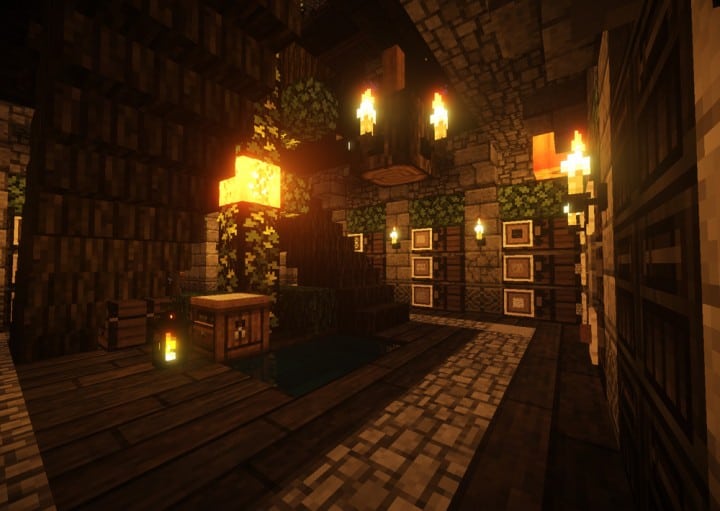
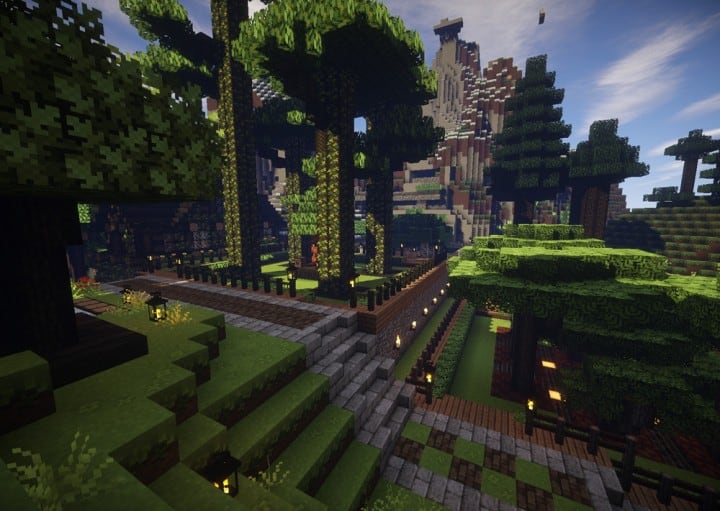
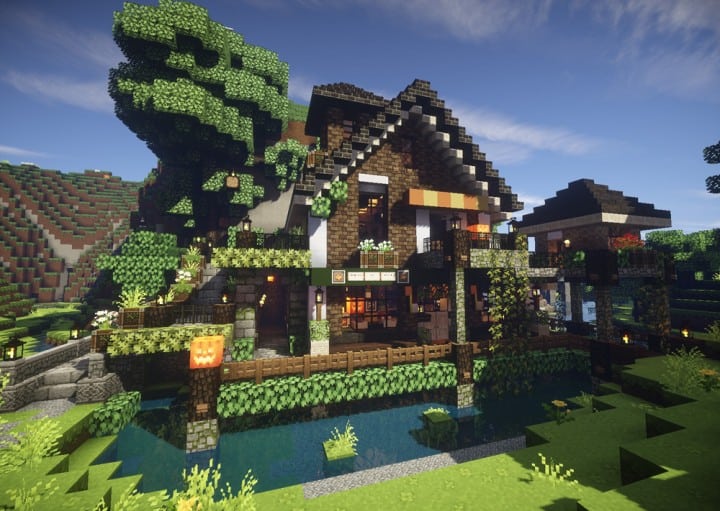
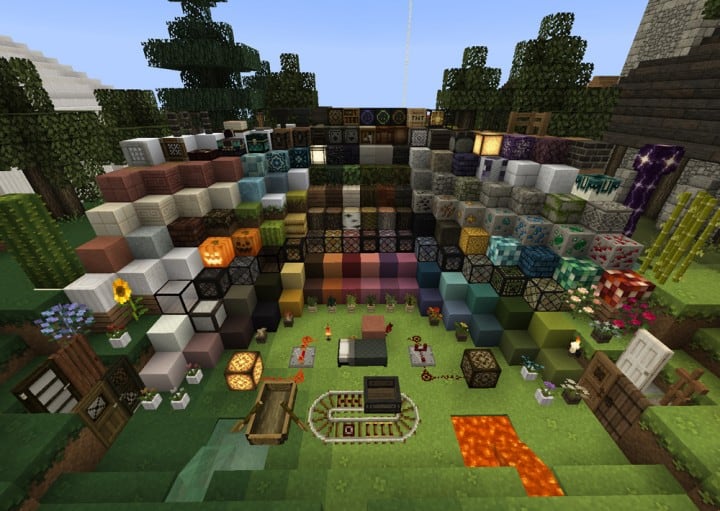
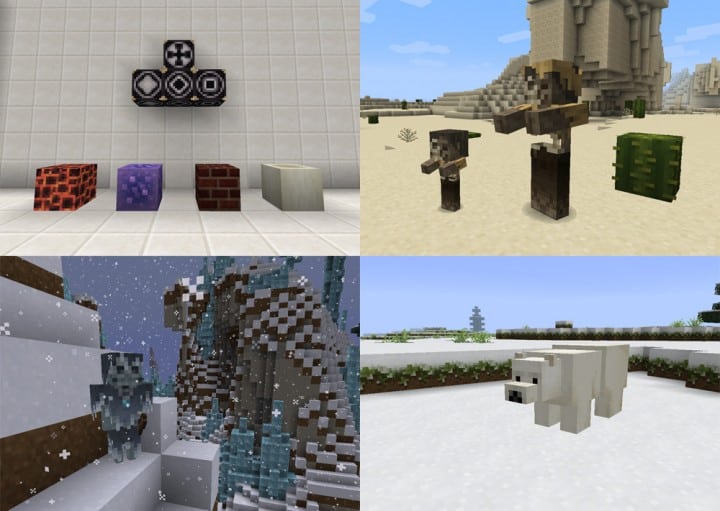
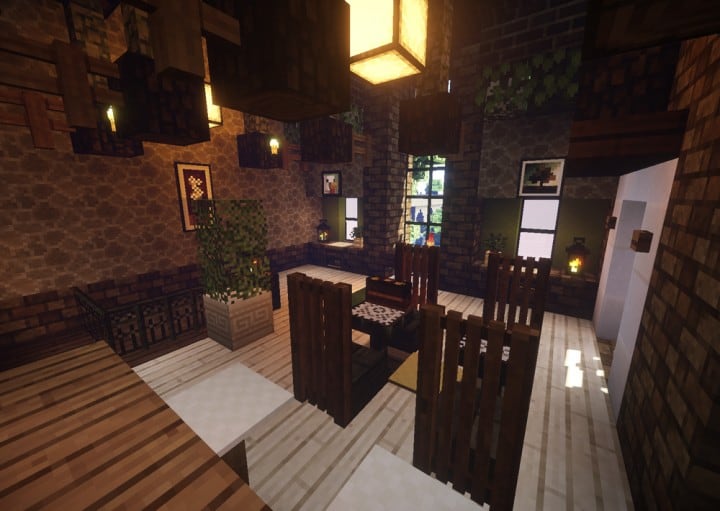
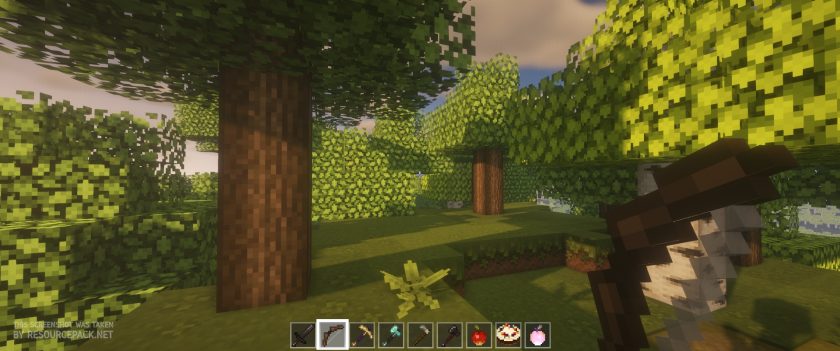
Mizuno’s 16 Craft resource pack enhances the world of Minecraft with impressive visuals. This texture pack will become a favorite of many players because of how well the textures in this pack look on screen. The fact that this resource pack is able to keep the graphics looking great without being over the top is a monumental accomplishment that few resource packs are able to achieve. Low-resolution resource packs often fail to make their textures visually pleasing. Because of these lack luster textures, most low-resolution resource packs are unable to take the Minecraft visual world to the next level. You can often find a lot of noise present in these texture designs. Noise found in these textures take away from the overall appeal and appearance of these low-resolution resource packs. The Mizuno’s 16 Craft succeeds where many other low-resolution packs fail.
Featured video:
This particular pack provides beautiful graphics that are engaging by getting rid of many noise related problems that are prevalent in packs of this type. When you load Minecraft after installing the Mizuno 16 Craft resource pack you are greeted with amazing visuals. The simple design of the installed textures are streamlined and beautiful. The resource pack reveals a magnificent color pallet that features art influenced textures. With clean and noiseless textures this pack is able to reduce eye strain while providing an enjoyable gaming experience. This is one of the best features of the resource pack. Beyond changing Minecraft’s typical textures the Mizuno’s 16 Craft makes changes to the standard user interface. The Mizuno 16 Craft uses a 16×16 resolution like the name of the resource pack suggests. Because of this and the resource pack’s low screen resolution many players are able to enjoy this game with no difficulties. This resource pack allows people with low-end computers to enjoy this pack as much as someone with a high-end computer can.
Mizuno's 16 Craft should be compatible with all of these Minecraft versions: 26.1 - 1.21.11 - 1.21.10 - 1.21.9 - 1.21.8 - 1.21.7 - 1.21.6 - 1.21.5 - 1.21.4 - 1.21.3 - 1.21.2 - 1.21.1 - 1.21 - 1.20.6 - 1.20.5 - 1.20.4 - 1.20.3 - 1.20.2 - 1.20.1 - 1.20 - 1.19.4 - 1.19.3 - 1.19.2 - 1.19.1 - 1.19 - 1.18.2 - 1.18.1 - 1.18 - 1.17.1 - 1.17 - 1.16.5 - 1.16.4 - 1.16.3 - 1.16.2 - 1.16.1 - 1.16 - 1.15.2 - 1.15.1 - 1.15 - 1.14.4 - 1.14.3 - 1.14.2 - 1.14 - 1.13.2 - 1.13.1 - 1.13 - 1.12.2 - 1.12 - 1.11.2 - 1.11 - 1.10.2 - 1.10 - 1.9.4 - 1.9 - 1.8.9 - 1.8.8 - 1.8.1 - 1.8.6 - 1.8 - Bedrock Edition - PE
Mizuno's 16 Craft — Screenshots
How to install Mizuno's 16 Craft Resource Pack:
- Most resource packs require Optifine, so be sure to download and install it. – general recommended step for all packs, Optifine is also needed for most shaders
- Download the Mizuno's 16 Craft texture pack for Minecraft from the download section below. – if there are many different versions, just choose the one you like, is compatible with your version/edition of Minecraft, the one you think your computer can handle in terms of performance.
- Launch the game client through the Minecraft launcher.
- On the main menu, click "Options".
- On the options menu, click "Resource Packs...".
- Click on "Open Resource Pack Folder". – folder titled "resourcepacks" will pop up
- Move the .zip file you downloaded in the first step to the newly opened "resourcepacks" folder.
- Click "Done".
- Click on "Resource Packs..." again.
- Your pack should have appeared in the left window, just hover over it and click on the arrow pointing to the right.
QUICK TIP: Sometimes, when activating a pack, the game may say that the pack is made for a newer or older version of Minecraft. This is just a warning, it does not affect your gameplay in anyway, and you can still activate and enjoy the pack by simply clicking the "Yes" button when prompted.
- Click "Done" again.
- The pack has now been successfully loaded and ready to be used in your world!
How to install Mizuno’s CIT pack:
Before you can install the CIT Pack, there are a few requirements you need to meet:
- Minecraft Java Edition
- Optifine
- Mizuno’s 16 Craft Base pack
- Mizuno’s 16 Craft CIT pack
- Invisible Item Frame
Just click “Optifine” above if you haven’t installed it yet. The Mizuno 16 Craft Base pack (if you followed our guide above, it should already be installed), CIT pack and Invisible Item Frame can be found in the download section below.
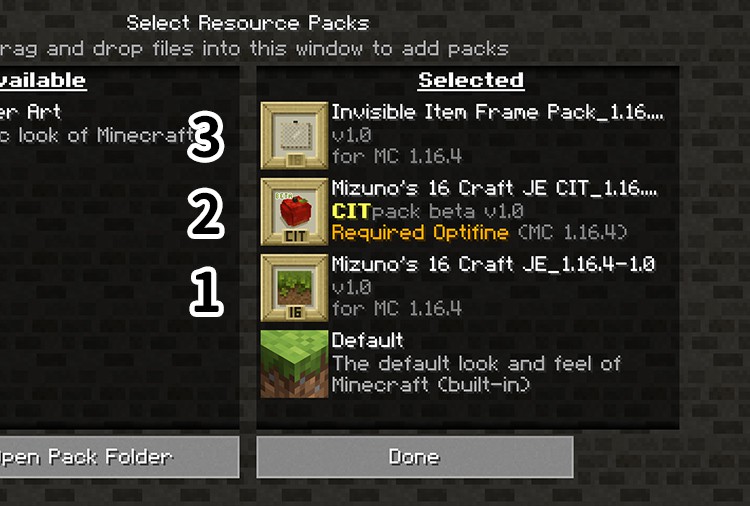
Now that you have successfully installed Optifine and installed the Mizuno’s 16 Craft Base Pack (just follow the instructions on “How to install Mizuno’s 16 Craft Resource Pack” above), you just need to do the same with the CIT Pack and the Invisible Item Frame and make sure they are installed in the correct order as shown in the image below:
How to use Mizuno’s CIT:
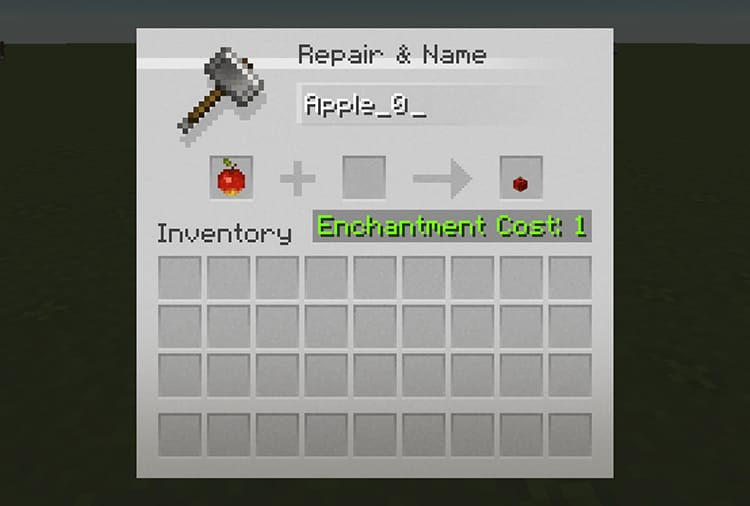
Once you have successfully installed everything we talked about above, you will now be able to use Mizuno’s CIT feature. All you need to do is simply go to the CIT catalog, find the CIT you want to “create” and simply name it on the anvil as shown in the image below:
Place the invisible item frame anywhere and place the newly named item in it. That’s it!
Mizuno's 16 Craft - Comparison Slider #1 Without shaders
Comparison slider #1 for those who want to compare vanilla Minecraft without any texture packs installed (on the left) with Minecraft using this particular texture pack (on the right).
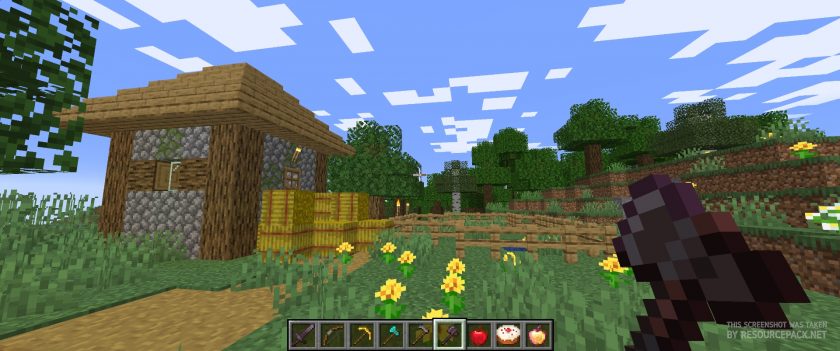 Vanilla
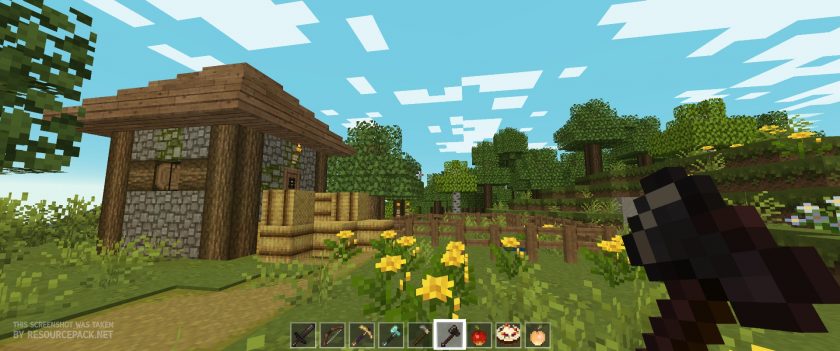 Mizuno's 16 Craft
Mizuno's 16 Craft - Comparison Slider #2 With BSL Shaders
Comparison slider #2 for those who want to compare vanilla Minecraft without any texture packs installed (on the left) with Minecraft using this particular texture pack (on the right).
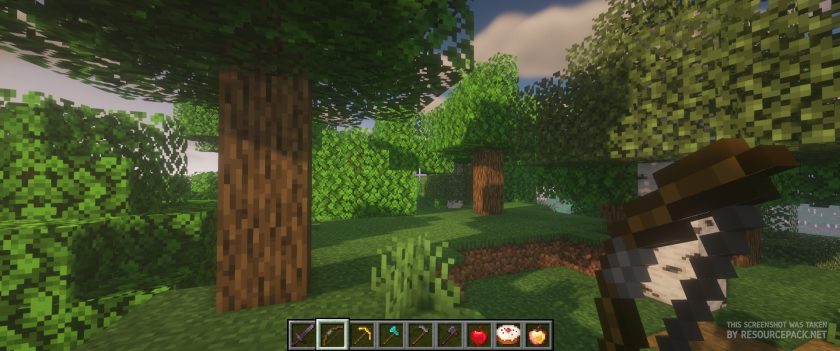 Vanilla (BSL Shaders)
 Mizuno's 16 Craft (BSL Shaders)
Mizuno's 16 Craft Texture Pack Download
- We do not modify or edit any resource packs. All resource packs, shaders and tools found on this website are linked directly to official sources rather than hosted on our own servers. We provide only the official download links from the original creators to ensure that your files are safe and secure.
- These official links are updated manually and may occasionally stop working when a new version is released. We work hard to keep everything current so that you have a smooth experience. Please let us know in the comments if you find a link that no longer works.
- Minecraft is a trademark of Mojang Studios and has no official connection to this website. Our goal is simply to share the best creations from the community with other players.
- Please consider leaving a comment or voting for your favorite packs. This feedback helps authors improve their projects over time. You can also support the creators directly by visiting the official links located below the download section.
Bedrock Edition:
Get Mizuno Craft for Bedrock Edition here – Mizuno Craft is available on the Marketplace for 830 Minecoins.
Java Edition:
[16x] [26.1 – 1.21.x] Download Modern Mizuno’s Resource Pack – unofficial addon, requires original pack from link below (1.20.6 – 1.20.2), place this add-on on top of original pack;
[16x] [1.20.6 – 1.20.2] Download Mizuno’s 16 Craft Resource Pack
[16x] [1.20.1 – 1.20] Download Mizuno’s 16 Craft Resource Pack
[16x] [1.19.x] Download Mizuno’s 16 Craft Resource Pack
[16x] [1.18.x] Download Mizuno’s 16 Craft Resource Pack
[16x] [1.17.x] Download Mizuno’s 16 Craft Resource Pack
[16x] [1.16.x] Download Mizuno’s 16 Craft Resource Pack
[16x] [1.15.x] Download Mizuno’s 16 Craft Resource Pack
[16x] [1.14.x] Download Mizuno’s 16 Craft Resource Pack
[16x] [1.13.x] Download Mizuno’s 16 Craft Resource Pack
[16x] [1.12.x – 1.11.x] Download Mizuno’s 16 Craft Resource Pack
[16x] [1.10.x] Download Mizuno’s 16 Craft Resource Pack
[16x] [1.9.x] Download Mizuno’s 16 Craft Resource Pack
[16x] [1.8.x] Download Mizuno’s 16 Craft Resource Pack
CIT pack (Java Edition):
[16x] [1.20.x] Download Mizuno’s 16 Craft CIT Resource Pack | Invisible Item Frame
[16x] [1.19.x] Download Mizuno’s 16 Craft CIT Resource Pack | Invisible Item Frame
[16x] [1.18.x] Download Mizuno’s 16 Craft CIT Resource Pack | Invisible Item Frame
[16x] [1.17.x] Download Mizuno’s 16 Craft CIT Resource Pack | Invisible Item Frame
[16x] [1.16.x] Download Mizuno’s 16 Craft CIT Resource Pack | Invisible Item Frame
Curseforge: download starts automatically after a few seconds;
Mediafire: click the big blue button with the text "DOWNLOAD";
Google Drive: in the top right corner you will see a small download icon (down arrow), click it and the download should start;

3,426 votes
Look.. 3426 users have already liked this pack. Give a diamond if you like it too!


Dionysus
What’s with grass freaking out when gravel is placed beside it? Also, why do slime blocks and glass blocks sometimes glitch and just appear gray or flicker random colors?
bird
I see that there is new content but i cant get it. I tried reinstalling the pack again and still not showing up. how do i get the new stuff?
Koi
I wish it was free for bedrock :(
Skudd
What shaders are you using in the pictures?
weeds
is there a way to have connected glass? this is really bothering me
phoebe
You would need to download optifine for this x
Ang
Wdym you would need Optifine? How does this work? Bit confused and i also wish the glass wasn’t as connected as it is
ANDRA
can you play on TL???
cutie woodie
yes, you can! i tried
Will
is anyone elses chests holiday themed? mine are and I don’t rlly like it but I’m assuming its a Christmas thing?
Zenox
Minecraft chests are always holiday themed on christmas for a few days, it returns to normal after they pass.
Maxxx
This is an incredibly beautiful resource pack. The bear villagers are so cuuuute!
grandpajafar
thank you for updating!!! i love your work :D
chuuu
version for 1.18 please!
Val
please make a version for 1.18! I love this texture pack sm!!
Xhaph
Bro this is so pretty please thank u so much for making this
_AgentStrawberry
add connected glass!!!!! i really need it, I’m very upset!!! but, overall i would give a 9/10 but if it had connected glass, it would be a 11/10!!
Hazu
Hey can anyone tell me where to find the tamed wolf texture in the mizuno’s 16 craft folders? I have another dog texture downloaded and would like to use that instead. I deleted the wolf textures from the folders and untamed wolves are now fixed, but tamed wolves/dogs are still bugged. Help please!
Annalee Ernst
hey just a question I’m playing with java 1.17.1 and there is no texture for torches they are just basic but I see that in the thing they look like candles how do i fix that
Darrche
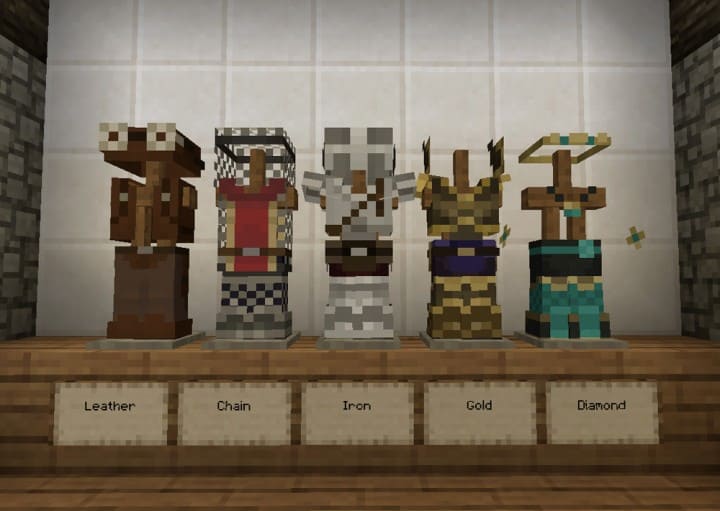
One of the thing I like about this pack is the armors re-textures.
delilah
it won’t show up. doesn’t give me any pop ups to fix it either. using optifine 1.16.4 as required.
delilah
invisible item frame is also not working. pretty frustrating
nev
where can i get 1.16.4 cit pack? sorry if it’s unrelated. i’m just having trouble looking for it
term
hi! i downloaded the 1.17.1 texture pack and when i try to load it in it says “resource texture failed” but when i go on other versions it loads perfectly fine?
Liz
Hi! I’m having issues with the tops of my grass blocks and water sources being grey and flashing white. Occasionally whole chunks will be see through as well. It only happens when I have this resource pack enabled, and one other pack, which sucks because I really like this pack. I’ve tried uninstalling and redownloading the pack and optifine but it didn’t work. Any suggestions would be greatly appreciated <3
Nat
Does it work for bedrock??
joe
does the java edition wrok for macOS?
hana
yes
Tanuki Hopkins
For some reason, my friends can see the different dog and villager textures, but I can’t. How do I fix this?
AustralianNavy01
it changes the skin in game is there a way to stop this?
Ella
How do you download it for Pocket Edition? I can’t figure it out :(
Admin
Pick Bedrock Edition in the links section.
Ana
Go to market place and buy it. Downloading from a different source makes bugs and glitches