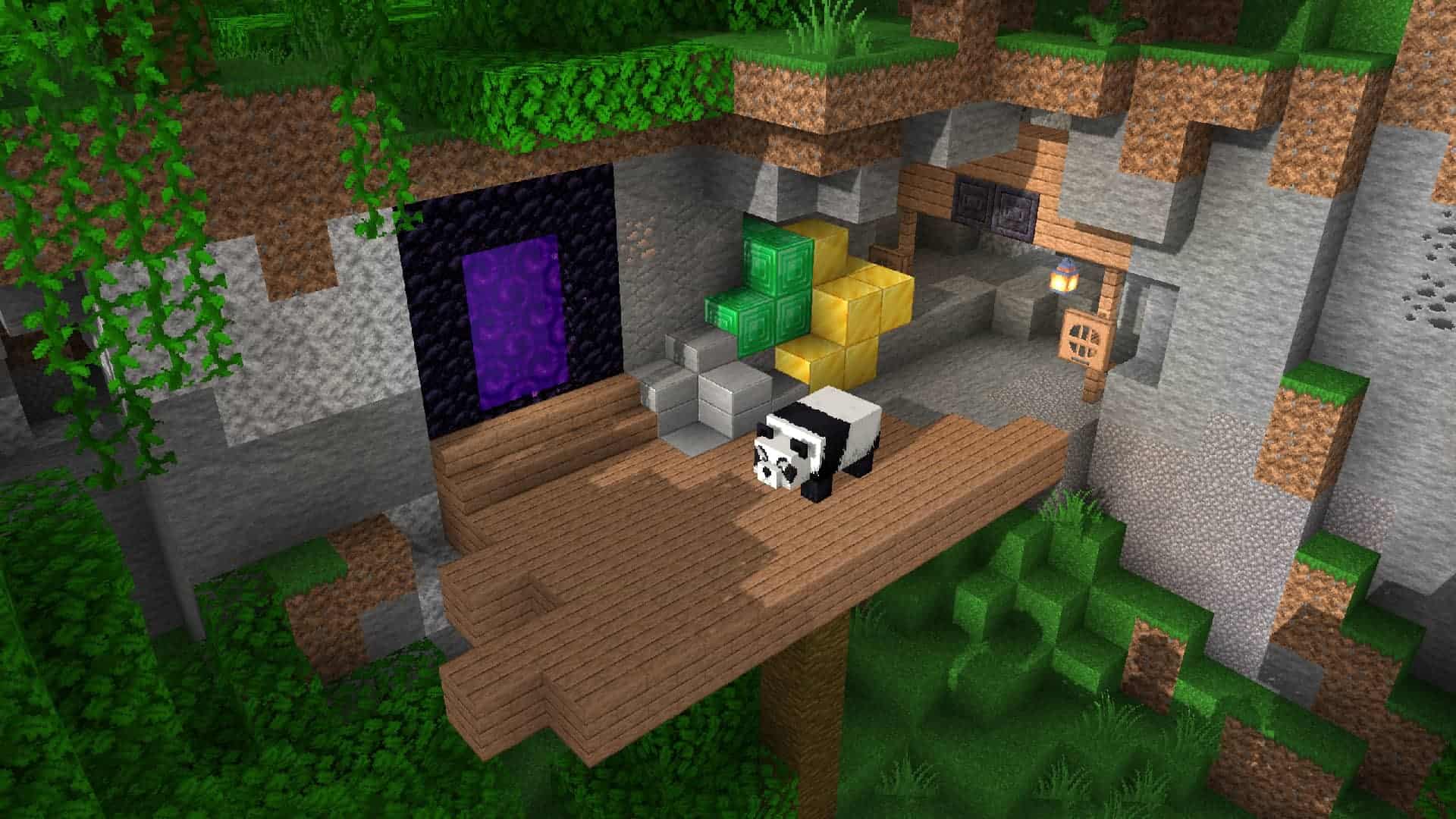
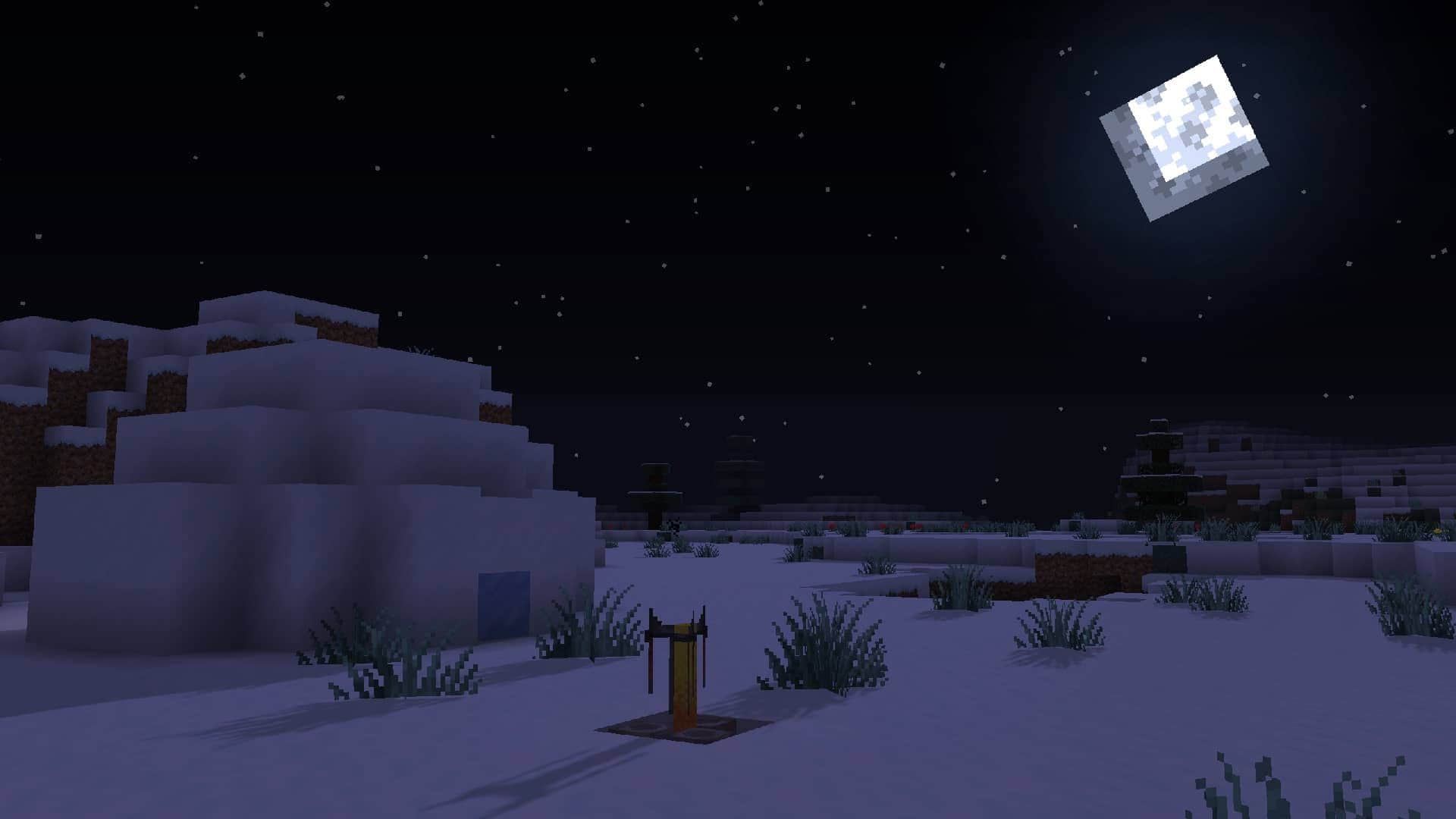
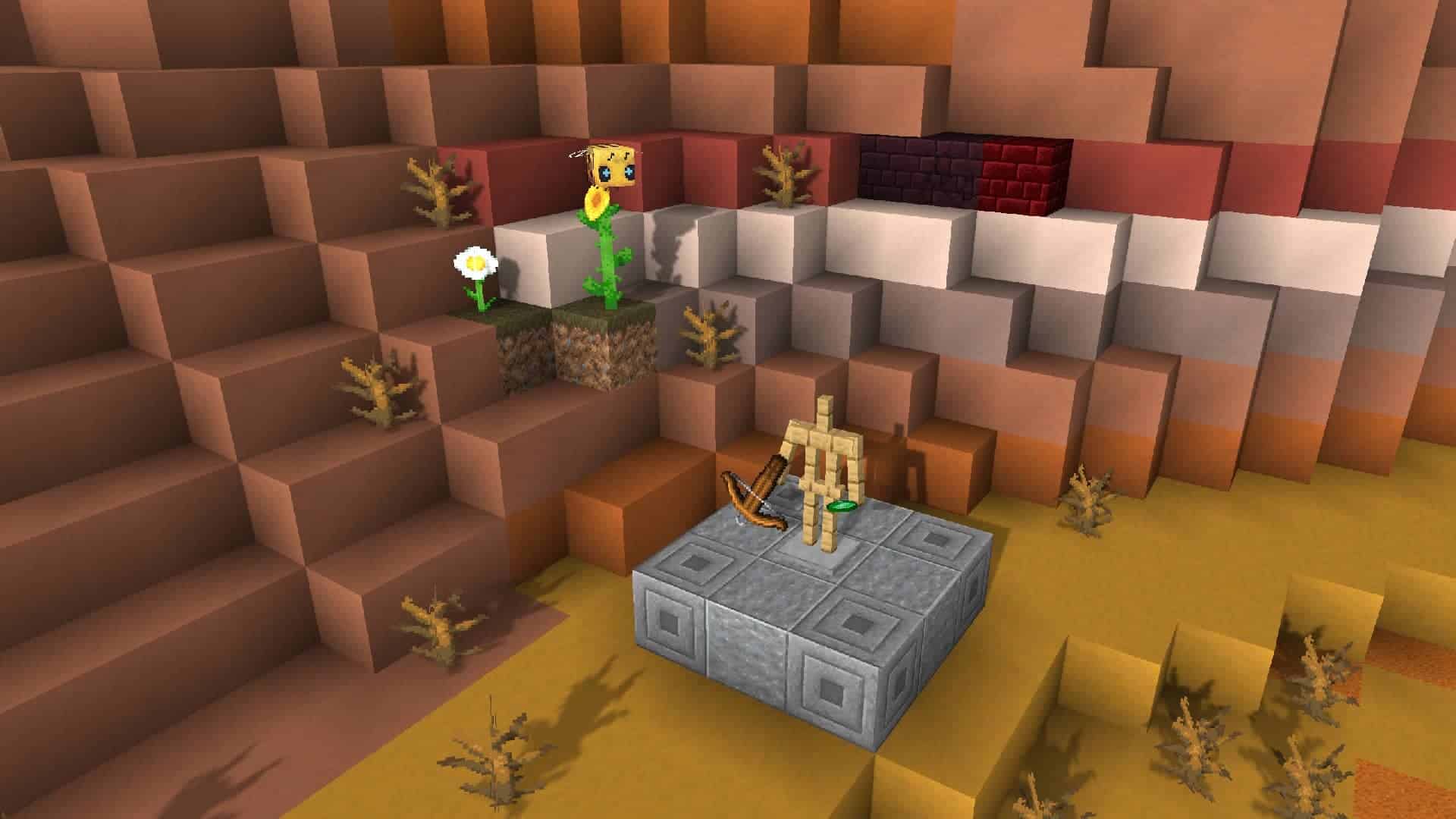
While Minecraft’s graphic compart isn’t exactly the selling point of the title, with its cubic look, it isn’t bad by any means. Most players enjoy the well-defined artstyle of the title, which at this point has become iconic. All they ask for is for the overall design of the game to be a little more detailed. This is where the Faithful resources pack comes into play. The Faithful 32×32 resources pack will improve the resolution of everything that is in the game, including blocks, enemies, and pieces of equipment. You will notice these improvements as soon as you install the resource pack, just start the game and start looking around. Faithful 32×32 pack only improves what’s already in the game, and tries to keep the artstyle and the feeling of the game world intact.
Featured video:
The pack is simply an improvement in the quality of the already existing textures and shapes of the elements in the game, so do not expect any big change or difference with the base game. It focuses on bringing higher resolution textures, and brighter colors, and although it also changes the lighting and the shadows in the game, there are more specific mods to improve the shadows and the lighting of the game. Look into shader mods if that’s what you are looking for. All the Faithful 32x pack does is making the game look nicer. It is not a mod, and as such, it does not introduce any new element of gameplay to the base game. All the mods you are currently running should still work fine after installing this set of textures. The author of the pack maintains a list of which mods are compatible with the pack, and which ones aren’t. Keep an eye on the list to make sure the resource pack is completely compatible with the mods you have currently installed.
Faithful 32x should be compatible with all of these Minecraft versions: 1.21.11 - 1.21.10 - 1.21.8 - 1.21.7 - 1.21.6 - 1.21.5 - 1.21.4 - 1.21.3 - 1.21.2 - 1.21.1 - 1.21 - 1.20.6 - 1.20.5 - 1.20.4 - 1.20.3 - 1.20.2 - 1.20.1 - 1.20 - 1.19.4 - 1.19.3 - 1.19.2 - 1.19.1 - 1.19 - 1.18.2 - 1.18.1 - 1.18 - 1.17.1 - 1.17 - 1.16.5 - 1.16.4 - 1.16.3 - 1.16.2 - 1.16.1 - 1.16 - 1.15.2 - 1.15.1 - 1.15 - 1.14.4 - 1.14.3 - 1.14.2 - 1.14 - 1.13.2 - 1.13.1 - 1.13 - 1.12.2 - 1.12 - 1.11.2 - 1.11 - 1.10.2 - 1.10 - 1.9.4 - 1.9 - 1.8.9 - 1.8.8 - 1.8.1 - 1.8.6 - 1.8 - 1.7.10 - 1.7.9 - 1.7.4 - 1.7 - 1.6.4 - 1.6.2 - Bedrock Edition - PE
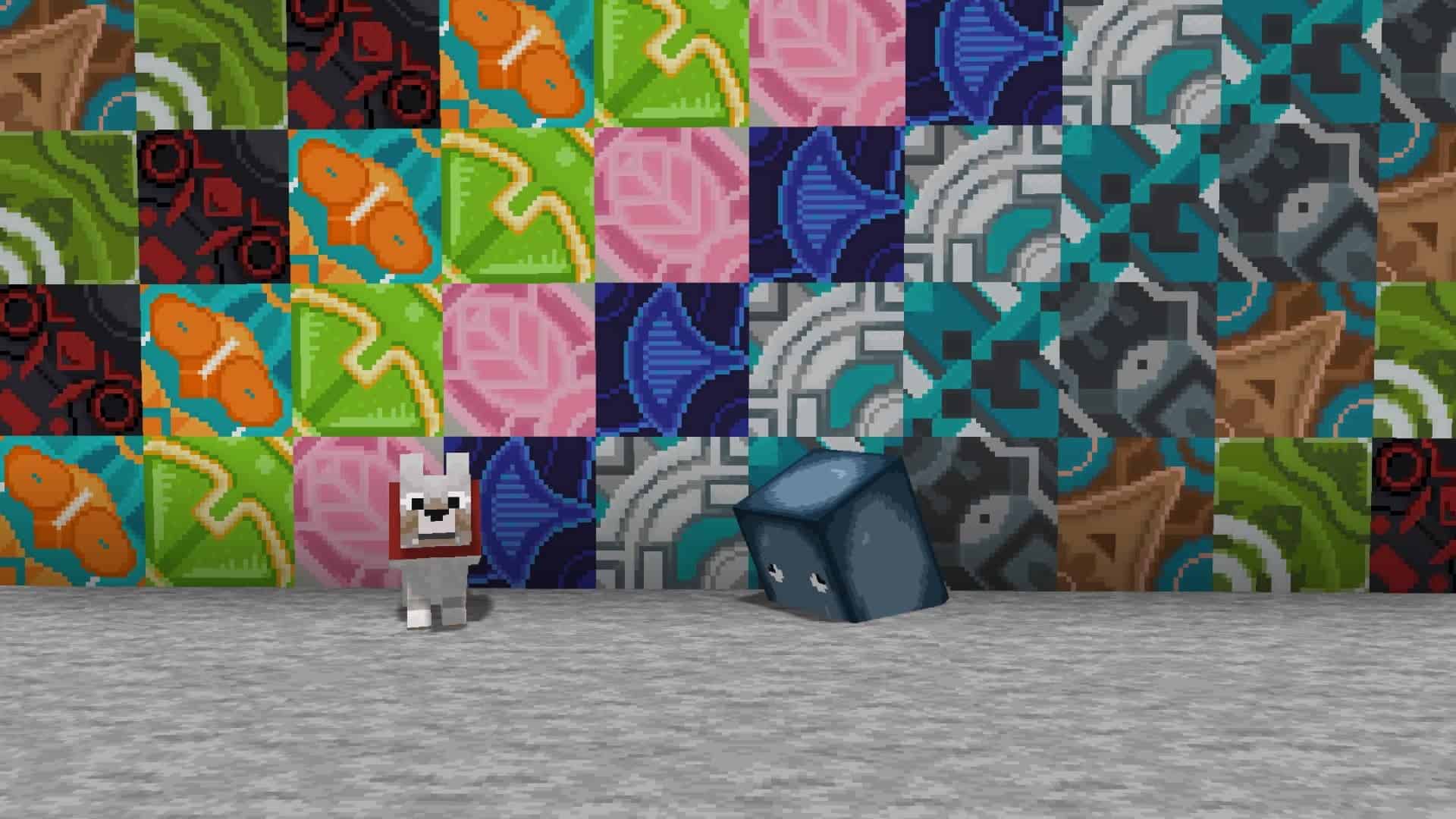
Faithful 32x — Video & Screenshots
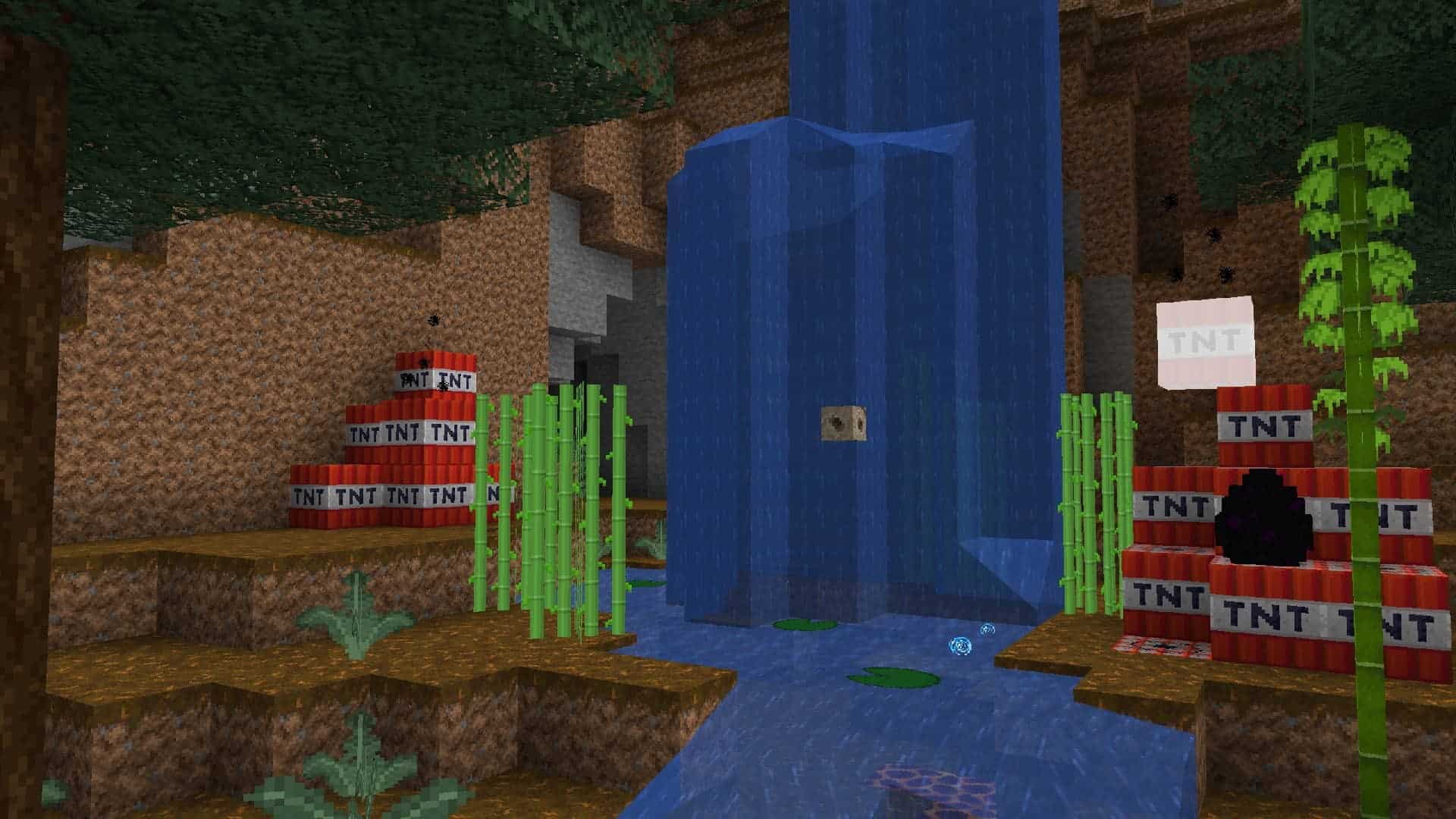
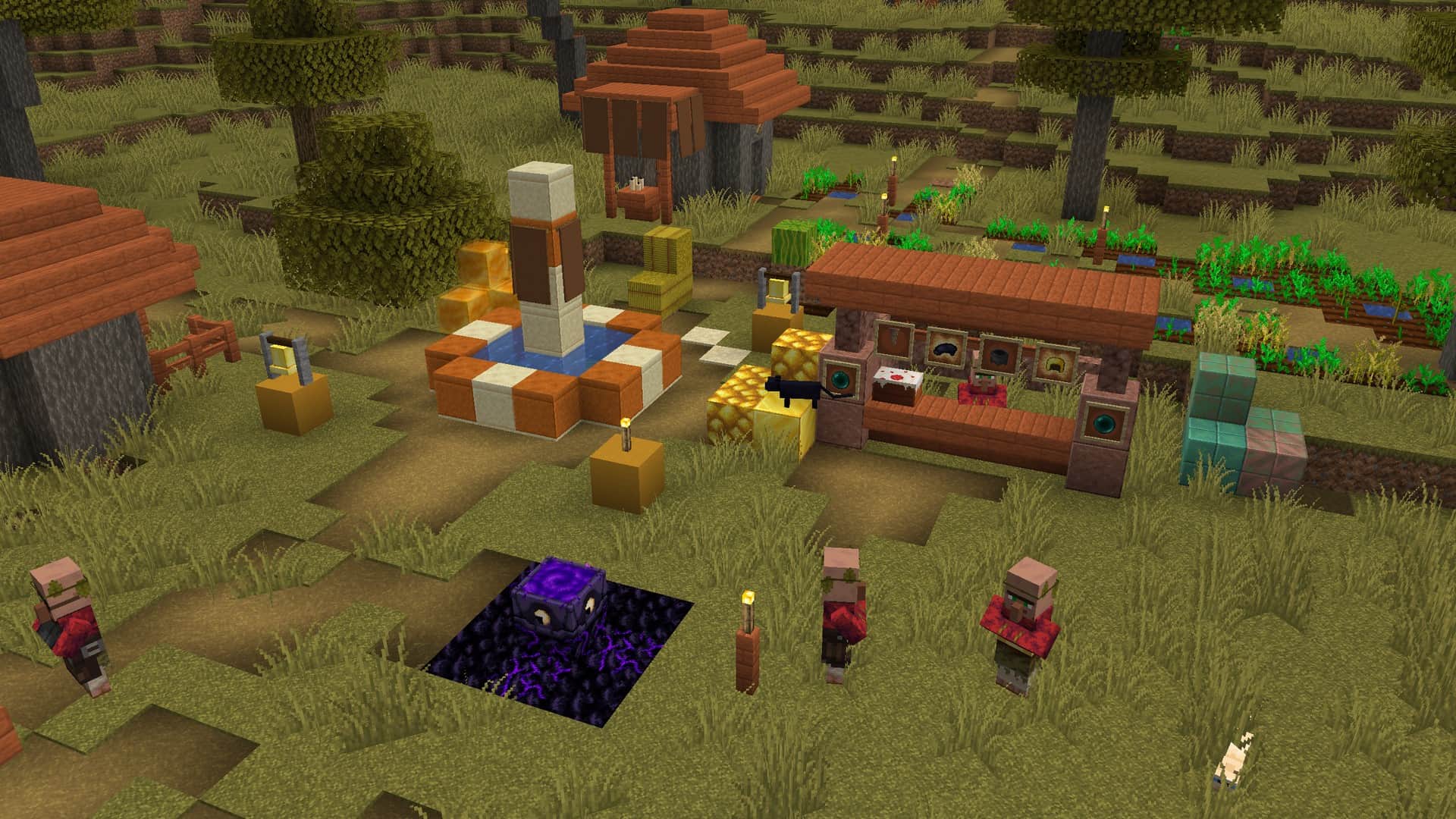

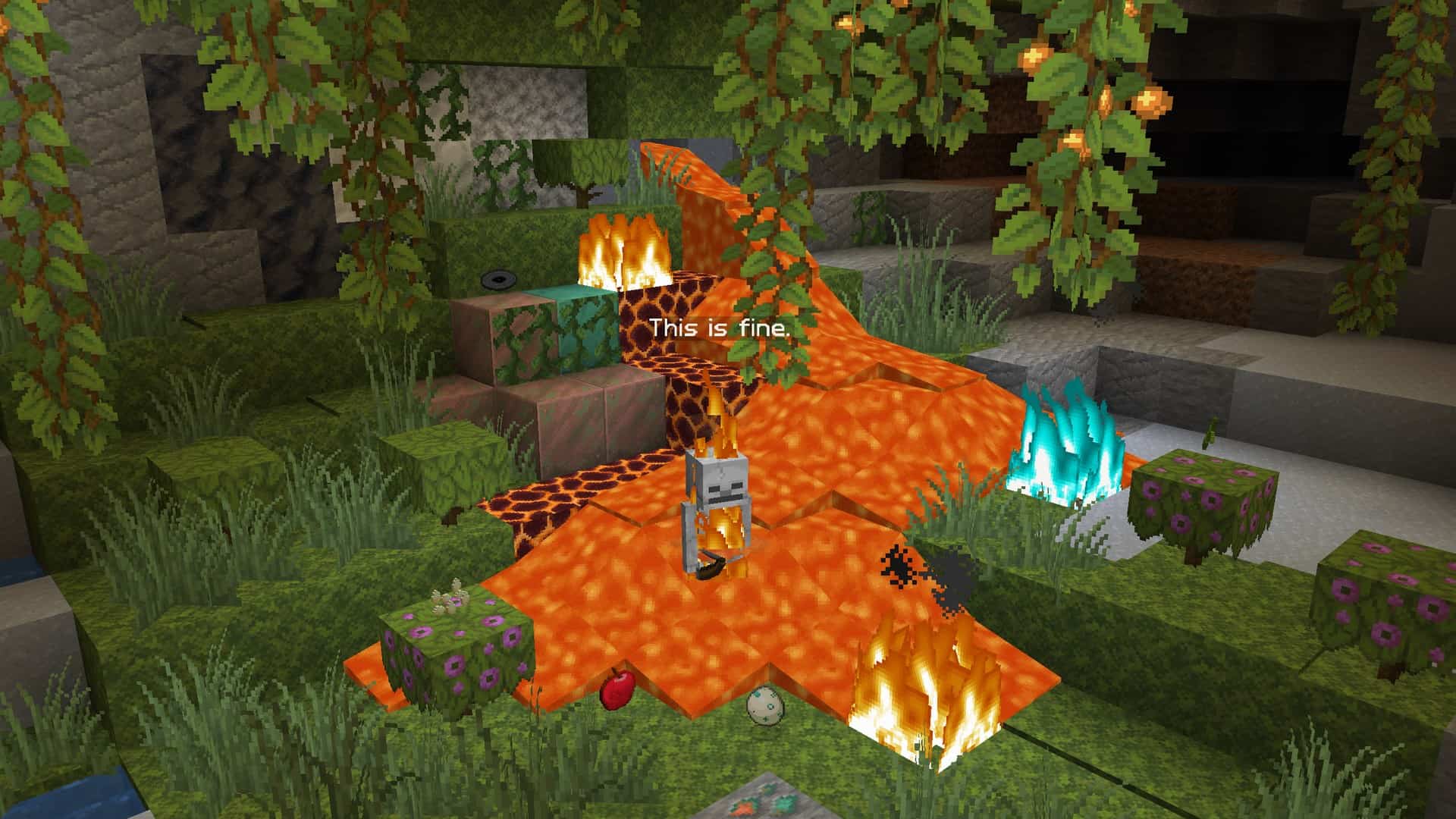
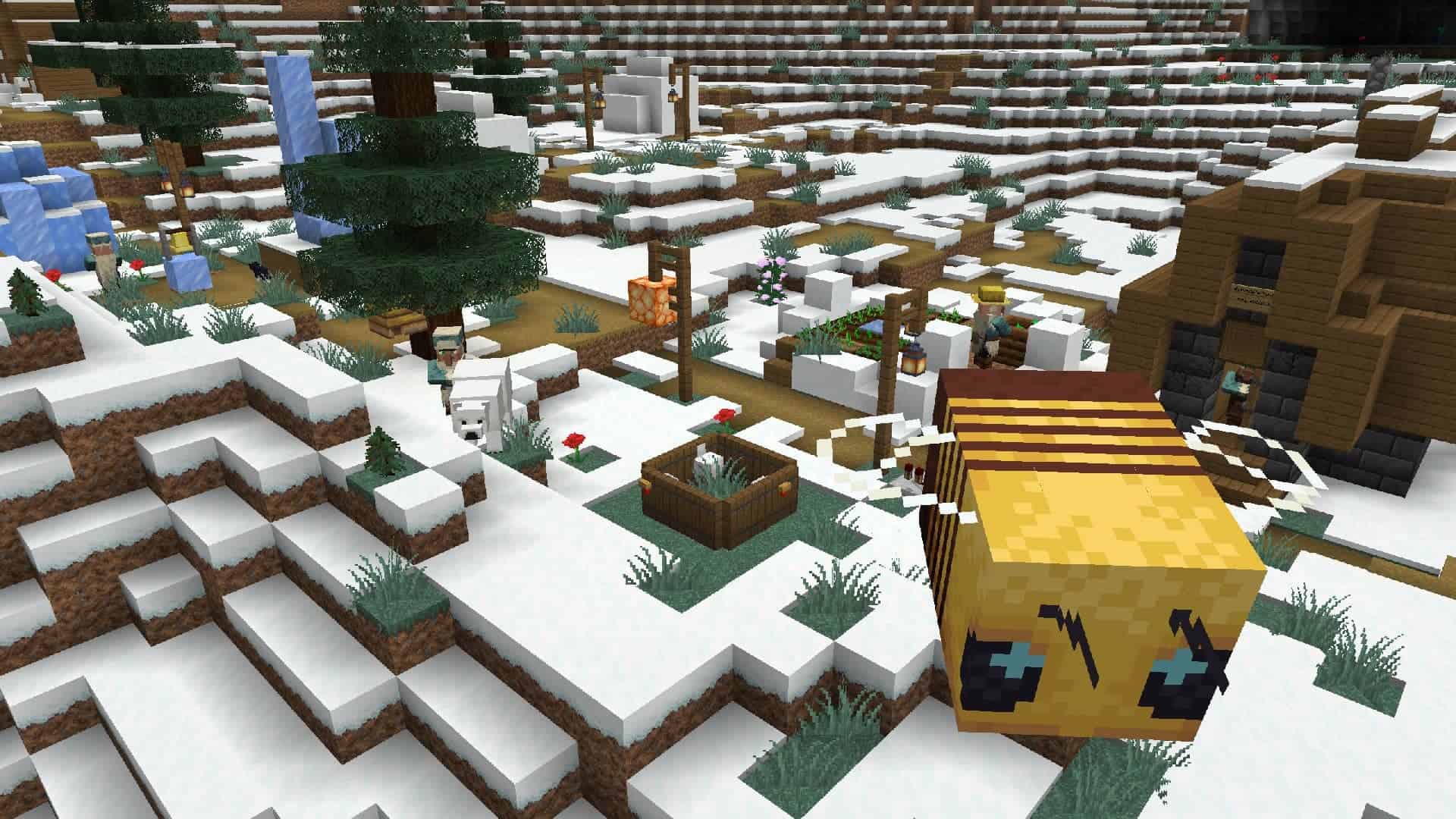
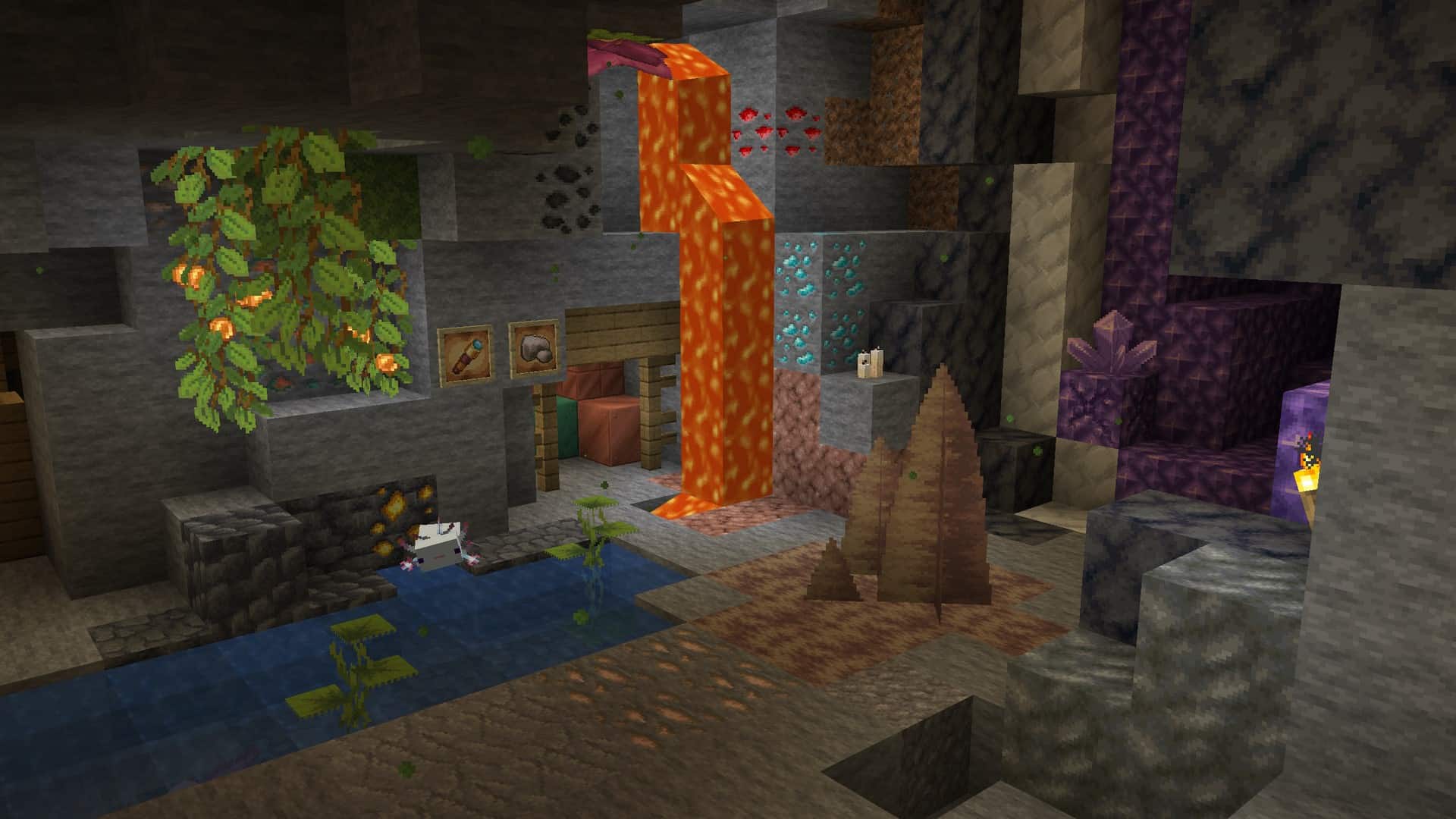
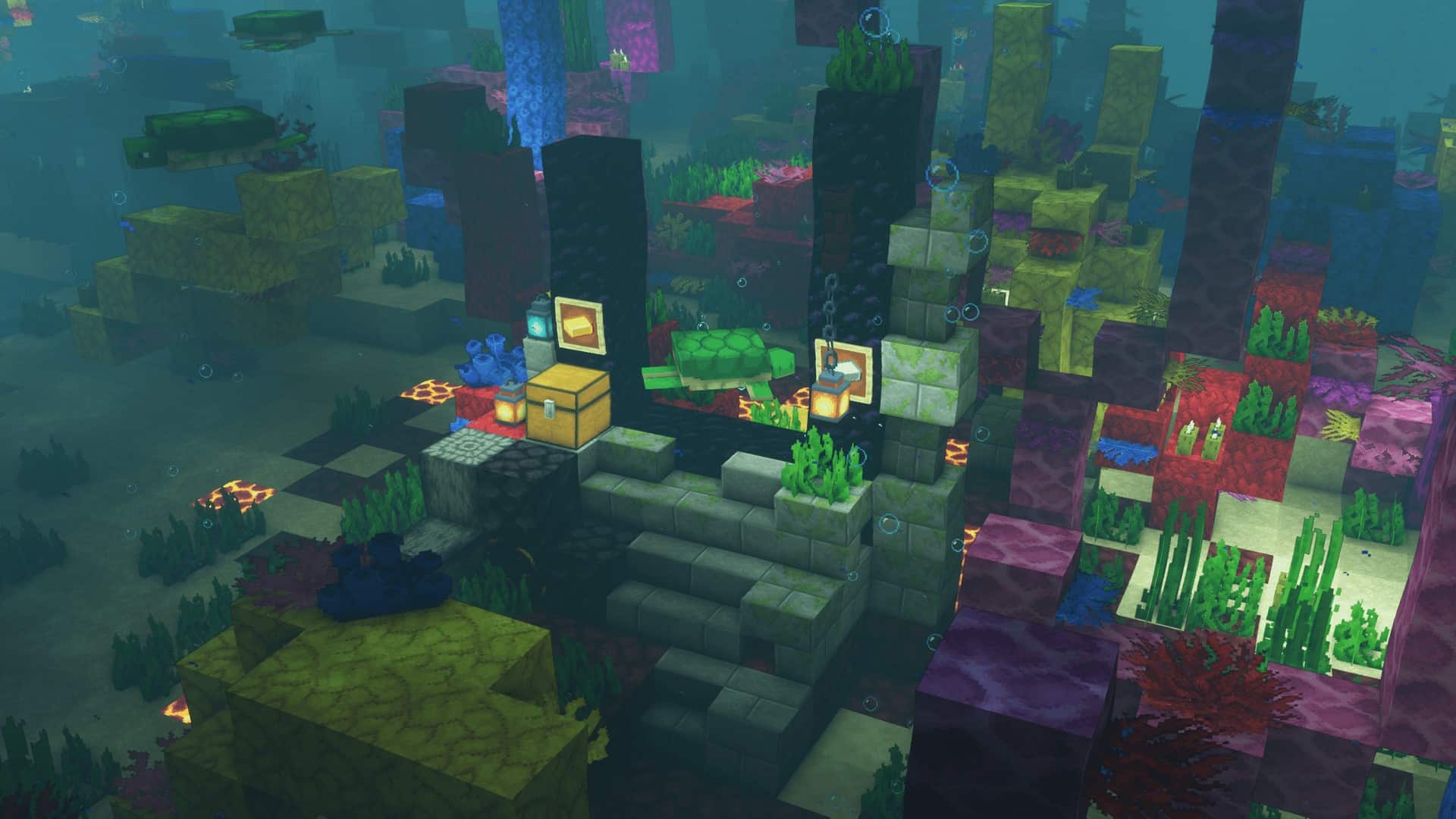
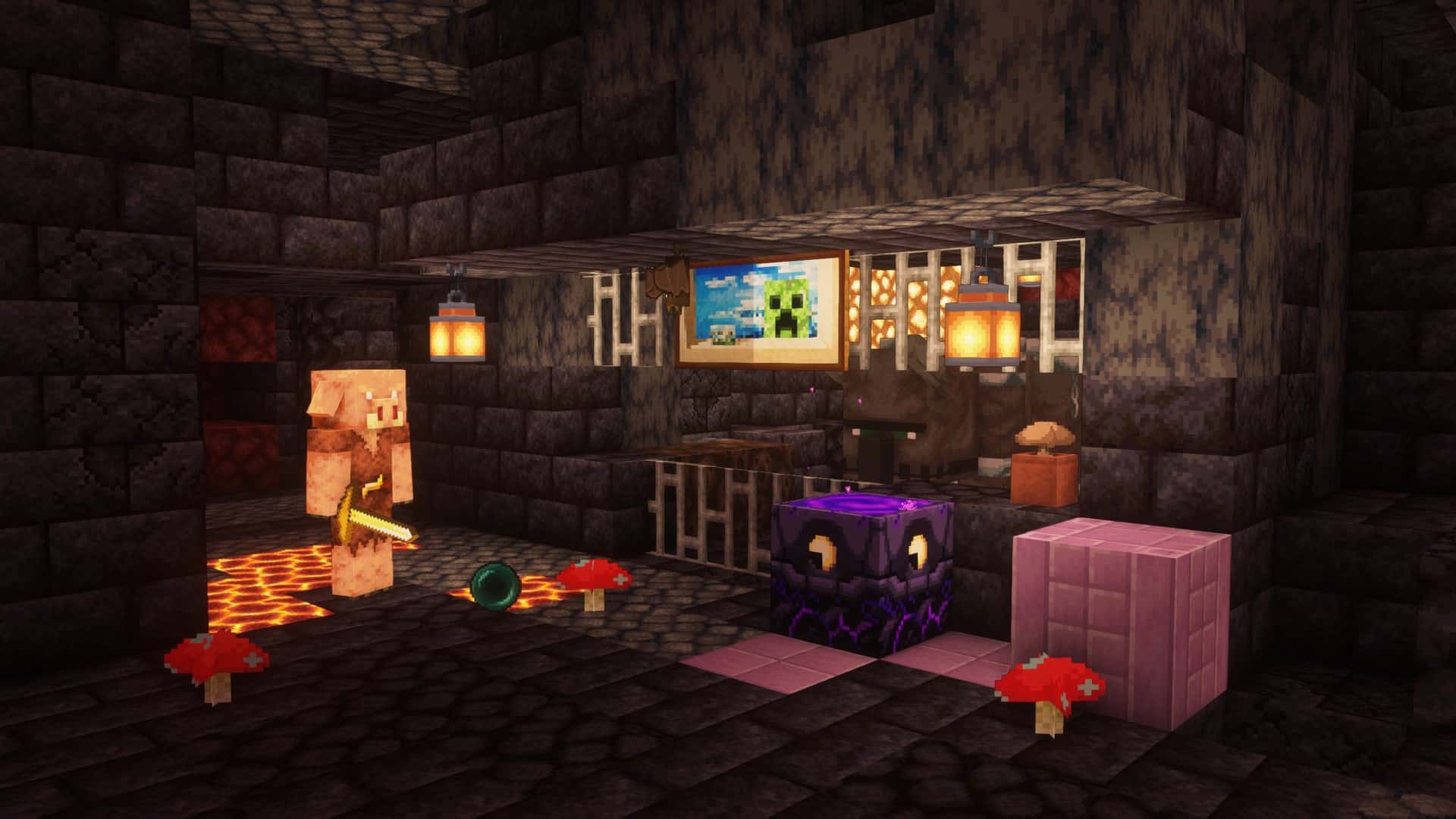
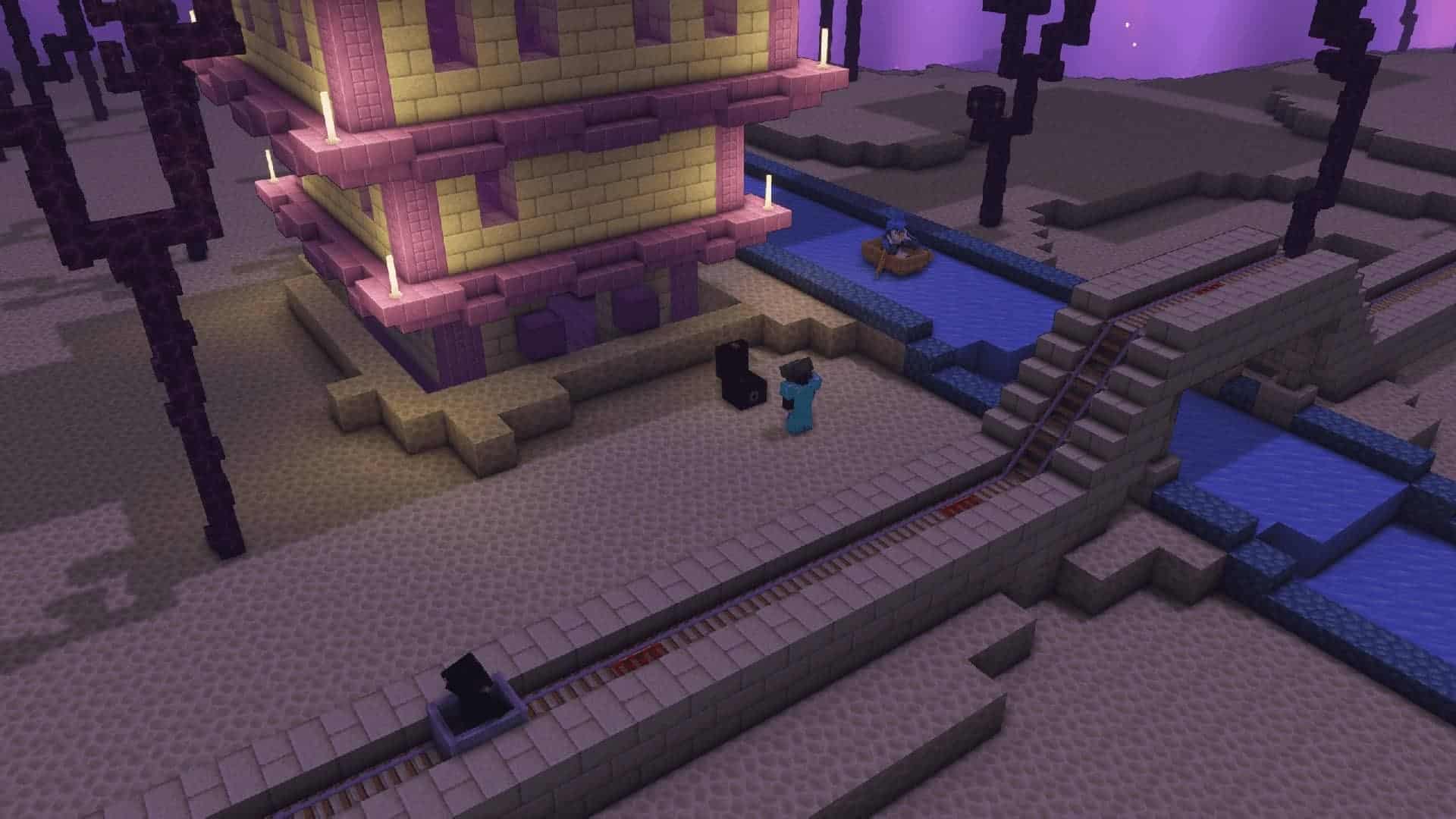

How to install Faithful 32x Resource Pack:
- Most resource packs require Optifine, so be sure to download and install it. – general recommended step for all packs, Optifine is also needed for most shaders
- Download the Faithful 32x texture pack for Minecraft from the download section below. – if there are many different versions, just choose the one you like, is compatible with your version/edition of Minecraft, the one you think your computer can handle in terms of performance.
- Launch the game client through the Minecraft launcher.
- On the main menu, click "Options".
- On the options menu, click "Resource Packs...".
- Click on "Open Resource Pack Folder". – folder titled "resourcepacks" will pop up
- Move the .zip file you downloaded in the first step to the newly opened "resourcepacks" folder.
- Click "Done".
- Click on "Resource Packs..." again.
- Your pack should have appeared in the left window, just hover over it and click on the arrow pointing to the right.
QUICK TIP: Sometimes, when activating a pack, the game may say that the pack is made for a newer or older version of Minecraft. This is just a warning, it does not affect your gameplay in anyway, and you can still activate and enjoy the pack by simply clicking the "Yes" button when prompted.
- Click "Done" again.
- The pack has now been successfully loaded and ready to be used in your world!
Faithful 32x - Comparison Slider #1 Without shaders
Comparison slider #1 for those who want to compare vanilla Minecraft without any texture packs installed (on the left) with Minecraft using this particular texture pack (on the right).
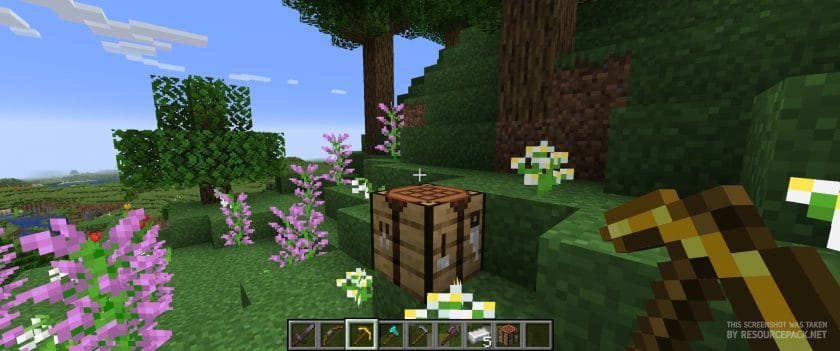 Vanilla
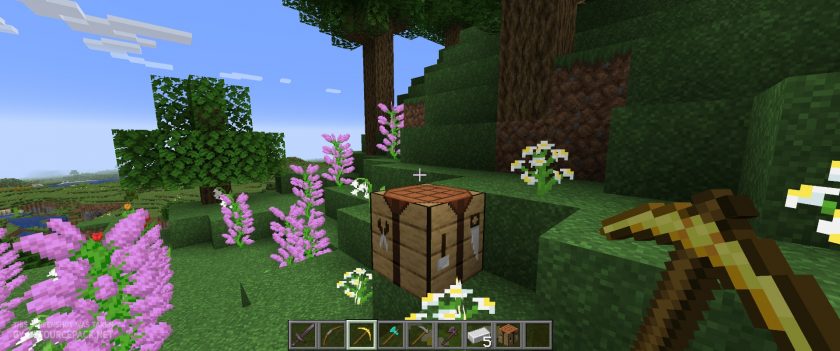 Faithful 32x
Faithful 32x - Comparison Slider #2 With Complementary Shaders
Comparison slider #2 for those who want to compare vanilla Minecraft without any texture packs installed (on the left) with Minecraft using this particular texture pack (on the right).
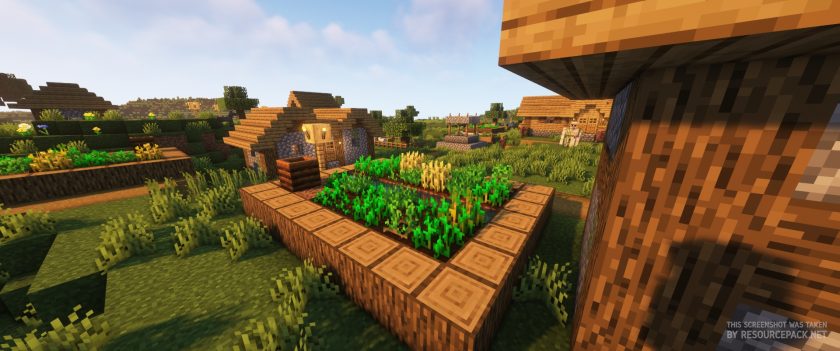 Vanilla (Complementary Shaders)
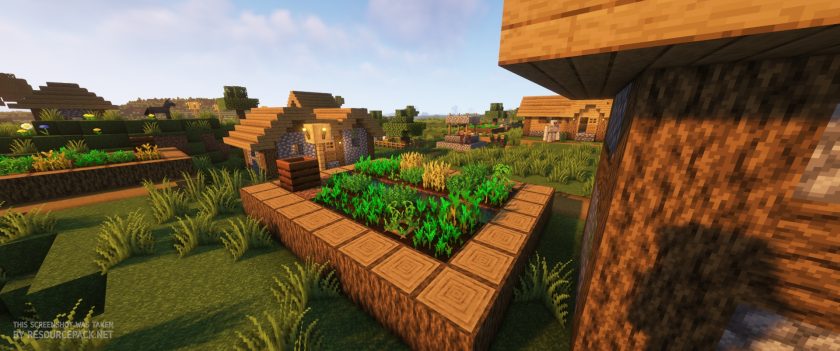 Faithful 32x (Complementary Shaders)
Faithful 32x Texture Pack Download
- We do not modify or edit any resource packs. All resource packs, shaders and tools found on this website are linked directly to official sources rather than hosted on our own servers. We provide only the official download links from the original creators to ensure that your files are safe and secure.
- These official links are updated manually and may occasionally stop working when a new version is released. We work hard to keep everything current so that you have a smooth experience. Please let us know in the comments if you find a link that no longer works.
- Minecraft is a trademark of Mojang Studios and has no official connection to this website. Our goal is simply to share the best creations from the community with other players.
- Please consider leaving a comment or voting for your favorite packs. This feedback helps authors improve their projects over time. You can also support the creators directly by visiting the official links located below the download section.
Bedrock Edition:
[32x] [1.21.x] Download Faithful 32x Bedrock Edition Resource Pack
[32x] [1.20.x] Download Faithful 32x Bedrock Edition Resource Pack
[32x] [1.19.x] Download Faithful 32x Bedrock Edition Resource Pack
[32x] [1.18.x] Download Faithful 32x Bedrock Edition Resource Pack
[32x] [1.17.x] Download Faithful 32x Bedrock Edition Resource Pack
Java Edition:
[32x] [1.21.x] Download Faithful 32×32 Resource Pack
[32x] [1.20.6 – 1.20.2] Download Faithful 32×32 Resource Pack
[32x] [1.20.1 – 1.20] Download Faithful 32×32 Resource Pack
[32x] [1.19.x] Download Faithful 32×32 Resource Pack
[32x] [1.18.x] Download Faithful 32×32 Resource Pack
[32x] [1.17.x] Download Faithful 32×32 Resource Pack
[32x] [1.16.x] Download Faithful 32×32 Resource Pack
[32x] [1.15.x] Download Faithful 32×32 Resource Pack
[32x] [1.14.x] Download Faithful 32×32 Resource Pack
[32x] [1.13.x] Download Faithful 32×32 Resource Pack
[32x] [1.12.x] Download Faithful 32×32 Resource Pack
[32x] [1.11.x] Download Faithful 32×32 Resource Pack
[32x] [1.10.x] Download Faithful 32×32 Resource Pack
[32x] [1.9.x] Download Faithful 32×32 Resource Pack
[32x] [1.8.x] Download Faithful 32×32 Resource Pack
[32x] [1.7.x] Download Faithful 32×32 Resource Pack
[32x] [1.6.x] Download Faithful 32×32 Resource Pack
[32x] [1.5.x] Download Faithful 32×32 Resource Pack
[32x] [1.4.x] Download Faithful 32×32 Resource Pack
[32x] [1.3.x] Download Faithful 32×32 Resource Pack
Curseforge: download starts automatically after a few seconds;
Mediafire: click the big blue button with the text "DOWNLOAD";
Google Drive: in the top right corner you will see a small download icon (down arrow), click it and the download should start;

6,178 votes
Look.. 6178 users have already liked this pack. Give a diamond if you like it too!


StormRage
I have tried a lot of resource packs, but this one is the best, at least for me and i use it all the time.
You are doing a fantastic job, please don’t stop!
Recalibration04
Something very strange is happening with the banner on my shield. It shows up as black, but when I turn the pack off it shows normally. Is there something I’m doing wrong or can you please fix this?
Flowers3907
Hello, i was playing with this pack on and the only texture i saw was missing was the grass path, i took a shovel and clicked on the grass and it was the default grass, i was gonna use it but now i cant, could you guys fix this. Thanks!
HI-KEN
Hey! man can you make faithful texture pack like of minecraft 1.15.2 version
idkwhattoputhere
download 1.15.x
MrKabanosPL
Good 10/10
G3marchi
combine this with optifine, and SEUS shaders and you’ve got something awesome!
purple
ah yes, the laggiest thing ever possible. magnificent!
This_Gust
This is an awesome texture pack but it still has it’s flaws such as the banner design glitches when put on a shield. I like decorating my shield and it would be awesome to see further improvements from this pack, all in all, it is still a very well made texture pack!
Bihpito
My only complaint with this resource pack is the 1.16 update has some models that are messed up. for example, flower pots. But all in all, this is a fantastic resource pack!
simpgamer
Me: this looks cool!
my pc: PLEASE DON’T
WomboViper
Lag Spikes happen every now and then, but it does look cool and increases peformance by around 8%. Awesome PACK!
Lars
it has the netherite textures?
hey bababoy
yes
SilentHunterX
Faithful is my favorite resource pack as it simply refines Minecraft’s current resource packs but adds small satisfying kicks that truly glamourize the feel of elegance and balance.
Mintyz
A good texture pack but every word/number is a 0
Ethan
This is an amazing resource pack! but, the 1.16 one has broken models. The hoglin and piglin models are completely destroyed. Almost see though. Hopefully this gets fixed soon.
YEHHHHHHHHHHH BOI
you can dow
Boris Posavec
best default pack.
Henrik Boy2
Same here.
Wahyu
cool
KimBong Zhang
sounds cool
Mostafa Kamel Choas
m3l4 :'(
Farhan Faturachman
cool i can edit this
A random guy
yeah sure
Andre Zimmermann
this texture
pack has no LOW Fire :(
Op.
if it had low fire and low shield for 1.16 and higher it would be hands down the best texture pack
FrostyMug
All it would need then is to fix the banner-shield bug lol.
CaRaZy ZiCo
i need it for 1.11 :(
Remigijus Naucas
This is exactly what I need!
Horse
like a pack
TheMcGuys
Pretty pack. I love how they keep the default style.
mr begedissss
cool
Faithful 32 x 32
32 x 32
midothebest
32 x 32
Lostglitter7945
how did I do faithful 32×32