Minecraft has captivated millions of players around the world, and part of its appeal lies in its intentionally retro, blocky aesthetic. Unlike the ultra-realistic graphics that dominate most modern games, Minecraft leans into simplicity, offering a sandbox experience that’s both creative and nostalgic. However, over time, many players begin to feel that the visual experience becomes a bit too familiar. The vanilla textures, while iconic, can start to feel flat or uninspired. That’s when resource packs come into the picture, allowing players to personalize and revitalize their in-game visuals. Among the many available packs, a large number attempt to completely transform Minecraft’s visual identity, especially those that focus on realism or modern design. These hyper-detailed packs often strip away the original game’s personality in favor of glossy textures and sharp edges. For a long time, realistic and modern-themed packs dominated the scene, with very few options that stayed true to the classic Minecraft style. Fortunately, there are exceptions – resource packs that aim to enhance the game while preserving its unique charm. One standout in this category is the Default 3D resource pack, originally created by Know2Good. Rather than replacing the entire look and feel of the game, Default 3D elevates the standard textures by introducing 3D models. Every block and item retains its vanilla style, but now carries extra depth. This clever approach allows players to enjoy a more immersive experience without sacrificing Minecraft’s core identity. The pack keeps the resolution at 16x, ensuring that it still feels familiar, yet distinctly upgraded. Launched in 2014, the Default 3D pack was meticulously developed and maintained for several years. It quickly became a favorite among players who wanted to enhance their Minecraft visuals without straying too far from the default look. By adding depth and volume to previously flat textures, this pack makes even the smallest details – like items placed on tables or flowers look more tangible. It creates a stronger sense of presence in the world without making it unrecognizable.
Featured video:
Although Know2Good has not updated the pack since the release of Minecraft 1.16, the spirit of Default 3D lives on. Other creators have picked up the mantle and produced similar packs. One such example is the 3D Default resource pack by GeForceLegend, which mirrors the approach of Default 3D and continues to be updated for the latest Minecraft versions. For players using newer versions of the game, this is an excellent alternative that delivers the same visual improvements. Installing a 3D resource pack changes the way the game feels without breaking its aesthetic. Trees, workbenches, and even flowers appear more detailed and “full.” The first time you place a crafting table after installing the pack, you’ll notice how its components seem to rise from the surface, giving it a tangible, handcrafted quality. These small visual upgrades significantly enhance immersion, making Minecraft feel fresh again, even for seasoned players. It’s worth noting that 3D models require a bit more processing power than standard textures. Acknowledging this, Know2Good separated the Default 3D pack into three performance tiers: Low, Medium, and High. Each version adjusts the number and complexity of 3D elements to match your computer’s capabilities. Low is ideal for older or less powerful systems, Medium balances visuals and performance, and High delivers the complete experience for players with strong hardware. If your setup can handle it, the High version is certainly recommended, as it provides the full set of enhancements. For those who want to push the visuals even further, combining a 3D resource pack with shaders can be a game-changer. The added lighting and shading effects work beautifully alongside the enhanced models, creating an atmosphere that’s both magical and immersive. Together, they breathe new life into a world many players thought they already knew inside and out. In conclusion, if you’ve ever felt that something was missing from Minecraft’s default textures but didn’t want to abandon the classic look, the Default 3D pack or a modern equivalent like 3D Default is an ideal solution. It’s a subtle yet effective way to refresh your experience, perfect for fans who love the original game but crave a touch of depth and realism. Whether you’re building a castle, exploring a forest, or just placing a flower in a pot, everything feels just a little more alive.
Default 3D should be compatible with all of these Minecraft versions: 26.1.1 - 26.1 - 1.21.11 - 1.21.10 - 1.21.9 - 1.21.8 - 1.21.7 - 1.21.6 - 1.21.5 - 1.21.4 - 1.21.3 - 1.21.2 - 1.21.1 - 1.21 - 1.20.6 - 1.20.5 - 1.20.4 - 1.20.3 - 1.20.2 - 1.20.1 - 1.20 - 1.19.4 - 1.19.3 - 1.19.2 - 1.19.1 - 1.19 - 1.18.2 - 1.18.1 - 1.18 - 1.17.1 - 1.17 - 1.16.5 - 1.16.4 - 1.16.3 - 1.16.2 - 1.16.1 - 1.16 - 1.15.2 - 1.15.1 - 1.15 - 1.14.4 - 1.14.3 - 1.14.2 - 1.14 - 1.13.2 - 1.13.1 - 1.13 - 1.12.2 - 1.12 - 1.11.2 - 1.11 - 1.10.2 - 1.10 - 1.9.4 - 1.9 - 1.8.9 - 1.8.8 - 1.8.1 - 1.8.6 - 1.8 - 1.7.10 - 1.7.9 - 1.7.4 - 1.7
Default 3D — Screenshots
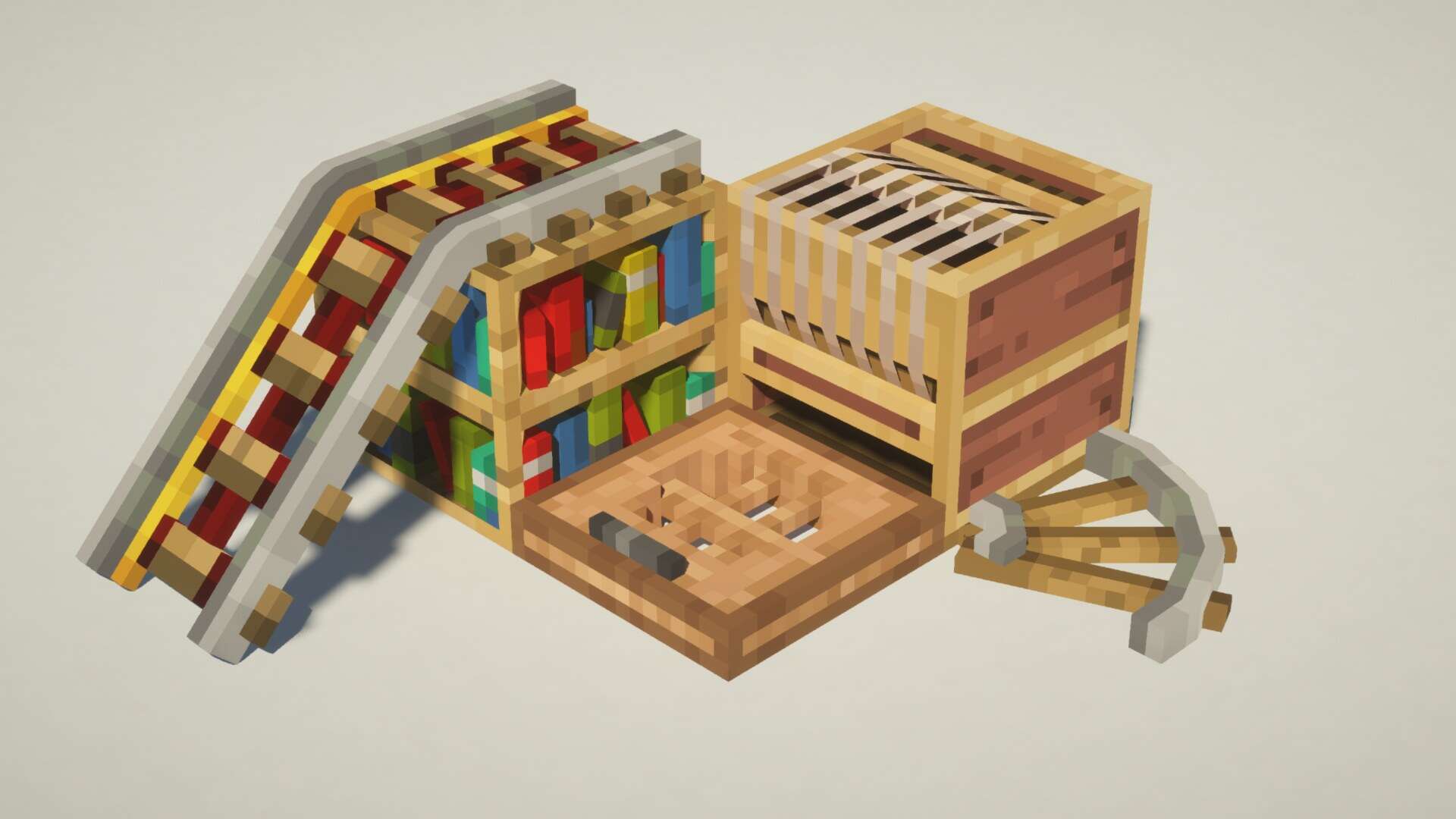
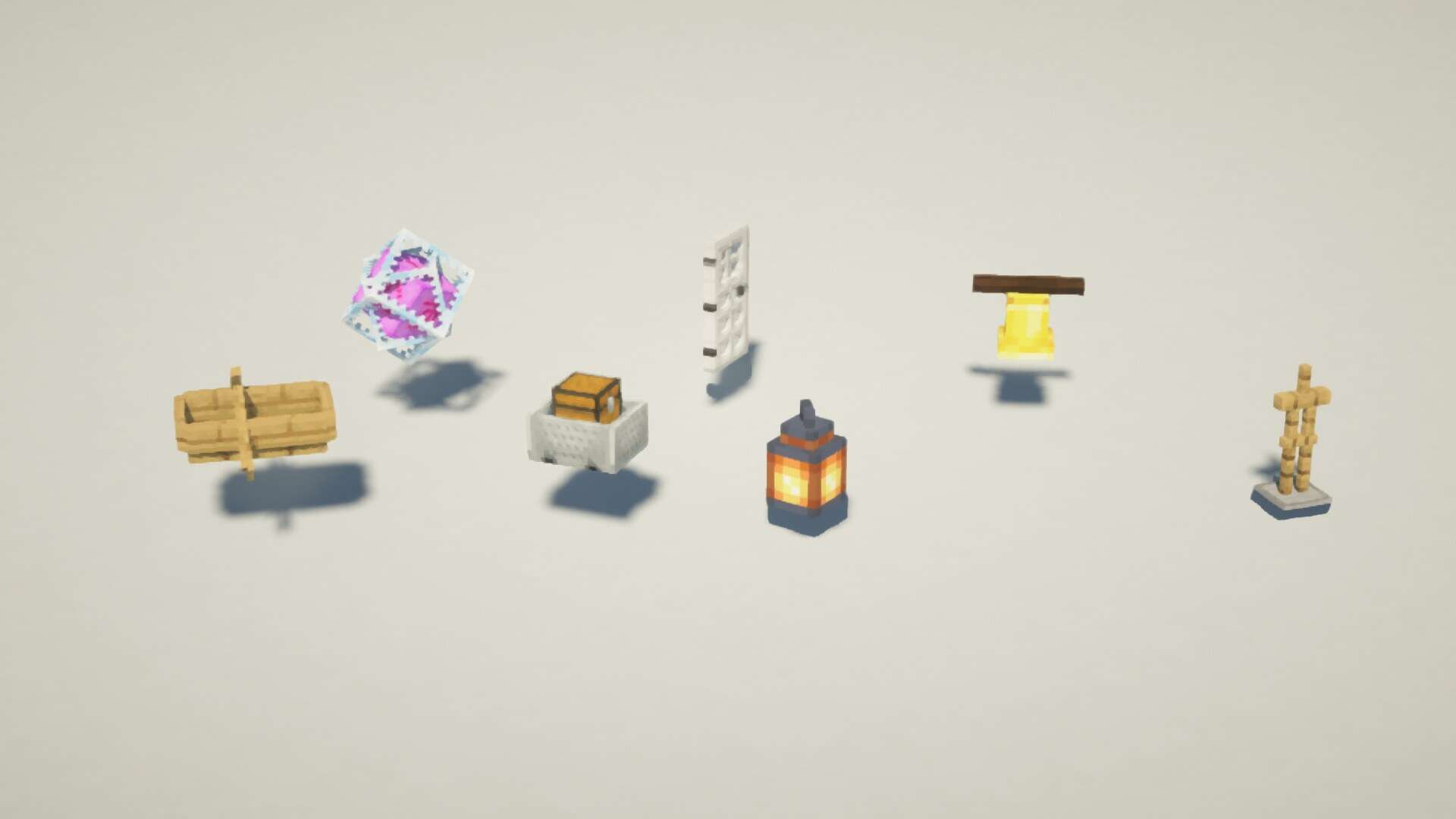
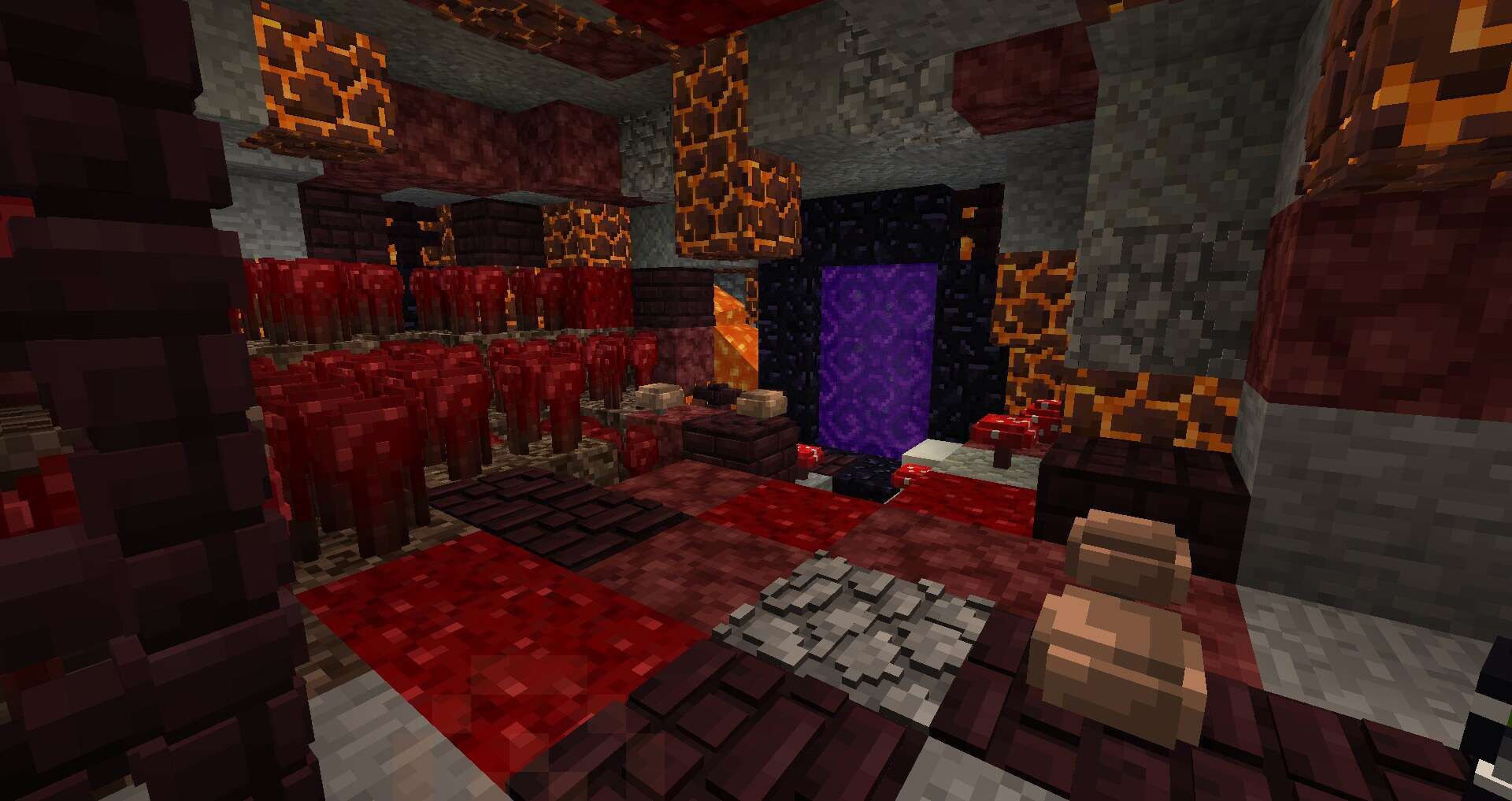


How to install Default 3D Resource Pack:
- Most resource packs require Optifine, so be sure to download and install it. – general recommended step for all packs, Optifine is also needed for most shaders
- Download the Default 3D texture pack for Minecraft from the download section below. – if there are many different versions, just choose the one you like, is compatible with your version/edition of Minecraft, the one you think your computer can handle in terms of performance.
- Launch the game client through the Minecraft launcher.
- On the main menu, click "Options".
- On the options menu, click "Resource Packs...".
- Click on "Open Resource Pack Folder". – folder titled "resourcepacks" will pop up
- Move the .zip file you downloaded in the first step to the newly opened "resourcepacks" folder.
- Click "Done".
- Click on "Resource Packs..." again.
- Your pack should have appeared in the left window, just hover over it and click on the arrow pointing to the right.
QUICK TIP: Sometimes, when activating a pack, the game may say that the pack is made for a newer or older version of Minecraft. This is just a warning, it does not affect your gameplay in anyway, and you can still activate and enjoy the pack by simply clicking the "Yes" button when prompted.
- Click "Done" again.
- The pack has now been successfully loaded and ready to be used in your world!
Default 3D: Low, Medium or High?
- Default 3D Low: As you probably guessed from the name, this version is intended for weak devices. This version is optimized and may not have some block models and some features, but it will most likely work on your device.
- Default 3D Medium: This is somewhere between Low and High, it contains everything that Hight contains, but some block models will have slightly less elements so as not to overload your device.
- Default 3D High: If you have decent hardware, this is the version you should play on. It has everything.
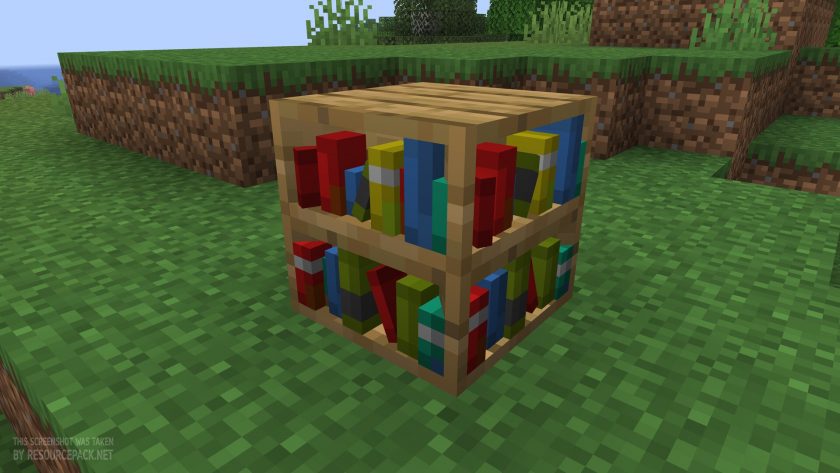
Default 3D - Comparison Slider #1 bookshelf
Comparison slider #1 for those who want to compare vanilla Minecraft without any texture packs installed (on the left) with Minecraft using this particular texture pack (on the right).
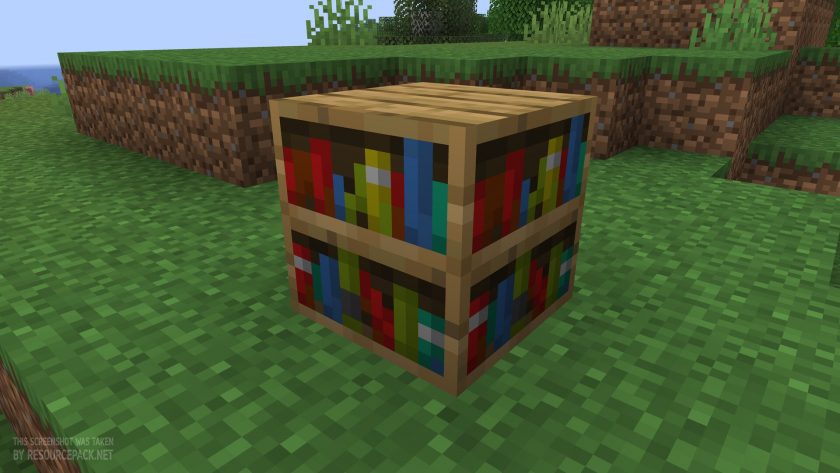 Vanilla
 3D Default
Default 3D - Comparison Slider #2 crafting table
Comparison slider #2 for those who want to compare vanilla Minecraft without any texture packs installed (on the left) with Minecraft using this particular texture pack (on the right).
 Vanilla
 3D Default
Default 3D Texture Pack Download
- We do not modify or edit any resource packs. All resource packs, shaders and tools found on this website are linked directly to official sources rather than hosted on our own servers. We provide only the official download links from the original creators to ensure that your files are safe and secure.
- These official links are updated manually and may occasionally stop working when a new version is released. We work hard to keep everything current so that you have a smooth experience. Please let us know in the comments if you find a link that no longer works.
- Minecraft is a trademark of Mojang Studios and has no official connection to this website. Our goal is simply to share the best creations from the community with other players.
- Please consider leaving a comment or voting for your favorite packs. This feedback helps authors improve their projects over time. You can also support the creators directly by visiting the official links located below the download section.
Java Edition (3D Default):
[16x] [26.1.x] Download 3D Default Resource Pack
[16x] [1.21.x – 1.21.2] Download 3D Default Resource Pack
[16x] [1.21.1 – 1.21] Download 3D Default Resource Pack
[16x] [1.20.x] Download 3D Default Resource Pack
[16x] [1.19.x] Download 3D Default Resource Pack
[16x] [1.18.x] Download 3D Default Resource Pack
[16x] [1.17.x] Download 3D Default Resource Pack
[16x] [1.16.x] Download 3D Default Resource Pack
[16x] [1.15.x] Download 3D Default Resource Pack
[16x] [1.14.x] Download 3D Default Resource Pack
Java Edition (Default 3D):
[16x] [1.14.x] Download Default 3D [Low] Resource Pack
[16x] [1.14.x] Download Default 3D [Medium] Resource Pack
[16x] [1.14.x] Download Default 3D [High] Resource Pack
[16x] [1.13.x] Download Default 3D [Low] Resource Pack
[16x] [1.13.x] Download Default 3D [Medium] Resource Pack
[16x] [1.13.x] Download Default 3D [High] Resource Pack
[16x] [1.12.x – 1.11.x] Download Default 3D [Low] Resource Pack
[16x] [1.12.x – 1.11.x] Download Default 3D [Medium] Resource Pack
[16x] [1.12.x – 1.11.x] Download Default 3D [High] Resource Pack
[16x] [1.10.x – 1.9.x] Download Default 3D [Low] Resource Pack
[16x] [1.10.x – 1.9.x] Download Default 3D [Medium] Resource Pack
[16x] [1.10.x – 1.9.x] Download Default 3D [High] Resource Pack
[16x] [1.8.x] Download Default 3D [Low] Resource Pack
[16x] [1.8.x] Download Default 3D [Medium] Resource Pack
[16x] [1.8.x] Download Default 3D [High] Resource Pack
Curseforge: download starts automatically after a few seconds;
Mediafire: click the big blue button with the text "DOWNLOAD";
Google Drive: in the top right corner you will see a small download icon (down arrow), click it and the download should start;

6,587 votes
Look.. 6587 users have already liked this pack. Give a diamond if you like it too!


somebody
so cool
Duck
for the 1.8 version some textures are glitched pls fix
kenna
1.20 PLEASE
WE NEED 1.18 VERSION
can you do 1.18 version PLEASE
nobody
Minecraft has been updated to 1.18………
Guess it
I like it but it will be more beautiful in 1.17 without change the skin of the axolotl (Its cute)
nobody
I love this package so much, but we’re definitely going to love version 1.17.1 even more!
Boop
Please make 1.17 update!
RedZyPlayz
Why Bedrock Players And Pocket Edition Can’t Have This Resource pack 😭😭
123
Because nvidia sent mojang too many money cases.
Pro_Chyrz
Hi whoever made this pack I say that this is great! But can you make a 3d pack for me because if i use any program to make a 3d model for minecraft, the angles of the sword is messed up. Thank you
TheNoob0303030
Hello, the texture is very beautiful, everything is fine but there are objects that are too ugly in my opinion, for example soups or cubes, I don’t know if they could remove some more things in low quality, for example something else that could be removed would be the crystals or the movement of the sheets since the texture is not that it runs too well, or also makes a very low quality with only the main tools and work tables,well also the stone bricks have a mistake because they look too big when you put it in the player’s hand, after all good, thanks
Bedrock Player
Why there’s no Bedrock Edition link??
Admin
Who says it’s Bedrock Edition compatible?
Bedrock Player
But I playing Bedrock Edition, Admin. There’s should be Bedrock Edition link!
Admin
Where do we get the link you are asking about if the author did not create the bedrock edition?
LHACK4142
When I try to use this with SEUS renewed, I get a whole bunch of errors, and everything looks monochrome. I encountered this problem the first time I used SEUS (without any other mods) and I fixed it by telling Windows to use my GTX 1650 with Minecraft.
If there is any way to fix this, I will be very grateful.
Minecraft Player
Jesus Christ I get like 7 FPS with this if you have shaders I would not recommend that you use this unless you have a beast of a GPU like a 2080ti or a 30 series
Kyle
the game kept freezing
Ty Mayfield
why it freezing every 3-5 secs while using high on latest verison?
Tristen
dont know if you still care but if you have shaders on as well its hard to run you need a good gpu if you dont run shaders and its still freezing your gpu is dookie
Dante
I download the texture pack some moths ago, but now they can errors when I download it, someone know what I need to do. (I’m of Chile, I don’t write in english very good)
Noob?
Nice! but we need netherite armor
Nate
The cobblestone walls have no texture on the medium version.
Jaiden
Can you update with 3d Textures for the Tall Flowers like Roses and Peony? It is still default.
DragoJaydenGamez
So Cool! The Coolest pack!
Jundullah
pc breathes like a dog (low)
Noob?
maybe ur pc is not good, mine works perfectly on medium how ever high is way too much lol
Steam7890
we need 3D textures for the netherite gear, etc.
Noob?
yes WE DO