While Minecraft is an ever-expansive and fun game to play in its original variant, a lot more can be added to it by installing mods and resource packs. One of the most effective and useful tools (mods) you can install – whether you want to keep the original flavor or add some uniqueness to your game – is the Optifine mod. Optifine is not a resource pack in itself. It does not change any textures in the game. It is, instead, a tool that allows you to adjust Minecraft to increase performance or visuals to your liking. For instance, it provides new settings in the menus that allow you to more freely adjust rendering distance and other factors that might affect how well your computer can run the game. It also allows you to use various resource packs with custom features. If you use HD resource packs and have seen major frame rate drops, see serious lag spikes in your system, or otherwise just need an FPS boost, Optifine HD will provide exactly what you are looking for.
Featured video:
Optifine can be used in both single player games and multiplayer servers. Be warned, though, Optifine HD only works in multiplayer games if the server’s host also has Optifine HD installed on the server. If this is not the case, Optifine will be disabled and you will not be able to use it. Another warning that comes with this is that some of the steps you can take to increase your frame rate will also make Minecraft less visually appealing to look at. You can disable clouds, the sky, stars, fog, and a number of other functions that make the game more visually appealing. All in all, Optifine HD is probably the best way to take more complete control of your Minecraft experience. You can adjust how textured and detailed everything is, from bare bones to top of the line graphics, based on what your personal computer can handle.
OptiFine should be compatible with all of these Minecraft versions: 1.21.11 - 1.21.10 - 1.21.9 - 1.21.8 - 1.21.7 - 1.21.6 - 1.21.5 - 1.21.4 - 1.21.3 - 1.21.2 - 1.21.1 - 1.21 - 1.20.6 - 1.20.5 - 1.20.4 - 1.20.3 - 1.20.2 - 1.20.1 - 1.20 - 1.19.4 - 1.19.3 - 1.19.2 - 1.19.1 - 1.19 - 1.18.2 - 1.18.1 - 1.18 - 1.17.1 - 1.17 - 1.16.4 - 1.16.3 - 1.16.2 - 1.16.1 - 1.16 - 1.15.2 - 1.15.1 - 1.15 - 1.14.4 - 1.14.3 - 1.14.2 - 1.14 - 1.13.2 - 1.13.1 - 1.13 - 1.12.2 - 1.12 - 1.11.2 - 1.11 - 1.10.2 - 1.10 - 1.9.4 - 1.9 - 1.8.9 - 1.8.8 - 1.8.1 - 1.8.6 - 1.8
How to install Optifine:
Guide last updated: 2022-07-22
Before we proceed with installing Optifine, you also need to have Java installed on your device in order to be able to run the Optifine installer. Java is available for Windows, Linux, Mac OS X, and Solaris. Get Java here.
Quick Java Installation Guide:
Click the image to open it full size in a new tab.
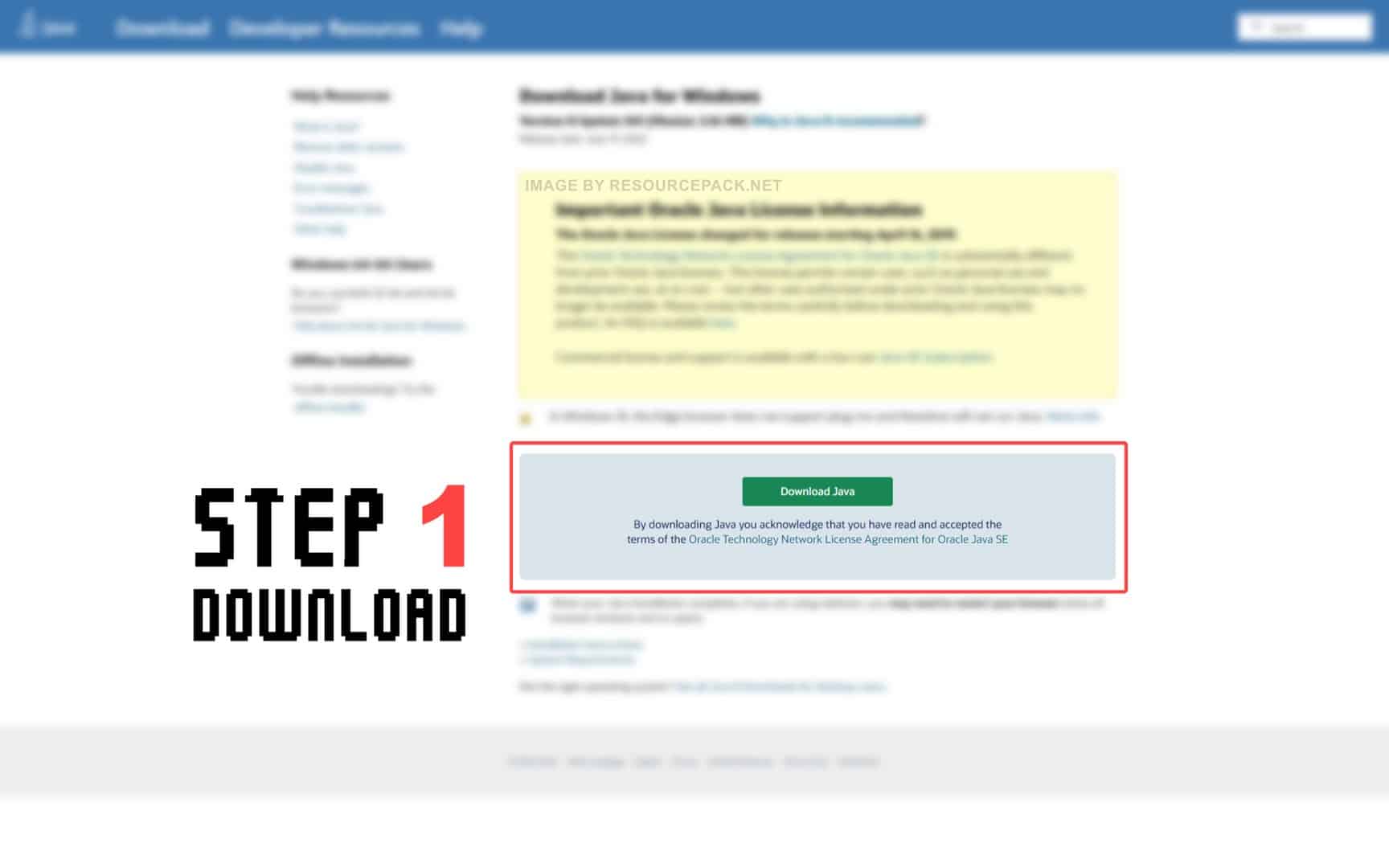
- Download Java from the official website here.
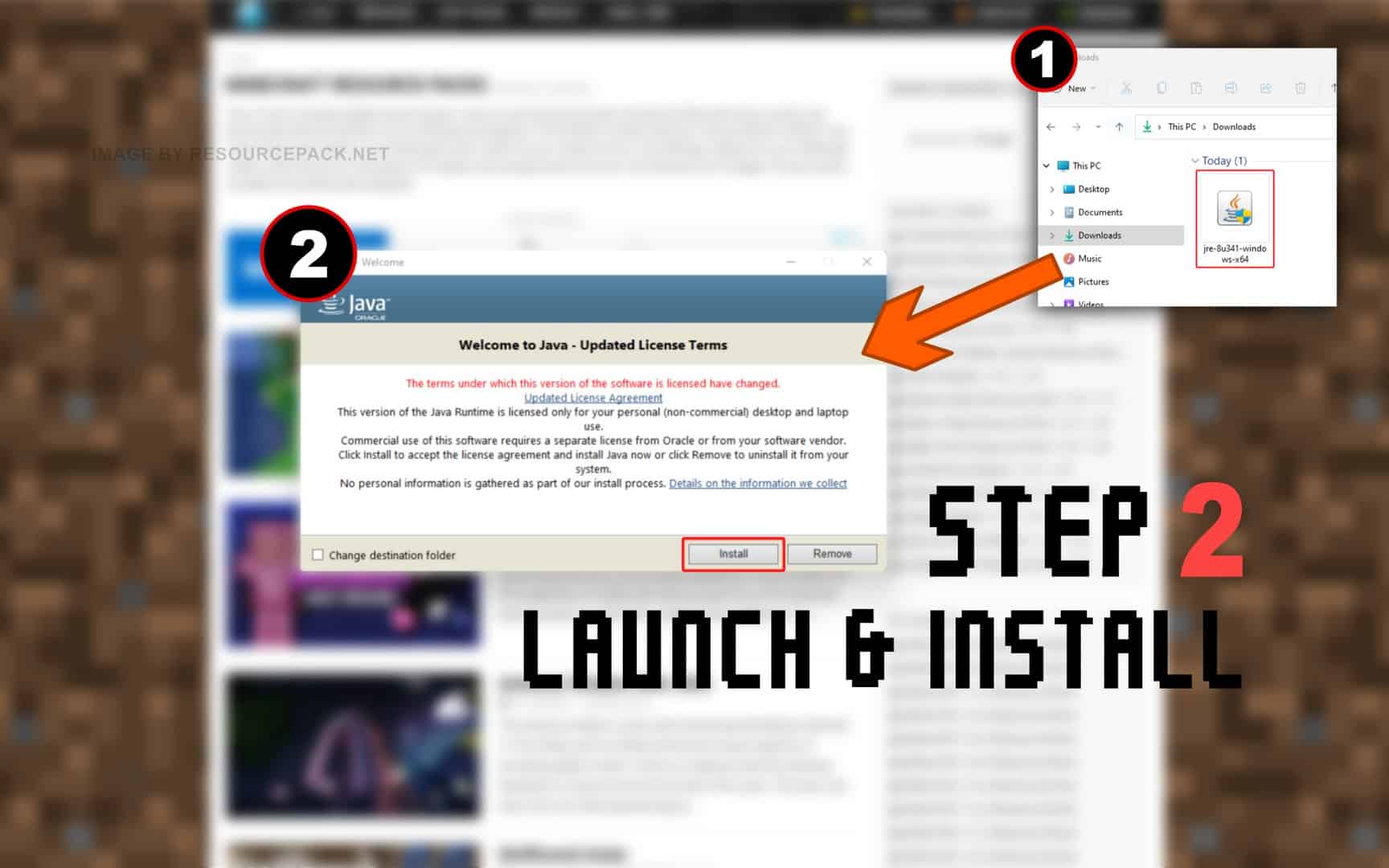
- Run the file you just downloaded and click Install.
NOTE: Optifine will only work with the Java Edition of Minecraft. Optifine does not currently work with Bedrock or any other edition.
And now.. OptiFine:
Please follow each step carefully if you have never installed OptiFine before.
- In the download section (located directly below this guide), you will find a link to the official Optifine website. Click on this link and you should be redirected to the developer’s official website.
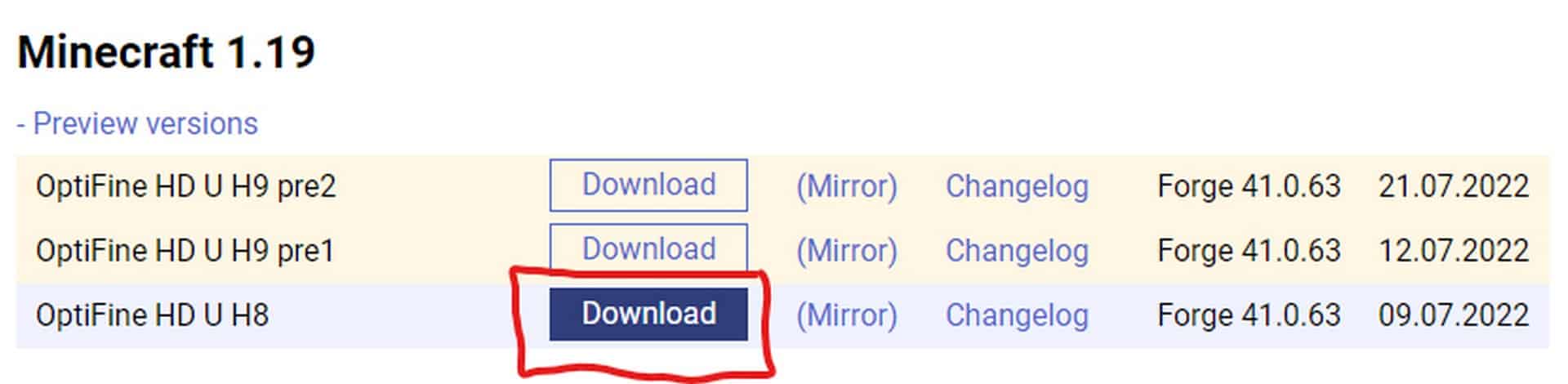
- On the optifine website, you will see many different labels. First make sure you find the correct “Minecraft Version Label”. If you’re playing Minecraft 1.18.2, look for the appropriate label, then simply select one of the versions of Optifine under that label (we strongly recommend that you always choose the OptiFine HD Ultra editions. They usually have the most features) and click Download (or Mirror).
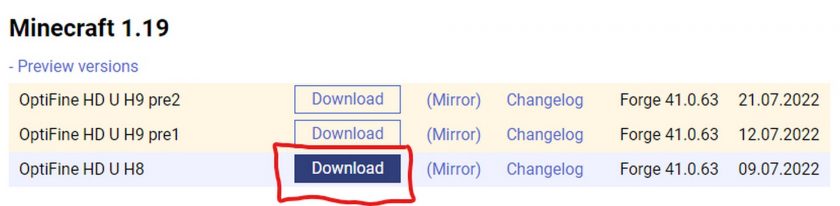
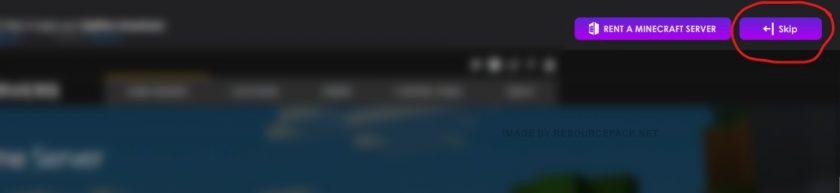
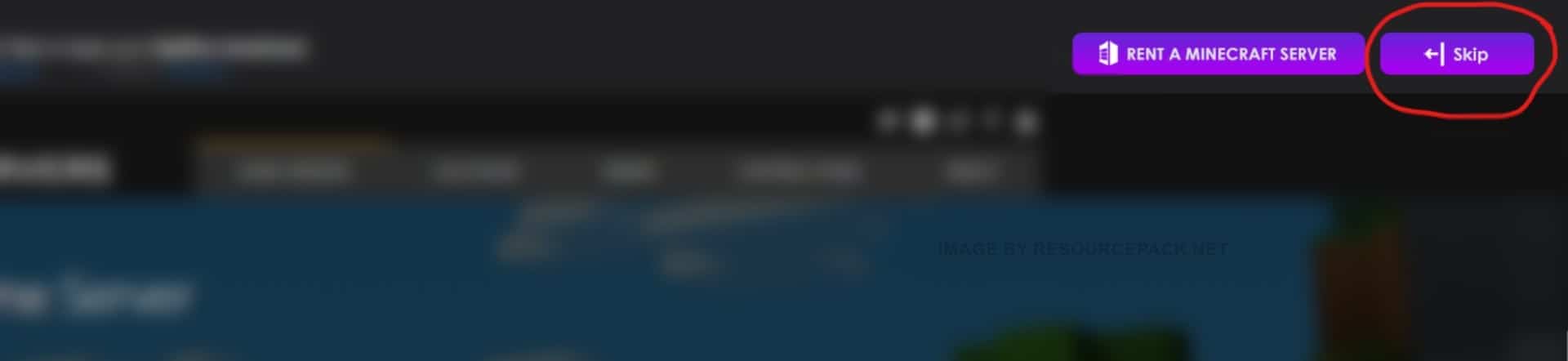
- If you clicked the “Download” button (step 2), then most likely you will first be redirected to an sponsor page with a short timer of 5 seconds. Just wait and click “Skip”. If you clicked the “Mirror” button (step 2), you will be redirected directly to the download page.
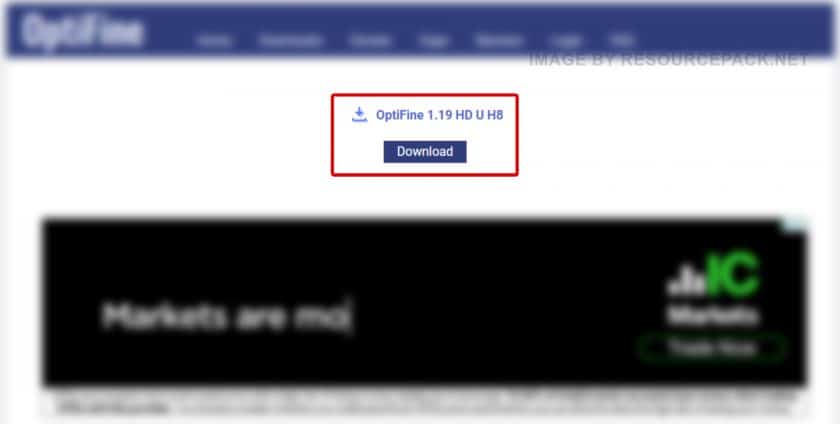
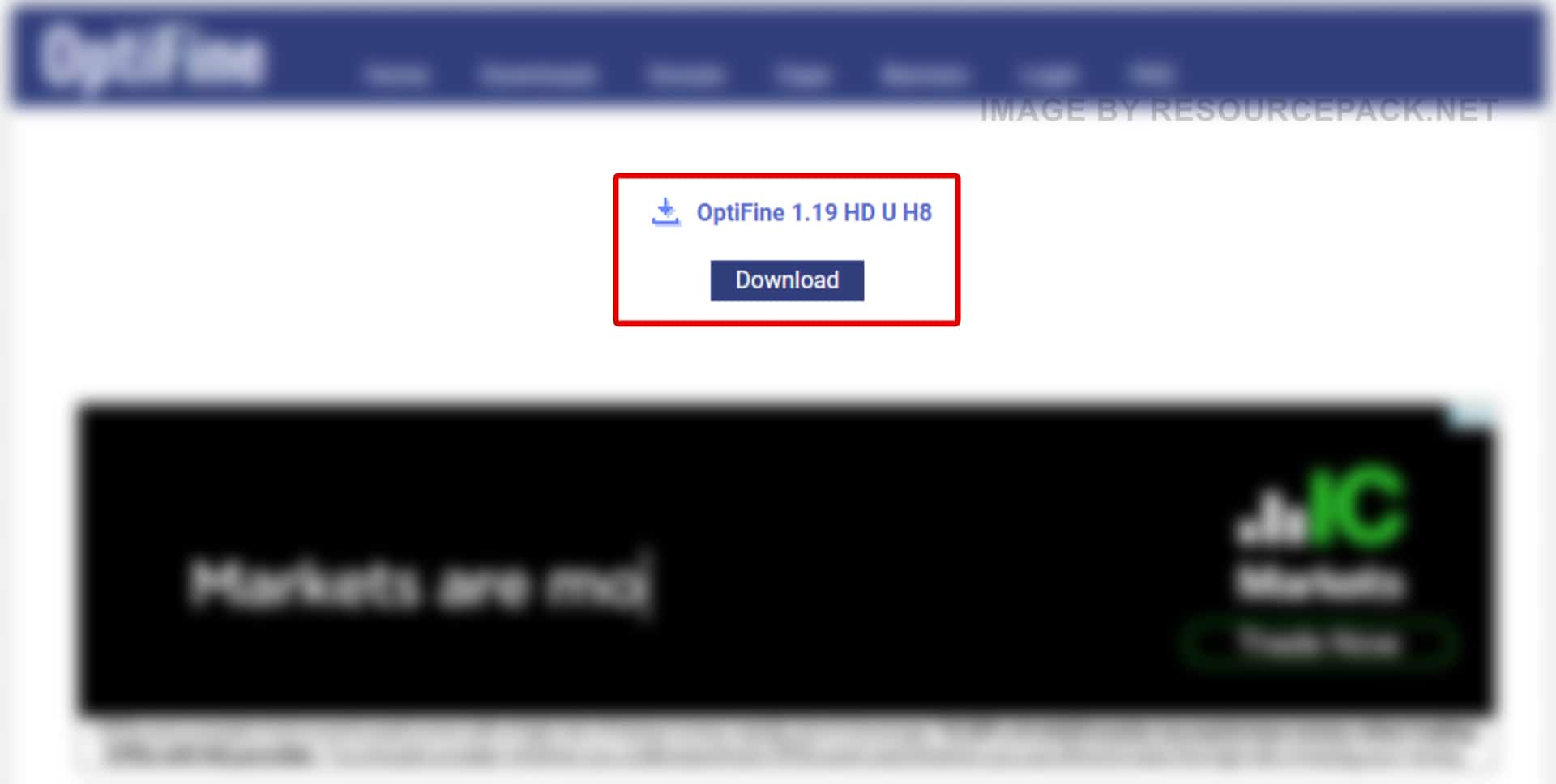
- Now, once you are on the download page, click “Download” again.
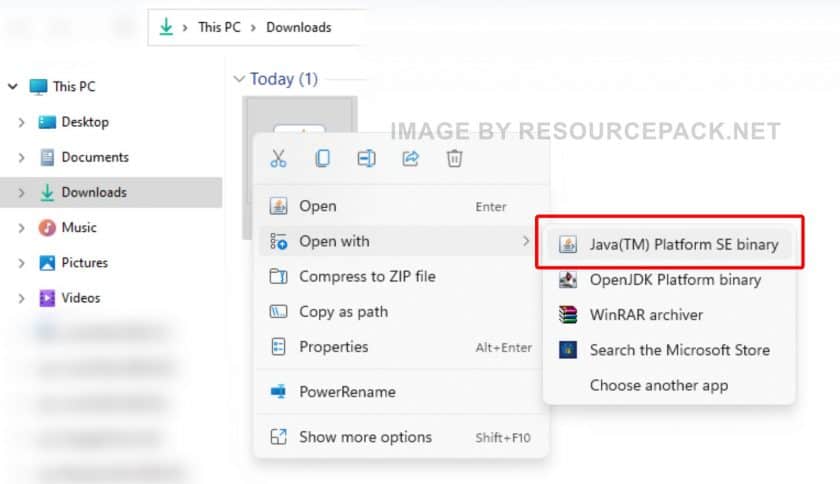
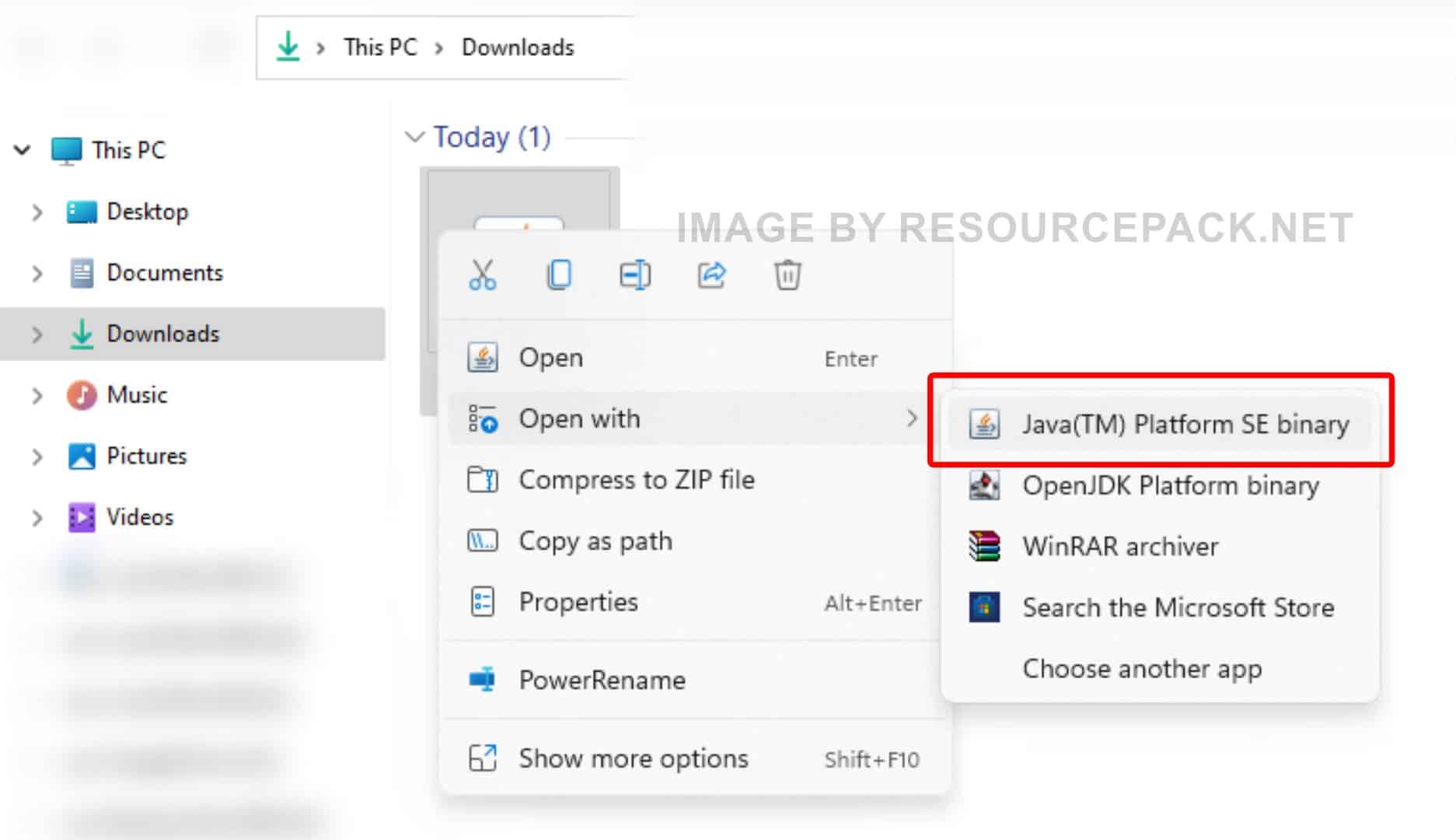
- Right-click on the newly downloaded Optifine installer file (should be in .jar format), select “Open With”, and then click “Java (TM) Platform SE binary”.
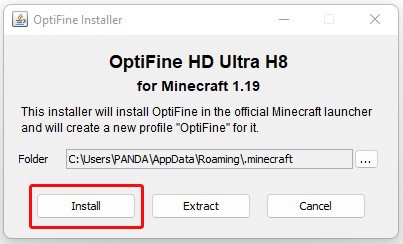
- A small installer window will appear, just click “Install”. After a while, the message “OptiFine is successfully installed.” will pop-up.
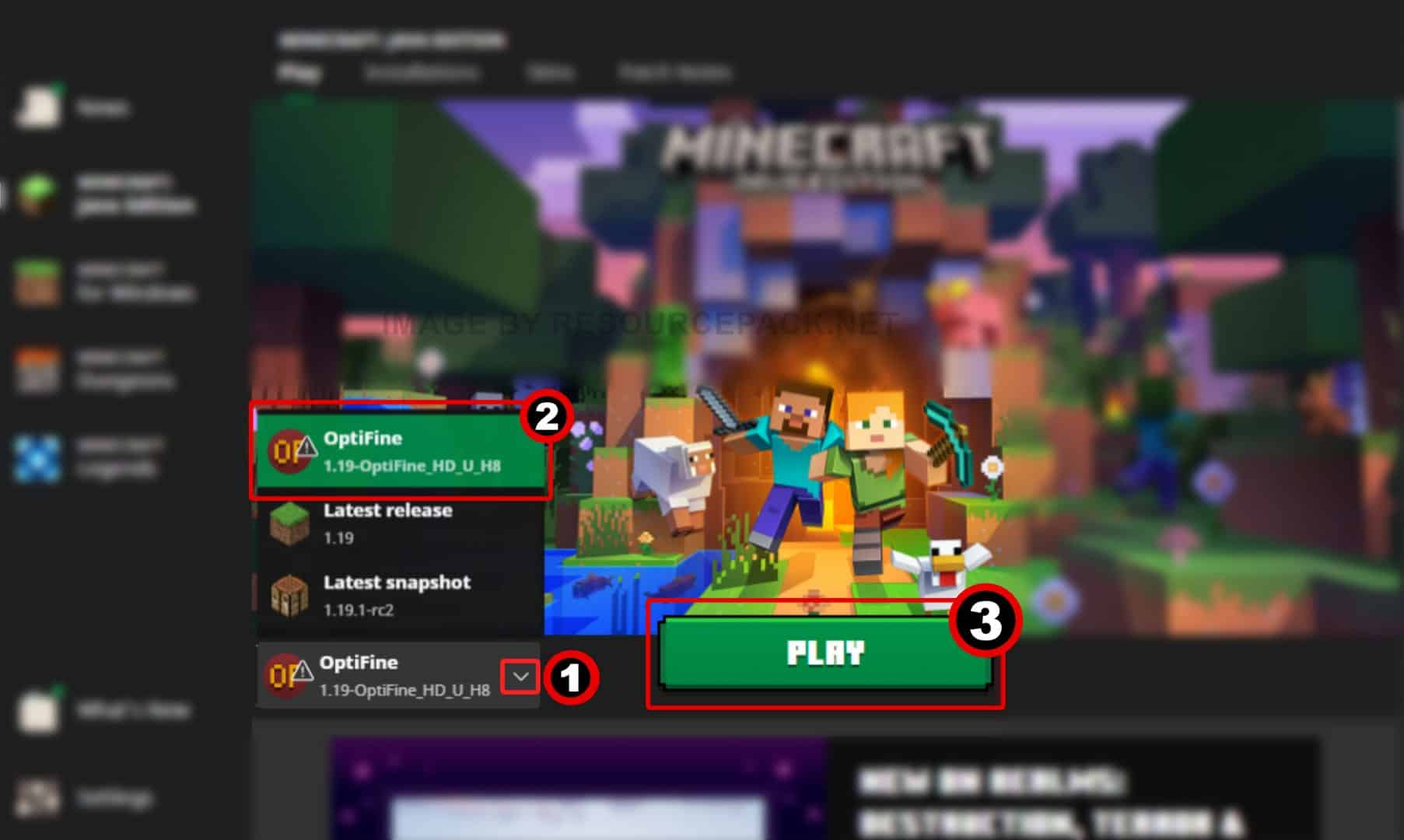
- Run the Minecraft launcher and click on the small arrow to the left of the green “PLAY” button. You will notice that there is a new version titled 1.19-OptiFine_HD_U_H8 (it may be different in your case depending on which version of Minecraft you are using and which version of optifine you have installed). Select this Minecraft Optifine version and click “PLAY”.
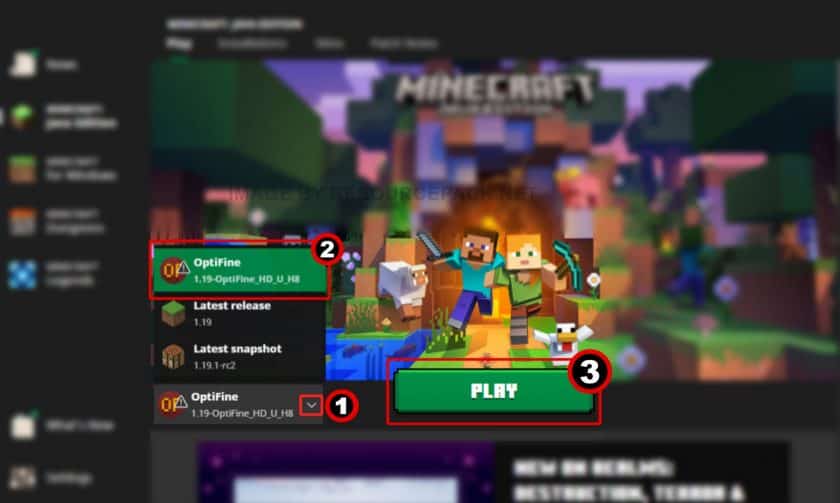
- Done. Now you have a version of Minecraft with Optifine. We hope the guide was useful to you, we tried to describe everything in as much detail as possible with screenshots so that you can understand it better. If you still have problems with the installation, leave your question below in the comments – either the administration or site visitors will definitely help you. But there should be no problems if you carefully read everything and do as it is written in the guide.
OptiFine Download
- We do not modify or edit any resource packs. All resource packs, shaders and tools found on this website are linked directly to official sources rather than hosted on our own servers. We provide only the official download links from the original creators to ensure that your files are safe and secure.
- These official links are updated manually and may occasionally stop working when a new version is released. We work hard to keep everything current so that you have a smooth experience. Please let us know in the comments if you find a link that no longer works.
- Minecraft is a trademark of Mojang Studios and has no official connection to this website. Our goal is simply to share the best creations from the community with other players.
- Please consider leaving a comment or voting for your favorite packs. This feedback helps authors improve their projects over time. You can also support the creators directly by visiting the official links located below the download section.
Java Edition:
Download OptiFine from Official Website
Curseforge: download starts automatically after a few seconds;
Mediafire: click the big blue button with the text "DOWNLOAD";
Google Drive: in the top right corner you will see a small download icon (down arrow), click it and the download should start;

16,972 votes
Look.. 16972 users have already liked this. Give a diamond if you like it too!


hannah
says i must download and launch minecraft in the official launcher at least once? ive opened it multiple times. i dont understand
zoodigamer
i know just watch a youtube vid if it does’ent work idk what will
lyssa
Having the same issue
Ben
Make sure you have downloaded java first before installing optifine
dtkluuvr
okay so I have minecraft 1.18.2 and Optifine doesn’t have an option for that yet. I tried downloading 1.18.1 and I downloaded java and everything but it says it cannot find my Minecraft download. Can anyone help?
Dull_Demon47
what do i do if “Java (TM) Platform SE Binary” just isn’t a option?
yes
So can someone explain to me why the window immediately closes when i click java platform se binary
Iamconfusion672
Is optifine compatible with 1.18.1 yet? Ive been looking at downloading it but dont want to got through the process for it to be outdated and then have to do it all over again.
Guest
I play minecraft edu does optifine work?
Kenneth
most likely not, if it doesn’t work for PE or Bedrock then it wouldn’t work for EDU
shader
its good i guess
Cube
I have try it but its doesnt function: error binary encounter or something like this
ru
i tried to download & unpackage it but it doesn’t let me use java, it says open with microsoft explorer or winrar pls help (i have java installed)
lily
so cool
Dirtyjar38
when i click open with i dont get the Java (TM) Platform SE binary option pls help
JarJarMineCC
You may need to install Java. I had to in order to get that option.
KoregaRequiem.Da
It’s happening to me and Java is my minecraft version. Do I have to do something else?
thekingval
Help i can install optifine it always says: Java cannot be installed
There are errors in the following switches ….
SnookiWookiee
same thing happened to me, i just googled the error and i just had to download something called jarfix and it fixed all the .jav stuff
Stryke
Oh my god, thank you so much! Can’t believe all these tutorials and stuff didn’t suggest that sooner.
Dull_Demon47
i still can’t get it to work, even after downloading jarfix :/
lost
Have you opened jarfix yet?
yarnec
why i cant get optifine i will dowload it for the shader pack
bloop
im trying to open it with java but it wont let me pick that option. im on a mac, it only allows me to save the file whih doesnt work
paulthienadedt
I love shader
circles
I have used optifine for 1 year + (which is not that long tbh im ngl) and i can say it’s 100% worth it to use, especially for low end pcs!
pogboi
i like the shaders
LouieMitchell
When i try to open the preview optifine. It comes up with a blank black window which flickers on and off. Anyone knows how to fix it?
Ciara
Use jarfix it installs fast and it works immediately :]
Mohammed al faqsh
i like the shader
levi
when i download optifine, it says i need to open it with java binary se, but i dont have that option, what can i do to make it work?
levi
im fine
Yeet_Elite
how did you fix that???
Freddo
How did you do it may I ask?
circles
U need to download java first, u can just download it from a tutorial. Then u need to pick open with java.
Allelya
When clicking on Optifine 1.17, their website is giving me version 1.16.5 instead, so I can’t use any RP made for 1.17 on it. I have emailed the creator.
Admin
There is dropdown button “+ Preview versions”, click it.
NurseStudent113
help i just want download Optifine but all I keep getting is “preview OptiFine 1.17.1.jar” i have tried what the video but i just cant get it to download.
Frank
download jarfix
Frosty
When ever I pull up the launcher, Optifine has no profile, despite playing with nothing else installed but it.
Mona
Is there a version of this for bedrock?
Lisa
No, I don’t think there is, but if there is, It isn’t the original Optifine. Hope this helps!
i dont want to show my name
i cant find the java (TM) Platform SE binary file