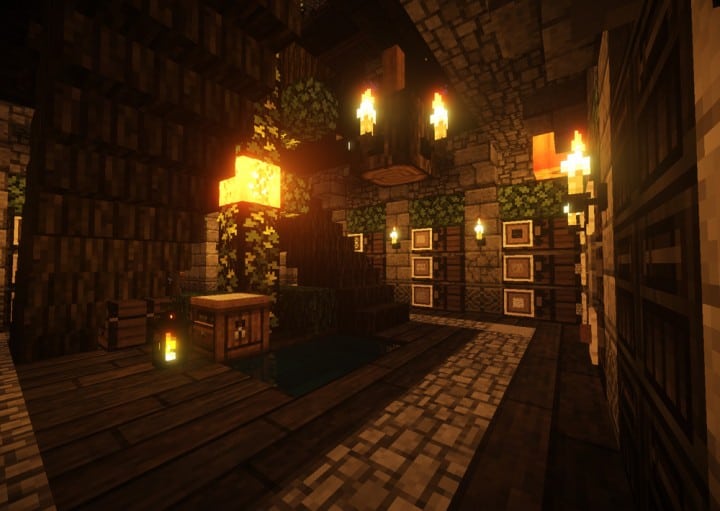
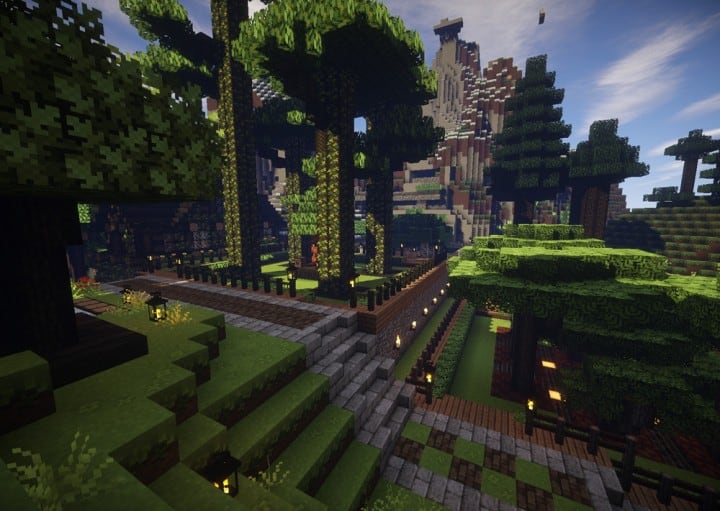
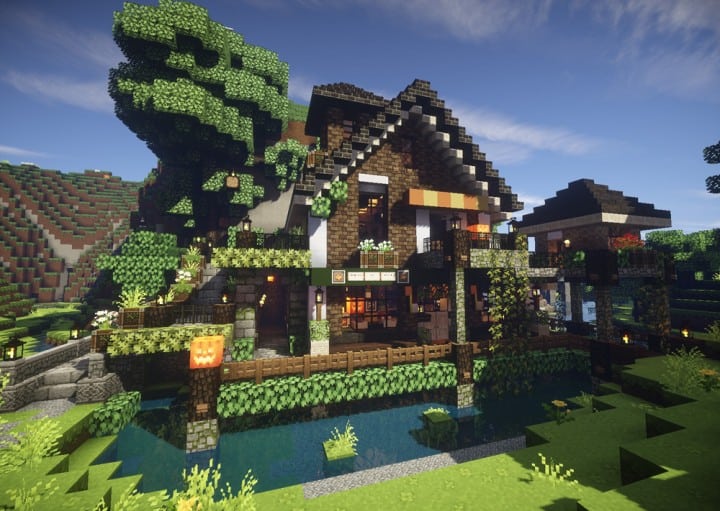
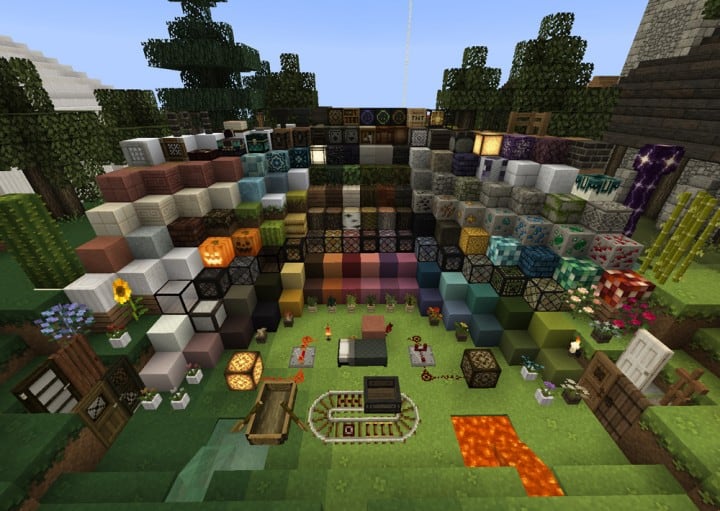
Mizuno’s 16 Craft resource pack enhances the world of Minecraft with impressive visuals. This texture pack will become a favorite of many players because of how well the textures in this pack look on screen. The fact that this resource pack is able to keep the graphics looking great without being over the top is a monumental accomplishment that few resource packs are able to achieve. Low-resolution resource packs often fail to make their textures visually pleasing. Because of these lack luster textures, most low-resolution resource packs are unable to take the Minecraft visual world to the next level. You can often find a lot of noise present in these texture designs. Noise found in these textures take away from the overall appeal and appearance of these low-resolution resource packs. The Mizuno’s 16 Craft succeeds where many other low-resolution packs fail.
Featured video:
This particular pack provides beautiful graphics that are engaging by getting rid of many noise related problems that are prevalent in packs of this type. When you load Minecraft after installing the Mizuno 16 Craft resource pack you are greeted with amazing visuals. The simple design of the installed textures are streamlined and beautiful. The resource pack reveals a magnificent color pallet that features art influenced textures. With clean and noiseless textures this pack is able to reduce eye strain while providing an enjoyable gaming experience. This is one of the best features of the resource pack. Beyond changing Minecraft’s typical textures the Mizuno’s 16 Craft makes changes to the standard user interface. The Mizuno 16 Craft uses a 16×16 resolution like the name of the resource pack suggests. Because of this and the resource pack’s low screen resolution many players are able to enjoy this game with no difficulties. This resource pack allows people with low-end computers to enjoy this pack as much as someone with a high-end computer can.
Mizuno's 16 Craft should be compatible with all of these Minecraft versions: 26.1 - 1.21.11 - 1.21.10 - 1.21.9 - 1.21.8 - 1.21.7 - 1.21.6 - 1.21.5 - 1.21.4 - 1.21.3 - 1.21.2 - 1.21.1 - 1.21 - 1.20.6 - 1.20.5 - 1.20.4 - 1.20.3 - 1.20.2 - 1.20.1 - 1.20 - 1.19.4 - 1.19.3 - 1.19.2 - 1.19.1 - 1.19 - 1.18.2 - 1.18.1 - 1.18 - 1.17.1 - 1.17 - 1.16.5 - 1.16.4 - 1.16.3 - 1.16.2 - 1.16.1 - 1.16 - 1.15.2 - 1.15.1 - 1.15 - 1.14.4 - 1.14.3 - 1.14.2 - 1.14 - 1.13.2 - 1.13.1 - 1.13 - 1.12.2 - 1.12 - 1.11.2 - 1.11 - 1.10.2 - 1.10 - 1.9.4 - 1.9 - 1.8.9 - 1.8.8 - 1.8.1 - 1.8.6 - 1.8 - Bedrock Edition - PE
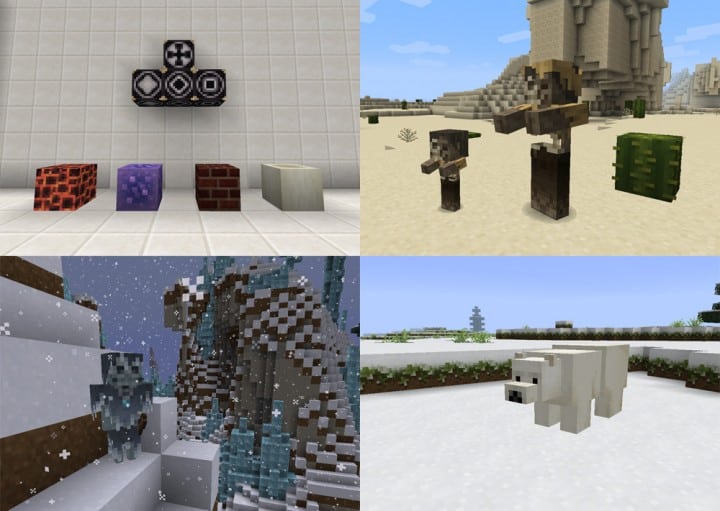
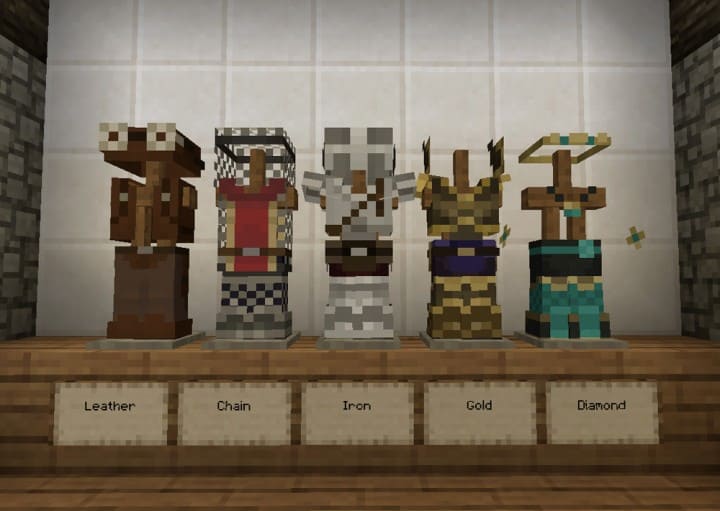
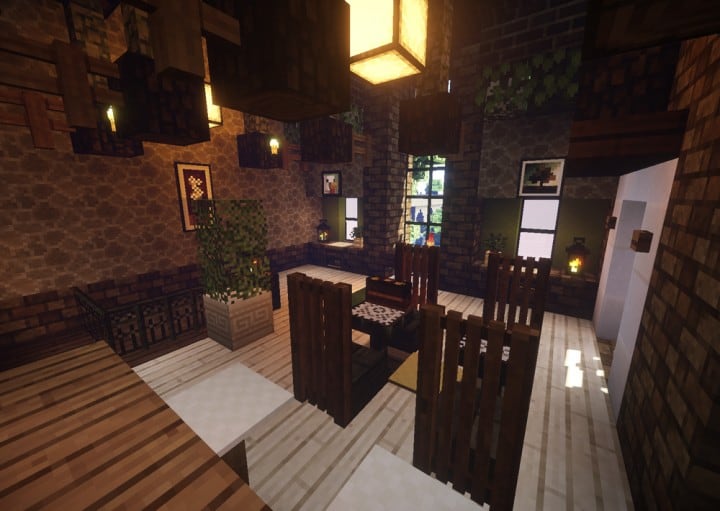
Mizuno's 16 Craft — Screenshots
How to install Mizuno's 16 Craft Resource Pack:
- Most resource packs require Optifine, so be sure to download and install it. – general recommended step for all packs, Optifine is also needed for most shaders
- Download the Mizuno's 16 Craft texture pack for Minecraft from the download section below. – if there are many different versions, just choose the one you like, is compatible with your version/edition of Minecraft, the one you think your computer can handle in terms of performance.
- Launch the game client through the Minecraft launcher.
- On the main menu, click "Options".
- On the options menu, click "Resource Packs...".
- Click on "Open Resource Pack Folder". – folder titled "resourcepacks" will pop up
- Move the .zip file you downloaded in the first step to the newly opened "resourcepacks" folder.
- Click "Done".
- Click on "Resource Packs..." again.
- Your pack should have appeared in the left window, just hover over it and click on the arrow pointing to the right.
QUICK TIP: Sometimes, when activating a pack, the game may say that the pack is made for a newer or older version of Minecraft. This is just a warning, it does not affect your gameplay in anyway, and you can still activate and enjoy the pack by simply clicking the "Yes" button when prompted.
- Click "Done" again.
- The pack has now been successfully loaded and ready to be used in your world!
How to install Mizuno’s CIT pack:
Before you can install the CIT Pack, there are a few requirements you need to meet:
- Minecraft Java Edition
- Optifine
- Mizuno’s 16 Craft Base pack
- Mizuno’s 16 Craft CIT pack
- Invisible Item Frame
Just click “Optifine” above if you haven’t installed it yet. The Mizuno 16 Craft Base pack (if you followed our guide above, it should already be installed), CIT pack and Invisible Item Frame can be found in the download section below.
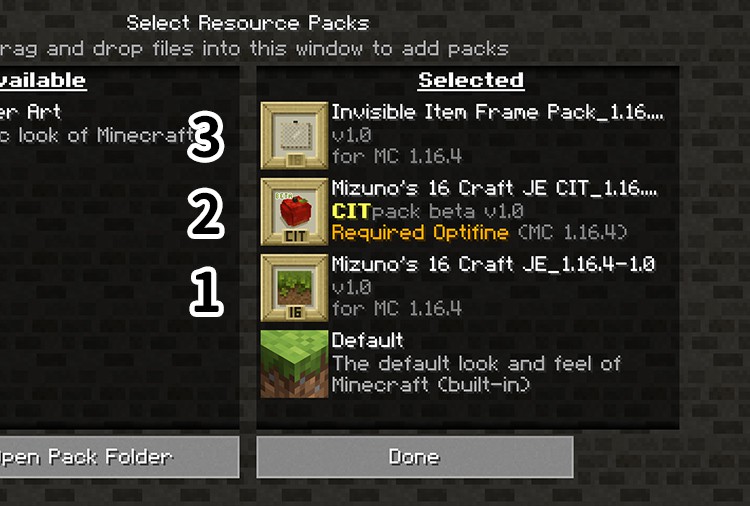
Now that you have successfully installed Optifine and installed the Mizuno’s 16 Craft Base Pack (just follow the instructions on “How to install Mizuno’s 16 Craft Resource Pack” above), you just need to do the same with the CIT Pack and the Invisible Item Frame and make sure they are installed in the correct order as shown in the image below:
How to use Mizuno’s CIT:
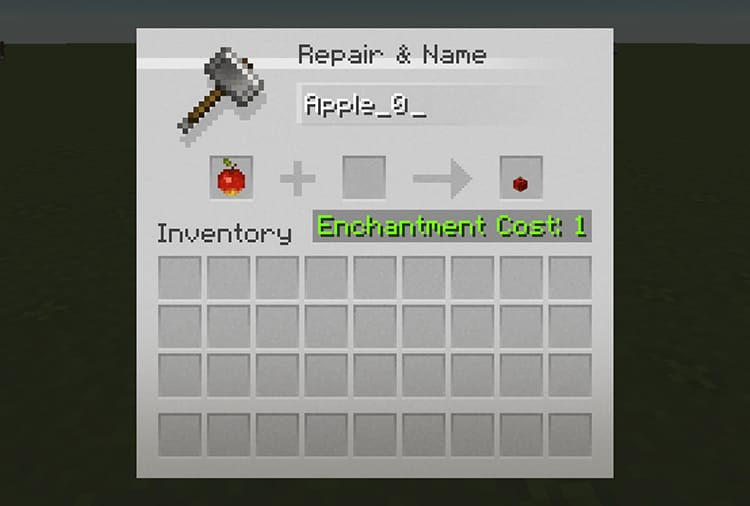
Once you have successfully installed everything we talked about above, you will now be able to use Mizuno’s CIT feature. All you need to do is simply go to the CIT catalog, find the CIT you want to “create” and simply name it on the anvil as shown in the image below:
Place the invisible item frame anywhere and place the newly named item in it. That’s it!
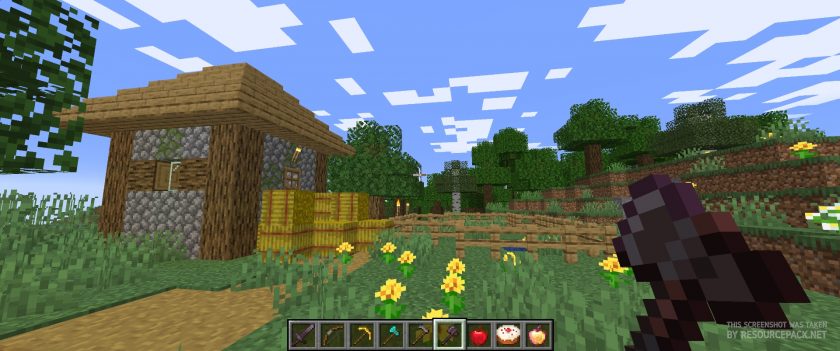
Mizuno's 16 Craft - Comparison Slider #1 Without shaders
Comparison slider #1 for those who want to compare vanilla Minecraft without any texture packs installed (on the left) with Minecraft using this particular texture pack (on the right).
 Vanilla
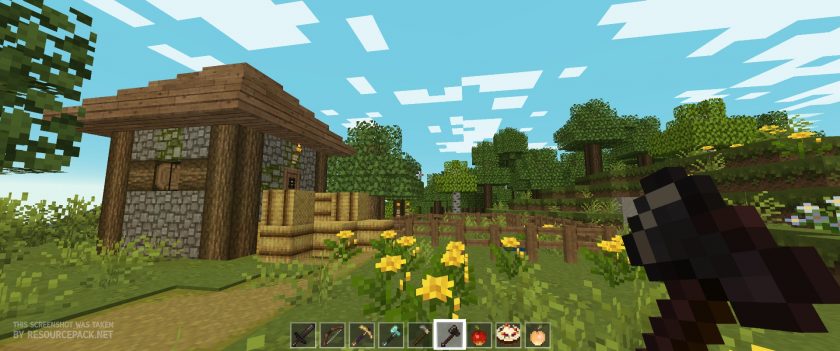 Mizuno's 16 Craft
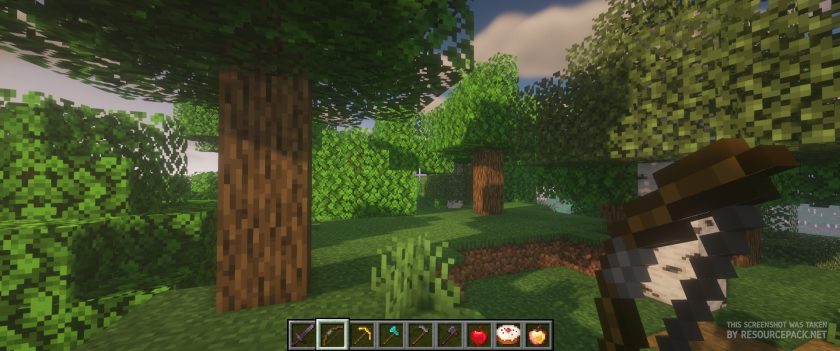
Mizuno's 16 Craft - Comparison Slider #2 With BSL Shaders
Comparison slider #2 for those who want to compare vanilla Minecraft without any texture packs installed (on the left) with Minecraft using this particular texture pack (on the right).
 Vanilla (BSL Shaders)
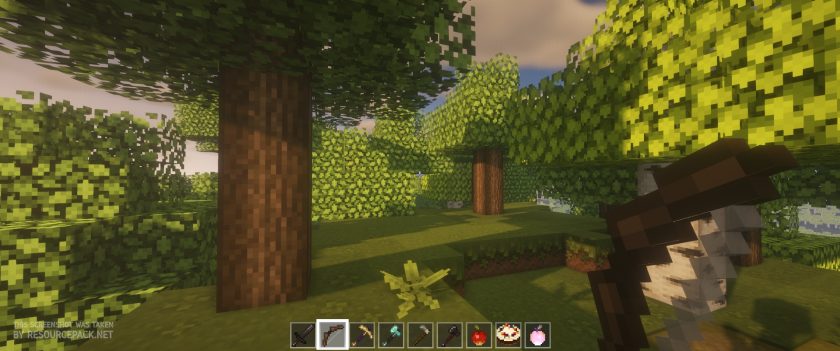 Mizuno's 16 Craft (BSL Shaders)
Mizuno's 16 Craft Texture Pack Download
- We do not modify or edit any resource packs. All resource packs, shaders and tools found on this website are linked directly to official sources rather than hosted on our own servers. We provide only the official download links from the original creators to ensure that your files are safe and secure.
- These official links are updated manually and may occasionally stop working when a new version is released. We work hard to keep everything current so that you have a smooth experience. Please let us know in the comments if you find a link that no longer works.
- Minecraft is a trademark of Mojang Studios and has no official connection to this website. Our goal is simply to share the best creations from the community with other players.
- Please consider leaving a comment or voting for your favorite packs. This feedback helps authors improve their projects over time. You can also support the creators directly by visiting the official links located below the download section.
Bedrock Edition:
Get Mizuno Craft for Bedrock Edition here – Mizuno Craft is available on the Marketplace for 830 Minecoins.
Java Edition:
[16x] [26.1 – 1.21.x] Download Modern Mizuno’s Resource Pack – unofficial addon, requires original pack from link below (1.20.6 – 1.20.2), place this add-on on top of original pack;
[16x] [1.20.6 – 1.20.2] Download Mizuno’s 16 Craft Resource Pack
[16x] [1.20.1 – 1.20] Download Mizuno’s 16 Craft Resource Pack
[16x] [1.19.x] Download Mizuno’s 16 Craft Resource Pack
[16x] [1.18.x] Download Mizuno’s 16 Craft Resource Pack
[16x] [1.17.x] Download Mizuno’s 16 Craft Resource Pack
[16x] [1.16.x] Download Mizuno’s 16 Craft Resource Pack
[16x] [1.15.x] Download Mizuno’s 16 Craft Resource Pack
[16x] [1.14.x] Download Mizuno’s 16 Craft Resource Pack
[16x] [1.13.x] Download Mizuno’s 16 Craft Resource Pack
[16x] [1.12.x – 1.11.x] Download Mizuno’s 16 Craft Resource Pack
[16x] [1.10.x] Download Mizuno’s 16 Craft Resource Pack
[16x] [1.9.x] Download Mizuno’s 16 Craft Resource Pack
[16x] [1.8.x] Download Mizuno’s 16 Craft Resource Pack
CIT pack (Java Edition):
[16x] [1.20.x] Download Mizuno’s 16 Craft CIT Resource Pack | Invisible Item Frame
[16x] [1.19.x] Download Mizuno’s 16 Craft CIT Resource Pack | Invisible Item Frame
[16x] [1.18.x] Download Mizuno’s 16 Craft CIT Resource Pack | Invisible Item Frame
[16x] [1.17.x] Download Mizuno’s 16 Craft CIT Resource Pack | Invisible Item Frame
[16x] [1.16.x] Download Mizuno’s 16 Craft CIT Resource Pack | Invisible Item Frame
Curseforge: download starts automatically after a few seconds;
Mediafire: click the big blue button with the text "DOWNLOAD";
Google Drive: in the top right corner you will see a small download icon (down arrow), click it and the download should start;

3,426 votes
Look.. 3426 users have already liked this pack. Give a diamond if you like it too!


Flesh
i have java but it isnt showing all the food stuff
.
Does anyone know how to download this on Minecraft PE?
Admin
Get the bedrock edition from the Minecraft Marketplace.
booboo
This is great! Super easy to download & really pretty! I love the little changes like how torches look. It would be cool if levers were changed into sinks for making a kitchen :)
Mango
Please add different color leaves, like orange, pink, and yellow leaves! I already love this texture pack an dwould love to see different color leaves added.
eden
What shader are they using
HelloItsMe5954
Why can’t i see the cookie cit on the new version tho, maybe because ofnmy device…
Lily
Does this work with Java? I’m pretty sure this is a dumb question but I just want to make sure before I download it because I have both Bedrock and Java but I want to make sure it works on Java as well
Unkown
Yes This Does Work with java
Ana
How do you put it on for windows 10?
Admin
Windows 10 is a bedrock edition, so the java version of this particular resource pack won’t work with it. Get the bedrock edition resource packs.
Chuck
The newest update changes the oak trapdoors – could there be an alternate version with the old 1.14 version???
TheTalkingDolphin
How do I find the catalogue? What is everything? I’m just a bit confused really…
bella
I cant figure out how to download it. When i go to my main menu there is no “options” button so i pressed “settings” instead. I look through the settings and no “resource packs” but there is “Global resources” it was pretty close so i went to it but I can’t move a file. Im doing this on mobile/pocket edition. I’ve seen others get this on pe but I have no clue how. Help?
???
its for java
Whomst
you need to go look online for the bedrock edition of this pack, this is the java edition
Sunflower
How the heck do I do this on Windows 10 P.C, bedrock edition? Do i have to mess with my files or do I do it all in Minecraft settings??
…
its for java.
kate
i’m on minecraft pe and i don’t have an “options” option. is there anything else i can do to add it to my minecraft worlds??
JESUS
its for java
WishnuKun
Update for 1.15?
o k a y
I dont have minecraft on PC, only switch. Is there a way to get on switch?
E v a n
download bedrock
Sara Harris
The only issue i have with this is that as of today the biomes o plenty trees arent their colors anymore and its only iwth this texture pack. And i LOVE this texture pack. It gives me so many happies and i would love to see this issue fixed.
MY HEART IS BLAZING!
i kinda miss old furnace design. love this pack and use it literally all the time but i’m prob staying 1.13 mizunos just for that beautiful furnace design. keep up the good work i love you
Jasmine McManus
Does anyone else have troubles with the villagers all being the same animal?? My friend has this resource pack and when she uses it all the villagers are different animals, and the chickens are different colours etc. but when I use it on my computer everything is the same. I can’t figure out why or how to fix it.
ahricka
I have the same problem! Have you found a way to fix it?
Ben Del
Could you please update the armors for slim character models
Rock80s
Most of it’s great, my main complaints are about the glass, how normal, white, and black and really opaque and don’t connect at all, and how the other kinda only connect at the top and bottom, and that some bits, like cyan terracotta actually being cyan, make some builds that previously looked good not.
trolly face
cool pack…havee free skin
Panty Puddles
Probably one of the nicest packs I’ve downloaded. I went through four and they were nice, but some textures were cheesy like roses for poppies and they redesigned the glazed terracotta which is a deal breaker for me. The colors are muted here, not too bright, but that’s perfectly fine for me. Plus, my dark oak roof tops and fences look amazing with sandstone! I like it a lot. Thank you for a classy texture pack!
Ethan Dale
Could you also post what shader mod you’re using? :( I have yet to find a decent one that doesn’t turn performance to crap…
IVONA
Yes yes yes
TheMcGuys
I don’t get the hate on this pack.
It’s great! If not the best 16 res pack I have ever seen.
VirtualPhilipp
you deserve hugs! hope you enjoy playing with it!
HansFedertyp
Could you do a tutorial on how you create such textures?