Visual Enchantments is one of the most popular minecraft resource packs. You probably already know that one of the best features in a game titled minecraft is the ability to enchant most items, including swords, bows and armor. The problem with enchantments in this game is that you cannot visually see what kind of enchantment is being applied to that particular item. The only way to know it, is to read item’s info. This is not always comfortable. Most of us wants to have a better solution for this.
Featured video:
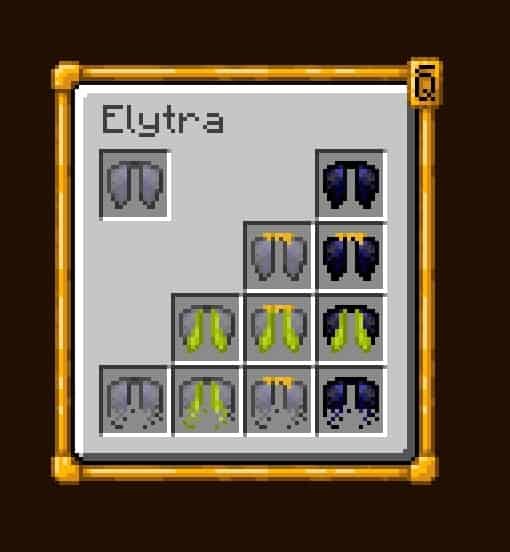
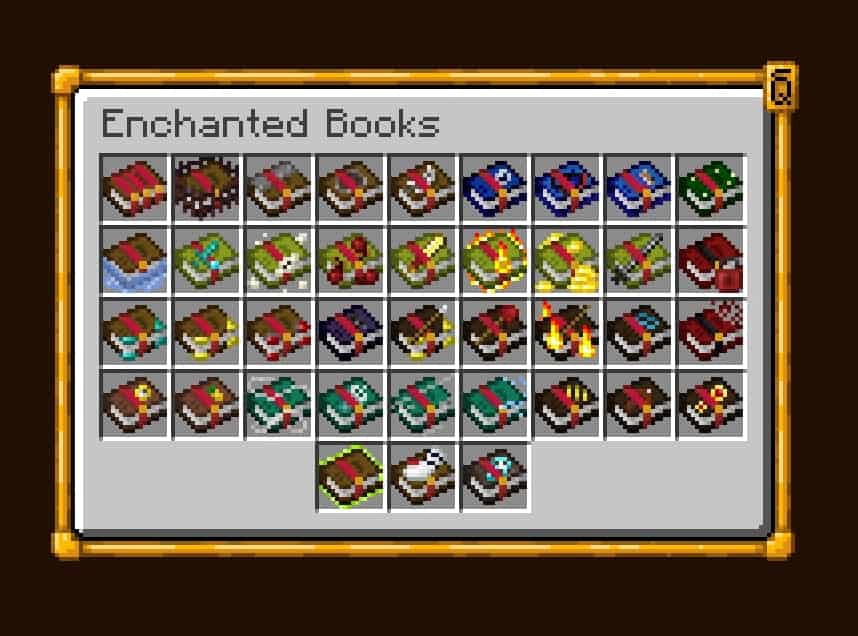
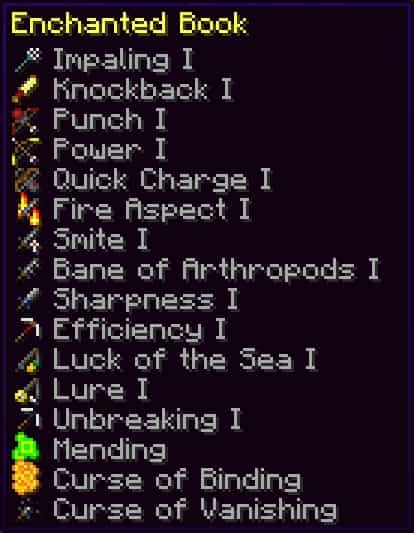
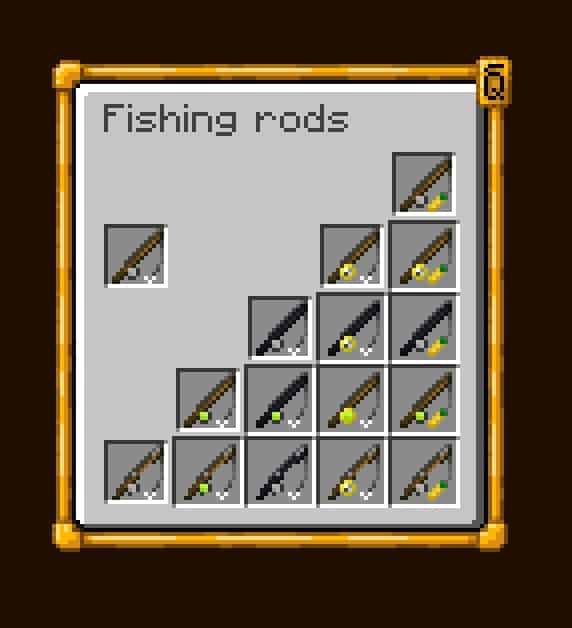
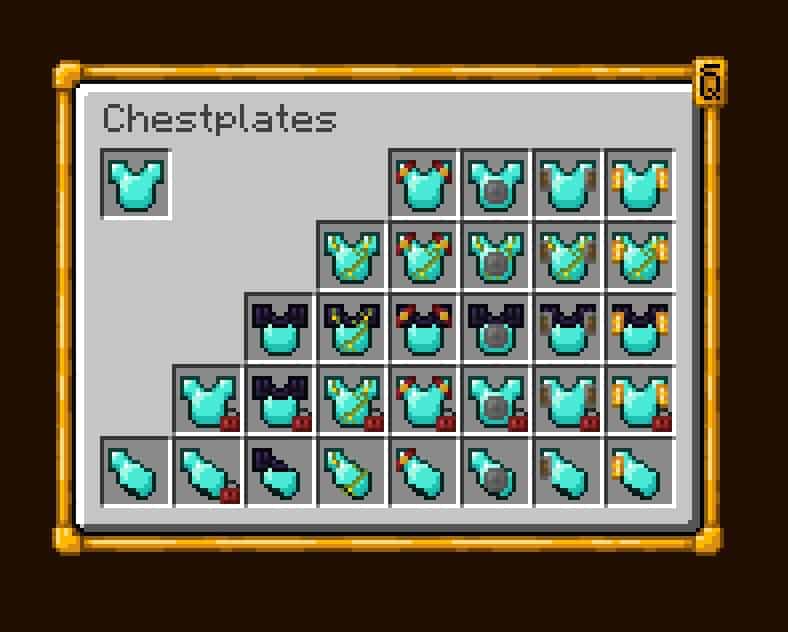
This is possible and it is not a problem anymore after Visual Enchantments resource pack release. Download and install this pack and you will notice that all your enchanted items are now displaying enchantments not just in description as text but they also look as a visually different items. For example: enchantments with extra protection will look like additional sheets of iron on armor, enchantment with breath will look like a helmet from an old swim suit. In general, this is one of the most useful minecraft additions of all time which we highly recommend for any player.
Visual Enchantments should be compatible with all of these Minecraft versions: 1.21.11 - 1.21.10 - 1.21.9 - 1.21.8 - 1.21.7 - 1.21.6 - 1.21.5 - 1.21.4 - 1.21.3 - 1.21.2 - 1.21.1 - 1.21 - 1.20.6 - 1.20.5 - 1.20.4 - 1.20.3 - 1.20.2 - 1.20.1 - 1.20 - 1.19.4 - 1.19.3 - 1.19.2 - 1.19.1 - 1.19 - 1.18.2 - 1.18.1 - 1.18 - 1.17.1 - 1.17 - 1.16.5 - 1.16.4 - 1.16.3 - 1.16.2 - 1.16.1 - 1.16 - 1.15.2 - 1.15.1 - 1.15 - 1.14.4 - 1.14.3 - 1.14.2 - 1.14 - 1.13.2 - 1.13.1 - 1.13 - 1.12.2 - 1.12 - 1.11.2 - 1.11 - 1.10.2 - 1.10 - 1.9.4 - 1.9 - 1.8.9 - 1.8.8 - 1.8.1 - 1.8.6 - 1.8
Visual Enchantments — Screenshots
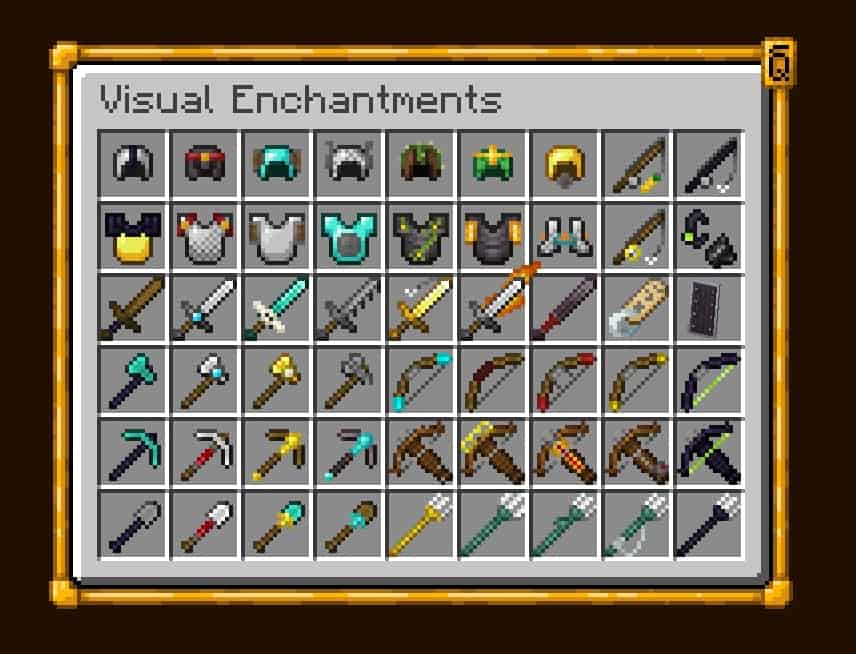
How to install Visual Enchantments Resource Pack:
- Most resource packs require Optifine, so be sure to download and install it. – general recommended step for all packs, Optifine is also needed for most shaders
- Download the Visual Enchantments texture pack for Minecraft from the download section below. – if there are many different versions, just choose the one you like, is compatible with your version/edition of Minecraft, the one you think your computer can handle in terms of performance.
- Launch the game client through the Minecraft launcher.
- On the main menu, click "Options".
- On the options menu, click "Resource Packs...".
- Click on "Open Resource Pack Folder". – folder titled "resourcepacks" will pop up
- Move the .zip file you downloaded in the first step to the newly opened "resourcepacks" folder.
- Click "Done".
- Click on "Resource Packs..." again.
- Your pack should have appeared in the left window, just hover over it and click on the arrow pointing to the right.
QUICK TIP: Sometimes, when activating a pack, the game may say that the pack is made for a newer or older version of Minecraft. This is just a warning, it does not affect your gameplay in anyway, and you can still activate and enjoy the pack by simply clicking the "Yes" button when prompted.
- Click "Done" again.
- The pack has now been successfully loaded and ready to be used in your world!
Recommended settings:
- OptiFine is required.
- Make sure you have Optifine’s Custom Items enabled.
General enchantments:
- Unbreaking: Wood parts to obsidian
- Vanishing curse: Crooked item
- Mending: Green xp orb/motiv
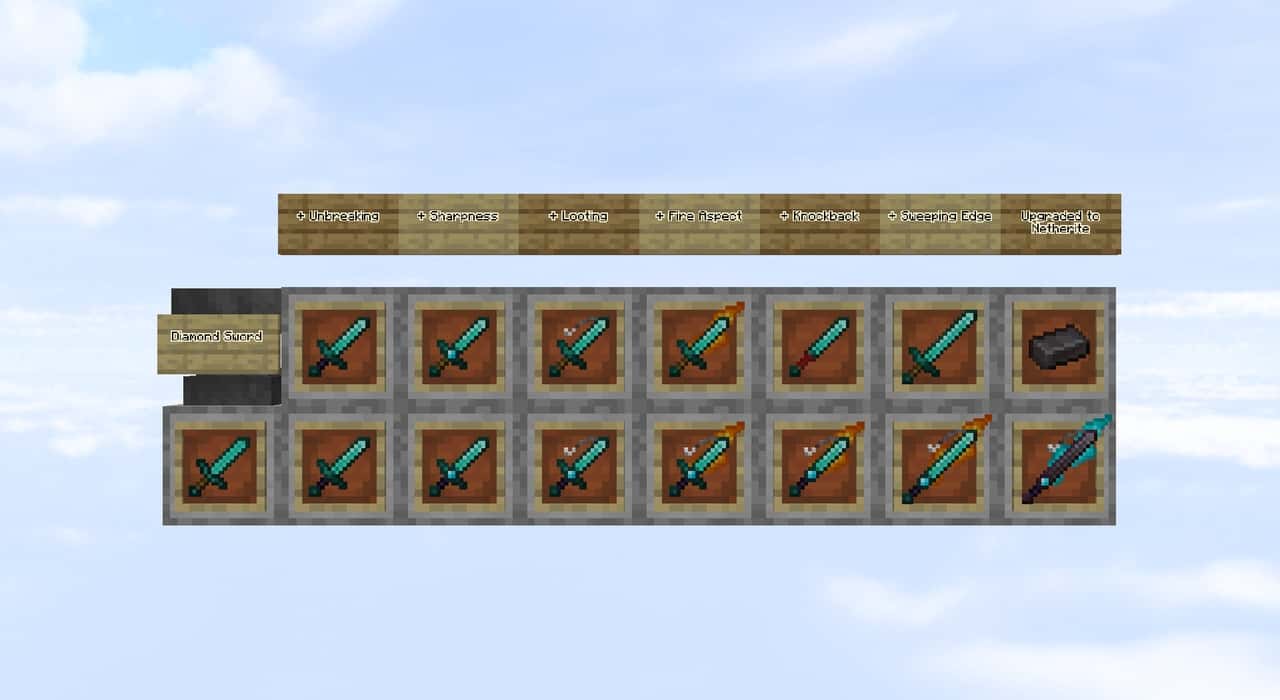
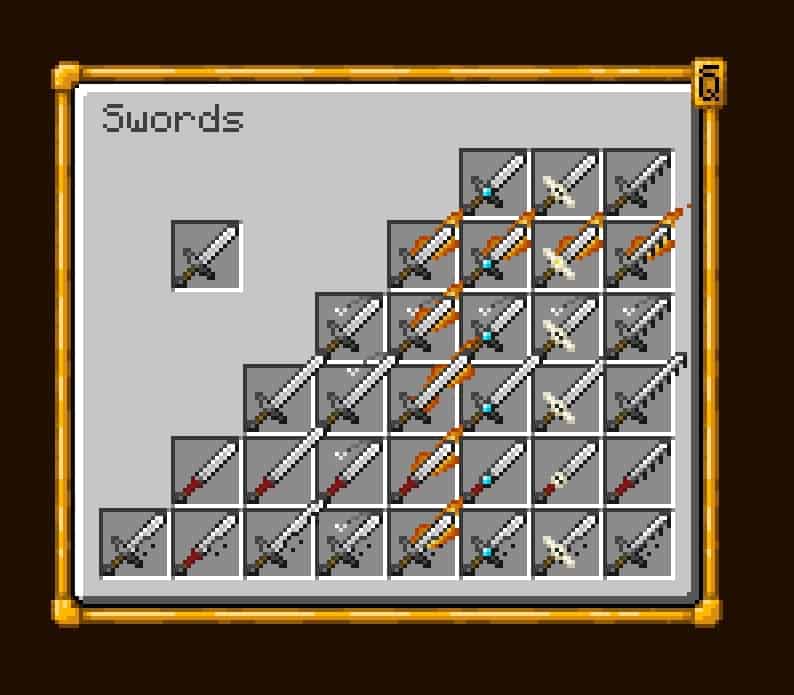
Swords:
- Knockback: Baseball bat / no guard
- Looting: Four-leaved clover
- Sweeping: Longer blade
- Fire aspect: Flaming blade
Swords & Axes:
- Sharpness: Wider and sharper blade on swords, double filo on axes
- Smite: Cross-shaped blade on swords, elongated filo on axes
- Bane of arthropods: Dented blade
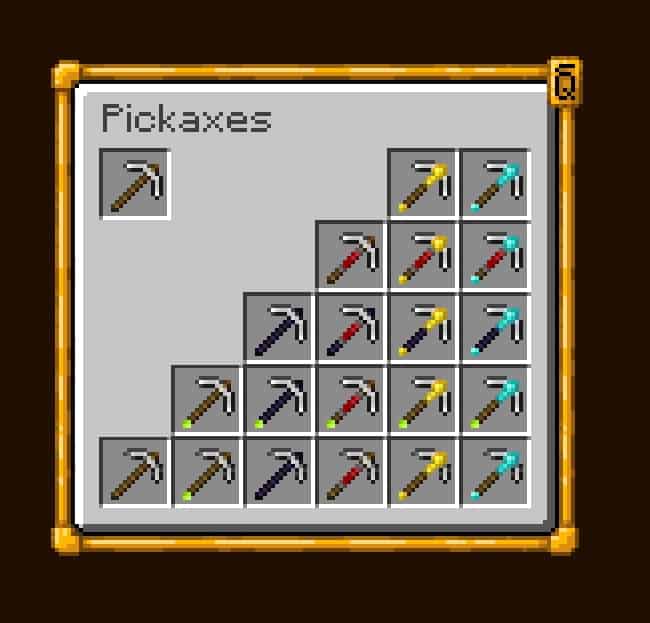
Axes, Pickaxes, Hoes and Shovels:
- Efficiency: Redstone grip
- Fortune: Golden tool head
- Silk touch: Diamond tool head
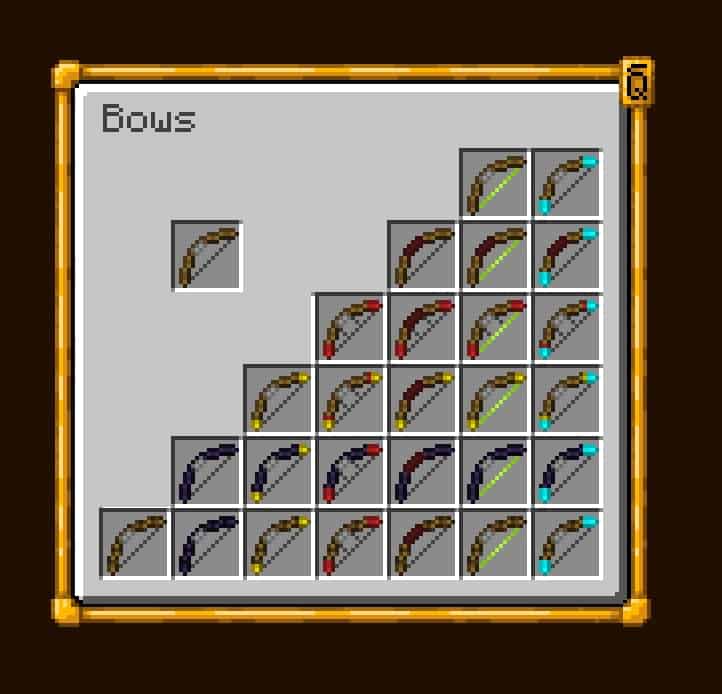
Bows:
- Power: Golden themed
- Punch: Red glove arrow
- Flame: Fiery arrow
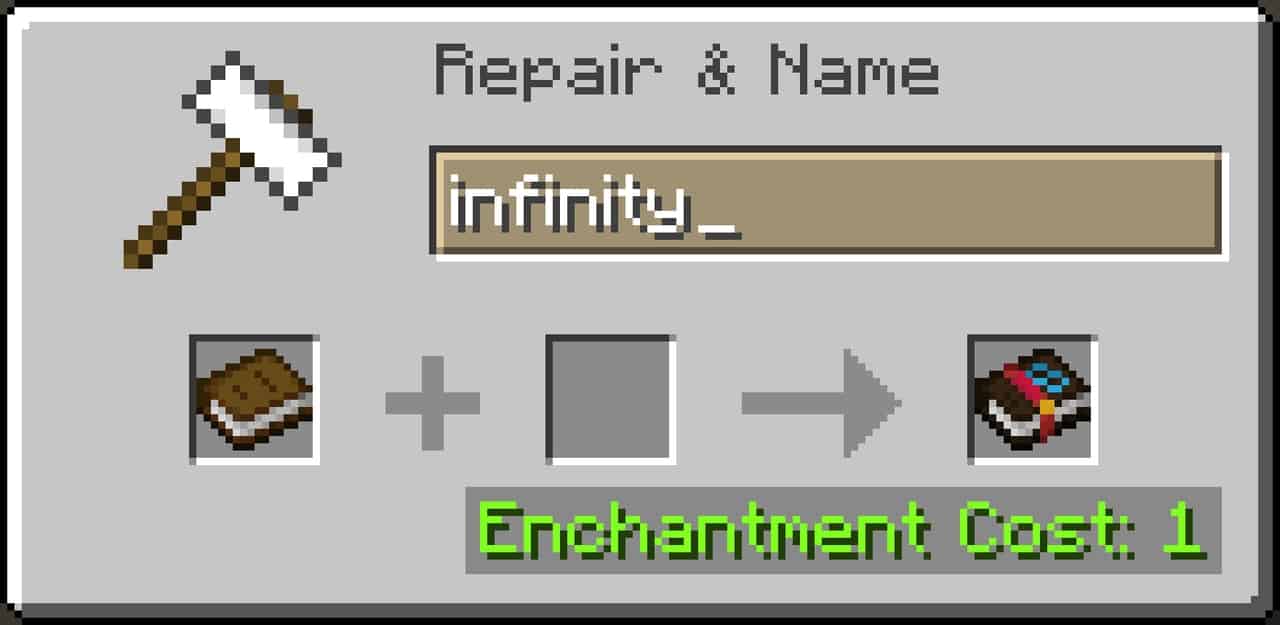
- Infinity: Diamond themed / soul arrow
Tridents:
- Impaling: Wider trident
- Loyalty: String
- Riptide: Dolphin fin
- Channeling: Golden trident
General Armor:
- Binding curse: Red padlocks
- Protection: Enchanted book bands
- Blast protection: Metallic shields
- Projectile protection: Wooden shields
- Fire protection: Golden shields
- Thorns: Vines on top of the armor
Helmet:
- Respiration: Mouth piece
- Aqua affinity: Guardian fins
Boots:
- Depth strider: Guardian fins
- Frost walker: Frosted boots
- Feather falling: Feathered boots
- Soul speed: Swirling Souls
Leggings:
- Swift Sneak: Socks
Visual Enchantments Texture Pack Download
- We do not modify or edit any resource packs. All resource packs, shaders and tools found on this website are linked directly to official sources rather than hosted on our own servers. We provide only the official download links from the original creators to ensure that your files are safe and secure.
- These official links are updated manually and may occasionally stop working when a new version is released. We work hard to keep everything current so that you have a smooth experience. Please let us know in the comments if you find a link that no longer works.
- Minecraft is a trademark of Mojang Studios and has no official connection to this website. Our goal is simply to share the best creations from the community with other players.
- Please consider leaving a comment or voting for your favorite packs. This feedback helps authors improve their projects over time. You can also support the creators directly by visiting the official links located below the download section.
Java Edition:
[16x] [1.21.x] Download Visual Enchantments Resource Pack
[16x] [1.20.x] Download Visual Enchantments Resource Pack
[16x] [1.19.x] Download Visual Enchantments Resource Pack
[16x] [1.18.x] Download Visual Enchantments Resource Pack
[16x] [1.17.x] Download Visual Enchantments Resource Pack
[16x] [1.16.x] Download Visual Enchantments Resource Pack
[16x] [1.15.x] Download Visual Enchantments Resource Pack
[16x] [1.14.x] Download Visual Enchantments Resource Pack
[16x] [1.13.x] Download Visual Enchantments Resource Pack
[16x] [1.12.x – 1.8.x] Download Visual Enchantments Resource Pack
Curseforge: download starts automatically after a few seconds;
Mediafire: click the big blue button with the text "DOWNLOAD";
Google Drive: in the top right corner you will see a small download icon (down arrow), click it and the download should start;

1,690 votes
Look.. 1690 users have already liked this pack. Give a diamond if you like it too!


Nevvy
dont work in 1.21.10
DeadlyDruid
Does this pack support any alternatives to optifine, for example Embeddium? I cannot run optifine with neoforge 1.21.1.
Endless Void
where is the 1.8.8 link
Admin
The one that says 1.12.x – 1.8.x should work with versions 1.8+ up to 1.12.x
pine509
it doesn’t work for me
Admin
Please note that we can’t help unless you tell us exactly what isn’t working. Please also include your Minecraft edition and version, and we’ll do our best to help.
Khaotic
yo 1.20.4 doesn’t work and it’s just the missing textures block for everything enchanted, pls fix
FrateBro20000
perfect.
Arad
my game just FPS drops 10 sec by 10 sec. why?????
Ryan
u just have a trash potato pc lol
justblue
i downloaded it for 1.8.1 but nothing works. both the books and the enchanted things look the same what do i do?
Kerm
How does it look like when an item is fully enchanted
Scythe
ey famalam the looting enchantment for swords is a fishhook instead of whatever it’s supposed to be.
Axo
bro this pack crashes my minecraft and i cant open it up, can you please fix this issue?
zelvik_
hello sword with looting has wrong texture
Loony
It crashes my minecraft (1.20x version)
chaw
trident textures dont show up in hand
Southern_jent
When ever i enable the pack it freezes my game while loading and im forced to close it does anyone know a way around this?
Monty
Same for me
I have to open Minecraft data folder and remove the file to get back into Minecraft
Chase
This is happening to me, has anyone found a fix?
BlobSlime
happening to me as well, hopefully the devs can fix it or let us know if there’s a workaround.
Tobias
Yea mine crashes if i enable custom items with the texture pack but with only one of them on its fine. idk why tho :p
Cool_Beans
Unfortunately it doesn;t seem to be working on optifine versions 1.19.x, when in game it loads up to around 98% and never goes beyond, forcing you to close. I would appreciate a fix, but until then I’ll keep searching for ways to get around this
Matt
Im using optifine and 1.19.3 but the items just appear as purple and black blocks, does anyone know how to fix this please?
Carter
I don’t know if I can download because I restrict bad websites and I use mobile so I can’t use curse forge to download. Is there any way u can fix that. I want to use a texture pack for my YouTube channel but can’t find any. Thanks!
Admin
We only use official download links, re-uploading packages is not allowed. Curseforge is one of the safest ways to download mods and resource packs for Minecraft. It is widely used by pack authors. Also, if you are using a mobile phone, this pack will not work on the bedrock edition of Minecraft. Visual Enchantments is a Java-only pack and requires optifine to run.
Mac
I can´t download for 1.8.8 (eaglercraft)
..sku
Is there a bedrock compatible download link?
Admin
No, this is a pack based on optifine features. Optifine is not available for bedrock.
TwizlerzZ
Does it work on 1.19.3? Im trying to use it as i had it on 1.19.2 and it worked fine and i just updated to 1.19.3 optifine, and installed the new visual enchantments for 1.19.3 but it doesnt work and the textures and black and purple boxes.
Vantalord
ive had this same problem, im looking thru comments to see if anyone else has this problem with a reply
no work
same :(
LucasinLonely
same thing here
RamcoGoko
same to me its so weird
freitgue
same problemmmm
Siscu
No, the current versions of OF for 1.19.3 don’t support custom items.
dragon
its being funky in 1.19.2 can you tell me why?
Hyperion
Hello, is there a way to remove the knockback texture? I dont like how the sword looks with no guard.
ahmad
how to custom items?
Jiven dayal
nice
Darrik
The netherite pickaxe texture is a little bit glitched.