While Minecraft is an ever-expansive and fun game to play in its original variant, a lot more can be added to it by installing mods and resource packs. One of the most effective and useful tools (mods) you can install – whether you want to keep the original flavor or add some uniqueness to your game – is the Optifine mod. Optifine is not a resource pack in itself. It does not change any textures in the game. It is, instead, a tool that allows you to adjust Minecraft to increase performance or visuals to your liking. For instance, it provides new settings in the menus that allow you to more freely adjust rendering distance and other factors that might affect how well your computer can run the game. It also allows you to use various resource packs with custom features. If you use HD resource packs and have seen major frame rate drops, see serious lag spikes in your system, or otherwise just need an FPS boost, Optifine HD will provide exactly what you are looking for.
Featured video:
Optifine can be used in both single player games and multiplayer servers. Be warned, though, Optifine HD only works in multiplayer games if the server’s host also has Optifine HD installed on the server. If this is not the case, Optifine will be disabled and you will not be able to use it. Another warning that comes with this is that some of the steps you can take to increase your frame rate will also make Minecraft less visually appealing to look at. You can disable clouds, the sky, stars, fog, and a number of other functions that make the game more visually appealing. All in all, Optifine HD is probably the best way to take more complete control of your Minecraft experience. You can adjust how textured and detailed everything is, from bare bones to top of the line graphics, based on what your personal computer can handle.
OptiFine should be compatible with all of these Minecraft versions: 1.21.11 - 1.21.10 - 1.21.9 - 1.21.8 - 1.21.7 - 1.21.6 - 1.21.5 - 1.21.4 - 1.21.3 - 1.21.2 - 1.21.1 - 1.21 - 1.20.6 - 1.20.5 - 1.20.4 - 1.20.3 - 1.20.2 - 1.20.1 - 1.20 - 1.19.4 - 1.19.3 - 1.19.2 - 1.19.1 - 1.19 - 1.18.2 - 1.18.1 - 1.18 - 1.17.1 - 1.17 - 1.16.4 - 1.16.3 - 1.16.2 - 1.16.1 - 1.16 - 1.15.2 - 1.15.1 - 1.15 - 1.14.4 - 1.14.3 - 1.14.2 - 1.14 - 1.13.2 - 1.13.1 - 1.13 - 1.12.2 - 1.12 - 1.11.2 - 1.11 - 1.10.2 - 1.10 - 1.9.4 - 1.9 - 1.8.9 - 1.8.8 - 1.8.1 - 1.8.6 - 1.8
How to install Optifine:
Guide last updated: 2022-07-22
Before we proceed with installing Optifine, you also need to have Java installed on your device in order to be able to run the Optifine installer. Java is available for Windows, Linux, Mac OS X, and Solaris. Get Java here.
Quick Java Installation Guide:
Click the image to open it full size in a new tab.
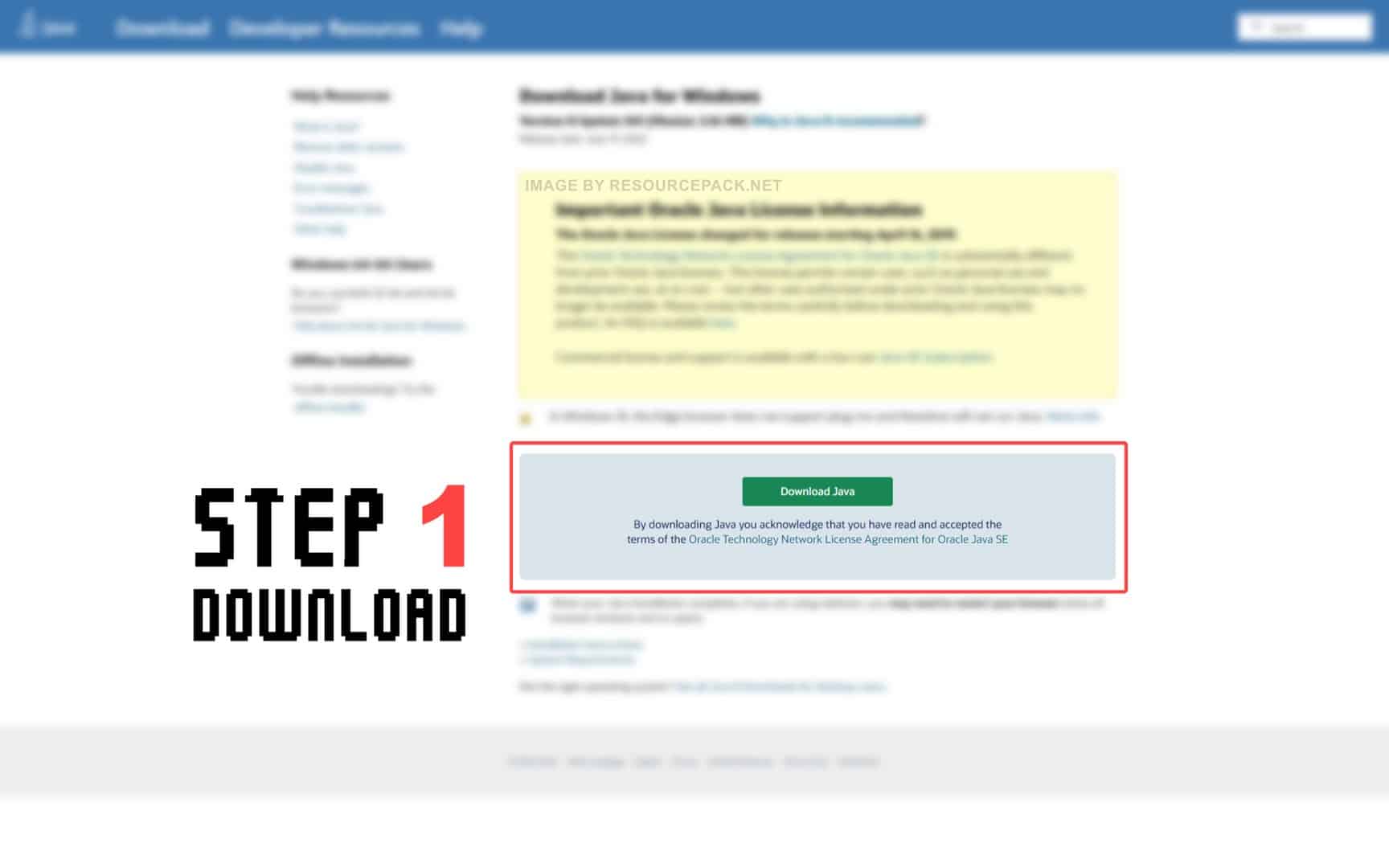
- Download Java from the official website here.
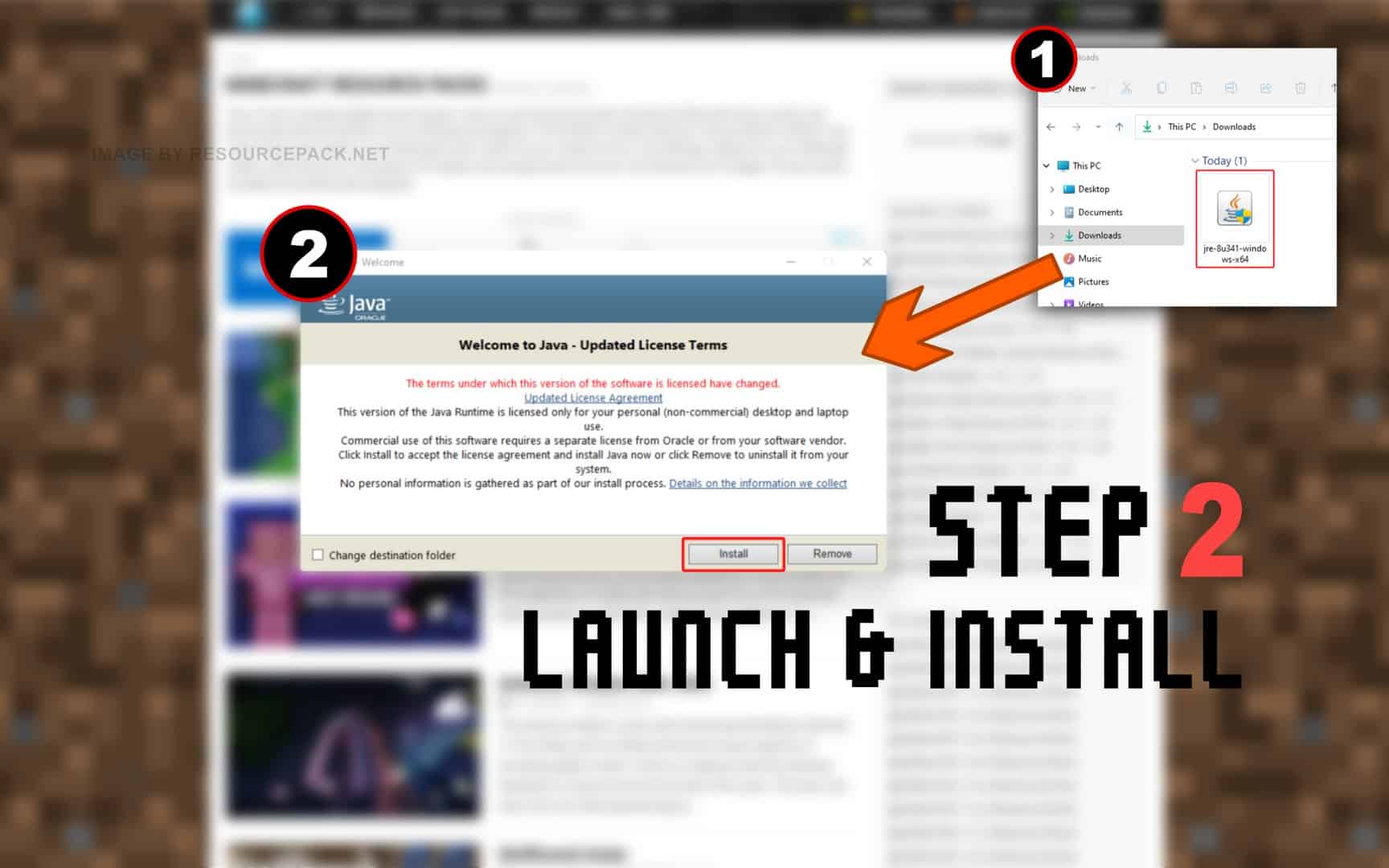
- Run the file you just downloaded and click Install.
NOTE: Optifine will only work with the Java Edition of Minecraft. Optifine does not currently work with Bedrock or any other edition.
And now.. OptiFine:
Please follow each step carefully if you have never installed OptiFine before.
- In the download section (located directly below this guide), you will find a link to the official Optifine website. Click on this link and you should be redirected to the developer’s official website.
- On the optifine website, you will see many different labels. First make sure you find the correct “Minecraft Version Label”. If you’re playing Minecraft 1.18.2, look for the appropriate label, then simply select one of the versions of Optifine under that label (we strongly recommend that you always choose the OptiFine HD Ultra editions. They usually have the most features) and click Download (or Mirror).
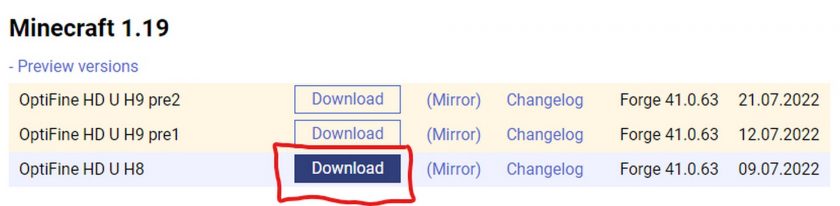
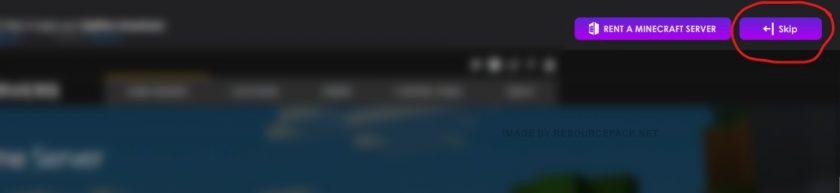
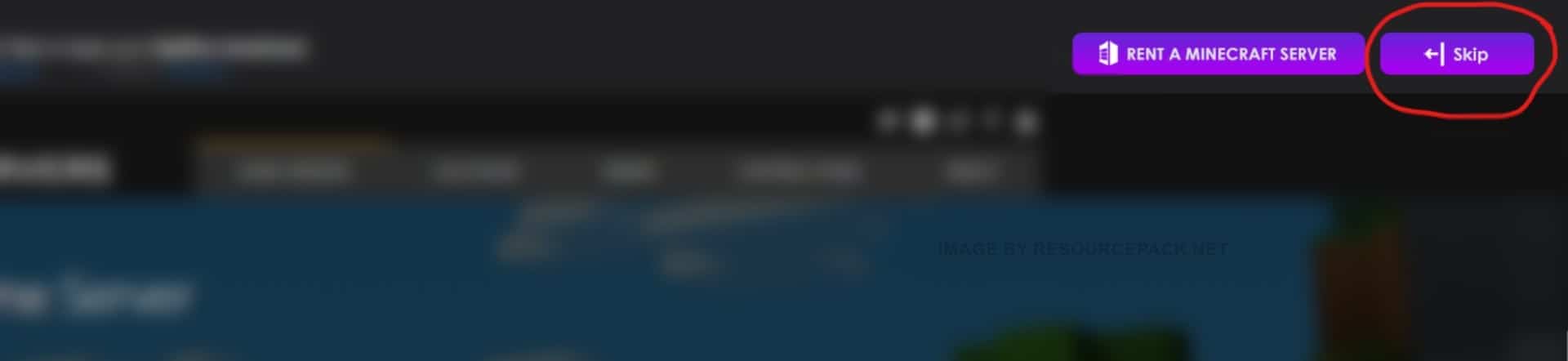
- If you clicked the “Download” button (step 2), then most likely you will first be redirected to an sponsor page with a short timer of 5 seconds. Just wait and click “Skip”. If you clicked the “Mirror” button (step 2), you will be redirected directly to the download page.
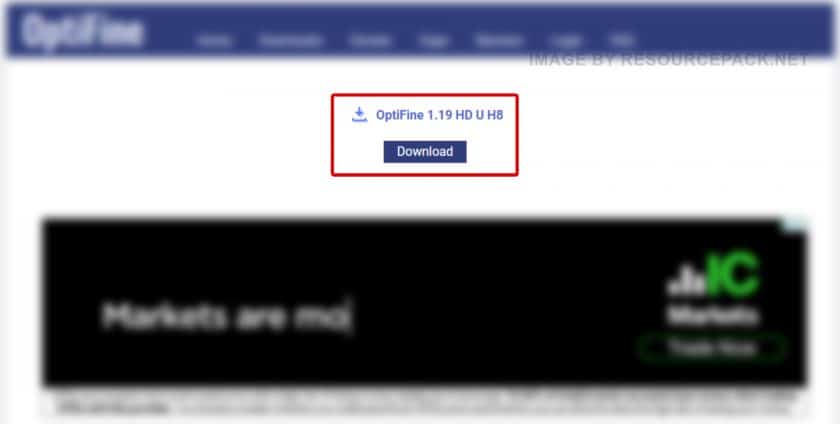
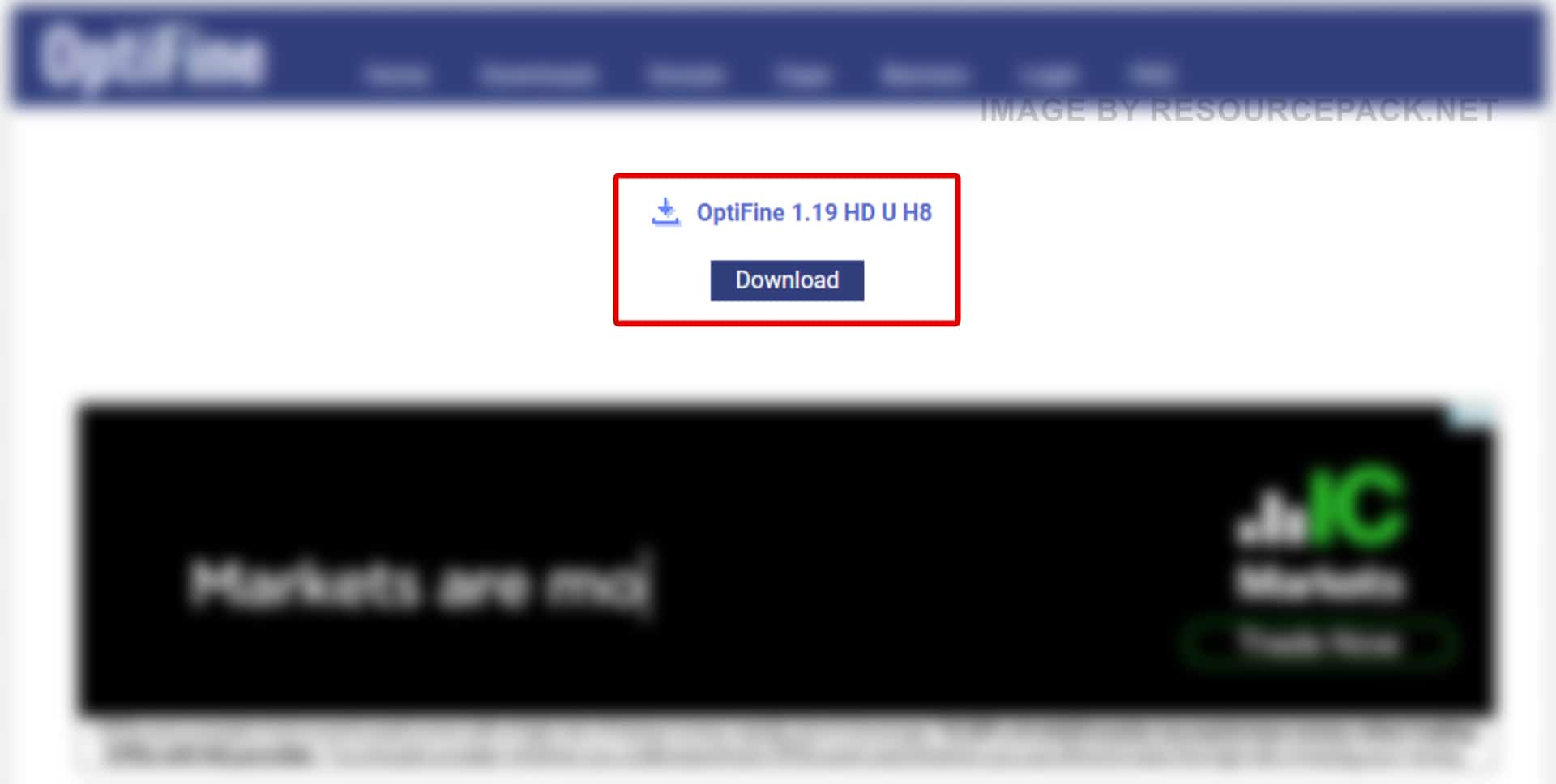
- Now, once you are on the download page, click “Download” again.
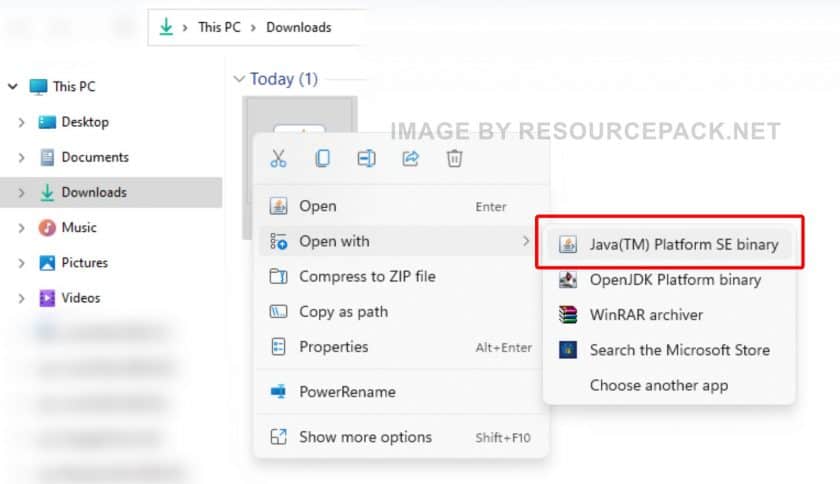
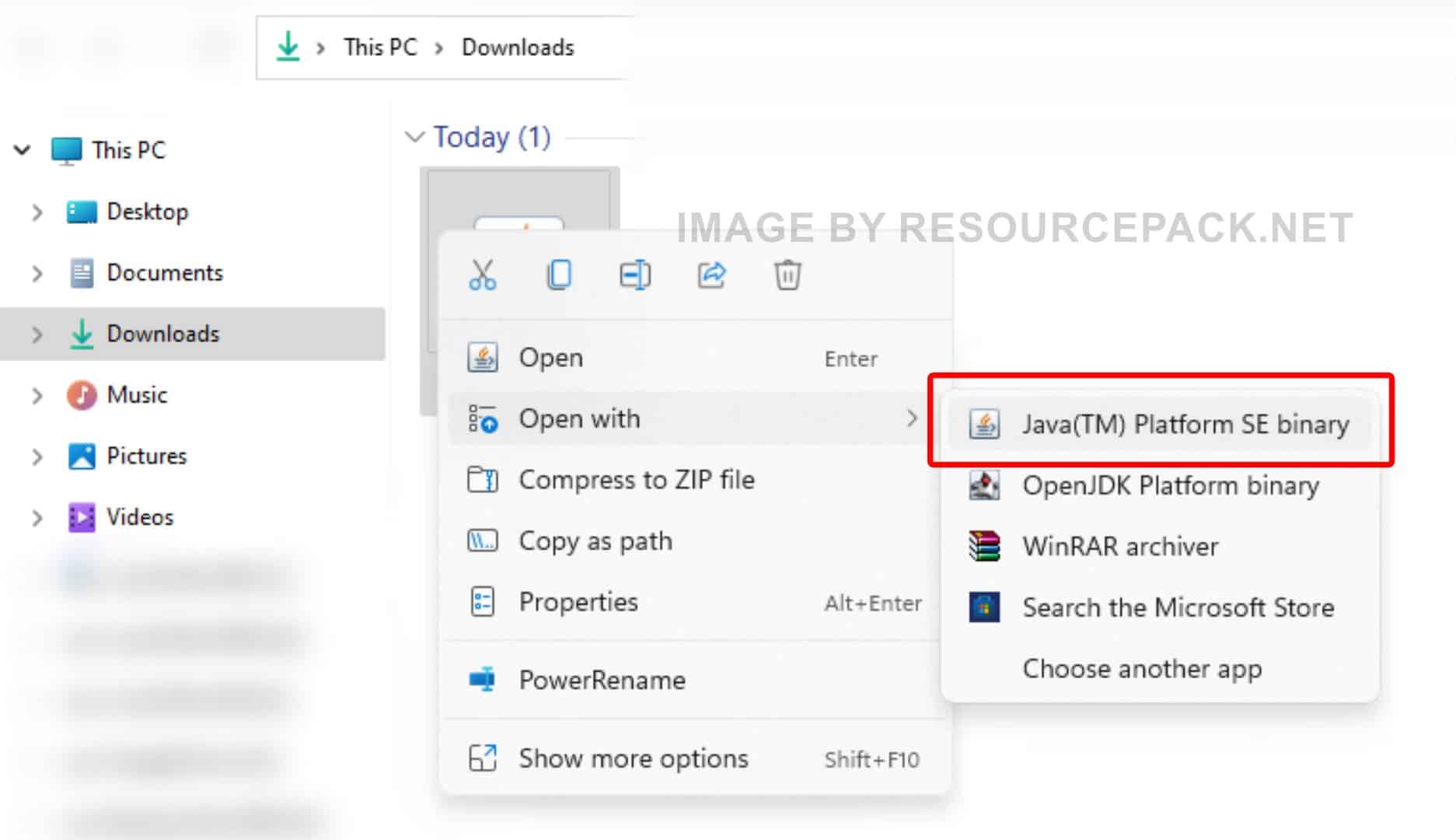
- Right-click on the newly downloaded Optifine installer file (should be in .jar format), select “Open With”, and then click “Java (TM) Platform SE binary”.
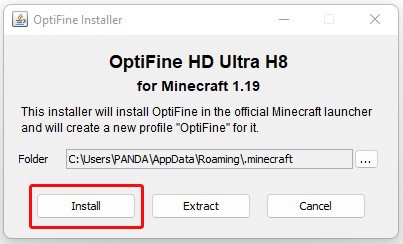
- A small installer window will appear, just click “Install”. After a while, the message “OptiFine is successfully installed.” will pop-up.
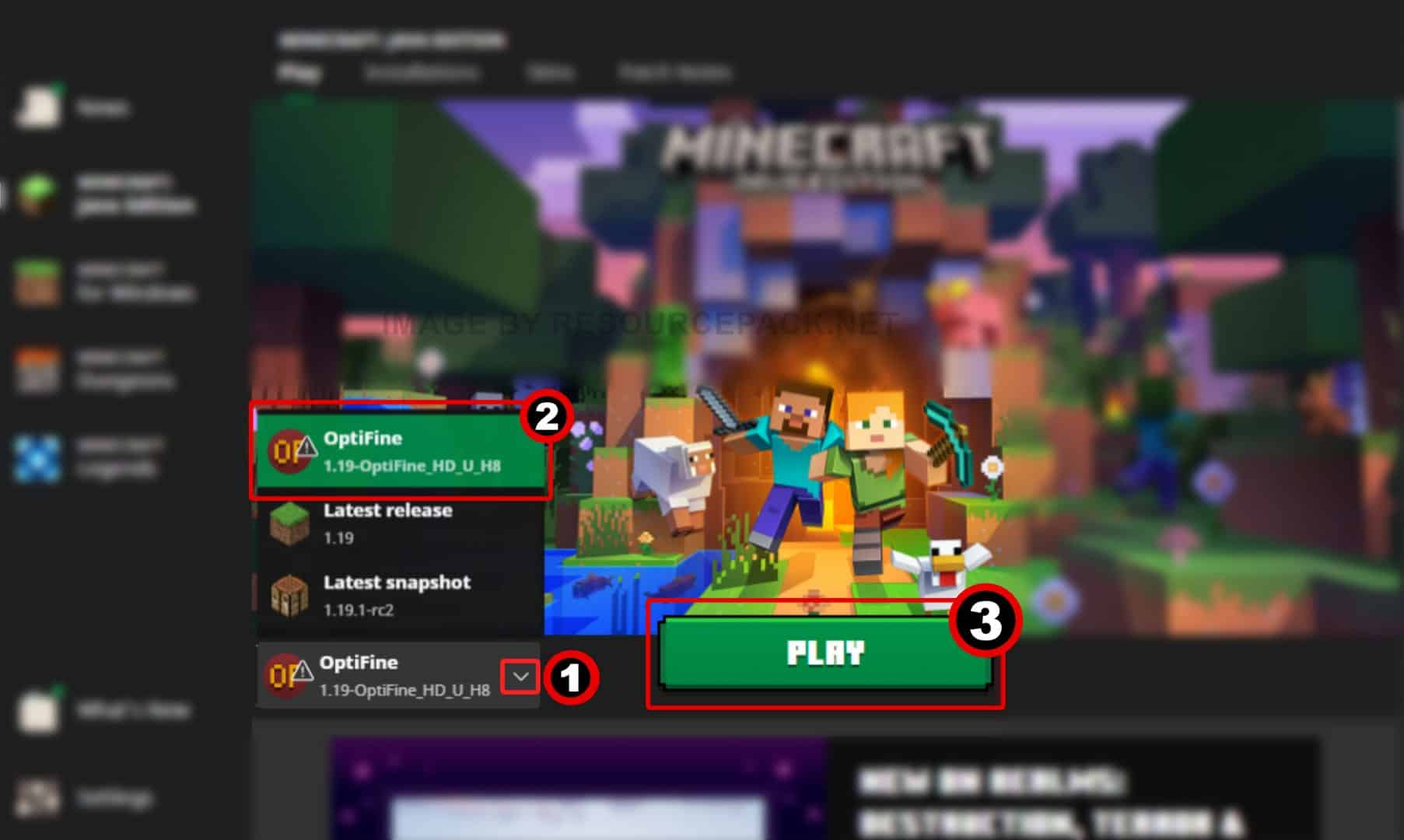
- Run the Minecraft launcher and click on the small arrow to the left of the green “PLAY” button. You will notice that there is a new version titled 1.19-OptiFine_HD_U_H8 (it may be different in your case depending on which version of Minecraft you are using and which version of optifine you have installed). Select this Minecraft Optifine version and click “PLAY”.
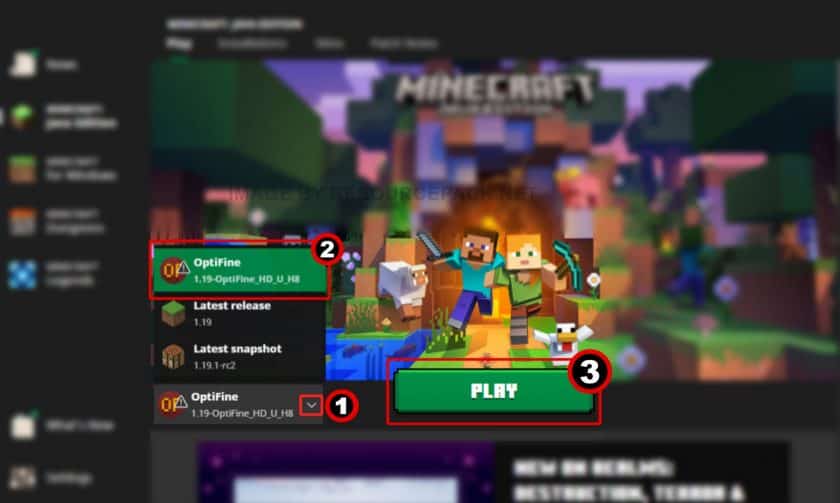
- Done. Now you have a version of Minecraft with Optifine. We hope the guide was useful to you, we tried to describe everything in as much detail as possible with screenshots so that you can understand it better. If you still have problems with the installation, leave your question below in the comments – either the administration or site visitors will definitely help you. But there should be no problems if you carefully read everything and do as it is written in the guide.
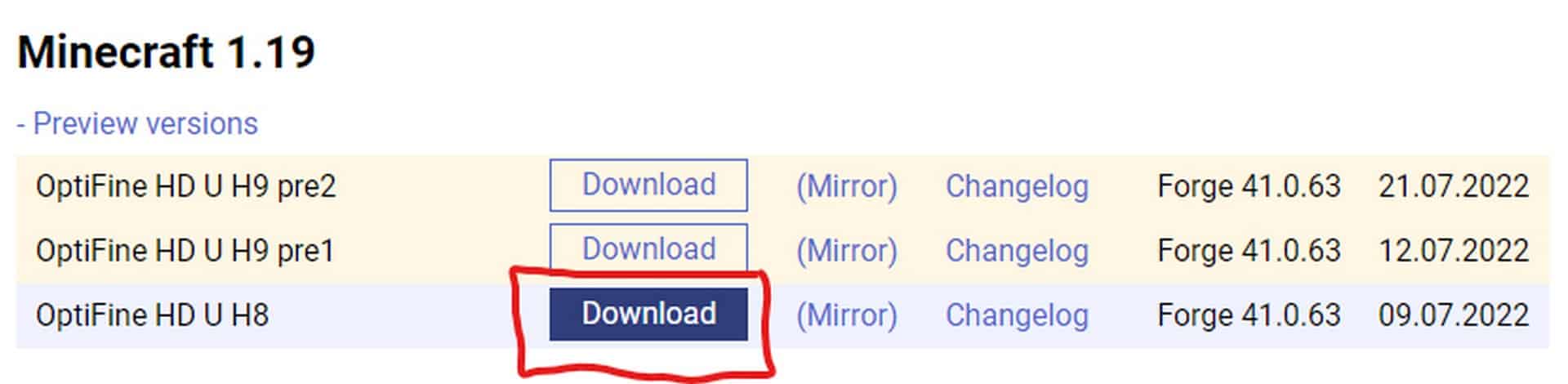
OptiFine Download
- We do not modify or edit any resource packs. All resource packs, shaders and tools found on this website are linked directly to official sources rather than hosted on our own servers. We provide only the official download links from the original creators to ensure that your files are safe and secure.
- These official links are updated manually and may occasionally stop working when a new version is released. We work hard to keep everything current so that you have a smooth experience. Please let us know in the comments if you find a link that no longer works.
- Minecraft is a trademark of Mojang Studios and has no official connection to this website. Our goal is simply to share the best creations from the community with other players.
- Please consider leaving a comment or voting for your favorite packs. This feedback helps authors improve their projects over time. You can also support the creators directly by visiting the official links located below the download section.
Java Edition:
Download OptiFine from Official Website
Curseforge: download starts automatically after a few seconds;
Mediafire: click the big blue button with the text "DOWNLOAD";
Google Drive: in the top right corner you will see a small download icon (down arrow), click it and the download should start;

16,972 votes
Look.. 16972 users have already liked this. Give a diamond if you like it too!


Nivaan agarwal
bru, I don’t java installed that is why the commands are not going trough
No Name
Man why do i have to pay for everything i have to pay for java i just wanna add texture pack cause mincraft aint changing its graphics
weet
i also am not able to instal optifine. wen i tell it to open in java(tm) platform se binary it yust flachesa window on my screen then noting and thers no extra tabo on my minecft lanche ither
bob
same
soyasaus
I followed the instructions and everything went fine while downloading optifine, but it don’t seem to work when i log into my worlds, even though i chose the optifine “release” in the minecraft launcher and it says (modded) in the bottom left corner of the game start screen. I had the same problem when i tried a year ago too, but then i just gave up. Any logic to why this might be happening?
Help
There is no option to open with Java(TM) Platform SE Binary on Windows 11 computer
Admin
Have you installed Java as we instructed you (yellow box in the “How to install” section)? Also, be sure to restart your computer/laptop after successfully installing Java.
werwerwrwerwerw
yes this is fake my guy\
Admin
What do you mean by “fake”? Java? Java is definitely not fake. Minecraft? Minecraft isn’t fake either. Optifine? Optifine is not fake too. All this is used by millions of users. So what exactly are you calling fake?
JomiTheRaven
You need to download Java first, then opifine then any of the mods you need.
Mods don’t work without Java and Optifine.
Person
bro your life is fake
Milkshakes220
When I hit open with, it takes me to Firefox, asking me to download the file again. The cycle repeats. How do I fix this?
JomiTheRaven
Try right clicking it and select “open with”
A
when opening the Optifine file with java, it says “there are errors in the following switches”
sazfor
exactlyy
Kapree
im having the same problem
Grog
Same issue as Bruh. Advice?
Bruh
The Installer doesnt pop up after i chose to open the file with The Java(TM) thing
I dont know why
bob
same
ok
ok
h
when i press ”open with” there is no java se platform binary
Macy
Me too.
Xan
Re-download Java from the first yellow box.
protin bor
need a guide for windows 11 java
ZBSDKryten
Optifine 1.19.2 is now available
Mat
Doesn’t work,
I have Minecraft 1.19.21.
YouDontKnowMe
It wont let me install Optifine? It keeps saying ” This page isn’t working adfoc.us redirected you too many times. Try clearing your cookies. ” So I clear the cookies and then the same thing happens!
I have had this with only Optifine no other mods or resource packs has this happened but for some reason Optifine dose?
Admin
Try using a mirror link next to the main optifine download buttons (STEP 2 image). This might work a little better. Unfortunately there is nothing we can do to help as we provide a link to the official optifine download page, so they are fully responsible for the stability of the links. You can try contacting them directly.
Krzysztof
Why I cant use mods in this shader? I cant include mods…
Admin
What do you mean? Optifine is a tool (mod), not a shader pack. Optifine is required for shader packs and some resource packs to work properly.
Jude
I have !.9.2 Minecraft version and optifine has only 1.9.1 what should i do?
Admin
Wait for the optifine team to release optifine version 1.19.2.
Joe
I downloaded optifine h9 and I tried to install in but it said it couldn’t find minecraft 1.19, I have java edition 1.19
Admin
What version of Minecraft are you downloading optifine h9 for? Be sure to download the exact same version of optifine that you have installed minecraft. If you have Minecraft 1.19.1 you need optifine 1.19.1 not 1.19.
Kenneth
i tried to run OptiFine H8 and java opened but then closed immediately and the same thing happened with H9, i have no idea what’s going on, and idk if it has to do with me still running on Windows 10 and this version was made for Windows 11. the install menu for OptiFine shown in step 6 does not show up at all.
Elon
Wasnt sure what happened, everything is fine until i click install the optifine, it said couldnt find minecraft 1.19. I got my minecraft with xbox pass, does that has anything to do with it?
Admin
You need to check which version of Minecraft you have installed. Optifine only works with Java Edition.
declan
I have minecraft java downloaded, but a Java(tm) SE Binary file isn’t there to open it with?
Admin
Please re-read the instructions on this page (how to install section) again, and don’t forget to take a look at the message in the yellow box. Most likely, you missed some steps or misunderstood them.
Mido
Hello!
I followed the instructions step by step and i get the pop up that optifine was installed sucessfully but it doesn’t show up at all in my minecraft launcher..
Admin
Restart the Minecraft launcher, after that it should appear.
Alex
I open the jar file with Java SE Binary but nothing pops up
reeee
I did followed the intructions step by step but it doesn’t show up as a version?
Lucid
Do you know when optifine will be compatible with 1.19.1?