Hey builders! Today we are checking out the evenTime resource pack, a 32×32 Minecraft pack that comes from the evenTime Team, a group famous for creating amazing Minecraft builds. It was released publicly in 2016 and gives the game a fresh, exotic look while keeping the classic block-based feel we all love. What makes this pack so interesting is the people behind it. The creators were also deep into large-scale building projects, and the pack’s description shows off the team’s building work. That tells us the pack was made to match the way they design their awesome Minecraft environments. Thanks to its 32x resolution, you get extra texture detail compared with Minecraft’s standard 16x textures, so everything looks a bit sharper and richer. The original pack was created by the evenTime Team, but after Minecraft 1.4.7 was released, the team stopped updating it, and for a while it was left without support for newer game versions. Luckily, kyctarniq, the designer of Xaiwaker and some other popular resource packs, stepped in. In 2014, kyctarniq decided to continue the project and published an updated version called evenTime x32 resource pack.
The goal was to keep the original visual style while covering much more of Minecraft’s content. The original pack was mainly made for architectural projects, so several survival textures were missing or unfinished. The updated version fixes this by adding and improving textures for weapons, tools, armor, and other gameplay items. That means you can now enjoy it in survival mode too, not just in creative builds. Eventime’s texture pack follows a realistic architectural style. Its textures are made to complement detailed buildings, huge structures, so your castles, towns, and cities will look fantastic. One of the coolest technical features is support for connected textures. This lets neighboring blocks show matching, coordinated textures instead of obvious separate block patterns. To get this effect, the pack uses connected texture functionality that comes with MCPatcher and OptiFine. The creator recommends using one of these tools so you can see the pack exactly the way it was meant to look.
evenTime should be compatible with all of these Minecraft versions: 1.11.2 - 1.11 - 1.10.2 - 1.10 - 1.9.4 - 1.9 - 1.8.9 - 1.8.8 - 1.8.1 - 1.8.6 - 1.8 - 1.7.10 - 1.7.9 - 1.7.4 - 1.7 - 1.6.4 - 1.6.2 - 1.5.2
evenTime — Screenshots
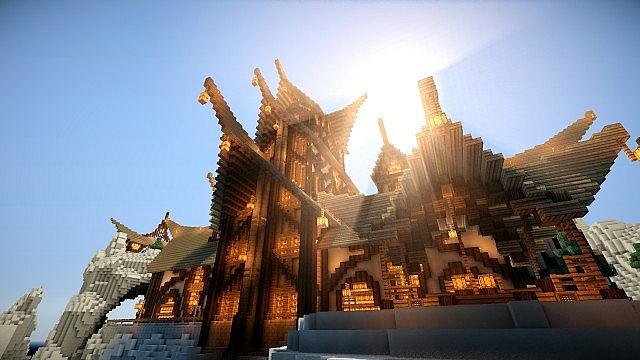
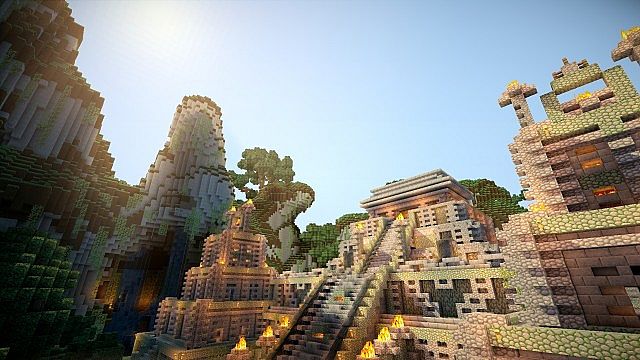
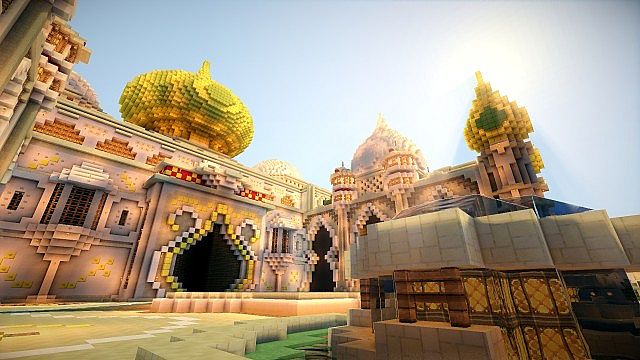
How to install evenTime Resource Pack:
- Most resource packs require Optifine, so be sure to download and install it. – general recommended step for all packs, Optifine is also needed for most shaders
- Download the evenTime texture pack for Minecraft from the download section below. – if there are many different versions, just choose the one you like, is compatible with your version/edition of Minecraft, the one you think your computer can handle in terms of performance.
- Launch the game client through the Minecraft launcher.
- On the main menu, click "Options".
- On the options menu, click "Resource Packs...".
- Click on "Open Resource Pack Folder". – folder titled "resourcepacks" will pop up
- Move the .zip file you downloaded in the first step to the newly opened "resourcepacks" folder.
- Click "Done".
- Click on "Resource Packs..." again.
- Your pack should have appeared in the left window, just hover over it and click on the arrow pointing to the right.
QUICK TIP: Sometimes, when activating a pack, the game may say that the pack is made for a newer or older version of Minecraft. This is just a warning, it does not affect your gameplay in anyway, and you can still activate and enjoy the pack by simply clicking the "Yes" button when prompted.
- Click "Done" again.
- The pack has now been successfully loaded and ready to be used in your world!
evenTime Texture Pack Download
- We do not modify or edit any resource packs. All resource packs, shaders and tools found on this website are linked directly to official sources rather than hosted on our own servers. We provide only the official download links from the original creators to ensure that your files are safe and secure.
- These official links are updated manually and may occasionally stop working when a new version is released. We work hard to keep everything current so that you have a smooth experience. Please let us know in the comments if you find a link that no longer works.
- Minecraft is a trademark of Mojang Studios and has no official connection to this website. Our goal is simply to share the best creations from the community with other players.
- Please consider leaving a comment or voting for your favorite packs. This feedback helps authors improve their projects over time. You can also support the creators directly by visiting the official links located below the download section.
Java Edition:
[32x] [1.11.x – 1.10.x] Download Eventime’s Resource Pack
[32x] [1.9.x] Download Eventime’s Resource Pack
[32x] [1.8.x] Download Eventime’s Resource Pack
[32x] [1.7.x – 1.6.x] Download Eventime’s Resource Pack
Curseforge: download starts automatically after a few seconds;
Mediafire: click the big blue button with the text "DOWNLOAD";
Google Drive: in the top right corner you will see a small download icon (down arrow), click it and the download should start;

7 votes
Look.. 7 users have already liked this pack. Give a diamond if you like it too!



Justin Arcilla
Hello this if for?