A defining feature of Minecraft is its visual aesthetic. The block style and simplistic graphics are now synonymous with the game and give it a retro gaming feel. The simple styling and play make the game easily accessible and popular across a broad demographic but, what do you do when it no longer satisfies you and eventually starts to irritate you? There is a solution, Sonic Ethers Unbelievable Shaders. Sonic Ether’s Unbelievable Shaders, or simply SEUS, completely transforms the games graphics and takes Minecraft to a whole new level. This shader pack brings the game to life by highlighting the natural properties of different game components. SEUS adds an element of reality to the graphics that really augments vanilla game play. Water appears to flow, large expanses of water appear homogenous and plants seem alive and move with the breeze. SEUS also enhances the night feel of the game with its play on shadows. The most transformative feature of the shader pack is lighting. The standard lighting used in vanilla game play is stark, offers minimal variation and adds little to the gaming experience. The default light color used is yellow light and this applies to most artificial light sources (fire, torch, glow stone) as well as natural light sources like the sun. The shader pack goes back to basics adding color and nuance to each light source.
Featured video:
The result is immediately obvious. Torchlight is easily distinguishable from sunlight, moonlight is very different to the lighting produced for lava. It is not just the colors that make the difference. Shadow definition and placement combine to increase the intensity and impact of the enhanced lighting. Attention to detail is evident. Even small blades of grass create their own shadows at angles corresponding to the position of the Sun. If the monotony of the vanilla game lighting has made the game feel lacking, SEUS is a quick fix that will add vibrancy and breath life back into the game. Another high impact feature of the shader pack is sky textures. Gone are the standard, block style clouds in their predictable formations. In their place SEUS introduces ethereal clouds that move in the sky and continually change. The shader pack transforms the sky replacing the floating blocks with soft, hazy clouds. The sky now feels real rather than a blue space filled with floating white flooring. Despite the obvious contrast between the original pixilated design of Minecraft and the very realistic design offered by the shader pack, both design elements actually work well together. By incorporating authentic lighting and weather into the game the shader pack adds to the game rather than detracting from it. It comes as no surprise that in order to run Sonic Ether’s Unbelievable shader mod pack you need a computer that can handle the enhanced graphics. Older computers with insufficient memory and processing speed might struggle to display the enhanced graphics and negatively impact your game play.
Sonic Ether's Unbelievable Shaders (SEUS) should be compatible with all of these Minecraft versions: 1.21.11 - 1.21.10 - 1.21.9 - 1.21.8 - 1.21.7 - 1.21.6 - 1.21.5 - 1.21.4 - 1.21.3 - 1.21.2 - 1.21.1 - 1.21 - 1.20.6 - 1.20.5 - 1.20.4 - 1.20.3 - 1.20.2 - 1.20.1 - 1.20 - 1.19.4 - 1.19.3 - 1.19.2 - 1.19.1 - 1.19 - 1.18.2 - 1.18.1 - 1.18 - 1.17.1 - 1.17 - 1.16.5 - 1.16.4 - 1.16.3 - 1.16.2 - 1.16.1 - 1.16 - 1.15.2 - 1.15.1 - 1.15 - 1.14.4 - 1.14.3 - 1.14.2 - 1.14 - 1.13.2 - 1.13.1 - 1.13 - 1.12.2 - 1.12 - 1.11.2 - 1.11 - 1.10.2 - 1.10 - 1.9.4 - 1.9 - 1.8.9 - 1.8.8 - 1.8.6 - 1.8.1 - 1.8 - 1.7.10 - 1.7.9 - 1.7.4 - 1.7 - 1.6.4 - 1.6.2
Sonic Ether's Unbelievable Shaders (SEUS) — Screenshots


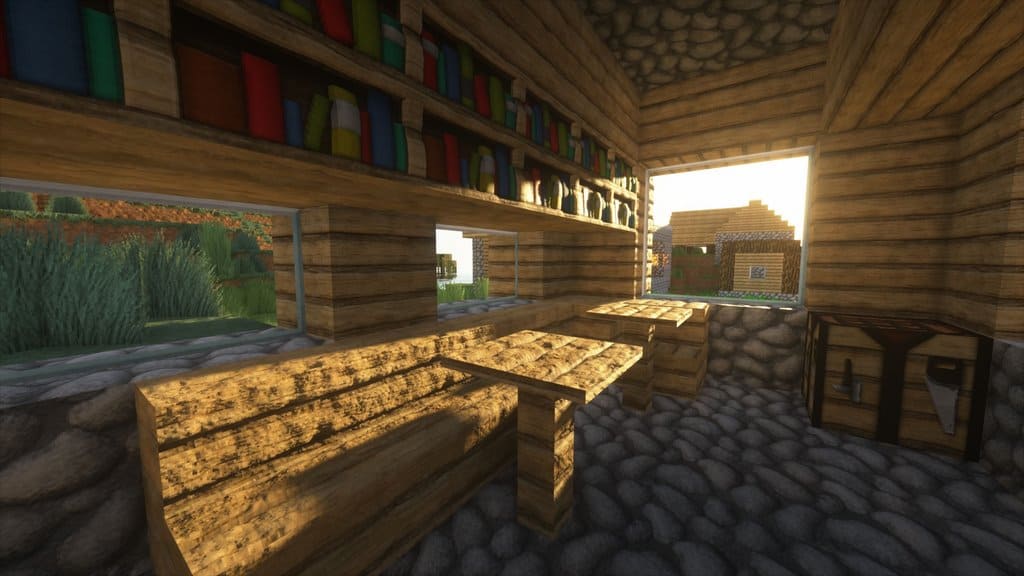
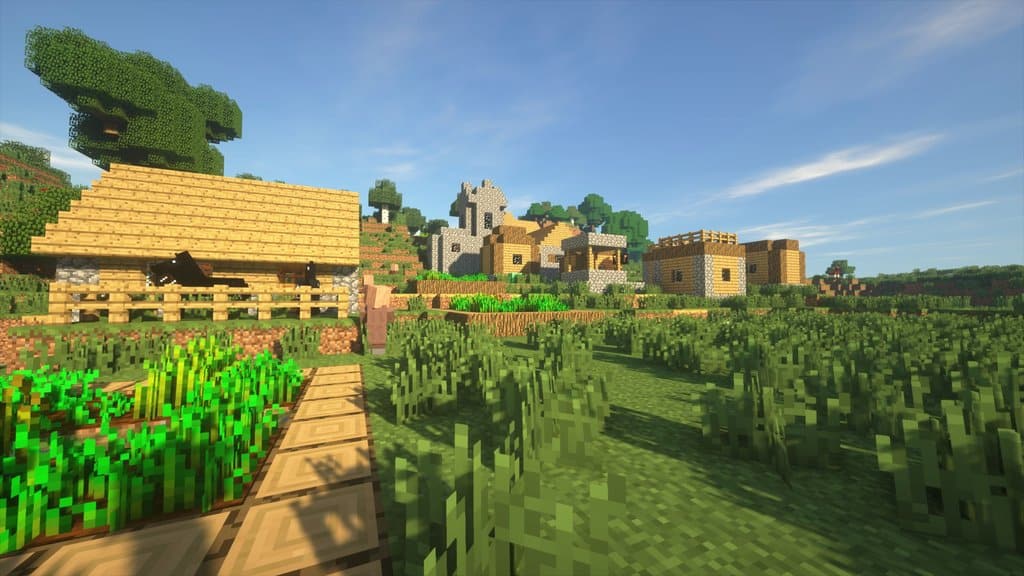
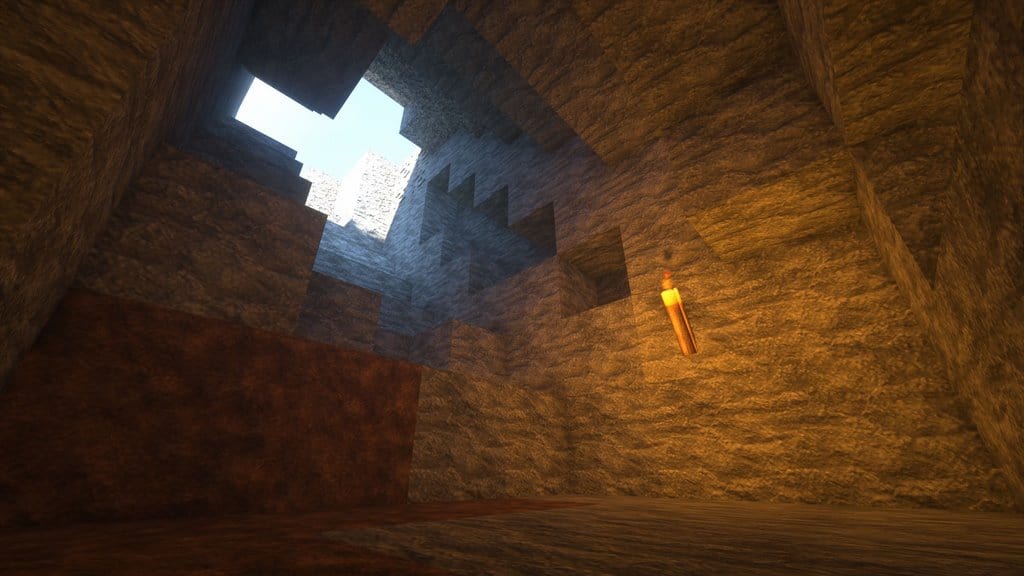
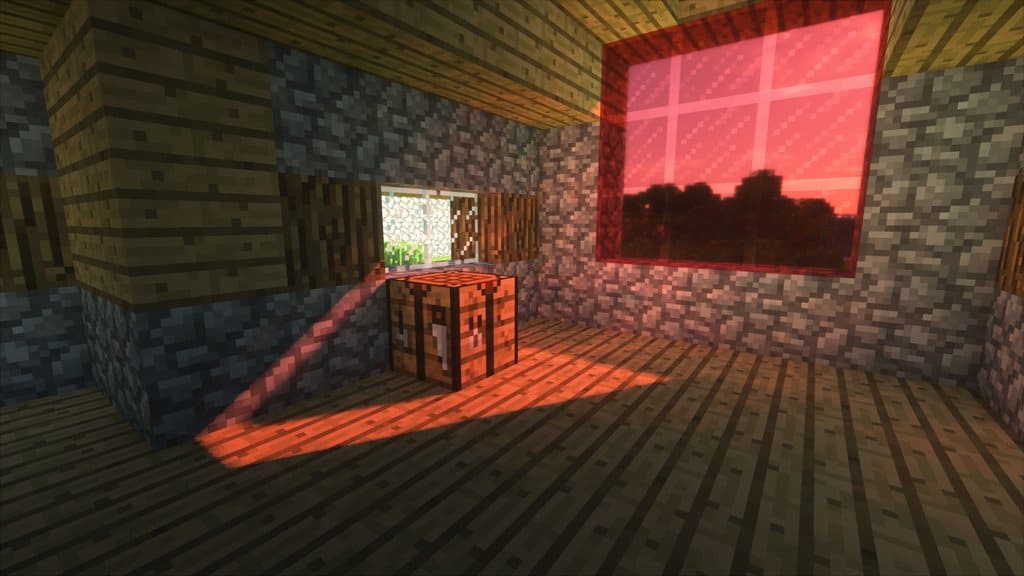
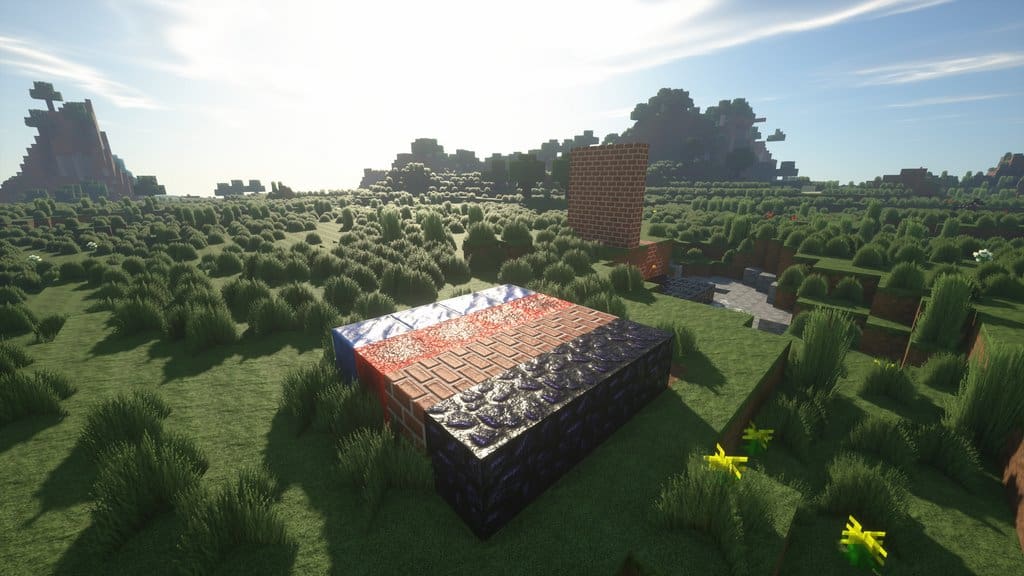
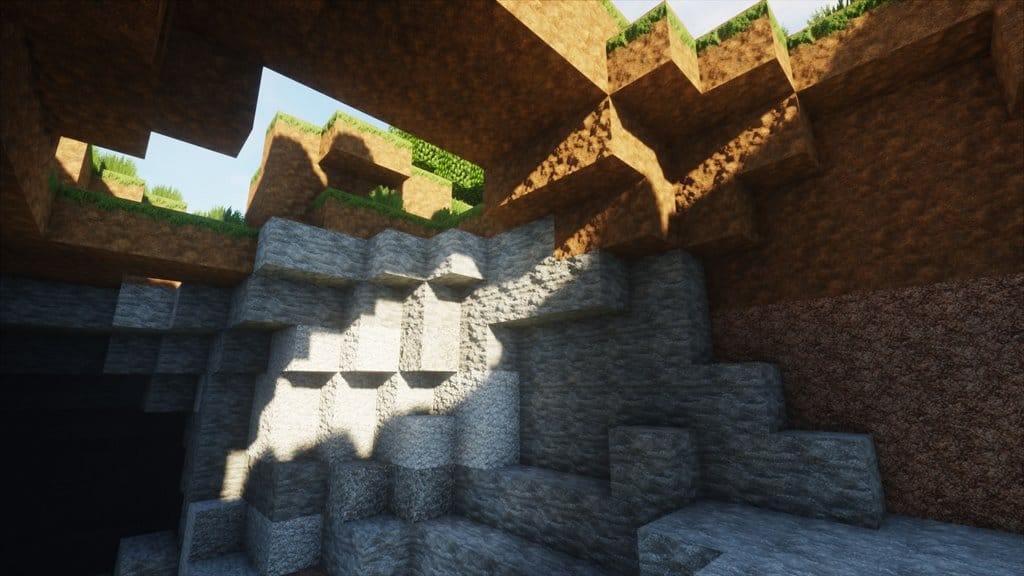

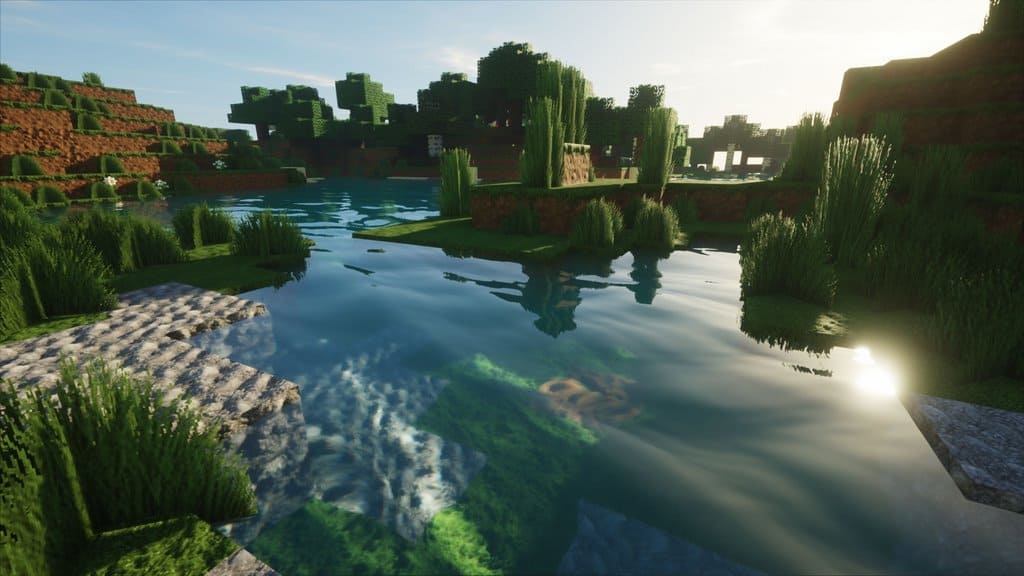
How to install SEUS Shaders:
- Download and install Minecraft.
- Open Minecraft launcher and setup your game profile for the Minecraft version you want to run. – in the top menu, select the “Installations” tab, click “New installation”, under the “Version” dropdown, select your preferred Minecraft version and click “Create”.
- Download and install Optifine or Iris. – we recommend Iris, it’s a bit more optimized;
- Open Minecraft launcher and select the newly created Optifine or Iris profile. – if in step 3 you chose to install optifine it will have an optifine profile, if iris it will have an iris profile;
- Download the SEUS shader pack from the download section below.
- Launch Minecraft.
- For Optifine: Go to
Options > Video Settings > Shadersand click “Shaders Folder” to open shaderpacks folder.
For Iris: Go toOptions > Video Settings > Shader packsand click “Open Shader Pack Folder” to open shaderpacks folder. - Put the SEUS shader pack (.zip file) downloaded in step 5 into the .minecraft\shaderpacks folder you opened in step 7.
- In the game, select SEUS Shaders from the list and click “Done”.
Sonic Ether's Unbelievable Shaders (SEUS) - Comparison Slider #1 day
Comparison slider #1 for those who want to compare vanilla Minecraft without any shaders installed (on the left) with Minecraft using this particular shader pack (on the right).
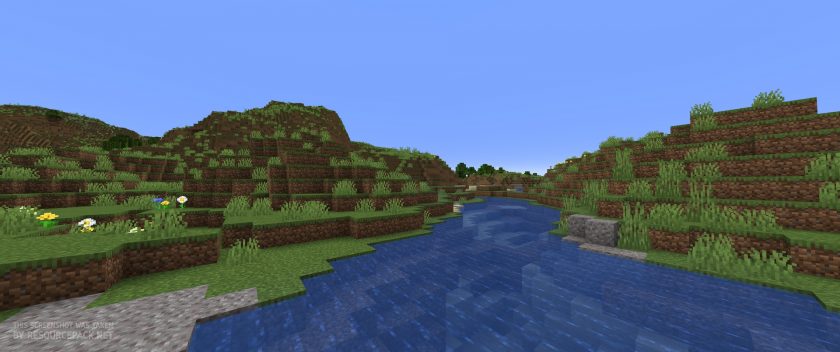 Vanilla
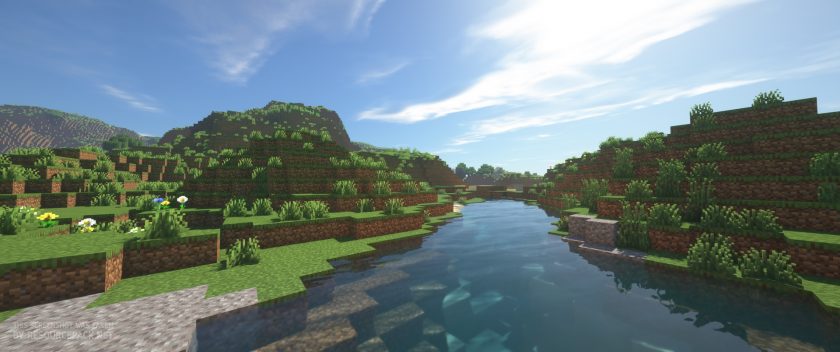 SEUS (Renewed)
Sonic Ether's Unbelievable Shaders (SEUS) - Comparison Slider #2 night
Comparison slider #2 for those who want to compare vanilla Minecraft without any shaders installed (on the left) with Minecraft using this particular shader pack (on the right).
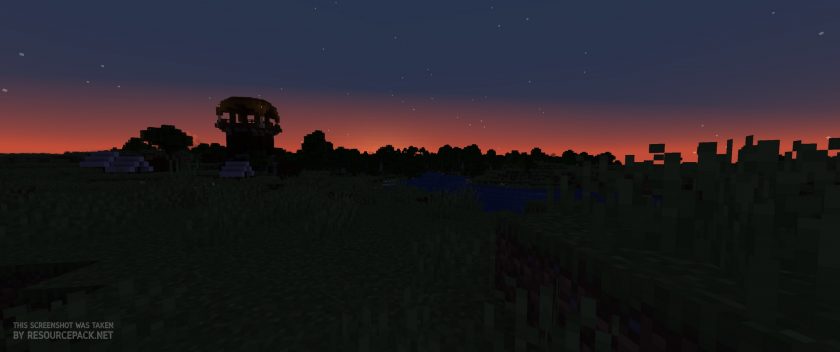 Vanilla
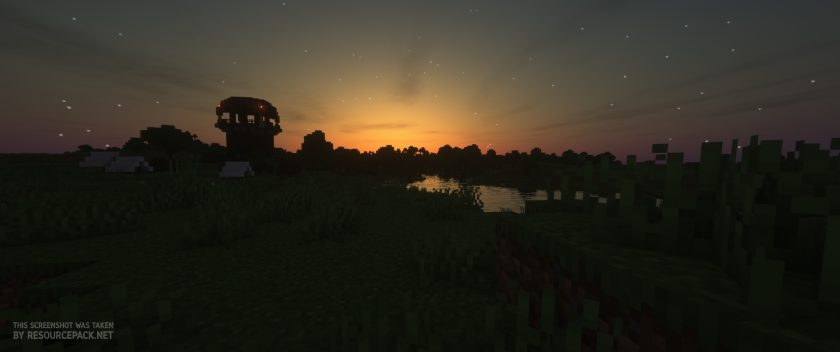 SEUS (Renewed)
Sonic Ether's Unbelievable Shaders (SEUS) Shader Pack Download
- We do not modify or edit any resource packs. All resource packs, shaders and tools found on this website are linked directly to official sources rather than hosted on our own servers. We provide only the official download links from the original creators to ensure that your files are safe and secure.
- These official links are updated manually and may occasionally stop working when a new version is released. We work hard to keep everything current so that you have a smooth experience. Please let us know in the comments if you find a link that no longer works.
- Minecraft is a trademark of Mojang Studios and has no official connection to this website. Our goal is simply to share the best creations from the community with other players.
- Please consider leaving a comment or voting for your favorite packs. This feedback helps authors improve their projects over time. You can also support the creators directly by visiting the official links located below the download section.
Java Edition:
[SEUS Renewed 1.0.1] Download Sonic Ether’s Unbelievable Shaders Pack – for Minecraft 1.21.x and below;
[SEUS v11] Download Sonic Ether’s Unbelievable Shaders Pack – for Minecraft 1.10.x and below;
[SEUS v10.2 Ultra] Download Sonic Ether’s Unbelievable Shaders Pack – for Minecraft 1.10.x and below;
Curseforge: download starts automatically after a few seconds;
Mediafire: click the big blue button with the text "DOWNLOAD";
Google Drive: in the top right corner you will see a small download icon (down arrow), click it and the download should start;

5,356 votes
Look.. 5356 users have already liked this shader pack. Give a diamond if you like it too!


Erde
I have the Windows 10 edition and there the highest version is 1.16.220
I downloaded Optifine, but the “little green arrow” is not there, up until that everything went as described
I downloaded this shaders pack, but when I open the Launcher, the highest version that will open at least is 1.12.2
And when I go to Options and Video Settings there, there is no “Shaders” button
Help please? :)
Admin
Windows 10 is the bedrock edition, which, if we are not mistaken, does not yet support optifine (optifine only works with java).
Rax
This pack since yesterday is now flashing all the floors going transparent and then opaque again every 1s or so it is SUPER distracting and I can’t concentrate. I have tried uninstalling the pack and reinstalling the pack but it made no difference :'(
Please help!
Katy
Hey, like this shader but it makes my screen look… cloudy? Not nearly as clear as the pics
Marcoxdish
I dont have the “raytracing Options” Button, Does it not work on Minecraft Java Edition? My Graphic Card is the RTX2070Super
Evelyn
I’ve done everything as stated and when the world loads up, it gives me –
[Shaders] Error: Invalid program “gbuffers_hand”
[Shaders] Error: Invalid program “gbuffers_water”
[Shaders] Error: Invalid program “composite”
[Shaders] Error: Invalid program “composite1”
[Shaders] Error: Invalid program “composite2”
[Shaders] Error: Invalid program “composite3”
[Shaders] Error: Invalid program “composite4”
[Shaders] Error: Invalid program “composite5”
[Shaders] Error: Invalid program “composite6”
[Shaders] Error: Invalid program “final”
Any help would be much appreciated! Thank you.
Admin
If you are using nvidia graphics card try changing java settings to “high performance nvidia processor” in nvidia control panel.
Dilly
Thank you! This worked for me, as I was having same problem. Fixed and beautifully shaded :)
Keeith
yo, i’m here as well for the same problem, my point is just that I’m not using nvidia graph card, I’m just using my Intel i5 10600 integrated graphics, how should I fix it?
Admin
The problem with shader packs is that they are resource intensive and will probably not work properly with integrated graphics or will lag a lot. We do not recommend using shader packs with integrated graphics.
young
lmfaooooo you need an actual graphics card man im surprised you can even run minecraft vanilla on integrated graphics
tj
i have a macbook and it looks like i am using the Apple M3 Max (40-core GPU). when i load the shaders it shows up blank what should i do
Evan
it took me 250 hours to try to install and still did not work >:(
Admin
What exactly is your problem? Is it giving you some kind of error? Shader not listed in game settings? or something else? A little more information from you will help get a solution much faster.
LM-Covu
ive jus t downloaded it and when i booted it up on minecraft everything turned white lol
JustNaxy
yo this shader is awesome!
CommonerGold047
How much Vram is required?
yo mama
enough
Bomberanian
That doesn’t help
COOPEAR
I tried the link on different web browsers but nothing is downloading when I check the box and then click download. Double clicking doesn’t work either. The browsers I tried this on was Chrome and Microsoft Edge. I have java and optifine, any ideas as to why nothing is downloading? There seems to be no answers in the comments.
beanos
try to use Vivaldi.
itz good
Skeleton0803
Does it work with every version?
Vision Duwadi
Plz send me the requirement for this resource
requirement of laptop or compter
SCSpencer19
I tried the download link but it doesn’t work. The page freezes, and when I try to refresh it, it says “sonicether.com unexpectedly closed the connection”. Does anyone know of any ways to fix this?
Admin
It works just fine for us. Be sure to read & check the box next to “I have read and accepted the EULA” on the sonicether website.
Unfortunately, there is nothing we can do with these links as we only provide official links. In other words, if the link doesn’t work, we won’t be able to fix it. We can just wait for the author to fix it.
Brawl
its very good resurce pack
Mytt
Which resource pack/settings are the screenshots taken with? I particularly like the fur effect of the cow, but it doesn’t look like that in my game
paul
is good
128ajb
i have tried using the shaders, but i had a graphical bug where everything was all one color and the outlines of the blocks were the same color as everything else. IE on the land above ground everything was green
Animegirlgaming
Same. On Windows 10? Try getting a new GPU.
Helpless
I cant get it to change the texture, They still use MC default stone and wood and glass. looks nothing like it except for the lighting part.
Joshua Th3B3ast
Im 90% sure they used a texture pack to go with the shaders. You would have to install the texture pack they used for it to look the same as the pictures.
Raghibul haque
Is this work for minecraft mobile??
yessssszzzz
no lol
Ragball
bedrock moment
MattExists
Pocket edition moment more like :|
Outdutidcugi
Ūuuhhhh
Chey
I absolutely love this shader, especially for the water and rain. Just one thing that does make me a little sad though, soul torches, and soul lanterns don’t illuminate at all with it. (unsure if this also applies to the soul campfires but it probably does as well) I know they aren’t as bright as their regular counterparts, but a little glow would be nice for the aesthetic!
Erwin Moreo
Wow so cool
Dats minecraft shades
Dave
I got the shaders working great but it keeps saying openGL error 1281 (invalid Value) how do i fix this
Animegirlgaming
Try updating video drivers
Ian
Once I went to the download page and checked the box and pressed the button to download the download did not occur. What should I do in order for it to dowload?
Admin
Works great on our side. We just checked it manually.
Maybe try another browser and see if it works.
Ian
Still doesn’t work, I have even tried it on different devices. Any other ideas?
James
Hello, I got the shader to work, but it just changed the clouds, lights and water.
Nothing of the blocks looked like on the pictures, any idea why that could happen?
Thank you.
Admin
Shader packs don’t change the textures of blocks or items, they just add realistic lighting effects, shadows, etc.
Sarah
Hi there!
Tried this shader pack with CMR REALISTIC X256 Resource Pack because it suggested it, but I couldn’t get the shaders to work using the instructions above. Got them to show up in the Shaders menu in-game, but when I clicked on it to load them, every element came up as “Error: Invalid Program” in the text window.
Is there something I’m missing that I need to have?
How can I make this shaders pack work?
Any advice would be greatly appreciated!
Thank you! :)
Admin
Shaders are heavy add-ons and most likely won’t work with integrated graphics.
We can’t post links here, but there are a few working tutorial videos on youtube you can watch and fix your issue.
Just make sure these videos were uploaded in 2020)
Sam
What is the texture pack used in the images?
naaya
does not work with ryzen 7 3700x + radeon 5700 xt, says incompatible graphics card
Kile
you might need to update your GPU drivers from AMD website, get the latest adrenalin software from amd’s website, dont use other drivers for ur gpu, i have a ryzen 3 3100 + rx 5500 xt and it works fine
Fairyateralt
Awesome, SO glad i did this!
My. Myanmar
Good
12345678
i need a this texture pack