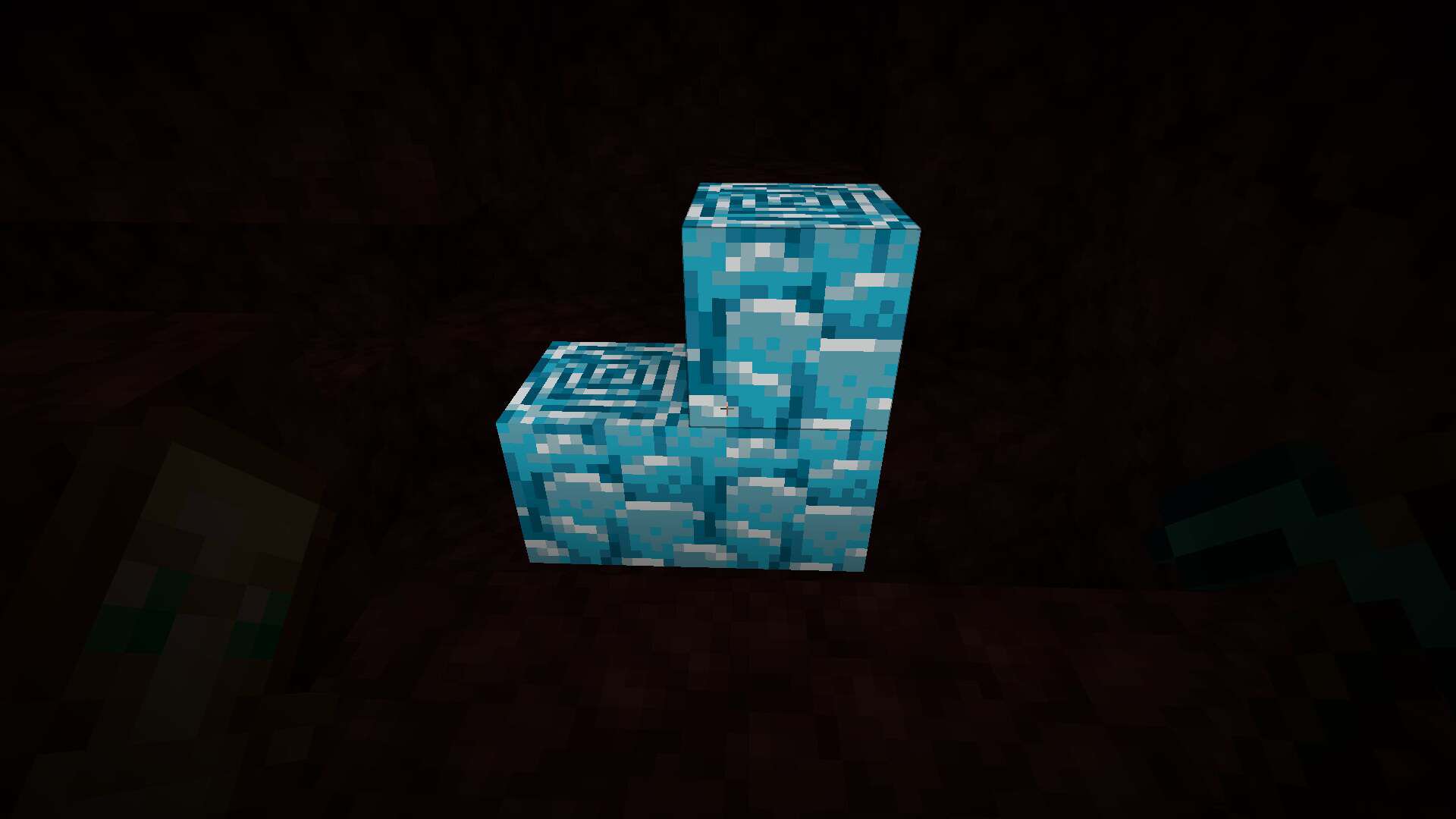
The Blue Netherite resource pack is one of those small but clever packs that fits perfectly into our recently added QoL packs category. So many amazing packs are released regularly, and some of them are huge overhauls, but this one is all about being useful. Why, you ask? How can a pack that recolors a single block be helpful at all? New players might need a little explanation, while veterans and anyone who has already visited the Nether will probably understand right away. Still, let’s start from the beginning, just in case you missed it. Blue Netherite is a Minecraft texture pack designed to make Ancient Debris easier to spot while you mine in the Nether. It changes the block from its usual brown and dark gray look to a bright light blue. In vanilla Minecraft, Ancient Debris is brown and gray on purpose. It blends into the netherrack so Netherite feels rare. The downside is that you can easily miss it if you are not really focusing. This has happened to us many, many times. How do we know? Whenever we return to the Nether to continue digging tunnels through the ground like a mole, we sometimes find the ones we missed before. Sure, the blocks have different textures and you can tell them apart, but while you are playing, the Nether’s color palette and dark atmosphere make it hard to notice. This pack does not make any huge changes. It simply adjusts the visuals so the block you need stands out clearly against the surrounding Nether blocks. The pack focuses on improving visibility rather than changing how Minecraft plays. It does not add new blocks, items, tools, or crafting recipes. Its main purpose is to help you recognize Ancient Debris more easily, which makes gathering Netherite scraps less time consuming and, for some of us, a lot less annoying, especially if you tend to miss plenty of them during your Nether adventures.
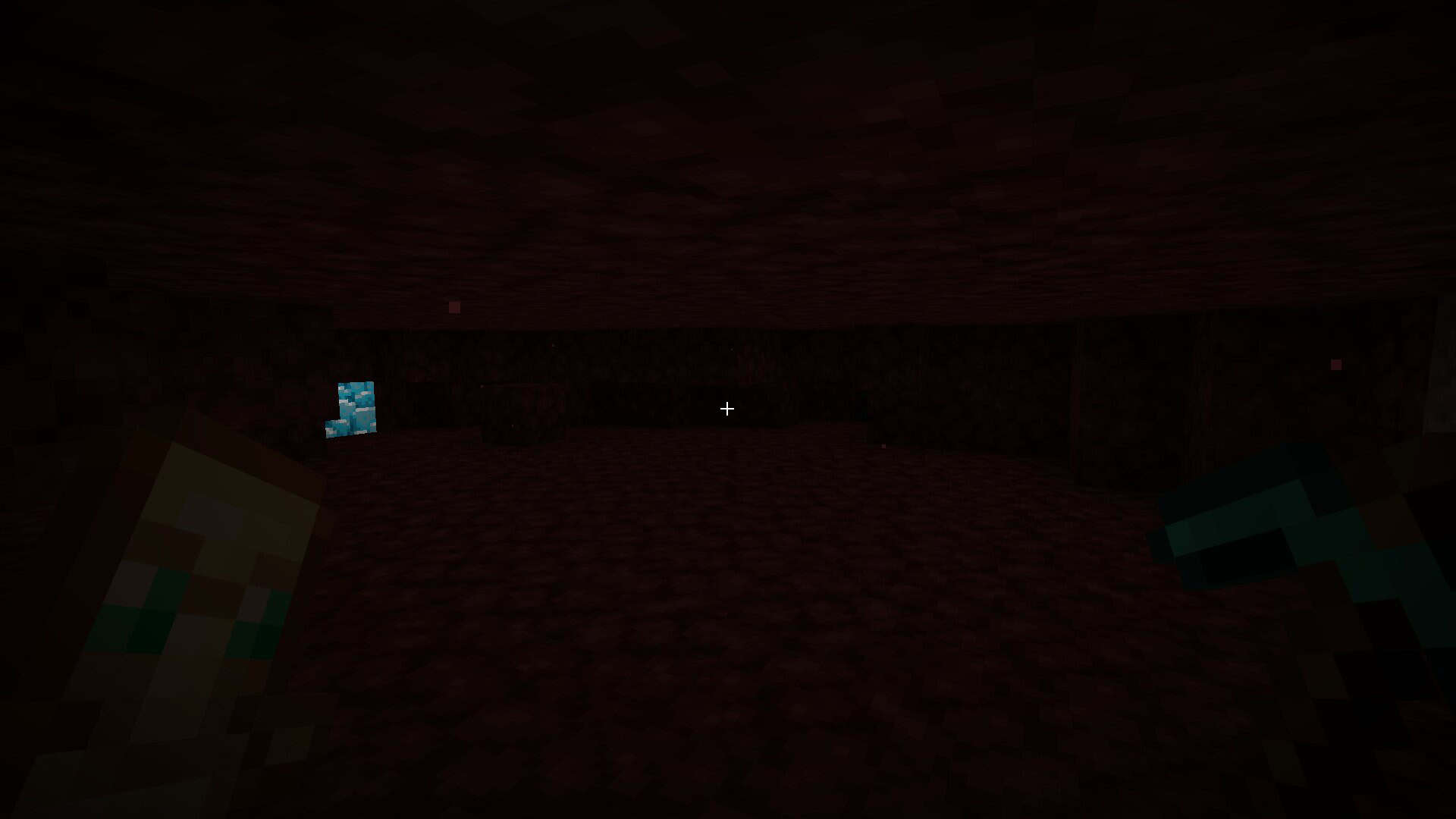
Blue Netherite is a simple utility pack that keeps most of Minecraft’s original visual style intact. It is especially handy for players who regularly mine for Netherite in Survival mode, since that is where spotting every piece of Ancient Debris really counts. The main feature is the redesigned Ancient Debris texture. The block gets a light blue appearance that creates a strong contrast with the reddish and brown colors you usually see around the Nether. There is also a glowing effect on Ancient Debris in newer versions of the pack. This feature is available starting with version 1.2.0, which means Minecraft 1.21.2 and all versions above it. The glow improves visibility in dark areas and makes Ancient Debris much easier to recognize when there is very little light around you. As for the block itself, it is the same Ancient Debris texture, just recolored and with some glow in recent versions. The pack uses a simple 16x resolution and keeps a vanilla style look. It does not try to replace Minecraft’s entire visual style with a completely different design. Instead, it makes one specific block easier to recognize. If you are new to resource packs, here is something important to know. Blue Netherite works by replacing the standard Ancient Debris texture with a modified version, and that is only the visual part of the block. Minecraft still generates the block normally, and its properties stay unchanged. This means the pack does not increase Ancient Debris generation or change how much Netherite Scrap you get from smelting. You still find and mine Ancient Debris exactly as you would in the default game. If you love the original look of the game but wish your Netherite hunting was a bit easier, this pack is an ideal solution. It is light, simple, and does its one job really well, so it is easy to add to almost any setup. Give it a try on your next trip to the Nether, and you might be surprised how many hidden pieces of Ancient Debris you have been walking past all along.
Blue Netherite should be compatible with all of these Minecraft versions: 26.3 - 26.2 - 26.1.2 - 26.1.1 - 26.1 - 1.21.11 - 1.21.10 - 1.21.9 - 1.21.8 - 1.21.7 - 1.21.6 - 1.21.5 - 1.21.4 - 1.21.3 - 1.21.2 - 1.21.1 - 1.21 - 1.20.6 - 1.20.5 - 1.20.4 - 1.20.3 - 1.20.2 - 1.20.1 - 1.20
Blue Netherite — Screenshots
How to install Blue Netherite Resource Pack:
- Most resource packs require Optifine, so be sure to download and install it. – general recommended step for all packs, Optifine is also needed for most shaders
- Download the Blue Netherite texture pack for Minecraft from the download section below. – if there are many different versions, just choose the one you like, is compatible with your version/edition of Minecraft, the one you think your computer can handle in terms of performance.
- Launch the game client through the Minecraft launcher.
- On the main menu, click "Options".
- On the options menu, click "Resource Packs...".
- Click on "Open Resource Pack Folder". – folder titled "resourcepacks" will pop up
- Move the .zip file you downloaded in the first step to the newly opened "resourcepacks" folder.
- Click "Done".
- Click on "Resource Packs..." again.
- Your pack should have appeared in the left window, just hover over it and click on the arrow pointing to the right.
QUICK TIP: Sometimes, when activating a pack, the game may say that the pack is made for a newer or older version of Minecraft. This is just a warning, it does not affect your gameplay in anyway, and you can still activate and enjoy the pack by simply clicking the "Yes" button when prompted.
- Click "Done" again.
- The pack has now been successfully loaded and ready to be used in your world!
Blue Netherite - Comparison Slider #1
Move slider back and forth to see vanilla Minecraft on the left and the beautiful resource pack on the right.
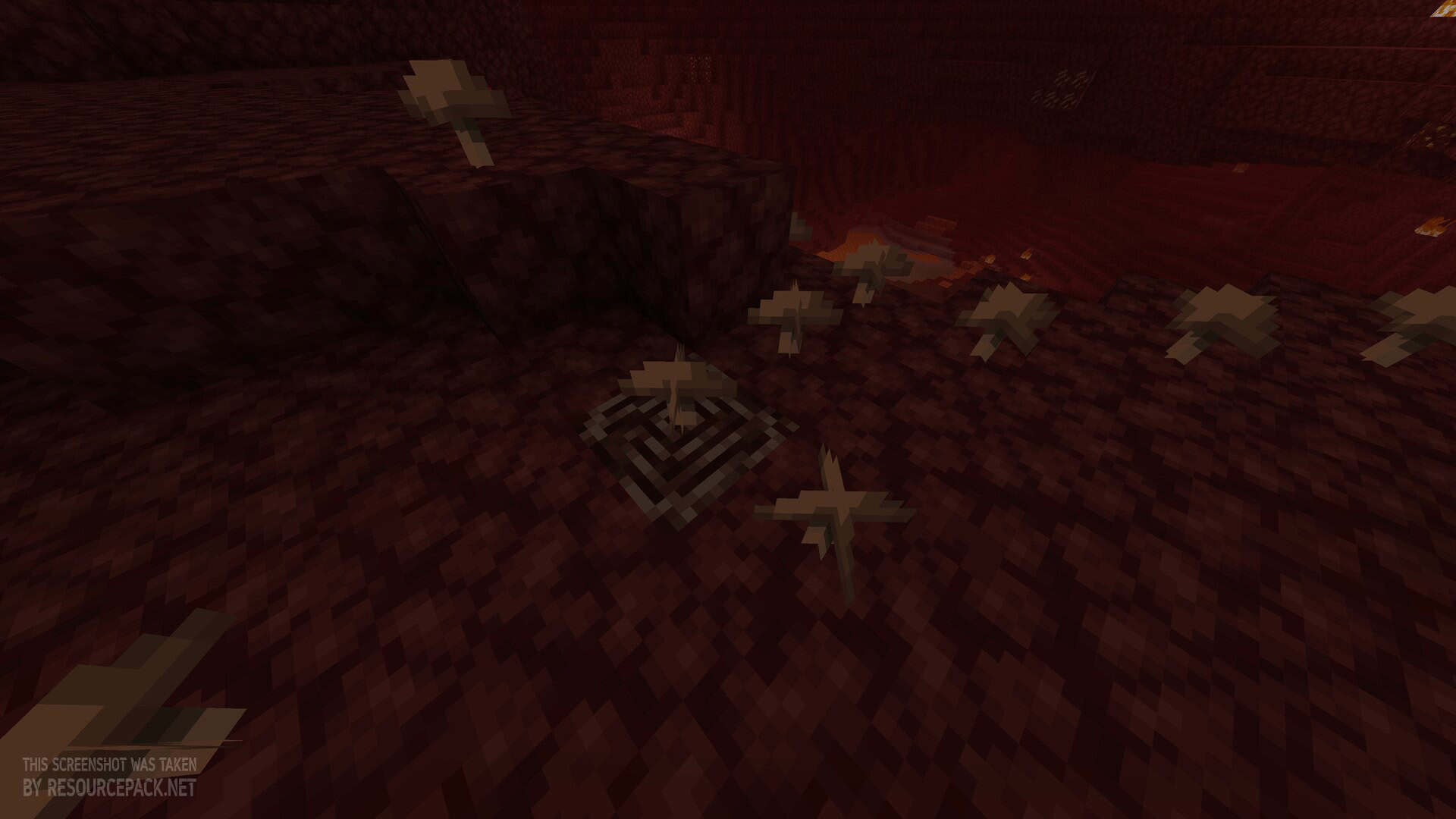 Vanilla
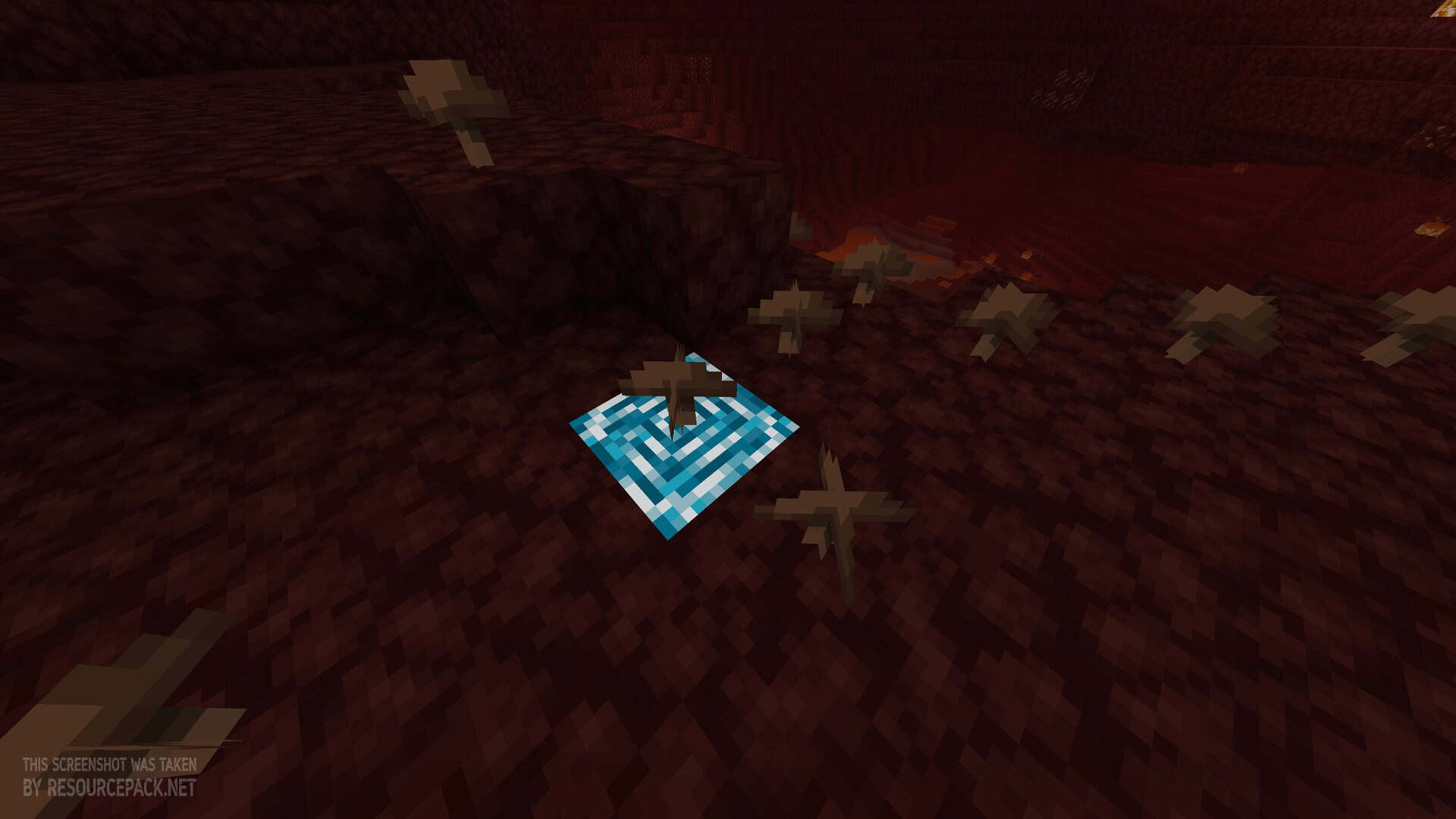 Blue Netherite
 Texture Pack Download
- We do not modify or edit any resource packs. All resource packs, shaders and tools found on this website are linked directly to official sources rather than hosted on our own servers. We provide only the official download links from the original creators to ensure that your files are safe and secure.
- These official links are updated manually and may occasionally stop working when a new version is released. We work hard to keep everything current so that you have a smooth experience. Please let us know in the comments if you find a link that no longer works.
- Minecraft is a trademark of Mojang Studios and has no official connection to this website. Our goal is simply to share the best creations from the community with other players.
- Please consider leaving a comment or voting for your favorite packs. This feedback helps authors improve their projects over time. You can also support the creators directly by visiting the official links located below the download section.
Bedrock Edition:
[16x] Download Blue Netherite Bedrock Edition Resource Pack
Java Edition:
[16x] [26.3.x – 1.21.2] Download Blue Netherite Resource Pack
[16x] [1.21.1 – 1.20.x] Download Blue Netherite Resource Pack
Curseforge: download starts automatically after a few seconds;
Mediafire: click the big blue button with the text "DOWNLOAD";
Google Drive: in the top right corner you will see a small download icon (down arrow), click it and the download should start;

3 votes
Look.. 3 users have already liked this pack. Give a diamond if you like it too!



Leave a reply
0 comments
Links in comments are not allowed. Comments containing links will be removed.
If your comments are consistently being deleted, please be sure to review our Comment Policy.