Since its first release in November 2011, Minecraft remains one of the most played digital video games on the planet. It is quite a fun and simple game that involves breaking and placing blocks to come up with funny looking constructions and objects. And since Minecraft does not have any set goals, the players are free to play the game whichever way they want to One flaw about Minecraft that most players always find displeasing is the game’s poor graphics. That’s why many players often opt to use the Painterly Pack to improve Minecraft’s graphics. Yes! These days Minecrafters use various resource pack to enhance their gameplay experience. Basically, painterly is a 16×16 set of textures pack used to smoothen the game’s graphics while at the same time retaining the thrill and fun of the gameplay. For those still struggling with Minecraft’s default graphics, you should know that the painterly pack comes with over 5000 textures and sprites. Over the years, Painterly has remained the most preferred and most extensive texture repository for many Minecraft players.
This is because the pack is original and lets you customize the game to suit your graphic preferences. Moreover, the painterly texture pack has grown in popularity because it is highly customizable. This means that it gives Minecraft players great control over the game’s graphics. Moreover, due to its long time in the gaming market, most players have grown accustomed to the painterly texture pack because of its ease of use. To get yourself your very own painterly pack, you have to visit their website. The fun fact about all this is that, on the site, you will be offered 2 to 3 different options for each texture block. That means that, if you don’t find one option in the pack appealing, you can always choose to use any of the remaining options. Besides, like many other packs, Painterly Resource Pack also supports mods. In total, there have been more than 20 million downloaded versions of this pack! You no longer have to struggle with Minecraft’s default graphics; all you need is the Painterly Resource Pack. You finally get the chance to take advantage of the thousands, 5000+, of distinct and very customizable textures and sprites that the painterly pack has to offer.
Painterly Pack should be compatible with all of these Minecraft versions: 1.15.2 - 1.15.1 - 1.15 - 1.14.4 - 1.14.3 - 1.14.2 - 1.14 - 1.12.2 - 1.12 - 1.11.2 - 1.11 - 1.10.2 - 1.10 - 1.9.4 - 1.9 - 1.8.9 - 1.8.8 - 1.8.1 - 1.8.6 - 1.8 - 1.7.10 - 1.7.9 - 1.7.4 - 1.7
Painterly Pack — Video & Screenshots


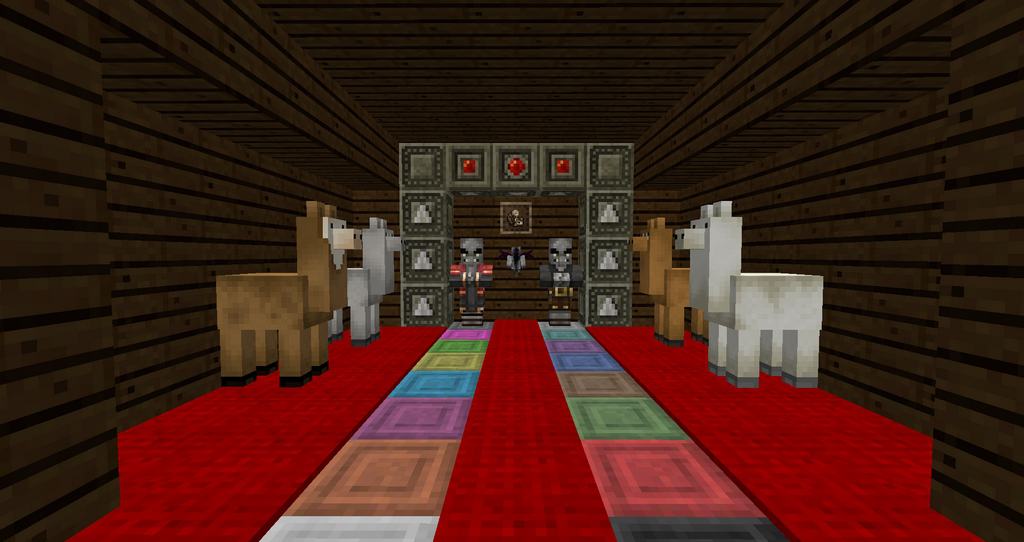
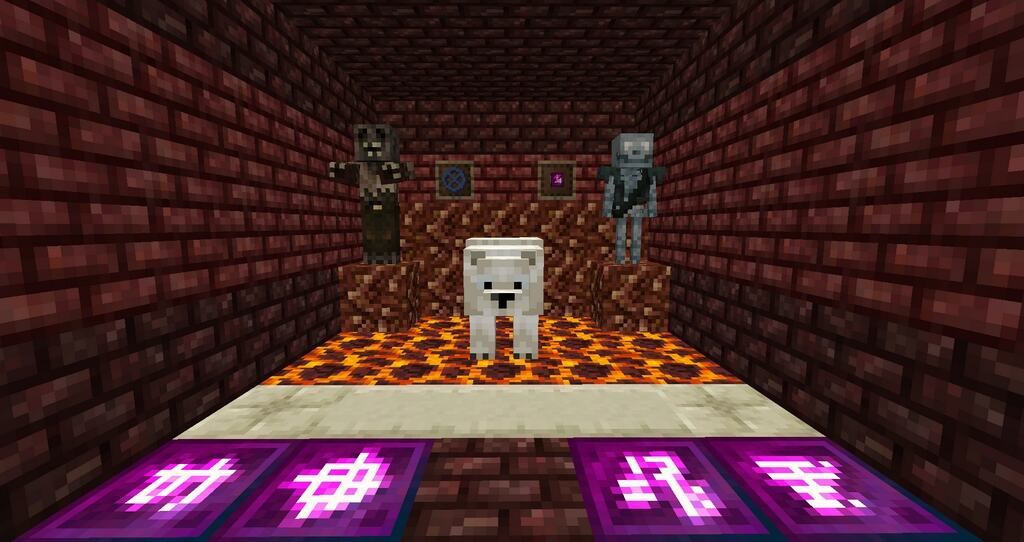
How to install Paper Cut-Out Resource Pack
NOTE: Many resource packs require optifine to be installed, so be sure to install it.
- Download the original resource pack (customizer version) from the links below.
- Download the fan patch by GerbilCrab475 from the links below.
- Launch Minecraft.
- On the main menu, click “Options”.
- On the options menu, click “Resource Packs…”.
- Click on “Open Resource Pack Folder”. – folder titled “resourcepacks” will pop up
- Move the .zip files you downloaded in the first step to the newly opened “resourcepacks” folder.
- Click “Done”.
- Click on “Resource Packs…” again.
- Your pack and patch should have appeared in the left window.
- Hover over the original pack and click on the arrow pointing to the right.
- Hover over fan patch by GerbilCrab475 and click on the arrow pointing to the right. – make sure the patch is at the top of the list so that it overrides any incompatible textures your current Painterly Pack may have
- Click “Done” again.
- The pack has now been successfully loaded and ready to be used in your world!
Painterly Pack Texture Pack Download
- We do not modify or edit any resource packs. All resource packs, shaders and tools found on this website are linked directly to official sources rather than hosted on our own servers. We provide only the official download links from the original creators to ensure that your files are safe and secure.
- These official links are updated manually and may occasionally stop working when a new version is released. We work hard to keep everything current so that you have a smooth experience. Please let us know in the comments if you find a link that no longer works.
- Minecraft is a trademark of Mojang Studios and has no official connection to this website. Our goal is simply to share the best creations from the community with other players.
- Please consider leaving a comment or voting for your favorite packs. This feedback helps authors improve their projects over time. You can also support the creators directly by visiting the official links located below the download section.
Download Painterly Pack with Customizer from Official Source – by Rhodox
Fan Patch by GerbilCrab475:
[16x] [1.15.x – 1.14.x] Download Painterly Continuation Resource Pack – by GerbilCrab475
[16x] [1.12.x – 1.11.x] Download Painterly Continuation Resource Pack – by GerbilCrab475
Curseforge: download starts automatically after a few seconds;
Mediafire: click the big blue button with the text "DOWNLOAD";
Google Drive: in the top right corner you will see a small download icon (down arrow), click it and the download should start;

60 votes
Look.. 60 users have already liked this pack. Give a diamond if you like it too!

tamas
If I launch the game, the clock, and the compass haven’t got texture, why?
Brett Crowe
I noticed the Painterly site was back up as of yesterday. The texture pack I updated is working, but the graphics are offset with the item slots in the inventory screen. Easy enough to fix (that’s why I’m here) though I suspect other inventory screens might be the same (i think Brewing will be.) Anyway, the site states it was last updated on Oct 31st of 2016. Prior to yesterday, the site was down for weeks.
Fuzzballfox Onionring
Looks like Painterly really is dead?
ToAGamingYT
Looks like it
hairy.ballbastic145@gmail.com
You happen to still have the customizer or is that built in with other packs?
ToAGamingYT
Rhodox could you please update the website to be compatible with 1.10 and 1.11? Thanks!